Guía del comprador de pantallas industriales para equipos OEM

Introducción Las interfaces hombre-máquina (IHM) son actualmente componentes estándar de los equipos industriales modernos. Las pantallas permiten a los operarios ...
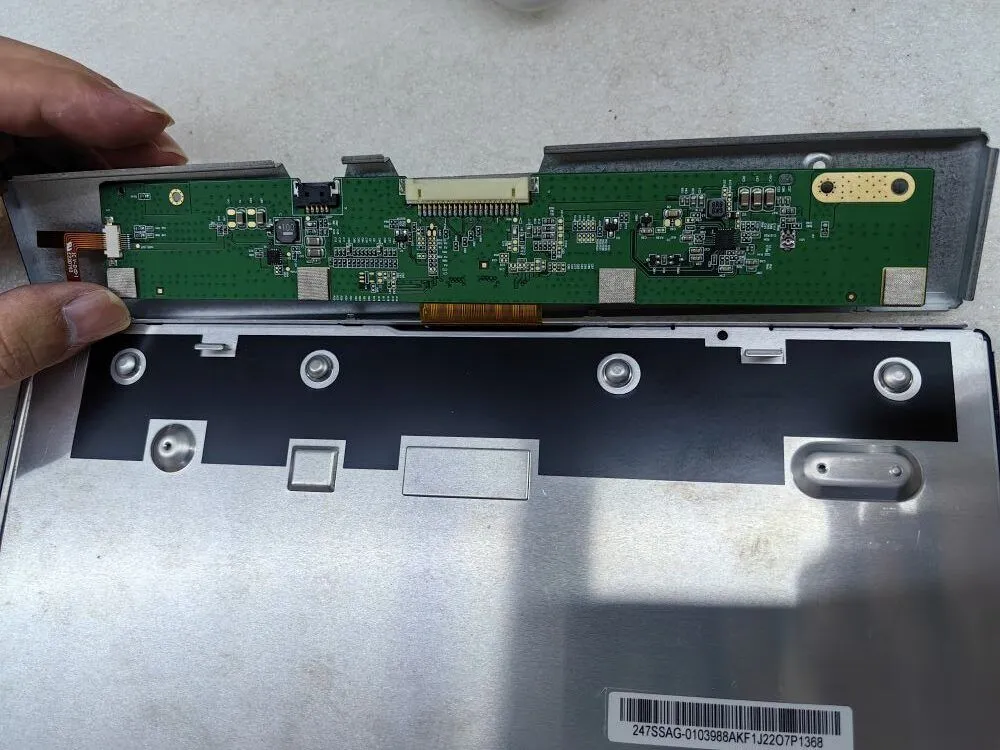
Encontrarse con una pantalla en negro o sin imagen en el monitor puede ser una experiencia frustrante, sobre todo cuando las operaciones fluidas son cruciales.
Tanto si eres un profesional de TI con conocimientos técnicos como un responsable de compras encargado de adquirir soluciones de visualización fiables, es esencial que sepas cómo solucionar eficazmente estos problemas.
En esta guía de solución de problemas, le proporcionaremos una serie de valiosos consejos y estrategias para diagnosticar sistemáticamente las causas subyacentes de los problemas de pantalla en negro y ausencia de imagen. Siguiendo estas directrices, podrá identificar y solucionar rápidamente los problemas, garantizando una productividad ininterrumpida y un rendimiento óptimo.
¿Está encendida la luz de fondo? En caso afirmativo, es probable que la tarjeta de corriente constante funcione correctamente.
Para solucionar el problema de una pantalla negra o sin imagen en el monitor, el primer paso es examinar la iluminación de la retroiluminación. Si la retroiluminación es brillante y funciona como se espera, indica que la tarjeta de corriente constante, responsable de regular la retroiluminación, está probablemente en buen estado de funcionamiento. Sin embargo, si la retroiluminación no está encendida, continúe con los siguientes pasos para localizar y resolver el problema.
¿Hay indicios de que los componentes de la pantalla LCD estén quemados o dañados?
Para solucionar el problema de la pantalla negra o la ausencia de imagen en el monitor, el segundo paso fundamental es examinar a fondo los componentes de la pantalla LCD. Busque atentamente cualquier indicio visual de elementos quemados o dañados. Pueden ser zonas carbonizadas, componentes descoloridos o signos visibles de sobrecalentamiento.
La identificación de estos daños puede proporcionar información clave sobre la causa del problema. Si observa algún componente de la pantalla LCD dañado, es aconsejable sustituirlo inmediatamente. Sin embargo, si los componentes de la pantalla LCD parecen intactos, continúe con los pasos siguientes para solucionar el problema.
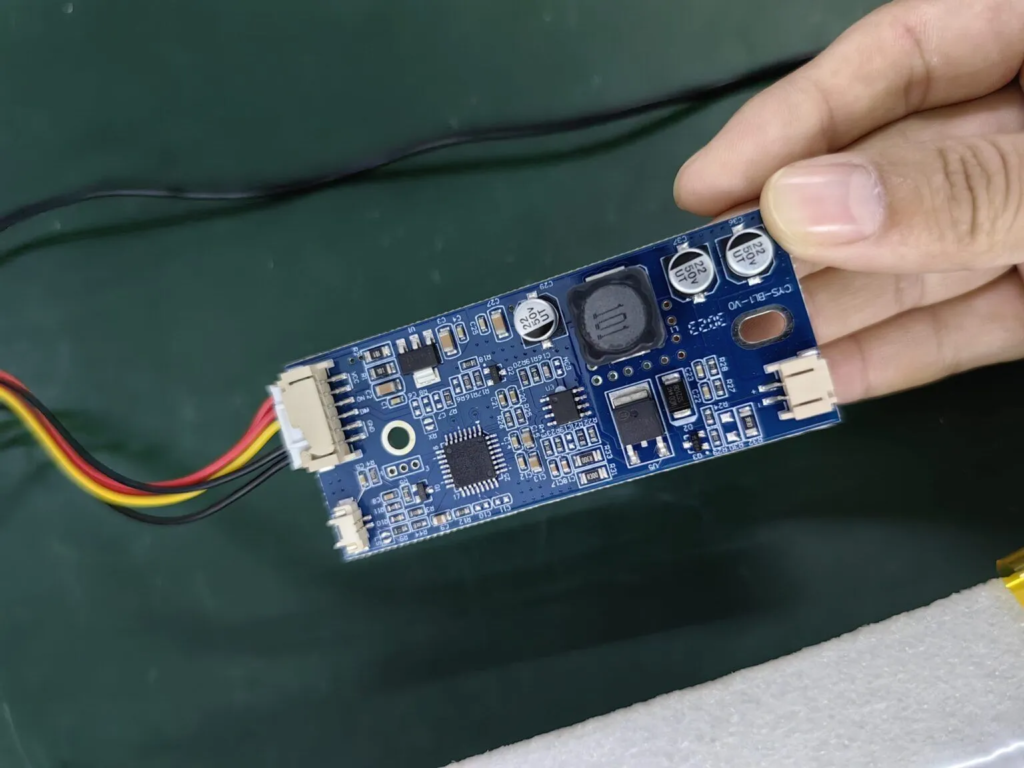
¿Hay indicios de que los componentes de la pantalla LCD estén quemados o dañados?
Para solucionar el problema de la pantalla negra o la ausencia de imagen en el monitor, el segundo paso fundamental es examinar a fondo los componentes de la pantalla LCD. Busque atentamente cualquier indicio visual de elementos quemados o dañados. Pueden ser zonas carbonizadas, componentes descoloridos o signos visibles de sobrecalentamiento.
La identificación de estos daños puede proporcionar información clave sobre la causa del problema. Si observa algún componente de la pantalla LCD dañado, es aconsejable sustituirlo inmediatamente. Sin embargo, si los componentes de la pantalla LCD parecen intactos, continúe con los pasos siguientes para solucionar el problema.
La siguiente imagen muestra el aspecto de los componentes quemados debido a la baja tensión de alimentación
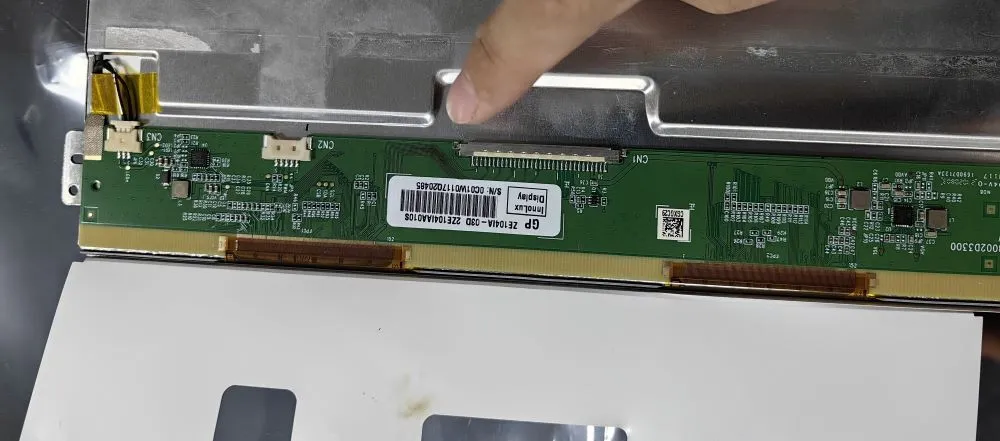
Dedica un momento a inspeccionar las patillas del conector para detectar cualquier signo de desalineación. Unas clavijas desalineadas pueden provocar problemas como una pantalla blanca o distorsionada.
A la hora de solucionar el problema de una pantalla en negro o sin imagen en el monitor, es esencial tener en cuenta el estado de las patillas del conector. Examínelas cuidadosamente para asegurarse de que están bien alineadas. Unas patillas mal alineadas pueden dar lugar a conexiones deficientes, provocando problemas como una pantalla blanca o distorsión de la pantalla.
Si detecta algún pin desalineado, realinéelo con cuidado para restablecer una conexión segura y precisa. Esta atención al detalle puede resolver a menudo los problemas de visualización de forma eficaz. No obstante, si las clavijas parecen estar correctamente alineadas, siga los pasos siguientes para continuar con el diagnóstico y la resolución.
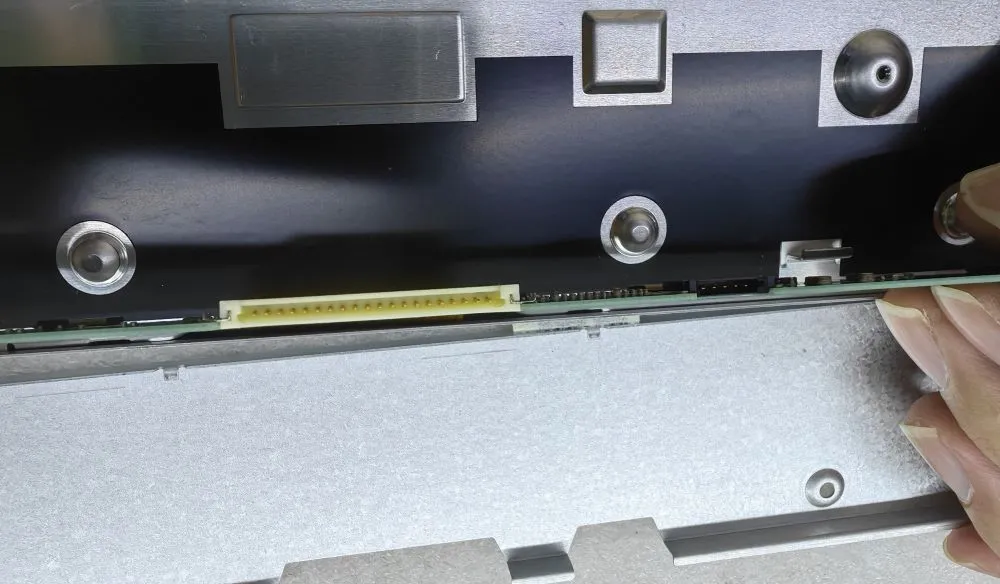
Arriba están los 3 pasos principales para comprobar la pantalla en negro o no hay problemas de visualización.
Introducción Las interfaces hombre-máquina (IHM) son actualmente componentes estándar de los equipos industriales modernos. Las pantallas permiten a los operarios ...

Introducción Las pantallas industriales se instalan con frecuencia en entornos en los que las condiciones de iluminación son difíciles de controlar. Equipos ...

Introducción Las pantallas son un componente de interfaz crítico en muchos tipos de equipos industriales. Proporcionan al sistema ...

Introducción La visibilidad de las pantallas es un parámetro de diseño fundamental en los equipos industriales. Los operarios confían en las interfaces gráficas ...
Envíe los detalles de su solicitud. Le responderemos con la dirección de configuración y los siguientes pasos.