Guia do comprador do fornecedor de ecrãs industriais para equipamento OEM

Introdução As interfaces homem-máquina (IHM) são atualmente componentes normais dos equipamentos industriais modernos. Os ecrãs permitem aos operadores ...
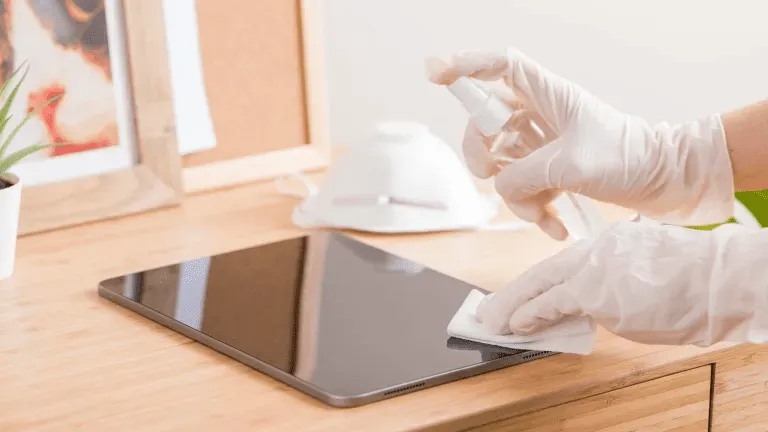
Os ecrãs tácteis são agora essenciais em ambientes industriais, comerciais e públicos.
Quer seja utilizado em IHMs de fábrica, quiosques de exterior, terminais de retalho ou sistemas médicos, A limpeza regular é fundamental para legibilidade, higiene, longevidade e exatidão.
Este guia explica como limpar corretamente um ecrã tátil, O seu sistema de limpeza é baseado no seu cenário de utilização, nas ferramentas e materiais a utilizar e na frequência de limpeza.
Os ecrãs tácteis industriais e comerciais estão sujeitos a:
Uma limpeza incorrecta pode causar:
É por isso que um processo de limpeza adaptado aos ecrãs industriais é essencial - tanto para os operadores como para as equipas de manutenção.
Antes de começar, reúna-se:
Pano de microfibras (sem pêlos)
Solução de limpeza segura para o ecrã (sem álcool e sem amoníaco)
Água destilada (opcional)
Frasco de spray - nunca pulverizar diretamente sobre o ecrã
⚠ Fazer NÃO utilizar toalhas de papel, panos abrasivos, limpa-vidros ou desinfectantes domésticos que contenham lixívia ou álcool forte.
Estes podem danificar os revestimentos do ecrã.
Desligue sempre o ecrã tátil ou desligue a alimentação antes de limpar.
Isto evita interferência estática e permite ver claramente todas as marcas.
Utilize um pano de microfibras seco para remover suavemente o pó e as partículas soltas.
A remoção prévia do pó evita riscos aquando da aplicação de líquidos.
Não pulverizar o produto de limpeza diretamente sobre o ecrã.
Em vez disso:
Isto preserva o integridade dos sensores tácteis e dos revestimentos de vidro.
Após a limpeza:
Para sistemas de elevado contacto, como quiosques públicos e terminais de auto-atendimento, repita a limpeza diariamente ou várias vezes por turno.
Produtos de limpeza à base de amoníaco
Limpa-vidros com elevado teor de álcool
Agentes de lavagem abrasivos
Toalhas de papel ou lenços de papel
A utilização da química de limpeza correta garante um desempenho a longo prazo e mantém os revestimentos de superfície protectores, como Tratamentos de vidro AG, AF e AR.
| Ambiente | Frequência de limpeza recomendada |
|---|---|
| Ecrãs públicos de elevado contacto (quiosques, POS) | Diário |
| Painéis tácteis médicos ou de laboratório | Após cada utilização / turno |
| HMIs de fábrica ou de oficina | Semanal |
| Ecrãs robustos para exterior | Quinzenalmente ou conforme necessário |
| Terminais internos de baixo contacto | Mensal |
A otimização dos horários de limpeza melhora tempo de atividade, higiene e satisfação do operador.
❌ Pulverização de líquido diretamente no ecrã
Utilize antes um pano humedecido.
❌ Utilizar um pano áspero ou uma toalha de papel
Mudar para microfibra.
❌ Utilização indiscriminada de desinfectantes fortes
Utilizar apenas soluções aprovadas.
❌ Ignorar os rebordos e as zonas de vedação
Evitar que o líquido penetre nas costuras.
Muitas telas industriais incluem tratamentos de superfície como:
Para preservar estes revestimentos:
✔ Utilização produtos de limpeza sem álcool
Evitar abrasivos
Limpar com cuidado e regularmente
Seguir as diretrizes do fabricante
Uma manutenção adequada prolonga a vida útil dos tratamentos de proteção do vidro e mantém os ecrãs com um aspeto novo.
Uma limpeza adequada do ecrã tátil não tem apenas a ver com a aparência - melhora-a:
Utilizando soluções de limpeza seguras e seguir um processo de limpeza consistente, Os ecrãs industriais mantêm-se funcionais durante mais tempo e requerem menos manutenção.
Introdução As interfaces homem-máquina (IHM) são atualmente componentes normais dos equipamentos industriais modernos. Os ecrãs permitem aos operadores ...

Introdução Os ecrãs industriais são frequentemente utilizados em ambientes onde as condições de iluminação são difíceis de controlar. Equipamento ...

Introdução Os ecrãs são um componente de interface crítico em muitos tipos de equipamento industrial. Fornecem ao sistema ...

Introdução A visibilidade do ecrã é um parâmetro de conceção fundamental nos equipamentos industriais. Os operadores confiam nas interfaces gráficas ...
Envie os detalhes da sua aplicação. Responderemos com orientações de configuração e próximos passos.