Guía del comprador de pantallas industriales para equipos OEM

Introducción Las interfaces hombre-máquina (IHM) son actualmente componentes estándar de los equipos industriales modernos. Las pantallas permiten a los operarios ...
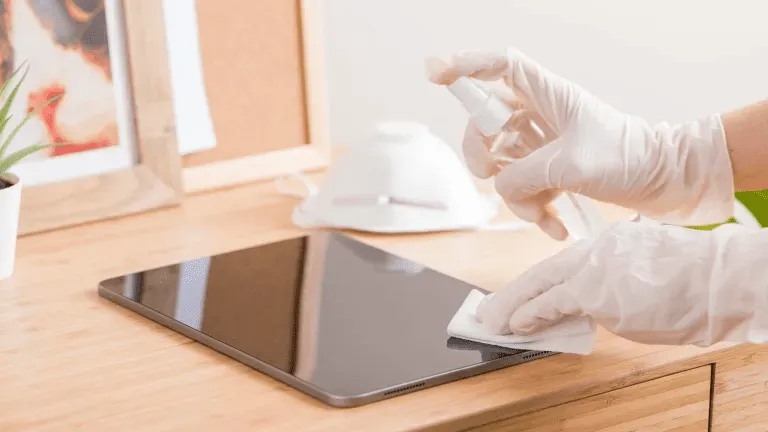
Las pantallas táctiles son ahora esenciales en entornos industriales, comerciales y públicos.
Tanto si se utiliza en HMI de fábrica, quioscos exteriores, terminales de venta al por menor o sistemas médicos, La limpieza periódica es fundamental para legibilidad, higiene, longevidad y precisión.
Esta guía explica cómo limpiar correctamente una pantalla táctil, Qué herramientas y suministros utilizar, y con qué frecuencia limpiar en función de la situación de uso.
Las pantallas táctiles industriales y comerciales están sujetas a:
Una limpieza inadecuada puede causar:
Por eso un proceso de limpieza adaptado a las pantallas industriales es esencial, tanto para los operadores como para los equipos de mantenimiento.
Antes de empezar, reúnanse:
✔ Paño de microfibra (sin pelusa)
✔ Solución limpiadora apta para pantallas (sin alcohol ni amoníaco)
✔ Agua destilada (opcional)
Botella de spray - no pulverizar nunca directamente sobre la pantalla
⚠ Do NO utilice toallas de papel, paños abrasivos, limpiacristales o desinfectantes domésticos que contengan lejía o alcohol fuerte.
Pueden dañar los revestimientos de las pantallas.
Apague siempre la pantalla táctil o desconecte la alimentación antes de limpiarla.
Esto evita interferencias estáticas y garantiza que pueda ver todas las marcas con claridad.
Utilice un paño de microfibra seco para eliminar suavemente el polvo y las partículas sueltas.
Eliminar primero el polvo evita arañazos al aplicar líquidos.
No rocíe limpiador directamente sobre la pantalla.
En su lugar:
Esto preserva la integridad de los sensores táctiles y los revestimientos de vidrio.
Después de la limpieza:
En el caso de sistemas muy sensibles al tacto, como quioscos públicos y terminales de autoservicio, repita la limpieza a diario o varias veces por turno.
❌ Limpiadores a base de amoníaco
❌ Limpiacristales con alto contenido en alcohol.
❌ Agentes abrasivos para fregar
❌ Toallas o pañuelos de papel
El uso de los productos químicos de limpieza adecuados garantiza un rendimiento a largo plazo y mantiene los revestimientos protectores de las superficies como Tratamientos de vidrio AG, AF y AR.
| Medio ambiente | Frecuencia de limpieza recomendada |
|---|---|
| Expositores públicos interactivos (quioscos, puntos de venta) | Diario |
| Paneles táctiles médicos o de laboratorio | Después de cada uso / turno |
| IHM de fábrica o taller | Semanal |
| Expositores resistentes para exteriores | Quincenalmente o según sea necesario |
| Terminales internos de bajo contacto | Mensualmente |
La optimización de los programas de limpieza mejora tiempo de actividad, higiene y satisfacción del operario.
❌ Rociar líquido directamente sobre la pantalla
➡ Utilice en su lugar un paño humedecido.
❌ Con un paño áspero o una toalla de papel
➡ Pásate a la microfibra.
❌ Uso indiscriminado de desinfectantes fuertes
➡ Utilizar únicamente soluciones autorizadas.
❌ Ignorar los bordes y las zonas de sellado
➡ Evitar que el líquido penetre en las costuras.
Muchas cribas industriales incluyen tratamientos superficiales como:
Para conservar estos revestimientos:
✔ Uso limpiadores sin alcohol
✔ Evitar los abrasivos
✔ Limpiar con suavidad y regularidad
✔ Siga las directrices del fabricante
Un mantenimiento adecuado alarga la vida de los tratamientos protectores del vidrio y mantiene los expositores como nuevos.
Una limpieza adecuada de la pantalla táctil no sólo mejora su aspecto:
Utilizando soluciones de limpieza seguras y siguiendo un proceso de limpieza coherente, Las pantallas industriales son funcionales durante más tiempo y requieren menos mantenimiento.
Introducción Las interfaces hombre-máquina (IHM) son actualmente componentes estándar de los equipos industriales modernos. Las pantallas permiten a los operarios ...

Introducción Las pantallas industriales se instalan con frecuencia en entornos en los que las condiciones de iluminación son difíciles de controlar. Equipos ...

Introducción Las pantallas son un componente de interfaz crítico en muchos tipos de equipos industriales. Proporcionan al sistema ...

Introducción La visibilidad de las pantallas es un parámetro de diseño fundamental en los equipos industriales. Los operarios confían en las interfaces gráficas ...
Envíe los detalles de su solicitud. Le responderemos con la dirección de configuración y los siguientes pasos.