Custom Touch Panels & Integration-Ready Displays for OEM/ODM Programs
When standard touch modules don’t match your stack-up, mounting, or field conditions (gloves / water / sunlight / EMI), send what you know. We help you lock a controlled specification (touch behavior + optics + mechanics + interfaces) and deliver prototype builds, validation samples, et production with BOM control.
Lock the Right Controlled Specifications with Fast Inputs
Custom touch is not just “change the size”. Field stability depends on stack-up, l'environnement, et system noise / grounding. These three input groups are what we use to evaluate project fit and recommend a controlled spec. Share what you already know — we’ll guide you through missing items step-by-step.
Gloves, Water, Sunlight, EMI
Real field conditions can change touch behavior dramatically. We design targets and validation around your usage scenario.
- Glove types & wet operation (water rejection targets)
- Outdoor readability / condensation notes
- EMI level, grounding, and shield constraints
Fast inputs: glove type, wet scenario, outdoor/indoor, known EMI notes.
Mounting, Sealing, Stack-up
Most rework happens when mounting and sealing are fixed too late. We align structure early to avoid surprises.
- Embedded / open-frame / VESA (and front depth limits)
- Bezel / cut-out / compression & tolerance notes
- Flat-front concept & sealing constraints (system-defined)
Fast inputs: mounting method, cut-out/bezel, stack-up sketch (if any), depth limits.
Validation Steps & BOM Stability
To keep deliveries stable, we define validation gates and control BOM changes — instead of “best-effort” builds.
- Prototype → validation sample → pilot → production planning
- Controlled BOM (versioning / approved alternates if needed)
- Change management to protect long-term stability
Fast inputs: target qty, timeline, life-cycle expectation, any approved component rules.
If you don’t have a complete spec yet, that’s normal — send what you have and we’ll structure the rest.
Custom touch is a system decision — not a drawing change
In industrial deployments, touch issues often show up after installation: false touches, unstable tracking, poor readability, condensation, or unexpected EMI behavior. These are avoidable when the deciding variables are set early and validated with the real stack-up + environment.
Based on recurring root causes we see during prototype validation, the failure points below usually decide field stability.
- Touch behavior: glove/wet usage not defined early → tuning targets wrong → unstable interaction
- Optics & bonding: reflections/condensation ignored → readability drops / fogging complaints
- Mechanical stack-up: bezel compression & tolerance uncontrolled → non-uniform touch response
- EMI / grounding: system noise + weak shielding strategy → ghost touches / tracking drift
- Program control: BOM changes not controlled → validation breaks and stability drifts over time
What we do
- Controlled spec: touch + optics + mechanics + interfaces
- Controller selection & touch tuning (gloves / wet / EMI targets)
- Glass + bonding options (air / OCA / LOCA) to support readability
- Prototype builds, validation samples, and production with BOM control
What we don’t claim
- System IP rating without full enclosure design
- EMC/EMI “pass guarantee” without system-level test setup
- On-site installation responsibility (unless project-scoped)
- Undefined lifetime programs without agreed change control
Note: rugged targets (IK/IP) and EMC performance depend on the complete enclosure, cable routing, and grounding strategy. Touch tuning is dependent on your OS/driver + enclosure grounding. We align the touch/display spec to support your system validation.
Integration-ready build: mechanical fit + touch tuning + interface stability.
- Controlled specification sheet (Rev-controlled)
- BOM with approved alternates (if needed) + change log / ECN alignment
- Validation checklist (touch behavior / optics / mechanical / interfaces)
- Prototype & validation samples aligned to your real stack-up
- Problem: Outdoor kiosk, glove + wet use → unstable tracking after installation
- Root cause: Grounding + noise coupling + stack-up tolerance not aligned to tuning targets
- Deliverables: Controlled spec update + tuning target revision + mechanical tolerance notes
- Result: Stable behavior across validation samples before production release
Send your stack-up, mounting method, OS/interface, and field conditions — we’ll recommend a controlled spec quickly.
Choose the delivery scope — not a catalog SKU
Select what you want to integrate (touch layer / display assembly / display + computing). Behind each scope, we lock a controlled specification — touch behavior, optics, mechanics, interfaces, and BOM discipline — to reduce late-stage rework and keep validation repeatable.
If you are comparing standard models, use product pages. If you are validating an OEM build, start here.
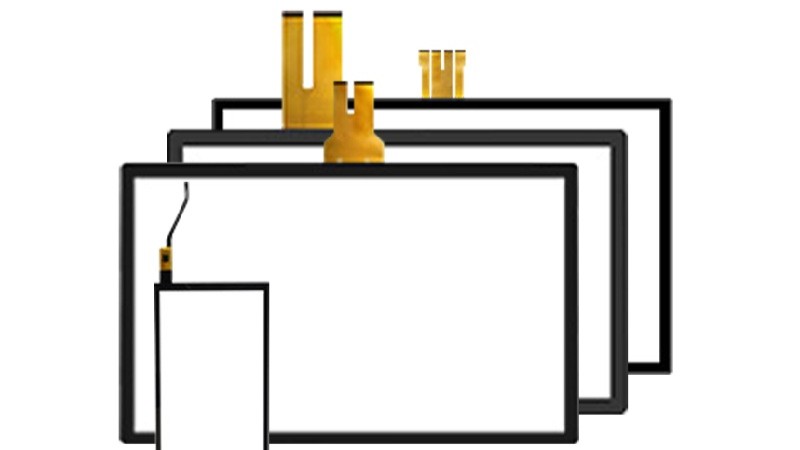
Custom PCAP Touch Panel
Best when your display & computing are already fixed and you only need a stable touch stack-up.
Typical fit: multi-touch UI + modern HMI, glove/wet targets need tuning.
- Touch behavior targets: glove / wet (project-defined)
- Cover glass + treatments: AG / AR / AF
- Bonding options: air / OCA / LOCA (when needed)
Typical outputs: Rev-controlled spec + tuning targets + glass/stack notes + BOM version.
View Standard Options
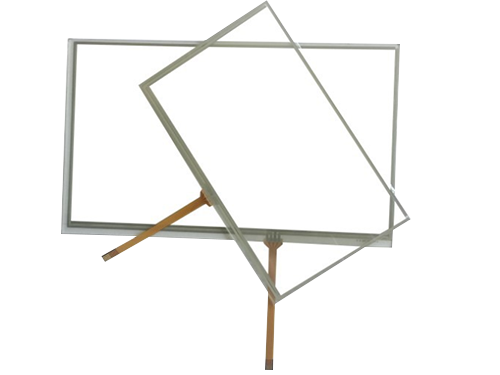
Custom Resistive Touchscreen
Best for stylus / glove-first workflows where simplicity and long-term BOM stability matter.
Typical fit: point input, stylus-heavy processes, long-life industrial programs.
- 4-wire / 5-wire options
- Surface options: anti-glare / hard-coat (project-based)
- Revision control for long-life programs
Typical outputs: drawing/outline + interface notes + BOM versioning + approved alternates (if needed).
View Standard Options
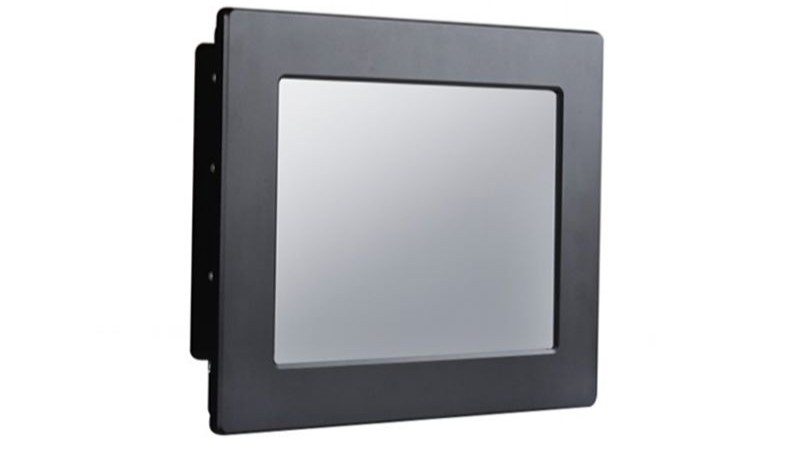
Industrial Monitor (Integration-Ready)
Best when you want a drop-in display assembly with defined mounting, interfaces, and controlled stack-up for validation.
Typical fit: enclosure direction is clear, but display assembly integration must be repeatable for validation.
- Open-frame / embedded / VESA concepts
- Brightness plan + glass/bonding alignment
- Interfaces aligned to your system (project-based)
Typical outputs: mounting concept + interface/connector notes + controlled stack-up + validation sample plan.
View Standard Options
Fanless Panel PC (Integration-Ready)
Best when computing must be included and you need one controlled configuration for I/O mapping, OS, and mechanical fit.
Typical fit: OS image + I/O mapping + thermal/mechanical constraints must be fixed for release.
- Platform direction: Intel / ARM (project-based)
- I/O mapping aligned to your enclosure constraints
- Mounting concept for embedded or VESA builds
Typical outputs: controlled configuration (platform/I/O/OS) + BOM control + validation & pilot plan.
View Standard OptionsNot sure which scope fits? Send your mounting method + interfaces/OS + field conditions — we’ll recommend the lowest-risk path.
Project inputs that actually determine field stability
This checklist reflects the inputs we use internally to evaluate feasibility and lock a controlled specification. If some items are unknown, that’s normal — missing inputs can be clarified during engineering review.
Touch behavior & usage
- Input method: finger / glove / stylus
- Wet conditions / water rejection expectation
- Single-touch or multi-touch requirement
- Known EMI or grounding constraints (if any)
Optics & front glass
- Indoor / semi-outdoor / outdoor usage
- Surface preference: AG / AR / AF (if defined)
- Cover glass thickness or constraints (if known)
- Bonding preference: air / OCA / LOCA (optional)
Mechanical & system context
- Mounting method: embedded / open-frame / VESA
- Panel cut-out or bezel constraint (if available)
- Target operating temperature & vibration notes
- Interfaces / OS environment (for touch tuning)
You can copy the text below into an email. If something is unknown, leave it blank — we’ll clarify during engineering review.
[Delivery scope] Touch layer / Monitor / Panel PC [Mechanical] - Mounting method: embedded / open-frame / VESA - Cut-out / bezel constraints: - Front depth limit / available space: - Stack-up (if any): (glass/touch/LCD/air gap/bonding) [Touch behavior] - Input method: finger / glove / stylus - Glove type (if applicable): - Wet operation scenario / water rejection expectation: - Single-touch or multi-touch: - Known EMI / grounding constraints: [Optics] - Indoor / semi-outdoor / outdoor: - Brightness direction (if known): - Surface preference: AG / AR / AF: - Bonding preference: air / OCA / LOCA: - Condensation / fogging risk notes (if any): [System] - Interface / OS: USB / I2C / RS232 / others; Windows / Linux / Android / custom - Cable length / routing notes (if any): - Grounding / shield constraints (if any): [Program] - Target quantity: - Timeline (prototype / validation / pilot / production): - Life-cycle expectation / BOM stability requirement: - Any approved component rules / alternates policy:
You don’t need all items above to start. In early-stage projects, partial inputs are common. The checklist helps structure engineering discussion and avoid late-stage rework.
Un flux de travail axé sur l'ingénierie pour les moniteurs tactiles et les PC à écran tactile
Des apports clairs. Des résultats clairs. Une validation plus rapide, moins de surprises et un chemin stable vers la production de masse.
Nous nous alignons sur votre environnement, les spécifications cibles, les interfaces et les contraintes mécaniques pour confirmer la faisabilité. et mettre en évidence les principaux risques à un stade précoce (pour les deux Moniteurs tactiles et PC à panneaux).
- Taille / résolution / luminosité
- Type de contact
- Interface (HDMI/DP/LVDS/eDP)
- Montage
- Température de fonctionnement
- Notes de faisabilité
- Éléments de risque
- Sens de configuration recommandé
- Lentille de couverture
- Gants / utilisation en milieu humide
- Préférence pour le collage
- Préoccupations liées aux interférences électromagnétiques
- Cible IP avant (le cas échéant)
- Plate-forme CPU / OS
- Liste des E/S (USB/LAN/COM/CAN/GPIO)
- Plage de puissance et surtension
- Limites thermiques
Vous recevez un résumé de la solution avec la direction de la nomenclature, le devis, le délai d'exécution et un plan d'échantillonnage et d'essai aligné sur vos conditions de déploiement, conçu pour réduire les retouches avant la production pilote et la production de masse.
- Devis + résumé de la solution
- Exemple de calendrier
- Liste de contrôle des tests
- Performances de l'affichage et du toucher en conditions réelles
- Contrôles thermiques/environnementaux, le cas échéant
- Guide d'intégration et notes sur l'impact du changement
- Vérification de la luminosité et du contraste
- Précision du toucher
- Test du gant mouillé (si nécessaire)
- Cycle de température
- Vibration (si nécessaire)
- Examen de base des risques liés aux interférences électromagnétiques
- Notes empilées tactiles
- Conseils en matière de collage
- Éléments de validation optique / de visibilité
- Cartographie des E/S
- Approche thermique
- Image du système d'exploitation / options du BIOS (si nécessaire)
Nous lançons d'abord un projet pilote pour vérifier la stabilité des performances, puis nous passons à la production de masse avec des points de contrôle de la qualité, une documentation contrôlée et une coordination des expéditions, dans l'optique d'une production de masse. nomenclature stable et une livraison prévisible.
- Calendrier de production
- Registres d'inspection IQC / IPQC / OQC
- Aide à l'emballage et à l'expédition
- Verrouillage de la nomenclature
- ECO / contrôle des modifications en cas de besoin
- Traçabilité des versions pour un approvisionnement à long terme
Prêt à commencer ? Envoyez vos spécifications et nous vous renverrons une orientation technique et un devis. après avoir reçu des données complètes.
Convient le mieux à : Projets OEM/ODM, intégration, approvisionnement à moyen et long terme. Pas idéal pour : les demandes ponctuelles de prix de niveau consommateur ou les demandes incomplètes.
Fast decisions for early-stage custom touch projects
This is a quick reference to reduce back-and-forth in early discussions. It complements the checklist above and helps align teams before prototypes and validation samples.
PCAP vs. Resistive — the decision signals
| Decision signal | PCAP | Résistif |
|---|---|---|
| Interaction model | Multi-touch, gesture-friendly UI | Precise point input, stylus workflow |
| Gloves | Possible with tuning (depends on glove) | Works naturally with gloves |
| Wet conditions | Designable with proper tuning & edge handling | Depends on front design and usage habits |
| Noise sensitivity | More sensitive to EMI / grounding strategy | Usually less sensitive to system noise |
| Typical fit | Modern interaction + multi-touch requirement | Industrial workflow, stylus-heavy or glove-first |
To recommend the right path quickly, share: glove type (if any), wet scenario, mounting method, and known EMI/grounding constraints.
Bonding & optics — when it matters
Bonding is typically chosen to improve readability and reduce internal reflections. The correct choice depends on your front glass, brightness plan, and condensation risk in the real enclosure.
- Surface: AG / AR / AF (based on viewing & cleaning needs)
- Impact: IK target (project-defined)
- Sealing: system-level IP concept (enclosure-defined)
If your team is still aligning internally, start with the checklist — it will structure engineering discussion before RFQ.
Questions that reduce rework and speed up OEM decisions
These are the questions we typically clarify early between engineering and procurement to avoid late-stage changes.
To speed up evaluation, include: delivery scope, mounting method, stack-up (if known), interfaces/OS, environment, and target quantity/timeline.
Prêt pour un examen technique ?
Faites part de votre demande et de vos principales exigences pour Moniteurs tactiles ou PC à panneaux. Nos ingénieurs examineront la faisabilité, les risques et recommanderont la bonne orientation de la configuration.