Guida all'acquisto dei fornitori di display industriali per le apparecchiature OEM

Introduzione Le interfacce uomo-macchina (HMI) sono ormai componenti standard delle moderne apparecchiature industriali. I display consentono agli operatori di ...
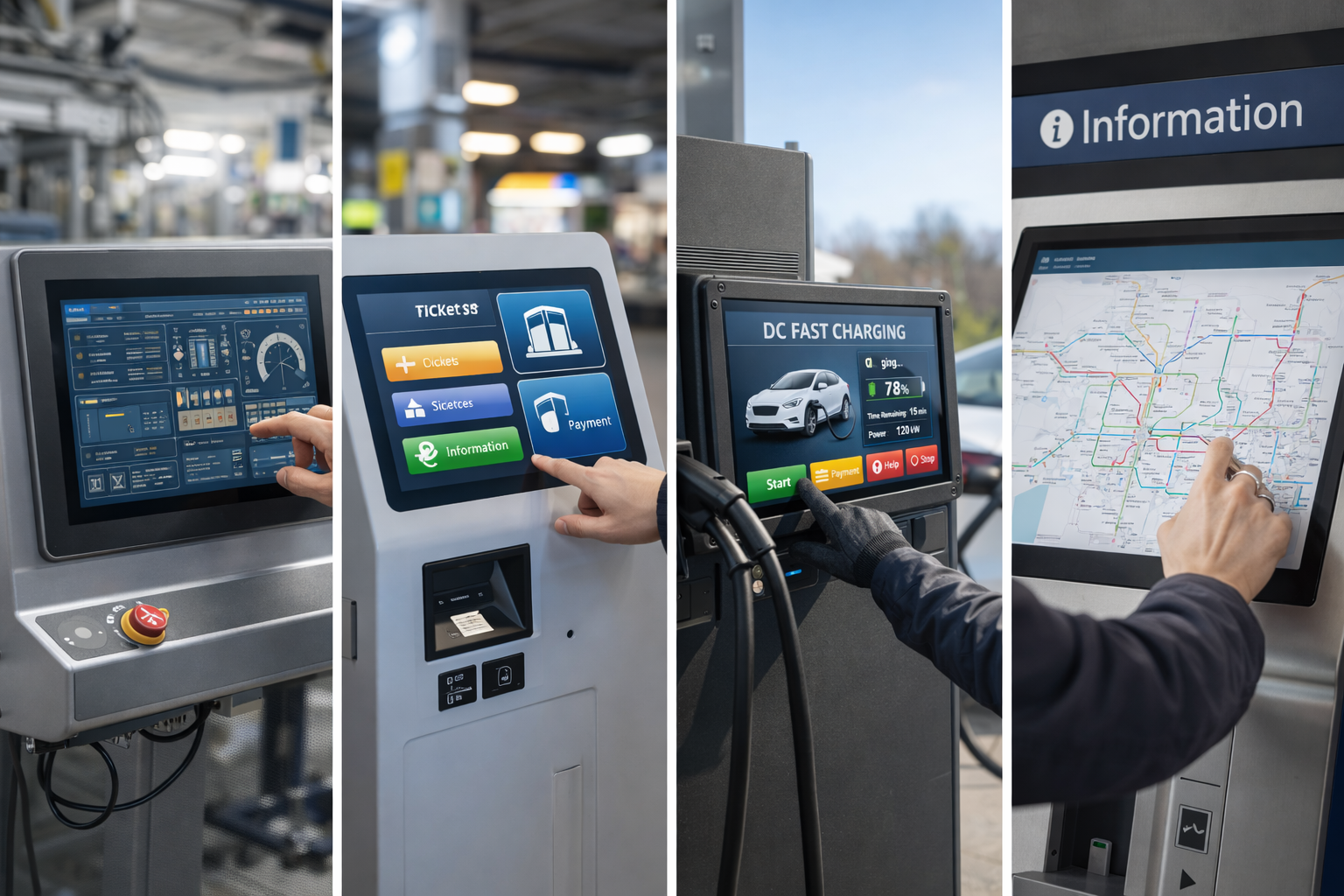
I monitor touch screen sono ormai ampiamente diffusi in tutto il mondo. applicazioni industriali, commerciali e pubbliche.
Dai pannelli di controllo ai chioschi, dai caricabatterie per veicoli elettrici ai sistemi di biglietteria, il monitor touch giusto influisce direttamente su usabilità, affidabilità e costi di manutenzione a lungo termine.
Invece di concentrarsi su elenchi di “migliori dell'anno” di breve durata, questa guida spiega come valutare e scegliere il miglior monitor touch screen per la vostra specifica applicazione.
Un monitor touch screen è un dispositivo di visualizzazione che consente agli utenti di interagire direttamente con i contenuti sullo schermo mediante input tattili.
A differenza dei tablet consumer, i monitor touch industriali e commerciali sono progettati per:
In genere sono costituiti da un pannello di visualizzazione, un sensore tattile, un controller e un vetro di protezione.
Applicazioni diverse richiedono tecnologie tattili diverse.
Le opzioni più comuni comprendono:
Per i moderni sistemi industriali, I monitor tattili PCAP sono la soluzione più diffusa.
Le dimensioni dei monitor touch più comuni vanno da Da 7″ a 27″, a seconda dell'applicazione.
Quando si scelgono le dimensioni e la risoluzione, è bene tenere conto di quanto segue:
Una risoluzione più elevata migliora la chiarezza, ma deve essere accompagnata da un'adeguata progettazione dell'interfaccia utente.
I monitor touch utilizzati in ambienti pubblici o semi-esterni devono rimanere leggibili in condizioni di luce variabili.
Le considerazioni principali includono:
La visibilità è particolarmente importante per applicazioni quali chioschi e stazioni di ricarica per veicoli elettrici.
I monitor tattili industriali e commerciali sono spesso esposti a..:
Scegliere un monitor con pannello anteriore sigillato e vetro di copertura temprato migliora l'affidabilità a lungo termine.
I monitor touch sono raramente prodotti indipendenti nei progetti industriali.
I metodi di integrazione più comuni includono:
Un supporto di montaggio adeguato semplifica la progettazione del sistema e riduce i rischi di installazione.
I monitor touch screen sono ampiamente utilizzati in:
Ogni applicazione richiede requisiti diversi prestazioni touch, durata e supporto del ciclo di vita.
Molti problemi non derivano dalla tecnologia in sé, ma da selezione errata.
Gli errori più comuni includono:
Evitare questi errori in anticipo aiuta a ridurre i costi di riprogettazione in seguito.
Il “migliore” monitor touch screen non è definito solo dal marchio o dalle specifiche.
Invece, è quello che corrisponde meglio:
Per OEM e integratori di sistemi, valutazione e validazione tecnica iniziale sono essenziali.
Sì. I monitor touch di livello industriale sono progettati per un funzionamento continuo e una lunga durata.
Il touch capacitivo proiettato è la soluzione più utilizzata grazie alla sua durata, alla precisione e al supporto di interfacce moderne.
Sì. Molti monitor touch industriali possono essere personalizzati in termini di dimensioni, luminosità, vetro e interfacce.
Piuttosto che rincorrere gli elenchi annuali dei “migliori”, la scelta del monitor touch screen giusto richiede capire i requisiti dell'applicazione.
Concentrandosi sulla tecnologia touch, sulla durata, sulla visibilità e sull'integrazione, è possibile scegliere una soluzione che offre prestazioni affidabili e valore a lungo termine.
Questo approccio garantisce che il vostro monitor touch screen rimanga efficace ben oltre un singolo anno.
Introduzione Le interfacce uomo-macchina (HMI) sono ormai componenti standard delle moderne apparecchiature industriali. I display consentono agli operatori di ...

Introduzione I display industriali sono spesso utilizzati in ambienti in cui le condizioni di illuminazione sono difficili da controllare. Apparecchiature ...

Introduzione I display sono un componente di interfaccia fondamentale in molti tipi di apparecchiature industriali. Forniscono al sistema ...

Introduzione La visibilità del display è un parametro critico nella progettazione delle apparecchiature industriali. Gli operatori si affidano alle interfacce grafiche ...
Inviate i dettagli della vostra applicazione. Risponderemo con la direzione della configurazione e le fasi successive.