OEM/ODM CUSTOM TOUCH • INDUSTRIAL INTEGRATION

Custom Touch Panels & Integration-Ready Displays for OEM/ODM Programs

When standard touch modules don’t match your stack-up, mounting, or field conditions (gloves / water / sunlight / EMI), send what you know. We help you lock a controlled specification (touch behavior + optics + mechanics + interfaces) and deliver prototype builds, validation samples, 및 production with BOM control.

OEM / Program Delivery PCAP & Resistive (Project-based) Glass + Bonding + Touch Tuning Controlled Spec + BOM Versioning
PROJECT FIT CHECK

Lock the Right Controlled Specifications with Fast Inputs

Custom touch is not just “change the size”. Field stability depends on stack-up, environment, 및 system noise / grounding. These three input groups are what we use to evaluate project fit and recommend a controlled spec. Share what you already know — we’ll guide you through missing items step-by-step.

Environment

Gloves, Water, Sunlight, EMI

Real field conditions can change touch behavior dramatically. We design targets and validation around your usage scenario.

  • Glove types & wet operation (water rejection targets)
  • Outdoor readability / condensation notes
  • EMI level, grounding, and shield constraints

Fast inputs: glove type, wet scenario, outdoor/indoor, known EMI notes.

Mechanical

Mounting, Sealing, Stack-up

Most rework happens when mounting and sealing are fixed too late. We align structure early to avoid surprises.

  • Embedded / open-frame / VESA (and front depth limits)
  • Bezel / cut-out / compression & tolerance notes
  • Flat-front concept & sealing constraints (system-defined)

Fast inputs: mounting method, cut-out/bezel, stack-up sketch (if any), depth limits.

Program Risk

Validation Steps & BOM Stability

To keep deliveries stable, we define validation gates and control BOM changes — instead of “best-effort” builds.

  • Prototype → validation sample → pilot → production planning
  • Controlled BOM (versioning / approved alternates if needed)
  • Change management to protect long-term stability

Fast inputs: target qty, timeline, life-cycle expectation, any approved component rules.

See Deliverables & Scope

If you don’t have a complete spec yet, that’s normal — send what you have and we’ll structure the rest.

WHY CUSTOM FAILS

Custom touch is a system decision — not a drawing change

In industrial deployments, touch issues often show up after installation: false touches, unstable tracking, poor readability, condensation, or unexpected EMI behavior. These are avoidable when the deciding variables are set early and validated with the real stack-up + environment.

Based on recurring root causes we see during prototype validation, the failure points below usually decide field stability.

Typical failure points (root cause → field symptom)
  • Touch behavior: glove/wet usage not defined early → tuning targets wrong → unstable interaction
  • Optics & bonding: reflections/condensation ignored → readability drops / fogging complaints
  • Mechanical stack-up: bezel compression & tolerance uncontrolled → non-uniform touch response
  • EMI / grounding: system noise + weak shielding strategy → ghost touches / tracking drift
  • Program control: BOM changes not controlled → validation breaks and stability drifts over time
Scope boundary (prevents rework)

What we do

  • Controlled spec: touch + optics + mechanics + interfaces
  • Controller selection & touch tuning (gloves / wet / EMI targets)
  • Glass + bonding options (air / OCA / LOCA) to support readability
  • Prototype builds, validation samples, and production with BOM control

What we don’t claim

  • System IP rating without full enclosure design
  • EMC/EMI “pass guarantee” without system-level test setup
  • On-site installation responsibility (unless project-scoped)
  • Undefined lifetime programs without agreed change control

Note: rugged targets (IK/IP) and EMC performance depend on the complete enclosure, cable routing, and grounding strategy. Touch tuning is dependent on your OS/driver + enclosure grounding. We align the touch/display spec to support your system validation.

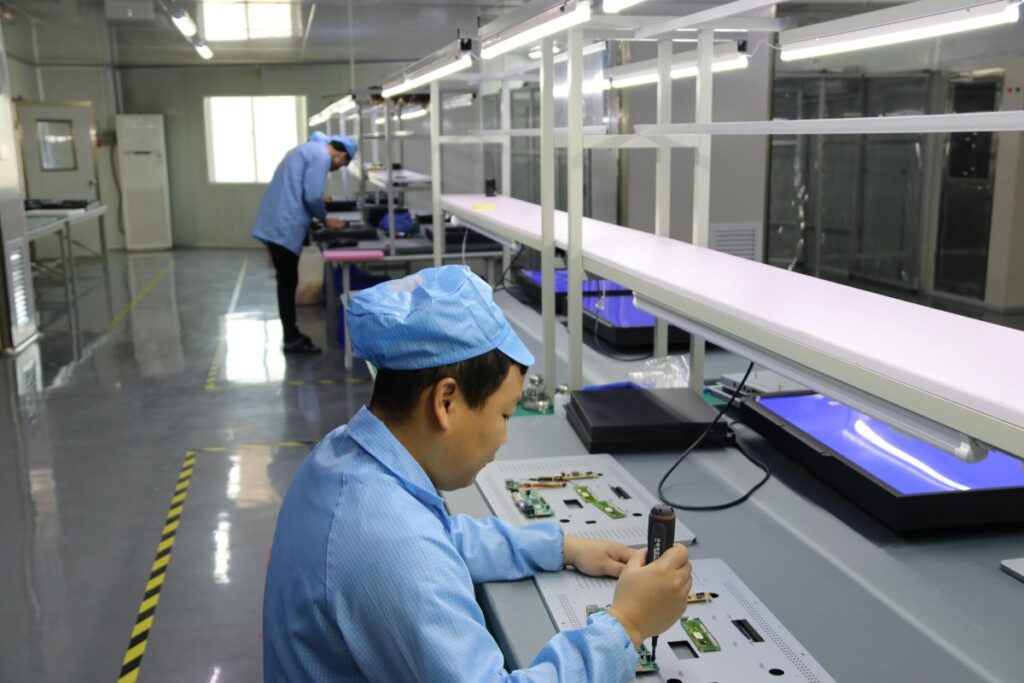
Industrial kiosk integration example

Integration-ready build: mechanical fit + touch tuning + interface stability.

What you will receive (verification-ready)
  • Controlled specification sheet (Rev-controlled)
  • BOM with approved alternates (if needed) + change log / ECN alignment
  • Validation checklist (touch behavior / optics / mechanical / interfaces)
  • Prototype & validation samples aligned to your real stack-up
Example (anonymous)
  • Problem: Outdoor kiosk, glove + wet use → unstable tracking after installation
  • Root cause: Grounding + noise coupling + stack-up tolerance not aligned to tuning targets
  • Deliverables: Controlled spec update + tuning target revision + mechanical tolerance notes
  • Result: Stable behavior across validation samples before production release
View Spec Checklist

Send your stack-up, mounting method, OS/interface, and field conditions — we’ll recommend a controlled spec quickly.

DELIVERABLES

Choose the delivery scope — not a catalog SKU

Select what you want to integrate (touch layer / display assembly / display + computing). Behind each scope, we lock a controlled specification — touch behavior, optics, mechanics, interfaces, and BOM discipline — to reduce late-stage rework and keep validation repeatable.

If you are comparing standard models, use product pages. If you are validating an OEM build, start here.

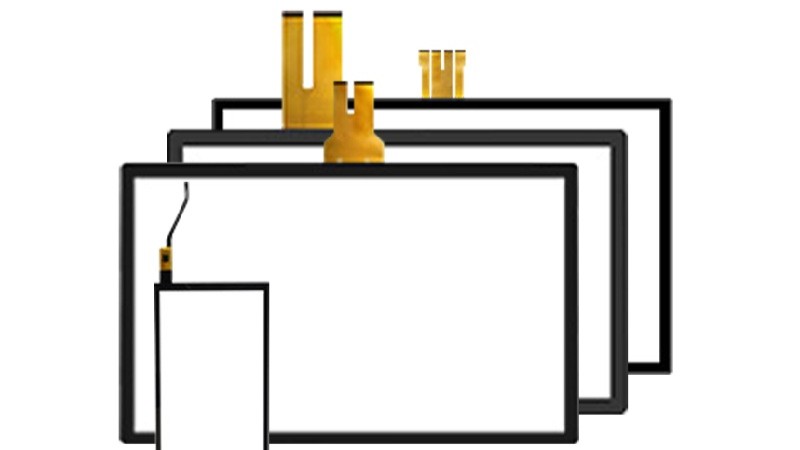
Custom PCAP touch panel delivery scope
Delivery Scope: Touch Layer

Custom PCAP Touch Panel

Best when your display & computing are already fixed and you only need a stable touch stack-up.

Typical fit: multi-touch UI + modern HMI, glove/wet targets need tuning.

  • Touch behavior targets: glove / wet (project-defined)
  • Cover glass + treatments: AG / AR / AF
  • Bonding options: air / OCA / LOCA (when needed)

Typical outputs: Rev-controlled spec + tuning targets + glass/stack notes + BOM version.

View Standard Options
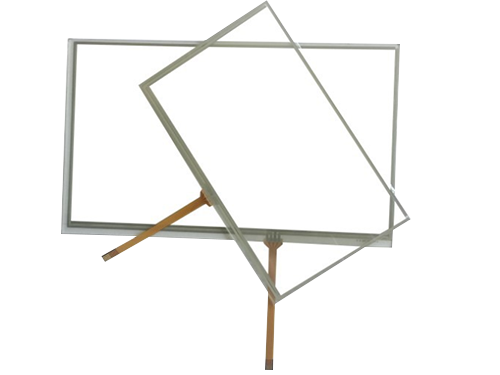
resistive touch screen
Delivery Scope: Touch Layer

Custom Resistive Touchscreen

Best for stylus / glove-first workflows where simplicity and long-term BOM stability matter.

Typical fit: point input, stylus-heavy processes, long-life industrial programs.

  • 4-wire / 5-wire options
  • Surface options: anti-glare / hard-coat (project-based)
  • Revision control for long-life programs

Typical outputs: drawing/outline + interface notes + BOM versioning + approved alternates (if needed).

View Standard Options
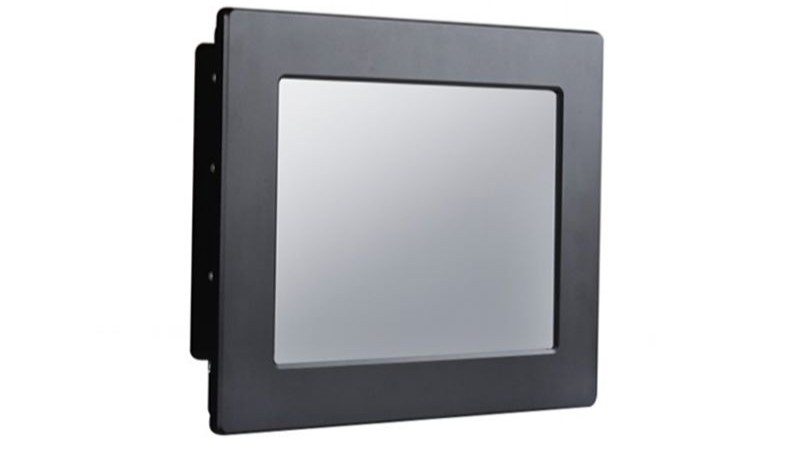
Integration-ready industrial monitor delivery scope
Delivery Scope: Display Assembly

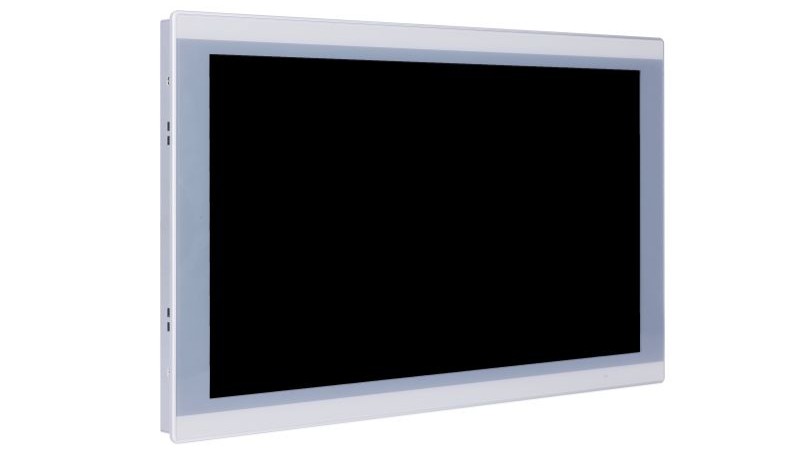
Industrial Monitor (Integration-Ready)

Best when you want a drop-in display assembly with defined mounting, interfaces, and controlled stack-up for validation.

Typical fit: enclosure direction is clear, but display assembly integration must be repeatable for validation.

  • Open-frame / embedded / VESA concepts
  • Brightness plan + glass/bonding alignment
  • Interfaces aligned to your system (project-based)

Typical outputs: mounting concept + interface/connector notes + controlled stack-up + validation sample plan.

View Standard Options
Integration-ready fanless panel PC delivery scope
Delivery Scope: Display + Computing

Fanless Panel PC (Integration-Ready)

Best when computing must be included and you need one controlled configuration for I/O mapping, OS, and mechanical fit.

Typical fit: OS image + I/O mapping + thermal/mechanical constraints must be fixed for release.

  • Platform direction: Intel / ARM (project-based)
  • I/O mapping aligned to your enclosure constraints
  • Mounting concept for embedded or VESA builds

Typical outputs: controlled configuration (platform/I/O/OS) + BOM control + validation & pilot plan.

View Standard Options

Not sure which scope fits? Send your mounting method + interfaces/OS + field conditions — we’ll recommend the lowest-risk path.

CUSTOMIZATION CHECKLIST

Project inputs that actually determine field stability

This checklist reflects the inputs we use internally to evaluate feasibility and lock a controlled specification. If some items are unknown, that’s normal — missing inputs can be clarified during engineering review.

Touch behavior & usage

  • Input method: finger / glove / stylus
  • Wet conditions / water rejection expectation
  • Single-touch or multi-touch requirement
  • Known EMI or grounding constraints (if any)

Optics & front glass

  • Indoor / semi-outdoor / outdoor usage
  • Surface preference: AG / AR / AF (if defined)
  • Cover glass thickness or constraints (if known)
  • Bonding preference: air / OCA / LOCA (optional)

Mechanical & system context

  • Mounting method: embedded / open-frame / VESA
  • Panel cut-out or bezel constraint (if available)
  • Target operating temperature & vibration notes
  • Interfaces / OS environment (for touch tuning)

You can copy the text below into an email. If something is unknown, leave it blank — we’ll clarify during engineering review.

[Delivery scope] Touch layer / Monitor / Panel PC

[Mechanical]
- Mounting method: embedded / open-frame / VESA
- Cut-out / bezel constraints:
- Front depth limit / available space:
- Stack-up (if any): (glass/touch/LCD/air gap/bonding)

[Touch behavior]
- Input method: finger / glove / stylus
- Glove type (if applicable):
- Wet operation scenario / water rejection expectation:
- Single-touch or multi-touch:
- Known EMI / grounding constraints:

[Optics]
- Indoor / semi-outdoor / outdoor:
- Brightness direction (if known):
- Surface preference: AG / AR / AF:
- Bonding preference: air / OCA / LOCA:
- Condensation / fogging risk notes (if any):

[System]
- Interface / OS: USB / I2C / RS232 / others; Windows / Linux / Android / custom
- Cable length / routing notes (if any):
- Grounding / shield constraints (if any):

[Program]
- Target quantity:
- Timeline (prototype / validation / pilot / production):
- Life-cycle expectation / BOM stability requirement:
- Any approved component rules / alternates policy:
										

You don’t need all items above to start. In early-stage projects, partial inputs are common. The checklist helps structure engineering discussion and avoid late-stage rework.

Common Project Questions
OEM WORKFLOW

An Engineering-Driven Workflow for Touch Monitors & Panel PCs

Clear inputs. Clear deliverables. Faster validation, fewer surprises, and a stable path to mass production.

Step 1 Kickoff & Fit Check
Requirements Review (Engineering Intake)

We align on your environment, target specs, interfaces, and mechanical constraints to confirm feasibility and surface key risks early (for both 터치 모니터 그리고 패널 PC).


What we need (core)
  • Size / resolution / brightness
  • Touch type
  • Interface (HDMI/DP/LVDS/eDP)
  • Mounting
  • Operating temperature
What you get
  • Feasibility notes
  • Risk items
  • Recommended configuration direction

If Touch Monitor
  • Cover lens
  • Glove / wet use
  • Bonding preference
  • EMI concerns
  • Front IP target (if any)
If Panel PC
  • CPU platform / OS
  • I/O list (USB/LAN/COM/CAN/GPIO)
  • Power range & surge
  • Thermal limits
Step 2 Proposal & Validation
Proposal, BOM Direction & Sample

You receive a solution summary with BOM direction, quotation, lead time, and a sampling & test plan aligned with your deployment conditions—designed to reduce rework before pilot and mass production.


What you get
  • Quotation + solution summary
  • Sample schedule
  • Test checklist
Focus in validation
  • Display & touch performance in real conditions
  • Thermal / environment checks as required
  • Integration guidance and change-impact notes

  • Brightness / contrast check
  • Touch accuracy
  • Glove-wet test (if needed)
  • Temperature cycling
  • Vibration (if needed)
  • Basic EMI risk review
Touch Monitor notes
  • Touch stack-up notes
  • Bonding guidance
  • Optical / visibility validation items
Panel PC notes
  • I/O mapping
  • Thermal approach
  • OS image / BIOS options (as required)
Step 3 Pilot → Scale
Pilot Run → Mass Production

We run a pilot first to lock performance stability, then scale to mass production with QC checkpoints, controlled documentation, and shipping coordination—aiming for a stable BOM 그리고 predictable delivery.


What you get
  • Production schedule
  • IQC / IPQC / OQC inspection records
  • Packing & shipping support
Controls
  • BOM lock
  • ECO / change control when needed
  • Version traceability for long-term supply

Ready to start? Send your specs and we’ll return a technical direction & quotation after receiving complete inputs.

Best fit for: OEM/ODM projects, integration builds, mid-to-long term supply.   Not ideal for: one-time consumer-grade pricing requests or incomplete requirements.

Tip: Attach drawings, interface lists, and reference photos (installation + usage environment) to speed up evaluation.
TECH GUIDE

Fast decisions for early-stage custom touch projects

This is a quick reference to reduce back-and-forth in early discussions. It complements the checklist above and helps align teams before prototypes and validation samples.

PCAP vs. Resistive — the decision signals

Decision signal PCAP Resistive
Interaction model Multi-touch, gesture-friendly UI Precise point input, stylus workflow
Gloves Possible with tuning (depends on glove) Works naturally with gloves
Wet conditions Designable with proper tuning & edge handling Depends on front design and usage habits
Noise sensitivity More sensitive to EMI / grounding strategy Usually less sensitive to system noise
Typical fit Modern interaction + multi-touch requirement Industrial workflow, stylus-heavy or glove-first

To recommend the right path quickly, share: glove type (if any), wet scenario, mounting method, and known EMI/grounding constraints.

touch manufacturer

Bonding & optics — when it matters

Bonding is typically chosen to improve readability and reduce internal reflections. The correct choice depends on your front glass, brightness plan, and condensation risk in the real enclosure.

Optional specification targets
  • Surface: AG / AR / AF (based on viewing & cleaning needs)
  • Impact: IK target (project-defined)
  • Sealing: system-level IP concept (enclosure-defined)
Explore Tech Center

If your team is still aligning internally, start with the checklist — it will structure engineering discussion before RFQ.

FAQ

Questions that reduce rework and speed up OEM decisions

These are the questions we typically clarify early between engineering and procurement to avoid late-stage changes.

Send what you have — partial inputs are common early. The most useful starting set is: (1) delivery scope (touch layer / monitor / panel PC), (2) mounting method (embedded/open-frame/VESA) and any cut-out/bezel constraints, (3) stack-up if defined, (4) interfaces/OS (for touch tuning), (5) environment (gloves/water/sunlight/EMI), and (6) target quantity and timeline. We will structure the remaining items using the checklist.

Yes. Early discussion is often the difference between a stable build and rework later. We focus on the deciding variables (touch behavior, optics, mechanical stack-up, interfaces, and noise/grounding constraints) and help you lock a controlled specification step-by-step.

For long-term OEM programs, we work with a revision-controlled specification and BOM versioning. When alternates are required, they are aligned and approved before release. Change control and validation gates are defined to protect field stability over time.

We can propose bonding options (air/OCA/LOCA) and align front glass treatments based on readability and condensation risk. Rugged targets such as IK/IP are system-level outcomes that depend on the complete enclosure design and sealing strategy. We align the touch/display specification to support your system validation, but we don’t claim system ratings without full design context.

If your display and computing are already fixed, a standalone touch layer is usually the fastest path. If mechanical integration, interfaces, or front design are still open — or you want one controlled stack-up delivered for validation — an integration-ready monitor or panel PC scope typically reduces integration risk and rework.

A typical OEM flow is: engineering review → controlled specification → prototype build → validation samples → pilot → production release. The actual schedule depends on complexity, quantities, and how quickly system-level constraints (mounting, interfaces/OS, and EMI/grounding) are confirmed during validation.

Any of the following help reduce back-and-forth: (1) cut-out / bezel drawing (DXF/PDF) or enclosure window size, (2) stack-up sketch (even a photo/markup is useful), (3) 3D STEP for mounting context (optional), (4) interface + OS/driver environment (USB/I2C/RS232; Windows/Linux/Android), (5) photos of the real enclosure and cable routing (if available), (6) environment notes (gloves/water/sunlight/EMI), plus target quantity/timeline.

MOQ is project-based and depends on delivery scope (touch layer vs. monitor vs. panel PC), size, glass/process choices, and whether tooling/new materials are required. For early validation, we typically start with prototype and validation sample quantities, then align MOQ for pilot and production after the controlled specification is locked.

To speed up evaluation, include: delivery scope, mounting method, stack-up (if known), interfaces/OS, environment, and target quantity/timeline.

연락처

엔지니어링 검토를 받을 준비가 되셨나요?

애플리케이션 및 주요 요구 사항 공유 터치 모니터 또는 패널 PC. 엔지니어가 타당성과 위험성을 검토하고 올바른 구성 방향을 추천해 드립니다.

OEM/ODM 및 통합 프로젝트에 가장 적합합니다. 일반적으로 영업일 기준 1일(GMT+8) 이내에 응답합니다.
RFQ에는 크기/밝기, 인터페이스 목록, 장착, 작동 온도, 목표 배송 날짜(긴급한 경우)를 포함해 주세요.