Handschoencompatibele aanraakschermtechnologie voor industriële apparatuur
Inleiding Aanraakinterfaces worden veel gebruikt in moderne industriële apparatuur. Mens-machine interfaces (HMI's), bedieningspanelen voor operators, ...
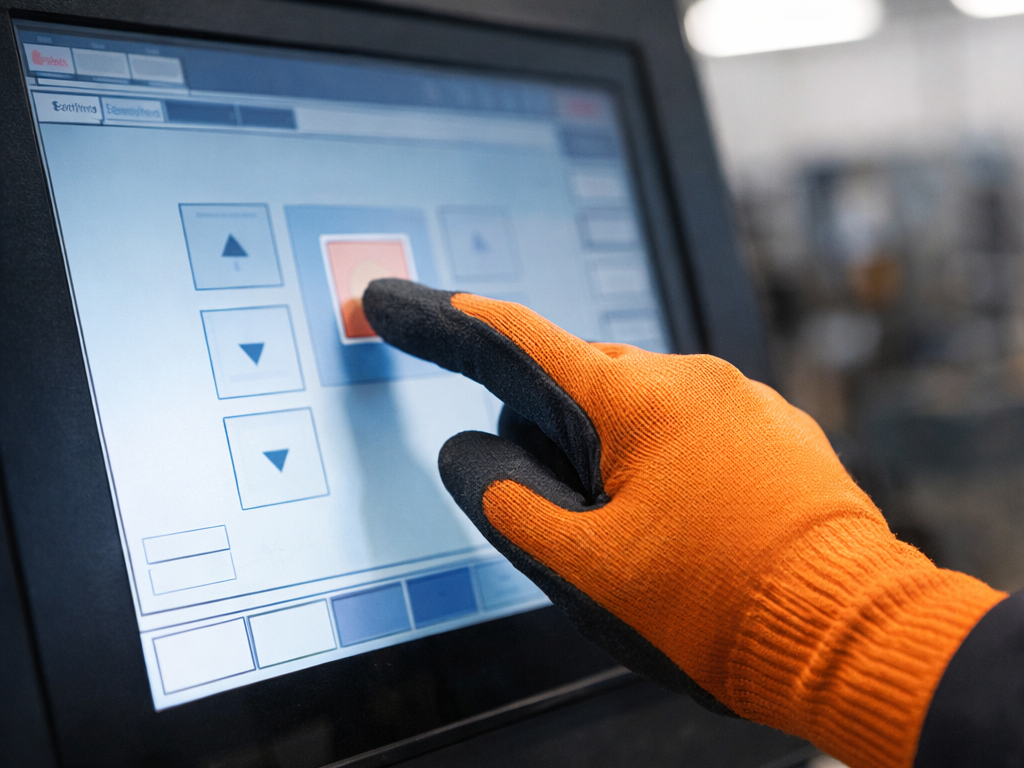
Touch interfaces are widely used in modern industrial equipment. Human–machine interfaces (HMIs), operator control panels, and service terminals increasingly rely on touch displays to simplify system interaction and reduce the number of mechanical input components.
In many industrial environments, operators must wear protective gloves. Safety gloves are commonly required in manufacturing facilities, logistics centers, chemical processing plants, and outdoor service environments. These gloves protect workers from mechanical hazards, contamination, and temperature exposure.
Many consumer-oriented touch screens are optimized for bare-finger interaction. When deployed in industrial environments, these displays may fail to detect input through gloves or respond inconsistently. Operators may need to remove protective equipment to interact with the interface, which slows operation and may conflict with safety procedures.
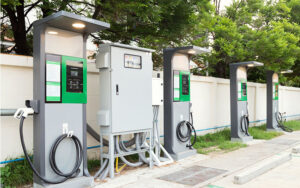
A glove-compatible touch screen allows reliable interaction through protective gloves while maintaining stable touch detection. This capability is particularly important in equipment such as industrial HMIs, EV charging stations, kiosks, and outdoor infrastructure devices.
For engineers and system integrators, understanding how glove-compatible touch systems operate helps ensure reliable performance under real operating conditions.
A glove-compatible touch screen is a touch-enabled display designed to detect user input through glove materials while maintaining stable touch accuracy and response.
Most modern industrial systems implement this capability using projected capacitive (PCAP) touch technology.
PCAP touch sensors consist of a grid of transparent conductive electrodes embedded within the touch panel. These electrodes generate an electrostatic field across the display surface.
When a conductive object such as a human finger approaches the surface, it disturbs this field and causes a measurable change in capacitance. The touch controller continuously scans the sensor grid and calculates the position of the touch event based on these capacitance variations.
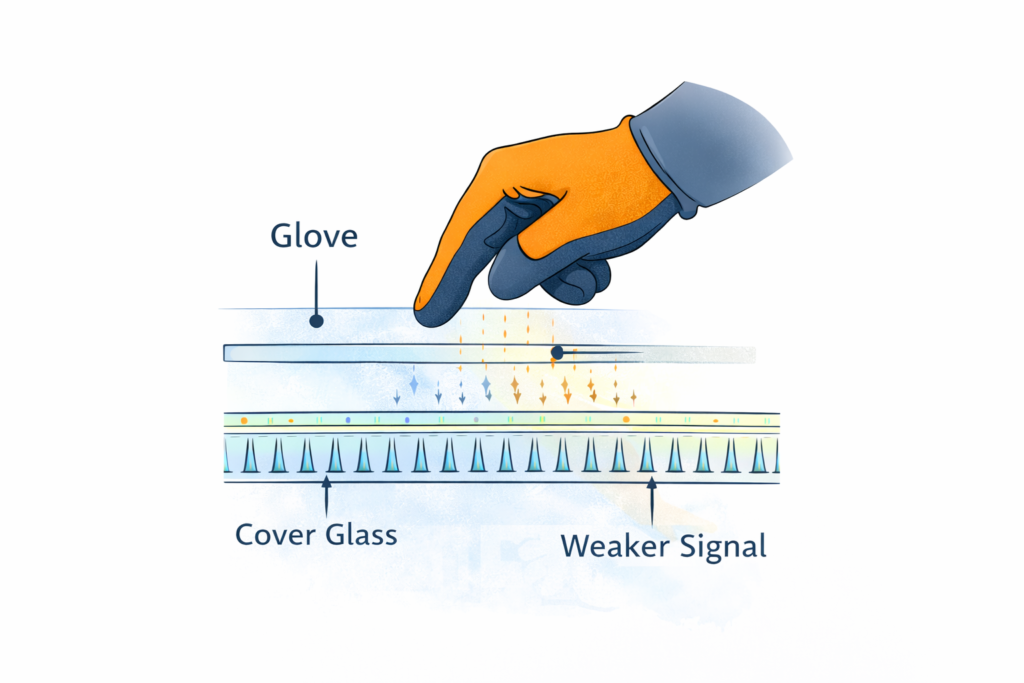
Gloves increase the distance between the finger and the sensor layer and reduce electrical coupling. As a result, the capacitive signal detected by the controller becomes weaker.
To maintain reliable detection, glove-compatible systems typically rely on:
These design adjustments allow the system to detect weaker capacitive signals while maintaining stability in industrial environments.
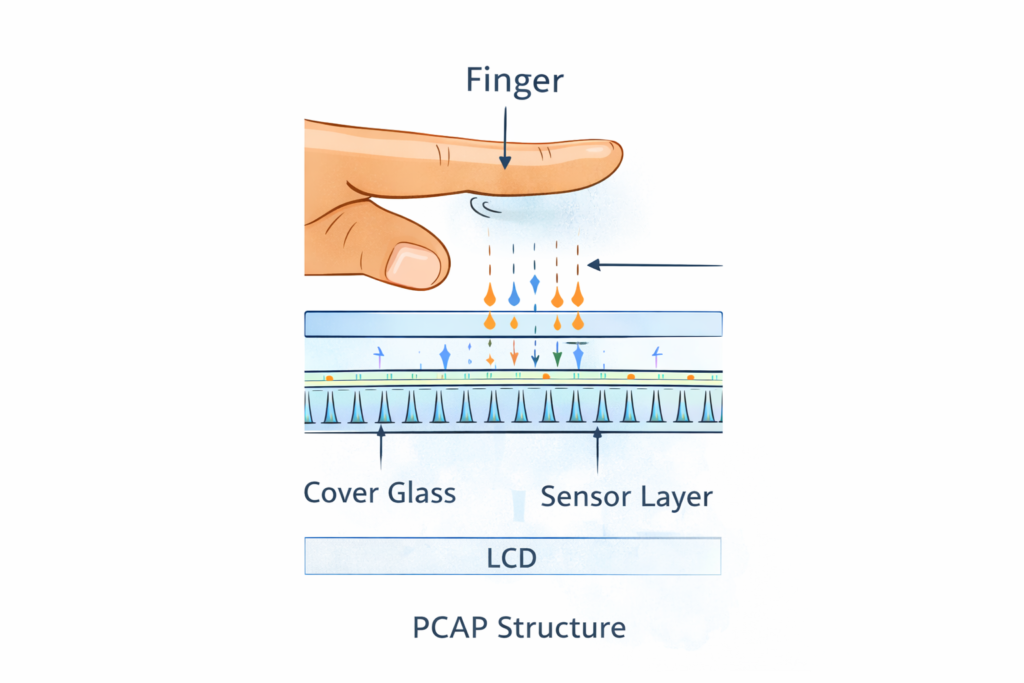
Projected capacitive touch screens use a matrix of conductive traces arranged in rows and columns. Each intersection forms a sensing node.
The touch controller scans these nodes and measures capacitance values. When a finger approaches the display surface, it alters the electrostatic field and changes the capacitance detected at nearby nodes.
The controller analyzes these changes to determine the location of the touch.
Gloves act as an insulating layer between the finger and the sensor surface. This reduces capacitive coupling and weakens the detected signal.
Several factors influence signal strength:
If the resulting signal falls below the detection threshold configured in the controller, the touch event may not be registered.
Many industrial touch controllers include a glove mode.
When glove mode is enabled, the controller typically:
These adjustments allow the system to detect smaller capacitance variations produced by gloved interaction.
However, excessive sensitivity may increase the probability of false touches caused by water droplets, electrical noise, or contamination on the screen surface.
The performance of a glove-compatible touch screen depends significantly on the type of gloves used in the application.
Different glove materials influence capacitive coupling differently.
Materials that allow partial electrical interaction with the sensor typically work well with PCAP displays.
Voorbeelden zijn:
Heavily insulated gloves reduce capacitive coupling significantly. Examples include:
These gloves may weaken the signal below the detection threshold of the touch controller.
Glove thickness directly affects capacitive sensing performance.
Projected capacitive sensors measure small capacitance variations close to the display surface. As the distance between the finger and the sensor increases, signal strength decreases.
Thicker gloves increase this distance and reduce signal strength. For this reason, glove compatibility depends on the complete system design, including:
In practice, glove compatibility should be verified by testing the system using the specific gloves used by operators.
Different touch technologies respond differently when used with gloves.
| Touch-technologie | Handschoen Ondersteuning | Multi-Touch | Typical Industrial Use |
|---|---|---|---|
| Weerstand | Ja | Beperkt | Legacy HMIs |
| Projected Capacitive | Yes (with tuning) | Ja | Modern industrial displays |
| Infrarood | Ja | Ja | Large kiosks |
| Surface Acoustic Wave | Beperkt | Ja | Indoor terminals |
Resistive displays detect touch through pressure. Two conductive layers make contact when the surface is pressed.
Because the system relies on mechanical pressure rather than capacitive coupling, resistive screens can detect input through gloves or styluses.
However, resistive technology generally provides lower optical clarity and limited multi-touch capability.
Projected capacitive displays provide improved optical clarity, multi-touch support, and better durability compared with resistive systems.
With appropriate controller tuning and sensor design, PCAP displays can reliably detect interaction through many types of industrial gloves.
Infrared touch systems detect interruptions in a grid of infrared beams surrounding the display.
Because detection is optical rather than capacitive, glove materials generally do not affect operation.
However, infrared systems may be sensitive to dust accumulation or debris blocking the optical sensors.
Industrial environments introduce additional constraints that influence touch performance.
Outdoor equipment such as EV charging stations frequently operates in cold environments where gloves are required. Industrial displays typically support extended temperature ranges to maintain stable performance.
Low temperatures can also affect display response time and material properties.
Industrial equipment often operates near motors, switching power supplies, and variable-frequency drives. These devices generate electromagnetic noise that may interfere with capacitive sensing.
Reliable operation typically requires:
Industrial touch displays must withstand repeated use, cleaning procedures, and occasional mechanical impact.
Protective layers often include:
However, thicker cover glass increases the distance between the finger and the sensor layer, which may reduce capacitive signal strength. Controller tuning and sensor design must compensate for this effect.

Glove-compatible touch screens are widely used across industrial and infrastructure equipment.
Typical applications include:
EV-laadstations
Users often interact with outdoor charging systems while wearing gloves during cold weather.
Factory automation HMIs
Machine operators frequently wear protective gloves while adjusting machine settings or monitoring equipment.
Zelfbedieningskiosken
Public terminals in transportation systems or outdoor environments must support gloved interaction.
Smart infrastructure equipment
Maintenance personnel interacting with service terminals or infrastructure control panels commonly wear protective gloves.
A glove-compatible touch screen is typically suitable when:
These conditions commonly occur in systems using industriële aanraakschermen, industriële monitoren, en paneel-PC's.
Touch interfaces may not be the most reliable solution in some industrial environments.
Examples include situations where:
In these cases, mechanical interfaces such as push buttons, membrane keypads, or rotary selectors may provide more predictable operation.
Glove-compatible touch screen technology allows operators to interact with industrial equipment while wearing protective gloves.
The ability of a capacitive touch screen to support gloved input depends on multiple factors, including sensor design, controller configuration, glove material, cover glass thickness, and system integration.
Evaluating these parameters early in the design process helps engineers ensure reliable operation in real deployment environments.
Testing the system with the actual gloves used by operators remains the most reliable method for verifying glove compatibility.
Can capacitive touch screens work with gloves?
Yes. Many projected capacitive touch screens support glove input when controller sensitivity and sensor design are properly configured.
Do all gloves work with capacitive touch screens?
No. Thick insulated gloves may weaken the capacitive signal below the detection threshold.
Does glove thickness affect touch detection?
Yes. Increasing the distance between the finger and the sensor reduces signal strength.
Are glove-compatible touch screens suitable for outdoor equipment?
Yes. They are commonly used in outdoor equipment such as EV charging stations and kiosks.
Do glove-compatible touch screens require special software?
Most systems use standard touch drivers. Glove functionality is typically configured through touch controller firmware.
Inleiding Aanraakinterfaces worden veel gebruikt in moderne industriële apparatuur. Mens-machine interfaces (HMI's), bedieningspanelen voor operators, ...

Introductie Zelfbedieningskiosken worden op grote schaal gebruikt in transportsystemen, infrastructuur voor het opladen van elektrische voertuigen, automatisering in de detailhandel en openbare gebouwen. ...

Inleiding Industriële aanraakschermen worden veel gebruikt in industriële besturingssystemen en ingesloten apparatuur. Bedieningspanelen, ...
Inleiding In EV-laadapparatuur is het displaysysteem meer dan een grafische interface. Het is ...
Stuur je aanvraaggegevens. We geven je een reactie met de richting van de configuratie en de volgende stappen.