What Is an Industrial Panel PC? Components, Types and Applications

An industrial panel PC is a computer with a built-in display, usually a touchscreen, designed for …
Eagle Touch Engineering Team
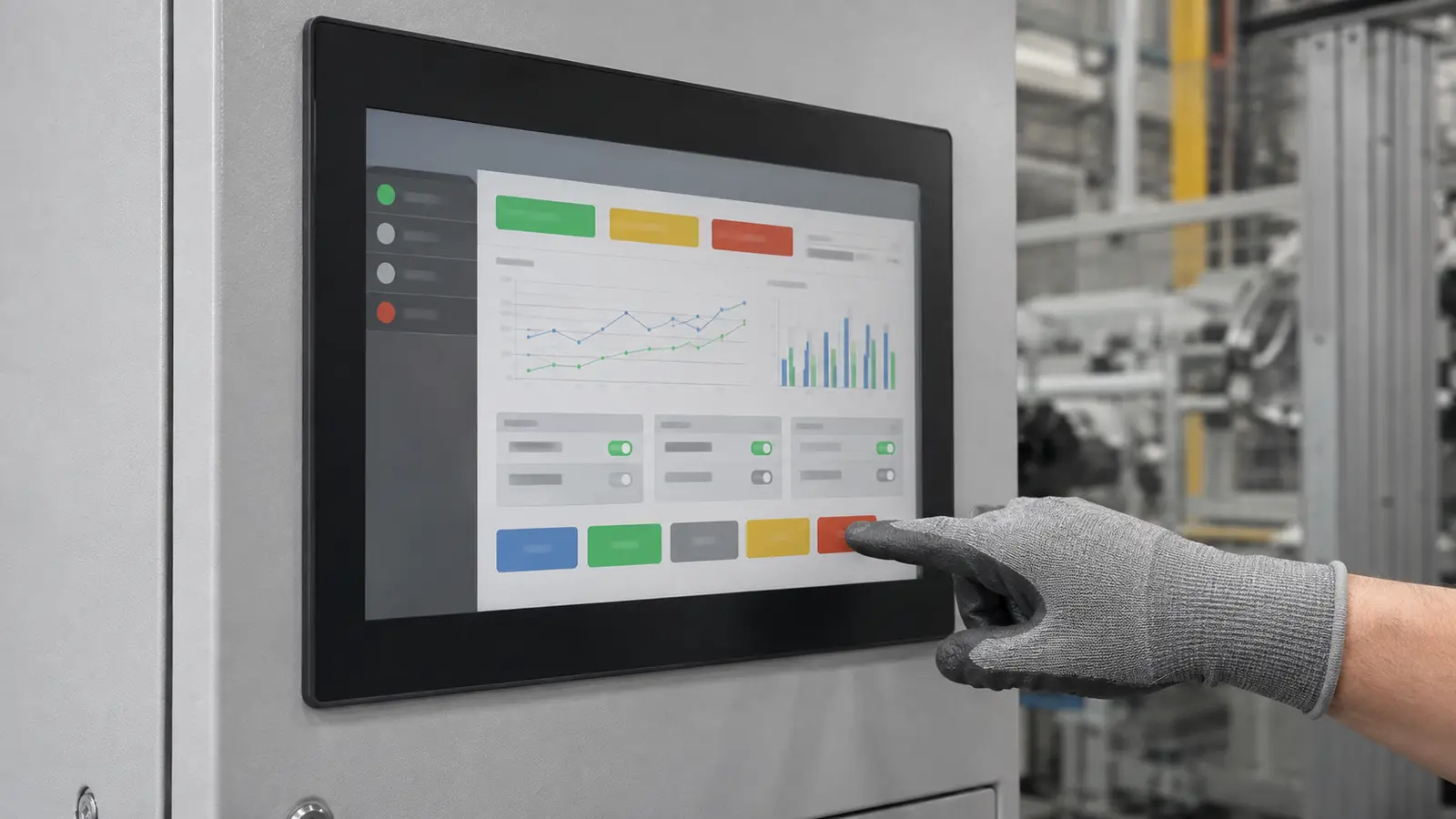
Operators should not have to remove protective gloves to use a machine interface. Yet a touch screen that responds perfectly to a bare finger may miss taps, lose drag gestures or stop working altogether when the operator puts on a glove.
Reliable operation depends on the complete touch system: the glove, cover glass, sensor, controller, firmware, grounding and operating environment. This guide explains how to choose and verify the right solution.
Yes. Both projected capacitive and resistive touch screens can support glove operation, but they do it in different ways.
There is no universal glove-thickness rating for every PCAP screen. Test the final assembly with the operator’s actual gloves before approval.
A PCAP sensor detects a small change in its electric field when a finger approaches the screen. A glove adds distance and insulation between the finger and sensor, reducing the signal received by the touch controller.
If that signal falls below the controller’s detection threshold, the screen may:
An industrial PCAP solution can compensate through sensor design and controller firmware. But raising gain or lowering the detection threshold can also increase sensitivity to electrical noise, water and contamination. The target is a stable signal margin, not maximum sensitivity.
For a broader explanation of the technology, see our industrial PCAP touch screen guide.
| Operating requirement | Recommended starting point | Engineering note |
|---|---|---|
| Thin disposable latex or nitrile gloves | Tuned PCAP | Usually compatible, but verify with the exact glove and final glass stack |
| Thin fabric or PU-coated work gloves | Tuned industrial PCAP | Coating, seams and air gaps at the fingertip can change performance |
| Nitrile-dipped safety gloves | PCAP with sample testing | Do not approve from material name alone; dipped construction varies widely |
| Thick rubber, leather or insulated gloves | Resistive or specially developed PCAP | Standard PCAP glove mode may not provide a sufficient margin |
| Thick winter or multi-layer gloves | Resistive is the lower-risk option | PCAP should only be specified after testing the actual glove |
| Multi-touch gestures and a hard glass surface | Industrial PCAP | Requires controller tuning around the real cover glass and enclosure |
| Simple single-touch control with heavy gloves | Resistive | The glove must still apply enough pressure to activate the screen |
| Glove use with rain or washdown exposure | PCAP with glove and water tuning | A setting that detects weak glove signals must also reject water-related false touches |
PCAP is normally preferred when the application needs a flat, durable glass front and multi-touch gestures. If reliable single-point input through very heavy gloves matters more, resistive touch may be more predictable.
See our detailed PCAP vs resistive touch screen comparison for other selection factors.
Material names are only a starting point. Two “nitrile-coated” gloves may use different liners, coatings, seams and fingertip shapes. A loose fit can also create an air gap and weaken the signal. Conductive fingertips may help, but some thin insulating gloves also work with a properly tuned PCAP screen. Record the glove manufacturer, model, size and real surface condition.
Cover glass adds distance between the finger and sensor. Its final thickness must be confirmed before firmware is approved; adding a thicker protective lens or customer front panel later can change performance. The glove and cover glass form one sensing stack and must be evaluated together.
Glove mode is not simply an operating-system setting. Firmware may adjust detection thresholds, gain, filtering, debounce and water handling. The correct values depend on the sensor, glass and electrical environment, so firmware qualified for one assembly should not be assumed suitable for another.
A glove reduces the useful touch signal, so electrical noise becomes more important. Test with the production power supply, cables, metal enclosure and grounding. If glove mode causes jumping points or ghost touches, check the electrical environment before raising sensitivity again. See our touch screen interference guide for the diagnostic process.
Water can resemble a touch signal to a PCAP controller. Glove detection and water rejection must therefore be balanced in the same firmware. “Works with gloves” and “works with water” are separate requirements; wet gloves, rain, cleaning fluid and condensation must be stated and tested.
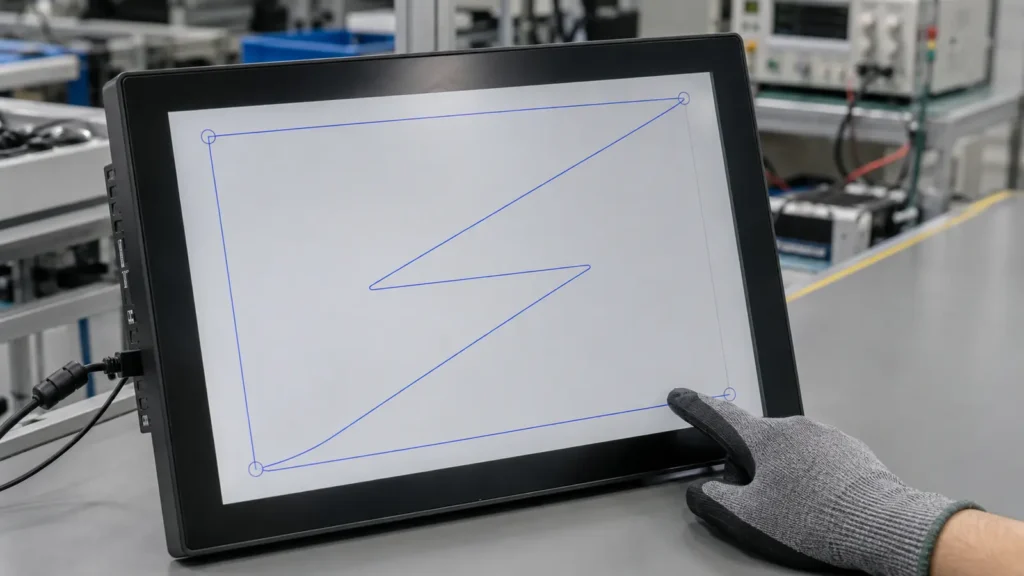
A quick tap at the center is not enough. Use a repeatable test on the final assembly.
Prepare the exact production glove and confirm whether it will be dry, wet, oily, cold or worn over another glove. Also record the final cover glass, required gestures, operating temperature, water exposure, power supply, host system, enclosure and grounding.
Test the center, four corners and all four edges, including the smallest real interface buttons. A screen can pass in the center but miss input near an edge.
Repeat the actions operators actually use:
Look for missed input, broken lines, unexpected release, coordinate jumps and false touches.
Where relevant, repeat the test with:
In safety-sensitive equipment, rejecting water and temporarily suppressing touch may be preferable to accepting an unintended command.
Approve a defined combination of:
If one changes, repeat the relevant validation before mass production.
Three mistakes cause most avoidable problems:
For an efficient evaluation, provide:
At Eagle Touch, we do not approve glove compatibility from the glove material or a nominal thickness alone. We evaluate the complete touch assembly and recommend testing with the customer’s actual glove before the design is released for production.
A glove-compatible touch screen is an engineered system, not a standard PCAP screen with sensitivity turned to maximum.
Thin medical and work gloves can often be supported by industrial PCAP. Thick, coated or insulated gloves require testing, and resistive touch may be safer. The final decision should be based on the production-intent assembly, actual glove and real operating conditions.
Yes. Industrial PCAP touch screens can work with many gloves when the sensor, cover glass and controller firmware are designed and tuned as a complete system. Compatibility is not guaranteed for every glove.
Many thin disposable nitrile gloves work with tuned PCAP screens. Nitrile-dipped industrial gloves vary considerably in coating and liner construction, so the actual glove should be tested.
There is no universal limit. Performance depends on glove construction, cover glass thickness, sensor design, controller capability, grounding and noise. Any claimed thickness should apply to a defined assembly and test condition.
Not always. It may improve detection but can also increase false touches from water or electrical noise. Sensor design, firmware filtering and system grounding must be evaluated together.
Often, yes. Resistive touch detects pressure and is less dependent on glove material. It is a practical option for thick insulated gloves when single-touch control is acceptable.
Send us the glove model, display size, cover glass thickness, operating environment, required gestures and expected quantity. Eagle Touch can evaluate whether tuned PCAP or resistive touch is the lower-risk solution and arrange testing with the final touch assembly.
An industrial panel PC is a computer with a built-in display, usually a touchscreen, designed for …

An embedded PC is a computer configured to work as part of a machine or larger …

Start with the software the panel PC must run and the conditions it must fit. Then …

Choosing an industrial panel PC IP rating starts with two questions: what dust and water exposure …
Share your application, requirements, or current challenge. Our team will review the details and recommend a practical way forward.