Guia do comprador do fornecedor de ecrãs industriais para equipamento OEM

Introdução As interfaces homem-máquina (IHM) são atualmente componentes normais dos equipamentos industriais modernos. Os ecrãs permitem aos operadores ...
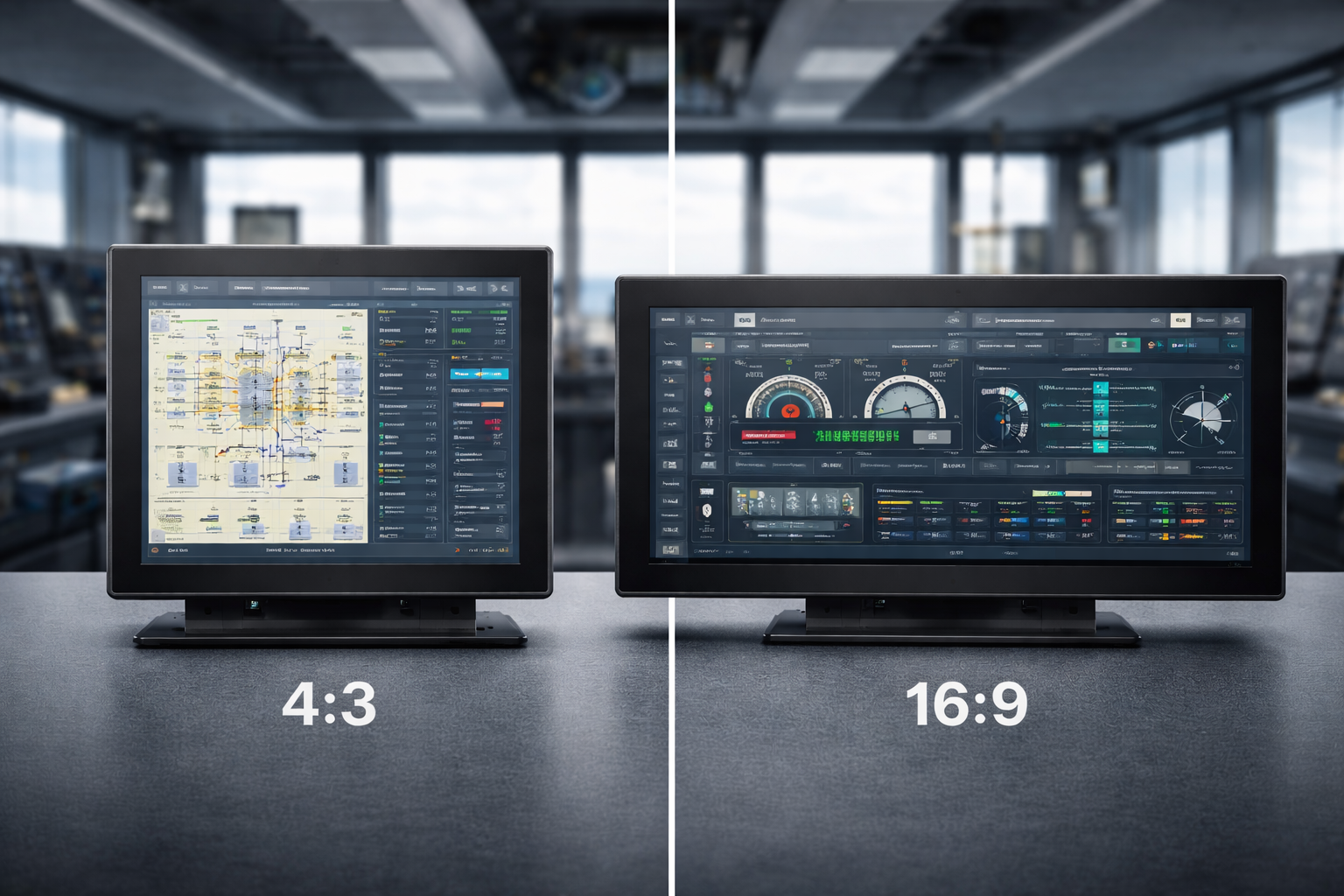
Ao selecionar um monitor, o rácio de aspeto é um fator essencial que define a forma como vê, trabalha e interage com o conteúdo digital. Quer esteja a escolher um monitor para tarefas profissionais, jogos ou consumo de multimédia, a diferença entre Rácios de aspeto 4:3 e 16:9 pode moldar significativamente a sua experiência.
Este guia compara estes dois rácios de aspeto amplamente utilizados e ajuda-o a decidir qual deles se adapta melhor às suas necessidades específicas.
Na sua essência, o rácio de aspeto de um monitor refere-se à relação proporcional entre a sua largura e a sua altura. Embora isto possa parecer uma especificação simples, influencia diretamente:
A relação de aspeto afecta tudo, desde a disposição da interface até à forma natural como os olhos se movem no ecrã.
A transição de 4:3 a 16:9 reflecte uma evolução mais ampla dos meios digitais.
O Rácio de aspeto 4:3 foi outrora o padrão, estreitamente alinhado com os primeiros formatos de televisão e sistemas informáticos antigos. À medida que o conteúdo multimédia se expandiu e os formatos de vídeo passaram a ser apresentados em ecrã panorâmico, 16:9 surgiu como a norma dominante, especialmente com o aparecimento da televisão de alta definição e dos dispositivos informáticos modernos.
Esta mudança foi impulsionada pelo conteúdo - não apenas pelo hardware.
O Rácio de aspeto 4:3 proporciona um ecrã mais quadrado, que continua a ser útil em determinados contextos.
Os principais benefícios incluem:
Em ambientes profissionais, os monitores 4:3 são frequentemente preferidos para codificação, edição de texto, leitura e interfaces de controlo, em que a clareza vertical é mais importante do que a expansão horizontal.
Também são populares em jogos retro e aplicações originalmente concebidas para este formato.
O Relação de aspeto 16:9 tornou-se a norma para os conteúdos digitais modernos.
É amplamente utilizado em todo o mundo:
Este formato alinha-se perfeitamente com Padrões de vídeo HD, Full HD e 4K, tornando-o ideal para:
Com o seu campo horizontal mais amplo, o formato 16:9 é excelente para apresentar painéis de controlo, linhas de tempo e conteúdos lado a lado.
Ao comparar estes dois rácios de aspeto, a escolha depende de como será utilizado o monitor.
Nenhuma delas é universalmente melhor - a opção correta depende das suas prioridades.
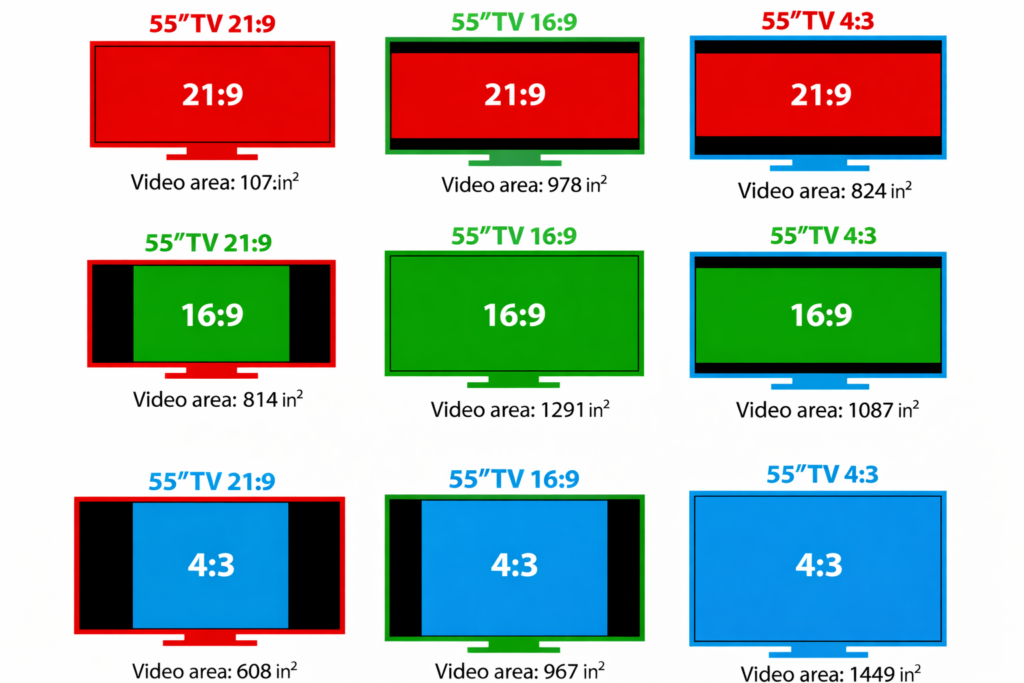
A mudança reflecte a forma como os conteúdos são criados e consumidos atualmente.
Os meios de comunicação modernos, especialmente o vídeo e as aplicações interactivas, beneficiam de áreas de visualização mais amplas. À medida que os formatos de ecrã panorâmico se tornaram a norma, a tecnologia de visualização seguiu o exemplo para corresponder às expectativas de conteúdo e ao comportamento dos utilizadores.
Sim - embora menos comum, Os monitores 4:3 continuam a ser relevantes em casos de utilização específicos.
Continuam a ser utilizados em:
A sua eficiência vertical e compatibilidade tornam-nas valiosas quando a modernização não é o objetivo principal.
À medida que a tecnologia dos ecrãs evolui, formatos ultrawide como 21:9 estão a ganhar força, oferecendo maior imersão e produtividade. Os ecrãs curvos e panorâmicos estão a expandir o que é possível, especialmente para trabalho multitarefa e de visualização intensiva.
Ainda assim, 4:3 e 16:9 continuam a ser normas fundamentais, e continuarão a coexistir com base nas necessidades das aplicações.
Escolher entre um Monitor 4:3 e 16:9 não é apenas uma decisão técnica - tem a ver com a forma como se interage com o conteúdo digital.
O rácio de aspeto correto aumenta a produtividade, o conforto e a facilidade de utilização geral.
Depende da tarefa. Um monitor 4:3 é frequentemente melhor para trabalhos com muito texto ou orientados verticalmente, enquanto um monitor 16:9 é mais adequado para multitarefas, software moderno e conteúdo multimédia.
Os monitores 16:9 estão em conformidade com as normas de vídeo modernas e os formatos de conteúdo panorâmico, o que os torna ideais para a reprodução de vídeo, jogos e aplicações contemporâneas.
Sim. Os monitores 4:3 ainda são utilizados em ambientes profissionais e industriais, especialmente quando o software antigo, as caixas fixas ou o espaço vertical do ecrã são importantes.
Sim. O rácio de aspeto influencia a forma como a informação é apresentada no ecrã. A escolha do rácio correto pode melhorar a eficiência do fluxo de trabalho, a legibilidade e o conforto geral do utilizador.
Para projectos antigos ou a longo prazo, o 4:3 pode oferecer uma melhor compatibilidade. Para novos sistemas e escalabilidade futura, 16:9 é normalmente a melhor escolha.
Introdução As interfaces homem-máquina (IHM) são atualmente componentes normais dos equipamentos industriais modernos. Os ecrãs permitem aos operadores ...

Introdução Os ecrãs industriais são frequentemente utilizados em ambientes onde as condições de iluminação são difíceis de controlar. Equipamento ...

Introdução Os ecrãs são um componente de interface crítico em muitos tipos de equipamento industrial. Fornecem ao sistema ...

Introdução A visibilidade do ecrã é um parâmetro de conceção fundamental nos equipamentos industriais. Os operadores confiam nas interfaces gráficas ...
Envie os detalhes da sua aplicação. Responderemos com orientações de configuração e próximos passos.