Руководство для поставщиков промышленных дисплеев для OEM-оборудования

Введение Человеко-машинные интерфейсы (ЧМИ) сегодня являются стандартными компонентами современного промышленного оборудования. Дисплеи позволяют операторам ...
Черный экран или отсутствие изображения на мониторе - это очень неприятно, особенно когда очень важна бесперебойная работа.
Независимо от того, являетесь ли вы ИТ-специалистом с техническими знаниями или сотрудником отдела закупок, отвечающим за поиск надежных решений для дисплеев, знание того, как эффективно устранить эти неполадки, крайне важно.
В этом руководстве по устранению неполадок мы предоставим вам набор бесценных советов и стратегий для систематической диагностики основных причин черного экрана монитора и отсутствия изображения. Следуя этим рекомендациям, вы сможете оперативно выявлять и устранять проблемы, обеспечивая бесперебойную работу и оптимальную производительность.
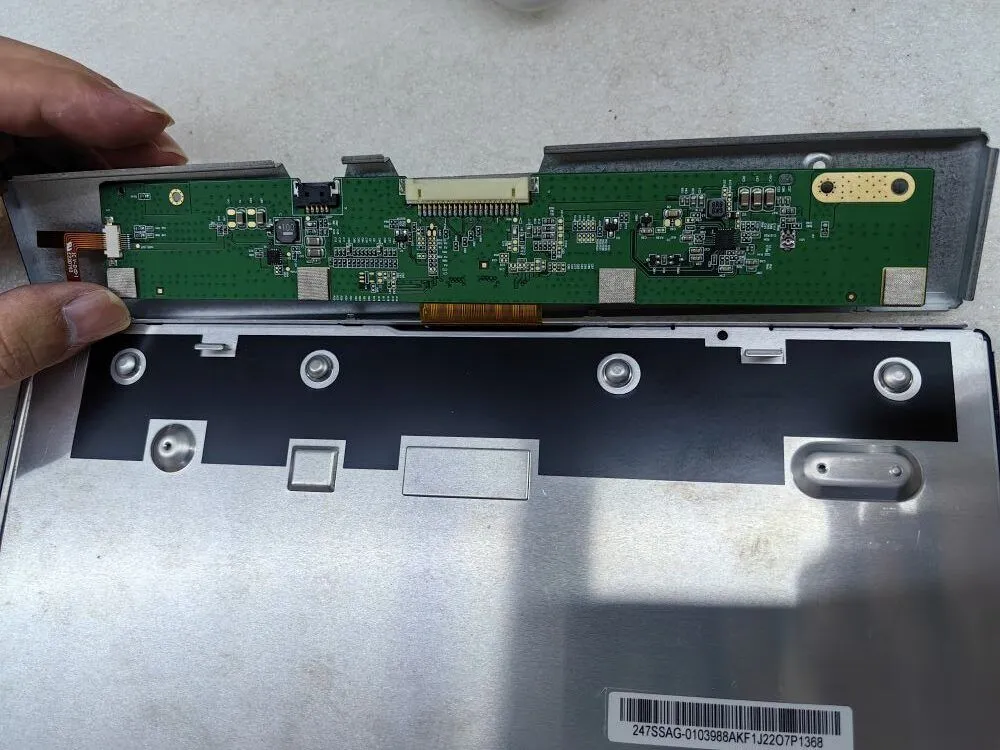
Горит ли подсветка? Если да, то, скорее всего, плата постоянного тока работает правильно.
При устранении проблемы черного экрана или отсутствия изображения на мониторе в первую очередь необходимо проверить яркость подсветки. Если подсветка яркая и работает как положено, это указывает на то, что плата постоянного тока, отвечающая за регулировку подсветки, скорее всего, исправна. Однако если подсветка не горит, переходите к следующим шагам, чтобы точно определить и устранить проблему.
Есть ли признаки сгоревших или поврежденных компонентов ЖК-дисплея?
В поисках решения проблемы черного экрана или отсутствия изображения на мониторе вторым важным шагом является тщательный осмотр компонентов ЖК-дисплея. Внимательно осмотрите его на предмет визуальных признаков сгоревших или поврежденных элементов. Это могут быть обугленные участки, обесцвеченные компоненты или видимые признаки перегрева.
Выявление таких повреждений может дать ключ к пониманию первопричины проблемы. Если вы обнаружили поврежденные компоненты ЖК-дисплея, рекомендуется незамедлительно заменить их. Однако если компоненты ЖК-дисплея выглядят неповрежденными, перейдите к последующим шагам для дальнейшего поиска неисправностей.
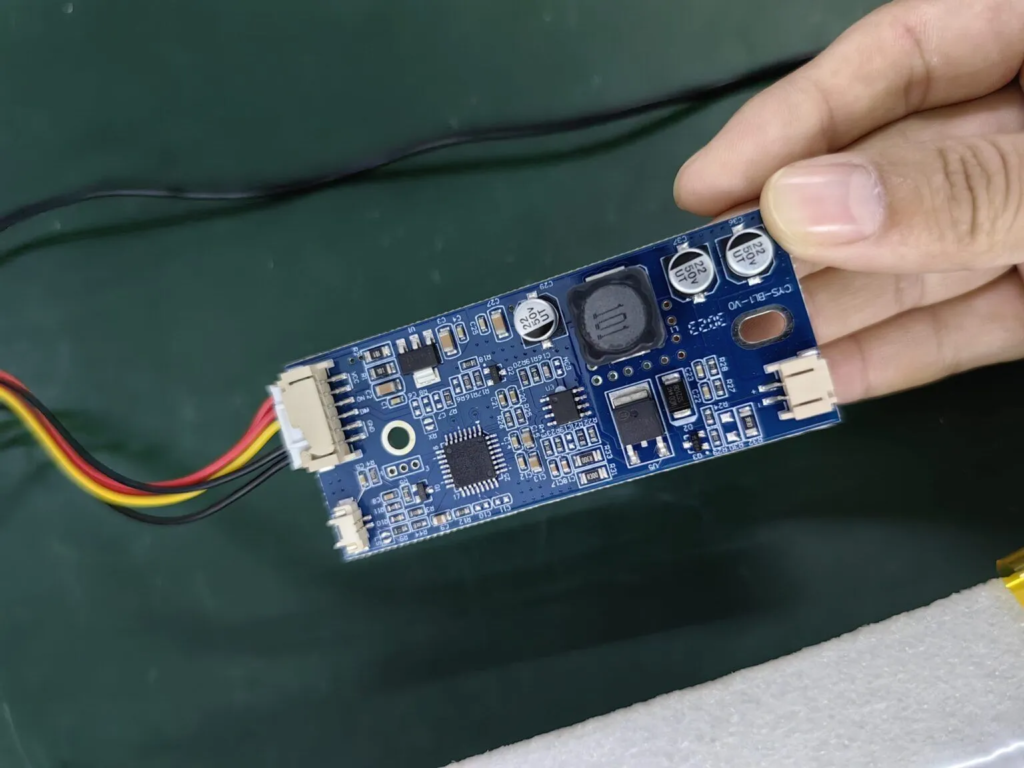
Есть ли признаки сгоревших или поврежденных компонентов ЖК-дисплея?
В поисках решения проблемы черного экрана или отсутствия изображения на мониторе вторым важным шагом является тщательный осмотр компонентов ЖК-дисплея. Внимательно осмотрите его на предмет визуальных признаков сгоревших или поврежденных элементов. Это могут быть обугленные участки, обесцвеченные компоненты или видимые признаки перегрева.
Выявление таких повреждений может дать ключ к пониманию первопричины проблемы. Если вы обнаружили поврежденные компоненты ЖК-дисплея, рекомендуется незамедлительно заменить их. Однако если компоненты ЖК-дисплея выглядят неповрежденными, перейдите к последующим шагам для дальнейшего поиска неисправностей.
На изображении ниже показан вид компонентов, сгоревших из-за низкого напряжения питания
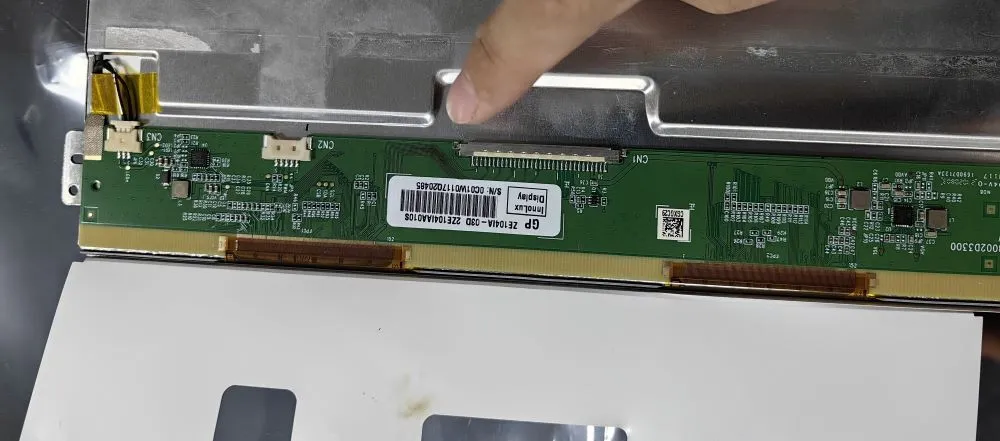
Уделите время осмотру контактов разъема на предмет наличия признаков несоосности. Несовпадение контактов может привести к таким проблемам, как белый экран или искажение изображения.
При устранении неполадок, связанных с черным экраном или отсутствием изображения на мониторе, необходимо обратить внимание на состояние контактов разъема. Внимательно осмотрите их, чтобы убедиться, что они правильно выровнены. Неправильное выравнивание контактов может привести к плохому соединению, что повлечет за собой такие проблемы, как белый экран или искажение изображения.
Если вы обнаружите несовпадение контактов, аккуратно подправьте их, чтобы восстановить надежное и точное соединение. Такое внимание к деталям часто позволяет эффективно решить проблемы с дисплеем. Однако если штырьки выровнены правильно, перейдите к последующим шагам для дальнейшей диагностики и решения проблемы.
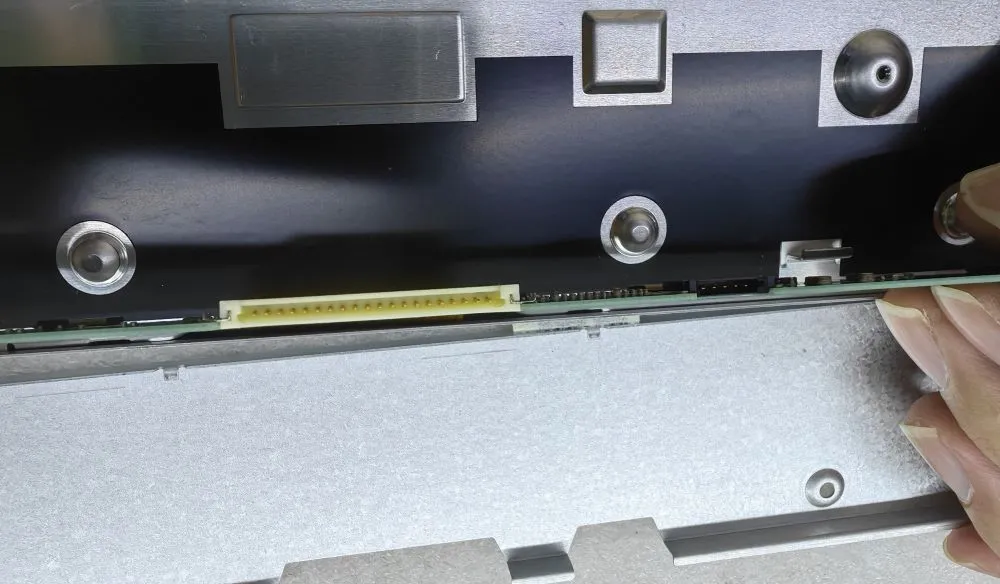
Выше перечислены основные 3 шага для проверки черного экрана или отсутствия дисплея.
Введение Человеко-машинные интерфейсы (ЧМИ) сегодня являются стандартными компонентами современного промышленного оборудования. Дисплеи позволяют операторам ...

Введение Промышленные дисплеи часто используются в средах, где условия освещения трудно контролировать. Оборудование ...

Введение Дисплеи являются важнейшим компонентом интерфейса во многих типах промышленного оборудования. Они обеспечивают систему ...

Введение Видимость дисплея - важнейший параметр конструкции промышленного оборудования. Операторы полагаются на графические интерфейсы ...
Отправьте информацию о вашем приложении. В ответ мы сообщим направление конфигурации и дальнейшие шаги.