Industrie-Display-Lieferanten Einkaufsführer für OEM-Ausrüstung

Einleitung Mensch-Maschine-Schnittstellen (HMIs) sind heute Standardkomponenten in modernen Industrieanlagen. Displays ermöglichen dem Bediener ...
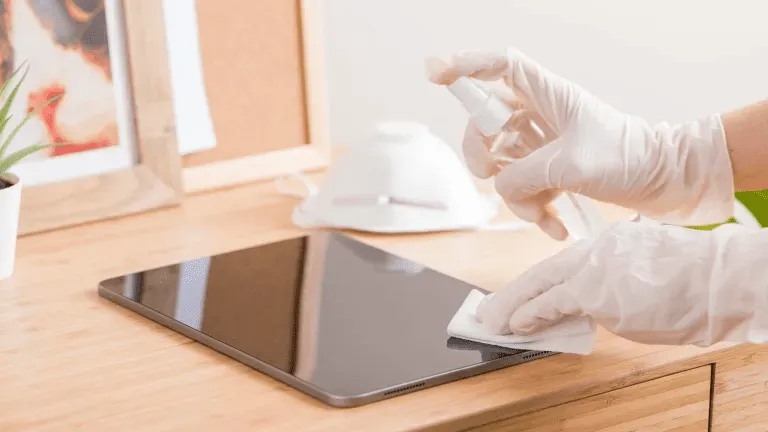
Touchscreens sind heute in industriellen, kommerziellen und öffentlichen Umgebungen unverzichtbar.
Ob verwendet in HMIs in der Fabrik, Kioske im Freien, Terminals im Einzelhandel oder medizinische Systeme, ist eine regelmäßige Reinigung entscheidend für Lesbarkeit, Hygiene, Langlebigkeit und Genauigkeit.
Dieser Leitfaden erklärt, wie man einen Touchscreen richtig reinigen, welche Werkzeuge und Materialien zu verwenden sind und wie oft die Reinigung je nach Nutzungsszenario erfolgen soll.
Industrielle und kommerzielle Touchscreens unterliegen den folgenden Bedingungen:
Unsachgemäße Reinigung kann dazu führen:
Deshalb ist ein auf industrielle Displays zugeschnittenes Reinigungsverfahren ist unerlässlich - sowohl für die Betreiber als auch für die Wartungsteams.
Bevor Sie beginnen, sammeln Sie:
✔ Mikrofasertuch (fusselfrei)
✔ Bildschirmschonende Reinigungslösung (alkoholfrei und ammoniakfrei)
✔ Destilliertes Wasser (fakultativ)
✔ Sprühflasche - niemals direkt auf den Bildschirm sprühen
⚠ Tun NICHT Papierhandtücher, Scheuertücher, Fensterreiniger oder Haushaltsdesinfektionsmittel, die Bleichmittel oder starken Alkohol enthalten, verwenden.
Diese können die Siebbeschichtung beschädigen.
Schalten Sie den Touchscreen vor der Reinigung immer aus oder trennen Sie ihn von der Stromversorgung.
Dies vermeidet statischer Eingriff und sorgt dafür, dass Sie alle Markierungen deutlich sehen können.
Verwenden Sie ein trockenes Mikrofasertuch, um losen Staub und Partikel vorsichtig zu entfernen.
Das vorherige Entfernen von Staub verhindert Kratzer beim Auftragen von Flüssigkeiten.
Sprühen Sie den Reiniger nicht direkt auf den Bildschirm.
Stattdessen:
Dadurch bleibt die Integrität von Berührungssensoren und Glasbeschichtungen.
Nach der Reinigung:
Bei High-Touch-Systemen wie öffentlichen Kiosken und Selbstbedienungsterminals sollten Sie die Reinigung täglich oder mehrmals pro Schicht wiederholen.
❌ Reiniger auf Ammoniakbasis
❌ Glasreiniger mit hohem Alkoholgehalt
❌ Scheuermittel
❌ Papierhandtücher oder Papiertaschentücher
Die Verwendung der richtigen Reinigungschemie gewährleistet eine langfristige Leistung und erhält die schützenden Oberflächenbeschichtungen wie AG-, AF- und AR-Glasbehandlungen.
| Umwelt | Empfohlene Reinigungshäufigkeit |
|---|---|
| Öffentliche Displays mit hohem Kontaktwert (Kioske, POS) | Täglich |
| Medizinische oder Labor-Touchpanels | Nach jeder Verwendung / Schicht |
| Fabrik- oder Werkstatt-HMIs | Wöchentlich |
| Robuste Displays für den Außenbereich | Zweiwöchentlich oder nach Bedarf |
| Berührungsarme interne Terminals | Monatlich |
Die Optimierung von Reinigungsplänen verbessert Betriebszeit, Hygiene und Bedienerzufriedenheit.
❌ Flüssigkeit direkt auf den Bildschirm sprühen
➡ Verwenden Sie stattdessen ein beschlagenes Tuch.
❌ Mit rauem Tuch oder Papiertuch
➡ Wechseln Sie zu Mikrofaser.
❌ Wahllose Verwendung starker Desinfektionsmittel
➡ Nur zugelassene Lösungen verwenden.
❌ Ignorieren der Kanten und Dichtungsbereiche
Vermeiden Sie das Eindringen von Flüssigkeit in die Nähte.
Viele industrielle Bildschirme enthalten Oberflächenbehandlungen wie:
Um diese Beschichtungen zu erhalten:
✔ Verwendung alkoholfreie Reiniger
✔ Vermeiden Sie Schleifmittel
✔ Schonend und regelmäßig reinigen
✔ Herstellerrichtlinien beachten
Eine ordnungsgemäße Wartung verlängert die Lebensdauer von Schutzverglasungen und sorgt dafür, dass die Displays wie neu aussehen.
Die richtige Reinigung von Touchscreens ist nicht nur eine Frage des Aussehens - sie verbessert auch die Leistung:
Durch die Verwendung sicherer Reinigungslösungen und Einhaltung eines einheitlichen Reinigungsprozesses, Die industriellen Displays bleiben länger funktionsfähig und benötigen weniger Wartung.
Einleitung Mensch-Maschine-Schnittstellen (HMIs) sind heute Standardkomponenten in modernen Industrieanlagen. Displays ermöglichen dem Bediener ...

Einleitung Industrielle Bildschirme werden häufig in Umgebungen eingesetzt, in denen die Lichtverhältnisse schwer zu kontrollieren sind. Ausrüstung ...

Einleitung Displays sind eine wichtige Schnittstellenkomponente in vielen Arten von Industrieanlagen. Sie bieten System ...

Einleitung Die Sichtbarkeit von Displays ist ein entscheidender Konstruktionsparameter bei Industrieanlagen. Die Bediener verlassen sich auf grafische Schnittstellen ...
Senden Sie uns Ihre Anwendungsdetails. Wir antworten mit einer Konfigurationsanweisung und den nächsten Schritten.