Industrie-Display-Lieferanten Einkaufsführer für OEM-Ausrüstung

Einleitung Mensch-Maschine-Schnittstellen (HMIs) sind heute Standardkomponenten in modernen Industrieanlagen. Displays ermöglichen dem Bediener ...
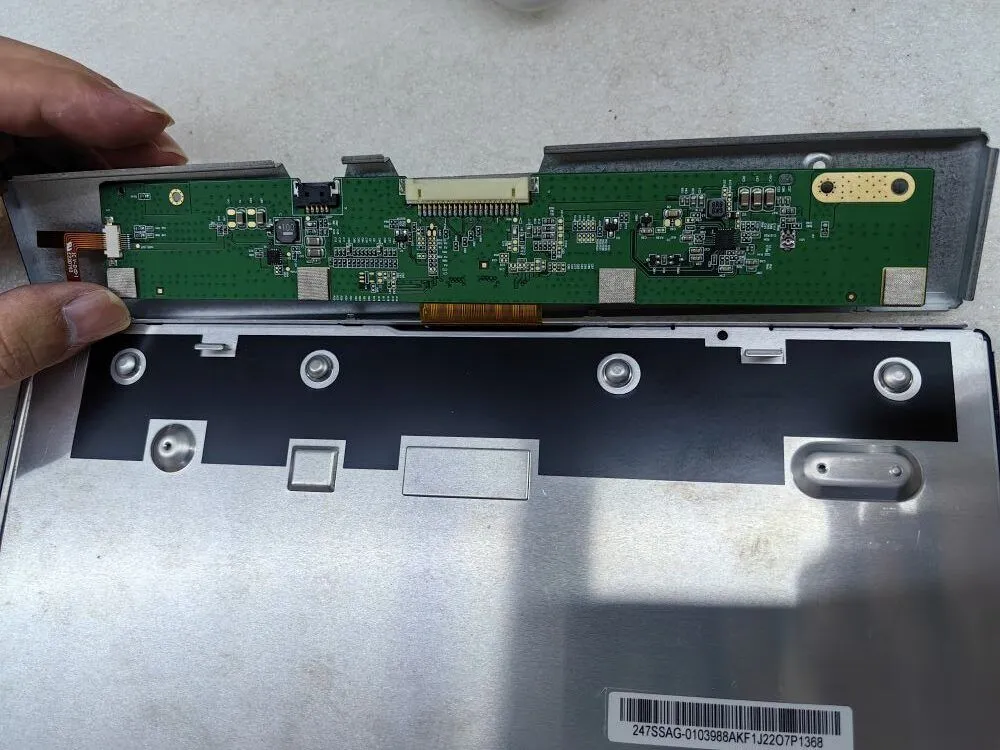
Ein schwarzer Bildschirm oder ein fehlendes Bild auf dem Monitor kann eine frustrierende Erfahrung sein, besonders wenn ein reibungsloser Betrieb wichtig ist.
Ganz gleich, ob Sie ein IT-Experte mit technischem Fachwissen oder ein Beschaffungsbeauftragter sind, der für die Beschaffung zuverlässiger Display-Lösungen verantwortlich ist, Sie müssen wissen, wie Sie diese Probleme effektiv beheben können.
In diesem Leitfaden zur Fehlerbehebung geben wir Ihnen eine Reihe wertvoller Tipps und Strategien an die Hand, mit denen Sie systematisch die Ursachen für schwarze Bildschirme und Probleme mit fehlenden Bildern diagnostizieren können. Wenn Sie diese Richtlinien befolgen, können Sie Probleme schnell erkennen und beheben und so eine ununterbrochene Produktivität und optimale Leistung sicherstellen.
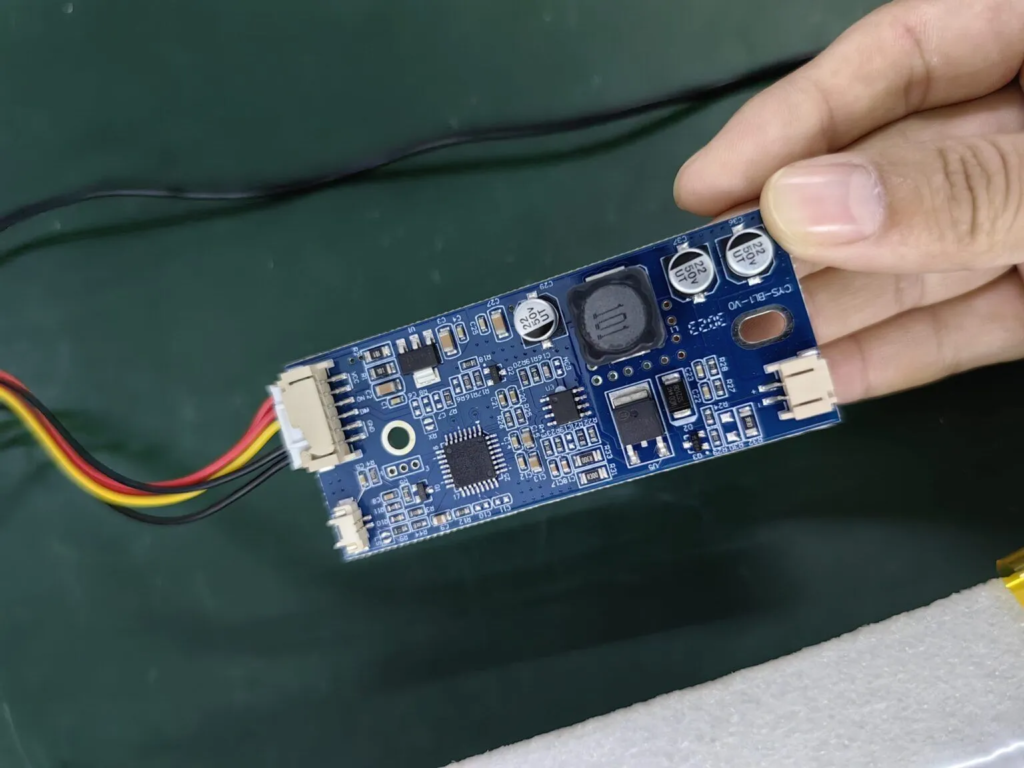
Leuchtet die Hintergrundbeleuchtung? Wenn ja, funktioniert die Konstantstromkarte wahrscheinlich richtig.
Bei der Fehlerbehebung eines schwarzen Bildschirms oder eines fehlenden Bildes auf Ihrem Monitor ist der erste Schritt die Überprüfung der Hintergrundbeleuchtung. Wenn die Hintergrundbeleuchtung hell ist und wie erwartet funktioniert, deutet dies darauf hin, dass die Konstantstromplatine, die für die Regulierung der Hintergrundbeleuchtung zuständig ist, wahrscheinlich in gutem Zustand ist. Wenn die Hintergrundbeleuchtung jedoch nicht leuchtet, fahren Sie mit den nächsten Schritten fort, um das Problem zu lokalisieren und zu beheben.
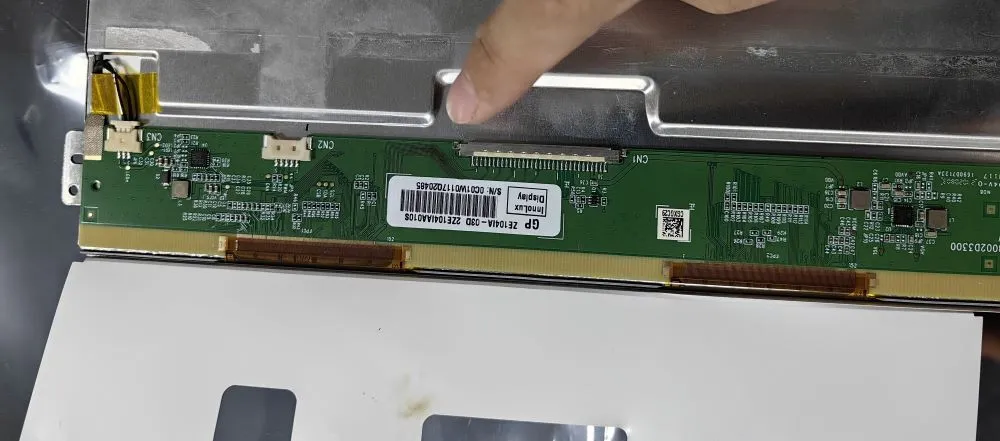
Gibt es Anzeichen für verbrannte oder beschädigte LCD-Komponenten?
Bei der Suche nach einer Lösung für einen schwarzen Bildschirm oder ein fehlendes Bild auf Ihrem Monitor ist der zweite entscheidende Schritt eine gründliche Untersuchung der LCD-Komponenten. Suchen Sie genau nach visuellen Anzeichen für verbrannte oder beschädigte Elemente. Dazu können verkohlte Bereiche, verfärbte Komponenten oder sichtbare Anzeichen von Überhitzung gehören.
Die Identifizierung solcher Schäden kann wichtige Erkenntnisse über die Ursache des Problems liefern. Wenn Sie beschädigte LCD-Komponenten feststellen, ist es ratsam, diese umgehend auszutauschen. Wenn die LCD-Komponenten jedoch intakt zu sein scheinen, fahren Sie mit den folgenden Schritten zur weiteren Fehlerbehebung fort.
Gibt es Anzeichen für verbrannte oder beschädigte LCD-Komponenten?
Bei der Suche nach einer Lösung für einen schwarzen Bildschirm oder ein fehlendes Bild auf Ihrem Monitor ist der zweite entscheidende Schritt eine gründliche Untersuchung der LCD-Komponenten. Suchen Sie genau nach visuellen Anzeichen für verbrannte oder beschädigte Elemente. Dazu können verkohlte Bereiche, verfärbte Komponenten oder sichtbare Anzeichen von Überhitzung gehören.
Die Identifizierung solcher Schäden kann wichtige Erkenntnisse über die Ursache des Problems liefern. Wenn Sie beschädigte LCD-Komponenten feststellen, ist es ratsam, diese umgehend auszutauschen. Wenn die LCD-Komponenten jedoch intakt zu sein scheinen, fahren Sie mit den folgenden Schritten zur weiteren Fehlerbehebung fort.
Die nachstehende Abbildung zeigt das Aussehen von Bauteilen, die aufgrund einer niedrigen Versorgungsspannung verbrannt sind
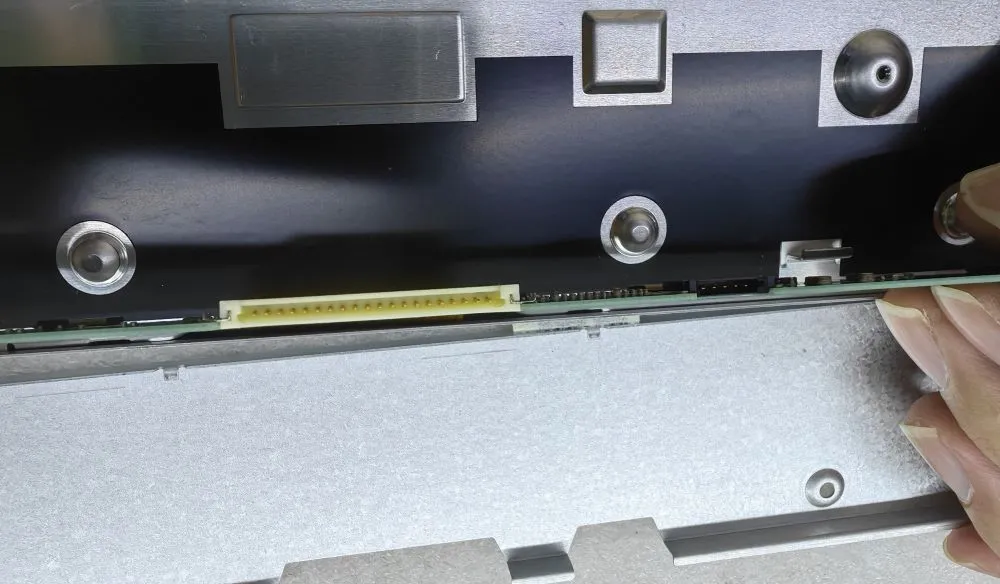
Nehmen Sie sich einen Moment Zeit, um die Steckerstifte auf Anzeichen einer Fehlausrichtung zu überprüfen. Falsch ausgerichtete Stifte können möglicherweise zu Problemen wie einem weißen Bildschirm oder einer verzerrten Anzeige führen.
Bei der Fehlersuche im Falle eines schwarzen Bildschirms oder eines fehlenden Bildes auf dem Monitor ist es wichtig, den Zustand der Anschlussstifte zu prüfen. Untersuchen Sie diese sorgfältig, um sicherzustellen, dass sie richtig ausgerichtet sind. Falsch ausgerichtete Stifte können zu schlechten Verbindungen und damit zu Problemen wie einem weißen Bildschirm oder einer Bildschirmverzerrung führen.
Wenn Sie falsch ausgerichtete Stifte entdecken, richten Sie sie vorsichtig neu aus, um eine sichere und genaue Verbindung herzustellen. Mit dieser Aufmerksamkeit für Details lassen sich Anzeigeprobleme oft wirksam beheben. Wenn die Stifte jedoch korrekt ausgerichtet erscheinen, fahren Sie mit den folgenden Schritten zur weiteren Diagnose und Lösung fort.
Oben sind die wichtigsten 3 Schritte zur Überprüfung des schwarzen Bildschirms oder keine Anzeige Probleme.
Einleitung Mensch-Maschine-Schnittstellen (HMIs) sind heute Standardkomponenten in modernen Industrieanlagen. Displays ermöglichen dem Bediener ...

Einleitung Industrielle Bildschirme werden häufig in Umgebungen eingesetzt, in denen die Lichtverhältnisse schwer zu kontrollieren sind. Ausrüstung ...

Einleitung Displays sind eine wichtige Schnittstellenkomponente in vielen Arten von Industrieanlagen. Sie bieten System ...

Einleitung Die Sichtbarkeit von Displays ist ein entscheidender Konstruktionsparameter bei Industrieanlagen. Die Bediener verlassen sich auf grafische Schnittstellen ...
Senden Sie uns Ihre Anwendungsdetails. Wir antworten mit einer Konfigurationsanweisung und den nächsten Schritten.