Guida all'acquisto dei fornitori di display industriali per le apparecchiature OEM

Introduzione Le interfacce uomo-macchina (HMI) sono ormai componenti standard delle moderne apparecchiature industriali. I display consentono agli operatori di ...
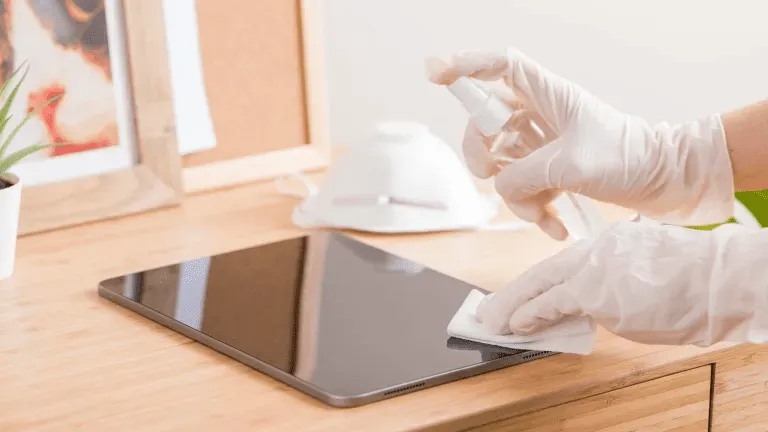
I touch screen sono ormai indispensabili negli ambienti industriali, commerciali e pubblici.
Se utilizzato in HMI di fabbrica, chioschi all'aperto, terminali per la vendita al dettaglio o sistemi medicali, La pulizia regolare è fondamentale per leggibilità, igiene, longevità e precisione.
Questa guida spiega come pulire correttamente un touch screen, quali strumenti e materiali utilizzare e con quale frequenza in base allo scenario d'uso.
I touch screen industriali e commerciali sono soggetti a:
Una pulizia inadeguata può provocare:
Ecco perché un processo di pulizia su misura per i display industriali è essenziale, sia per gli operatori che per le squadre di manutenzione.
Prima di iniziare, raccoglietevi:
Panno in microfibra (senza pelucchi)
Soluzione per la pulizia dello schermo (senza alcool e senza ammoniaca)
Acqua distillata (opzionale)
Bottiglia spray - non spruzzare mai direttamente sullo schermo
⚠ Fare NON utilizzare asciugamani di carta, panni abrasivi, detergenti per vetri o disinfettanti per la casa che contengono candeggina o alcol forte.
Questi possono danneggiare i rivestimenti dello schermo.
Prima di procedere alla pulizia, spegnere sempre il touch screen o scollegare l'alimentazione.
In questo modo si evita interferenza statica e garantisce la visibilità di tutti i segni.
Utilizzare un panno in microfibra asciutto per rimuovere delicatamente la polvere e le particelle sciolte.
Rimuovendo prima la polvere si evitano i graffi quando si applicano i liquidi.
Non spruzzare il detergente direttamente sullo schermo.
Invece:
In questo modo si preserva il integrità dei sensori tattili e dei rivestimenti in vetro.
Dopo la pulizia:
Per i sistemi ad alto contatto, come i chioschi pubblici e i terminali self-service, ripetere la pulizia ogni giorno o più volte per turno.
❌ Detergenti a base di ammoniaca
❌ Detergenti per vetri ad alto contenuto di alcool
❌ Agenti lavanti abrasivi
❌ Asciugamani o fazzoletti di carta
L'utilizzo della giusta chimica di pulizia garantisce prestazioni a lungo termine e mantiene i rivestimenti protettivi delle superfici, come ad esempio Trattamenti del vetro AG, AF e AR.
| Ambiente | Frequenza di pulizia consigliata |
|---|---|
| Display pubblici ad alto contatto (chioschi, POS) | Giornaliero |
| Touch panel medicali o di laboratorio | Dopo ogni utilizzo / turno di lavoro |
| HMI di fabbrica o di officina | Settimanale |
| Display rugged per esterni | Bisettimanale o secondo necessità |
| Terminali interni a basso impatto | Mensile |
L'ottimizzazione dei programmi di pulizia migliora tempi di attività, igiene e soddisfazione dell'operatore.
❌ Spruzzare il liquido direttamente sullo schermo
➡ Utilizzare invece un panno inumidito.
❌ Utilizzando un panno ruvido o un tovagliolo di carta
➡ Passare alla microfibra.
❌ Utilizzo indiscriminato di disinfettanti forti
➡ Utilizzare solo soluzioni approvate.
❌ Ignorare i bordi e le aree di tenuta
➡ Evitare che il liquido si insinui nelle cuciture.
Molti schermi industriali includono trattamenti superficiali come:
Per preservare questi rivestimenti:
Utilizzo detergenti senza alcool
Evitare gli abrasivi
Pulire delicatamente e regolarmente
Seguire le linee guida del produttore
Una corretta manutenzione prolunga la durata dei trattamenti protettivi del vetro e mantiene l'aspetto delle vetrine sempre nuovo.
Una corretta pulizia del touch screen non è solo estetica, ma anche migliorativa:
Utilizzando soluzioni di pulizia sicure e seguendo un processo di pulizia coerente, I display industriali rimangono funzionali più a lungo e richiedono meno manutenzione.
Introduzione Le interfacce uomo-macchina (HMI) sono ormai componenti standard delle moderne apparecchiature industriali. I display consentono agli operatori di ...

Introduzione I display industriali sono spesso utilizzati in ambienti in cui le condizioni di illuminazione sono difficili da controllare. Apparecchiature ...

Introduzione I display sono un componente di interfaccia fondamentale in molti tipi di apparecchiature industriali. Forniscono al sistema ...

Introduzione La visibilità del display è un parametro critico nella progettazione delle apparecchiature industriali. Gli operatori si affidano alle interfacce grafiche ...
Inviate i dettagli della vostra applicazione. Risponderemo con la direzione della configurazione e le fasi successive.