OEM 장비를 위한 산업용 디스플레이 공급업체 구매자 가이드

소개 인간-기계 인터페이스(HMI)는 이제 최신 산업 장비의 표준 구성 요소입니다. 디스플레이를 통해 작업자는 다음을 수행할 수 있습니다. ...
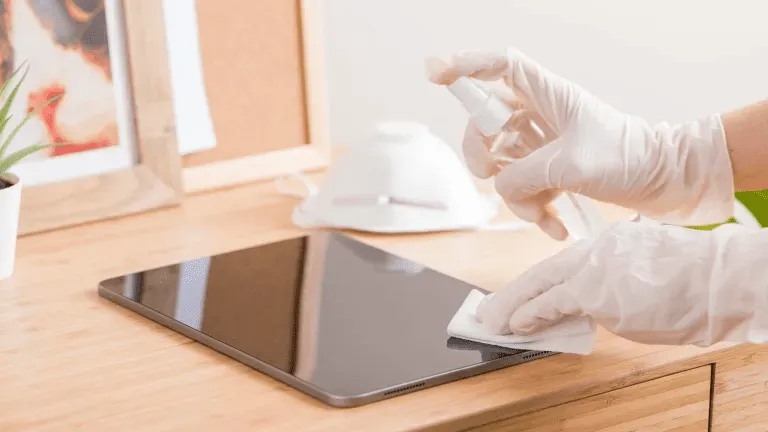
터치스크린은 이제 산업, 상업 및 공공 환경에서 필수적인 요소입니다.
다음에서 사용 여부 공장 HMI, 실외 키오스크, 소매 단말기 또는 의료 시스템, 정기적인 청소는 다음을 위해 매우 중요합니다. 가독성, 위생, 수명 및 정확성.
이 가이드에서는 다음과 같은 방법을 설명합니다. 터치 스크린을 올바르게 청소하기, 사용 시나리오에 따라 어떤 도구와 소모품을 사용해야 하는지, 얼마나 자주 청소해야 하는지 알아보세요.
산업용 및 상업용 터치스크린에는 다음과 같은 규정이 적용됩니다:
부적절한 청소는 원인이 될 수 있습니다:
그렇기 때문에 산업용 디스플레이에 맞춘 세척 프로세스 는 운영자와 유지 관리 팀 모두에게 필수적입니다.
시작하기 전에 모이세요:
극세사 천(보풀 없음)
화면 보호용 클리닝 솔루션 (알코올 및 암모니아 무함유)
증류수 ✔ 증류수 (선택 사항)
스프레이 병 - 화면에 직접 뿌리지 마세요.
⚠ Do NOT 표백제나 강한 알코올이 함유된 종이 타월, 마모성 천, 창문 클리너 또는 가정용 소독제를 사용하지 마세요.
이로 인해 화면 코팅이 손상될 수 있습니다.
청소하기 전에 항상 터치스크린을 끄거나 전원을 분리하세요.
이렇게 하면 다음을 방지할 수 있습니다. 정적 간섭 모든 표시를 선명하게 볼 수 있습니다.
마른 극세사 천을 사용하여 먼지와 입자를 부드럽게 제거합니다.
먼지를 먼저 제거하면 액체가 묻었을 때 긁힘을 방지할 수 있습니다.
화면에 클리너를 직접 뿌리지 마세요.
대신:
이렇게 하면 터치 센서 및 유리 코팅의 무결성.
청소 후:
공공 키오스크나 셀프 서비스 단말기와 같이 접촉이 많은 시스템의 경우 매일 또는 교대 근무 시간마다 여러 번 청소를 반복하세요.
암모니아 기반 세정제 ❌
알코올 함량이 높은 유리 세정제 ❌
연마성 스크러빙 에이전트
❌ 종이 타월 또는 휴지
올바른 세척 화학 물질을 사용하면 장기적인 성능을 보장하고 다음과 같은 보호 표면 코팅을 유지할 수 있습니다. AG, AF 및 AR 글래스 처리.
| 환경 | 권장 청소 빈도 |
|---|---|
| 하이터치 공공 디스플레이(키오스크, POS) | 매일 |
| 의료 또는 실험실 터치 패널 | 사용/교대 근무 후 |
| 공장 또는 작업장 HMI | 주간 |
| 실외용 러기드 디스플레이 | 격주 또는 필요에 따라 |
| 로우터치 내부 단자 | 월간 |
청소 일정을 최적화하면 다음과 같이 개선됩니다. 가동 시간, 위생 및 운영자 만족도.
❌ 액체를 화면에 직접 분사하기
➡ 대신 미스트 천을 사용하세요.
❌ 거친 천이나 종이 타월 사용
극세사로 전환합니다.
❌ 강력한 소독제의 무분별한 사용
➡ 승인된 솔루션만 사용하세요.
❌ 가장자리 및 씰 영역 무시
➡ 이음새에 액체가 스며들지 않도록 주의하세요.
많은 산업용 스크린에는 다음과 같은 표면 처리가 포함되어 있습니다:
이러한 코팅을 보존하기 위해:
사용 무알콜 세정제
연마제 사용 금지
부드럽게 정기적으로 청소
제조사 가이드라인 준수
적절한 유지 관리를 통해 보호 유리 처리의 수명을 연장하고 디스플레이를 새것처럼 유지할 수 있습니다.
적절한 터치스크린 청소는 단순히 외관을 개선하는 것이 아니라 성능을 향상시킵니다:
안전한 청소 솔루션과 일관된 청소 프로세스에 따라, 산업용 디스플레이는 더 오래 작동하고 유지 관리가 덜 필요합니다.
소개 인간-기계 인터페이스(HMI)는 이제 최신 산업 장비의 표준 구성 요소입니다. 디스플레이를 통해 작업자는 다음을 수행할 수 있습니다. ...

소개 산업용 디스플레이는 조명 조건을 제어하기 어려운 환경에 자주 배치됩니다. 장비 ...

소개 디스플레이는 다양한 유형의 산업 장비에서 중요한 인터페이스 구성 요소입니다. 디스플레이는 시스템 ...

소개 디스플레이 가시성은 산업 장비에서 중요한 설계 매개변수입니다. 작업자는 그래픽 인터페이스에 의존합니다. ...
신청 세부 정보를 보내주세요. 구성 방향과 다음 단계로 답변해 드립니다.