Inleiding
Energie-efficiëntie is een steeds belangrijkere ontwerpparameter geworden in industriële apparatuur. Veel systemen werken continu gedurende langere perioden met beperkte toegang voor onderhoud, waardoor stroomverbruik, thermische stabiliteit en levensduur van componenten belangrijke overwegingen zijn tijdens het ontwerp van het systeem.
Industriële beeldschermen kunnen een meetbaar deel van het totale energieverbruik van een systeem uitmaken. LCD-schermen met een hoge helderheid die worden gebruikt in buitenapparatuur, industriële HMI's en infrastructuurterminals zijn afhankelijk van LED-achtergrondverlichtingssystemen die een aanzienlijk deel van het beeldschermvermogen kunnen verbruiken.
In afgesloten behuizingen of behuizingen zonder ventilator wordt het meeste elektrische vermogen dat wordt verbruikt door de achtergrondverlichting van het beeldscherm direct omgezet in warmte. Als gevolg hiervan heeft de helderheid van het scherm niet alleen invloed op het energieverbruik, maar ook op de temperatuur van de behuizing en de betrouwbaarheid op lange termijn.
Om deze uitdagingen aan te gaan, bevatten veel industriële beeldschermen automatisch dimmen en energiebesparende modi. Deze eigenschappen verlagen het gemiddelde stroomverbruik van het scherm terwijl de leesbaarheid in verschillende omgevingslichtomstandigheden behouden blijft.
Het gedrag van helderheid in industriële systemen moet echter worden geëvalueerd op de systeemarchitectuurniveau. Automatische helderheidsregeling kan het zicht van de operator, de responstijd van het systeem en de aannames voor HMI-validatie beïnvloeden.
Door te begrijpen hoe deze mechanismen werken, kunnen OEM-ontwerpers industriële beeldschermen betrouwbaarder in hun apparatuur integreren.
Wat is automatisch dimmen in industriële displays?
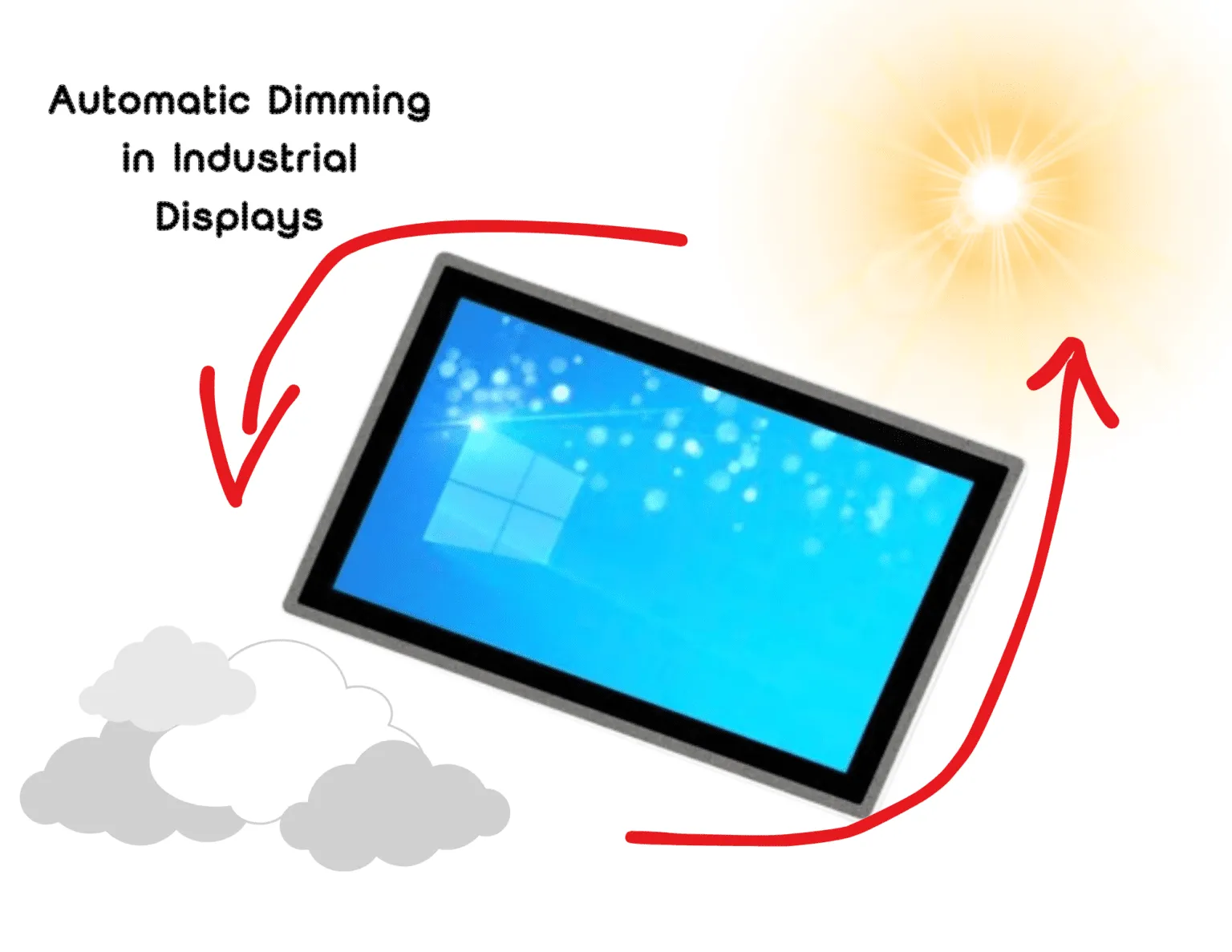
Automatisch dimmen in industriële displays is een helderheidsregelmechanisme dat de intensiteit van de LED-achtergrondverlichting aanpast op basis van de omgevingsverlichting of de bedrijfsstatus van het systeem.
Door de helderheid te verminderen in donkere omgevingen of tijdens perioden van inactiviteit, kan automatisch dimmen:
- stroomverbruik display verminderen
- lagere interne behuizingstemperaturen
- levensduur LED-achtergrondverlichting verlengen
- voldoende zichtbaarheid voor operators behouden
Dit adaptieve helderheidsgedrag is vooral nuttig in industriële systemen die worden blootgesteld aan veranderende lichtomstandigheden, zoals buiteninstallaties of apparatuur voor openbare infrastructuur.
Automatisch dimmen en energiebesparende modi voor display
Automatisch dimmen past de helderheid dynamisch aan in reactie op de omgevingsverlichting.
De meeste implementaties vertrouwen op een omgevingslichtsensor die de omgevingsverlichting meet. De displaycontroller past vervolgens de intensiteit van de LED-achtergrondverlichting aan om voldoende contrast te behouden zonder onnodige helderheid toe te passen.
Bijvoorbeeld:
- Apparatuur voor buitengebruik mag werken bij 1000-1500 nits overdag.
- Hetzelfde scherm kan de helderheid verminderen tot 300-400 nits tijdens nachtelijk gebruik.
Dit adaptieve helderheidsgedrag vermindert zowel energieverbruik en thermische belasting.
Energiebesparende modi breiden de helderheidsregeling uit met extra functies voor energiebeheer.
Typische mechanismen zijn onder andere:
- Vermindering achtergrondverlichting tijdens inactiviteit
- Scherm leeg of scherm uit
- Stand-by of slaapstand
- Geplande uitschakelcycli
In systemen met ingebedde computers of paneel-PC's wordt het energiebeheer van beeldschermen vaak gecoördineerd door de host-besturingssysteem in plaats van alleen de displayhardware.
Technologieën achter het dimmen van industriële schermen
LED-achtergrondverlichting besturingsarchitectuur
Industriële LCD-schermen werken met LED-achtergrondverlichting die wordt aangestuurd door constante stroomdrivers. Helderheidsaanpassing wordt meestal geïmplementeerd met behulp van twee primaire technieken.
Pulsbreedtemodulatie (PWM)
PWM regelt de helderheid door LED's met een hoge frequentie aan en uit te zetten terwijl de stroom tijdens de actieve cyclus constant blijft. Dit maakt een breed helderheidsbereik mogelijk met behoud van stabiele LED kleurkenmerken.
Analoge stroomregeling
Analoog dimmen past de stroom aan die wordt geleverd aan de LED-achtergrondverlichting. Dit maakt vloeiende helderheidsovergangen mogelijk, maar kan de efficiëntie verminderen bij zeer lage helderheidsniveaus.
Veel industriële beeldschermen combineren beide benaderingen in een hybride dimarchitectuur voor een stabiele helderheidsregeling over een breed werkbereik.
De keuze van de PWM-frequentie is belangrijk. Als de frequentie te laag is, kan er zichtbare flikkering of elektromagnetische interferentie optreden.
Omgevingslichtsensoren
Automatische helderheidsregeling is afhankelijk van een nauwkeurige meting van de omgevingslichtomstandigheden.
Omgevingslichtsensoren meten de omgevingsverlichting in lux en geven input aan de displaycontroller of systeemsoftware.
De plaatsing van de sensor is van grote invloed op de prestaties. Als de sensor gereflecteerd licht van het schermoppervlak of lokale verlichtingsbronnen detecteert, is het mogelijk dat de helderheidsaanpassingen niet overeenkomen met de kijkomstandigheden van de gebruiker.
In systemen die gebruikmaken van industriële aanraakschermen, sensoren worden meestal in de buurt van de voorkant of het dekglas geplaatst om de kijkomgeving van de operator te benaderen.
Algoritmen voor helderheidsrespons
Ruwe sensormetingen moeten door algoritmes voor helderheidsregeling verwerkt worden voordat aanpassingen plaatsvinden.
Typische implementaties zijn onder andere:
- lux/helderheidsresponscurves
- helderheidsdrempels
- overgangsvertragingen
- hysteresislogica om oscillatie te voorkomen
Zonder deze mechanismen zouden kleine variaties in het omgevingslicht snelle helderheidsfluctuaties kunnen veroorzaken.
De juiste afstelling van het algoritme zorgt ervoor dat helderheidsveranderingen geleidelijk en voorspelbaar blijven.
Integratie hostsysteem
In veel OEM-ontwerpen wordt het helderheidsgedrag gecoördineerd door het hostsysteem in plaats van door de displayfirmware alleen.
Een machinecontroller kan bijvoorbeeld de volledige helderheid behouden tijdens actieve werking en de helderheid verminderen wanneer het systeem in een inactieve toestand komt.
Deze aanpak is gebruikelijk wanneer industriële LCD-monitoren zijn aangesloten op ingebedde computers of machinecontrollers.
Door regeling op hostniveau kan de helderheid van het scherm worden afgestemd op de toestand van de machine, interactiepatronen van de gebruiker en beleidsregels voor energiebeheer.
Foutverwerking en terugvalgedrag
Automatisch dimmen introduceert afhankelijkheid van sensoringangen. Industriële ontwerpen bevatten daarom gedefinieerde terugvalmechanismen.
Omgevingslichtsensoren kunnen worden beïnvloed door:
- stofophoping
- condensatie
- fysieke belemmering
- sensordegradatie
Typische terugvalstrategieën zijn onder andere:
- standaard helderheidsniveaus
- handmatige helderheidsaanpassing
- detectie van sensorstoringen
- veilige bedrijfsmodi wanneer sensorgegevens ongeldig worden
Deze beveiligingen zorgen voor een voorspelbaar displaygedrag, zelfs als de sensorinvoer onbetrouwbaar wordt.
Technische overwegingen voor industriële systemen
Zichtbaarheid operator
Industriële MMI's moeten onder alle bedrijfsomstandigheden leesbaar blijven.
Plotselinge veranderingen in de helderheid kunnen de herkenning door de operator verstoren of de zichtbaarheid van contrasten verminderen.
In veiligheidsinterfaces worden helderheidsniveaus vaak gevalideerd tijdens het testen van het systeem. Automatische helderheidsaanpassingen kunnen in strijd zijn met deze gevalideerde omstandigheden.
Daarom gebruiken veiligheidskritische HMI's vaak vaste helderheidsniveaus.
Milieuvariabiliteit
Verlichtingsomstandigheden in industriële faciliteiten kunnen snel veranderen.
Voorbeelden zijn:
- bewegende machines die schaduwen creëren
- magazijnverlichting in- of uitschakelen
- buitenapparatuur die gedeeltelijk in de schaduw staat
Als helderheidsalgoritmen te agressief reageren, kan het scherm herhaaldelijk van helderheid veranderen. Adequate hysterese en vertragingslogica zijn nodig om het helderheidsgedrag te stabiliseren.
Thermische impact
Het stroomverbruik van de achtergrondverlichting draagt direct bij aan de warmteontwikkeling in afgesloten behuizingen.
Het verminderen van de helderheid verlaagt de LED-stroom en kan de interne temperatuur en thermische spanning op displaycomponenten verlagen.
In veel industriële systemen genereren processors of vermogenselektronica echter meer warmte dan het beeldscherm zelf.
Een thermische analyse op systeemniveau wordt daarom aanbevolen voordat er wordt vertrouwd op helderheidsreductie als primaire strategie voor thermische reductie.
Energieverbruik industrieel scherm
Bij industriële beeldschermen met een hoge helderheid kan de LED-achtergrondverlichting het grootste deel van het totale energieverbruik van het beeldscherm uitmaken.
Bijvoorbeeld een 1000-1500 nit industrieel LCD-scherm kan meerdere malen meer vermogen voor achtergrondverlichting nodig hebben dan een beeldscherm dat op een gemiddeld helderheidsniveau werkt.
Daarom worden strategieën voor helderheidsregeling vaak overwogen bij het ontwerpen van energie-efficiënte industriële HMI-systemen en buitenweergave apparatuur.
Het verminderen van de helderheid tijdens nachtelijk gebruik of inactieve periodes kan het gemiddelde stroomverbruik van het systeem aanzienlijk verlagen.
OEM integratie overwegingen
OEM fabrikanten van apparatuur hebben vaak configureerbare helderheidsregeling nodig bij het specificeren van industriële beeldschermmodules.
Mogelijk moet de helderheidsregeling worden geïntegreerd via systeeminterfaces zoals:
- GPIO-signalen
- seriële communicatieopdrachten
- API's voor displaycontroller
- beleid voor energiebeheer van besturingssystemen
Met flexibele opties voor helderheidsregeling kan het displaysubsysteem worden afgestemd op de werking van de machine, interactiepatronen van gebruikers en energiebeheerstrategieën.
Typische toepassingen
Automatisch dimmen en energiebesparende modi zijn het handigst in systemen waar de lichtomstandigheden variëren of waar de interactie tussen operators intermitterend is.
Typische toepassingen zijn onder andere:
- informatieterminals voor buiten
- EV-laadstations
- zelfbedieningskiosken
- apparatuur voor transportinfrastructuur
- parkeer- en ticketingsystemen
- interfaces voor bewaking van industriële automatisering
Deze systemen profiteren van adaptief helderheidsgedrag en een lager gemiddeld energieverbruik.
Wanneer automatisch dimmen goed werkt
Automatisch dimmen werkt goed wanneer:
- lichtomstandigheden variëren aanzienlijk
- interactie met de operator is intermitterend
- helderheid kan worden gecoördineerd met systeemstatus
- minder energieverbruik verbetert de efficiëntie van het systeem
Toepassingen zoals kiosken, EV-laadstations en infrastructuurterminals voldoen vaak aan deze voorwaarden.
Wanneer vaste helderheid de voorkeur kan hebben
Sommige industriële systemen vereisen voorspelbaar helderheidsgedrag.
Voorbeelden zijn:
- veiligheidskritische HMI's
- apparatuur die wettelijke validatie vereist
- bedieningswerkplekken met stabiele binnenverlichting
- systemen die onmiddellijke beschikbaarheid van het scherm vereisen zonder wekvertraging
In deze omgevingen kunnen vaste helderheidsinstellingen een betrouwbaardere werking bieden.
Conclusie
Automatisch dimmen en energiebesparende modi kunnen de energie-efficiëntie in industriële displaysystemen verbeteren, met name in omgevingen met variabele lichtomstandigheden of continu gebruik.
Het helderheidsgedrag moet echter worden geëvalueerd binnen de context van de complete systeemarchitectuur. De helderheid van het scherm beïnvloedt de bruikbaarheid voor de gebruiker, de thermische omstandigheden in de behuizing en de voorspelbaarheid van het systeem.
Voor veel OEM-fabrikanten en systeemintegrators is de meest betrouwbare aanpak gecontroleerde systeemintegratie. Hardwareondersteuning voor helderheidsaanpassing is inbegrepen, terwijl het helderheidsgedrag wordt beheerd door besturingslogica op systeemniveau.
Door in een vroeg stadium van het ontwerpproces rekening te houden met het energiebeheer van beeldschermen, kunnen technici een balans vinden tussen energiezuinigheid, betrouwbaarheid en voorspelbaar systeemgedrag.
FAQ
Vermindert automatisch dimmen het stroomverbruik van industriële beeldschermen aanzienlijk?
Ja. Het gemiddelde stroomverbruik kan afnemen wanneer de helderheid regelmatig wordt verlaagd. De mate van vermindering hangt af van het helderheidsbereik van het scherm en de gebruikspatronen.
Kan dimmen de levensduur van LED-achtergrondverlichting verlengen?
Door LED's op lagere stroomniveaus te laten werken, wordt de thermische belasting verminderd en kan de levensduur worden verlengd, afhankelijk van hoe vaak lagere helderheidsniveaus worden gebruikt.
Waarom vermijden sommige industriële HMI's automatische helderheidsregeling?
Veiligheidsgerelateerde interfaces hebben vaak een consistente helderheid nodig om ervoor te zorgen dat alarmen en indicatoren onder alle bedrijfsomstandigheden duidelijk zichtbaar blijven.
Wat gebeurt er als de sensor voor omgevingslicht defect raakt?
De meeste industriële beeldschermen definiëren fallback helderheidsniveaus en staan handmatige aanpassing toe, zodat het beeldscherm bruikbaar blijft, zelfs als de sensor onbetrouwbaar wordt.
Hoeveel stroom verbruikt de achtergrondverlichting van een industrieel beeldscherm?
De LED-achtergrondverlichting is meestal de grootste energieverbruiker in een industrieel LCD-scherm. In buitenbeeldschermen met een hoge helderheid kan de achtergrondverlichting het grootste deel van het energieverbruik van het scherm uitmaken.
Het verminderen van de helderheid tijdens nachtelijk gebruik of inactieve periodes kan daarom het gemiddelde energieverbruik aanzienlijk verlagen.