Guide d'achat des fournisseurs d'écrans industriels pour les équipements OEM

Introduction Les interfaces homme-machine (IHM) sont désormais des composants standard des équipements industriels modernes. Les écrans permettent aux opérateurs de ...
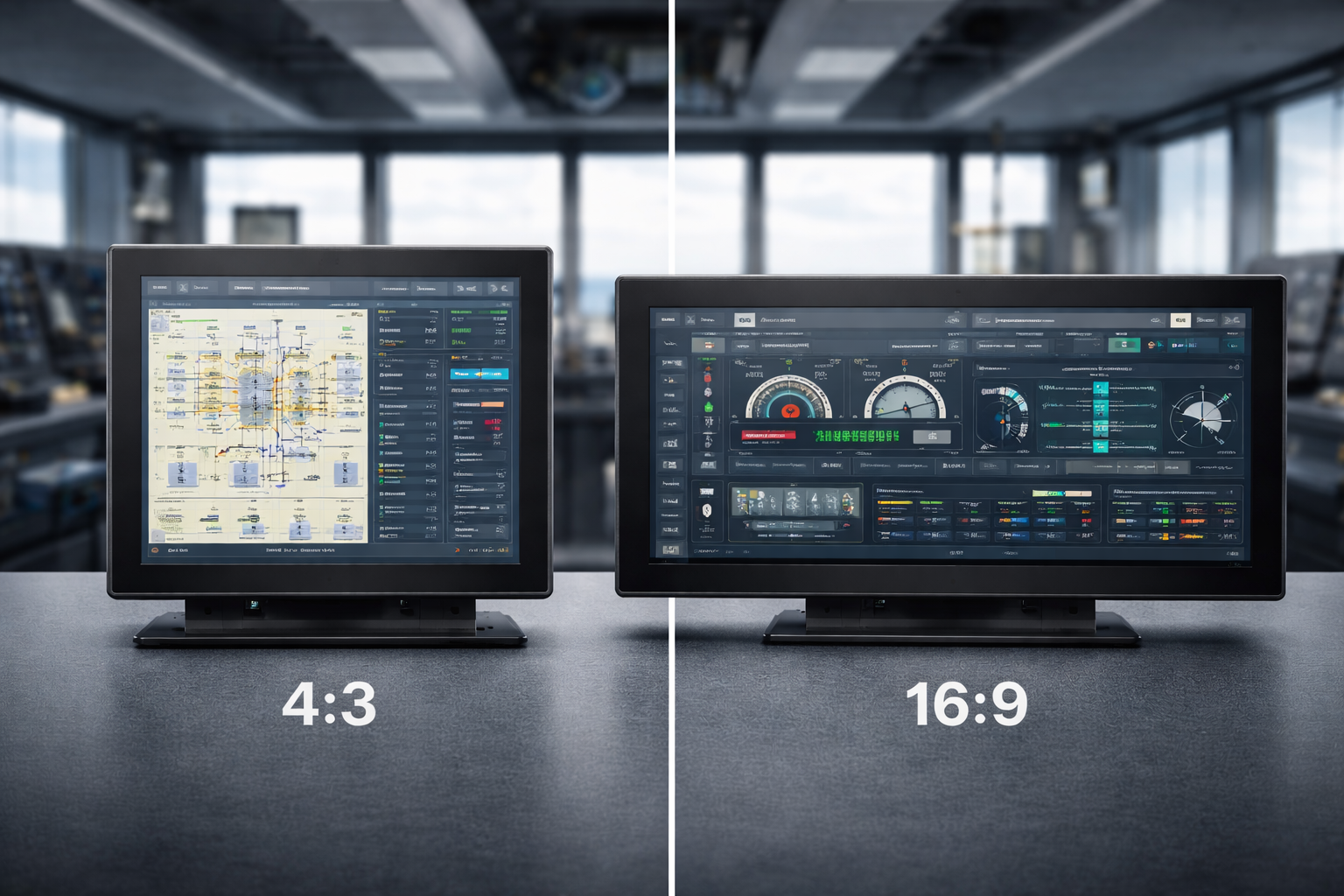
Lors de la sélection d'un moniteur, l'écran rapport hauteur/largeur est un facteur essentiel qui définit la façon dont vous regardez, travaillez et interagissez avec le contenu numérique. Que vous choisissiez un moniteur pour tâches professionnelles, jeux ou consommation multimédia, la différence entre Rapports d'aspect 4:3 et 16:9 peut influencer de manière significative votre expérience.
Ce guide compare ces deux rapports d'aspect largement utilisés et vous aide à décider quel est celui qui répond le mieux à vos besoins spécifiques.
Le rapport hauteur/largeur d'un moniteur fait référence à l'angle d'inclinaison de l'écran. rapport proportionnel entre sa largeur et sa hauteur. Bien que cette spécification puisse sembler simple, elle a une influence directe :
Le rapport d'aspect a une incidence sur tout, de la présentation de l'interface à la façon dont vos yeux se déplacent naturellement sur l'écran.
La transition de 4:3 à 16:9 reflète une évolution plus large des médias numériques.
Les Format 4:3 était autrefois la norme, étroitement alignée sur les premiers formats de télévision et les anciens systèmes informatiques. Avec le développement du contenu multimédia et l'évolution des formats vidéo vers la présentation en écran large, Le 16:9 s'est imposé comme la norme dominante, surtout avec l'essor de la télévision à haute définition et des appareils informatiques modernes.
Cette évolution a été motivée par le contenu, et non par le seul matériel.
Les Format 4:3 fournit un affichage plus carré, qui reste utile dans certains contextes.
Les principaux avantages sont les suivants :
Dans les environnements professionnels, les moniteurs 4:3 sont souvent préférés pour les raisons suivantes codage, édition de texte, lecture et interfaces de contrôle, où la clarté verticale est plus importante que l'expansion horizontale.
Ils sont également populaires dans les pays suivants les jeux rétro et les applications conçues à l'origine pour ce format.
Les Format 16:9 est devenu la norme en matière de contenu numérique moderne.
Il est largement utilisé dans le monde entier :
Ce format s'aligne parfaitement sur Normes vidéo HD, Full HD et 4K, Il est donc idéal pour :
Grâce à son champ horizontal plus large, le format 16:9 excelle dans l'affichage de tableaux de bord, de chronologies et de contenus côte à côte.
Lorsque l'on compare ces deux rapports d'aspect, le choix dépend des éléments suivants comment le moniteur sera utilisé.
Ni l'une ni l'autre n'est universellement meilleure - la bonne option dépend de vos priorités.
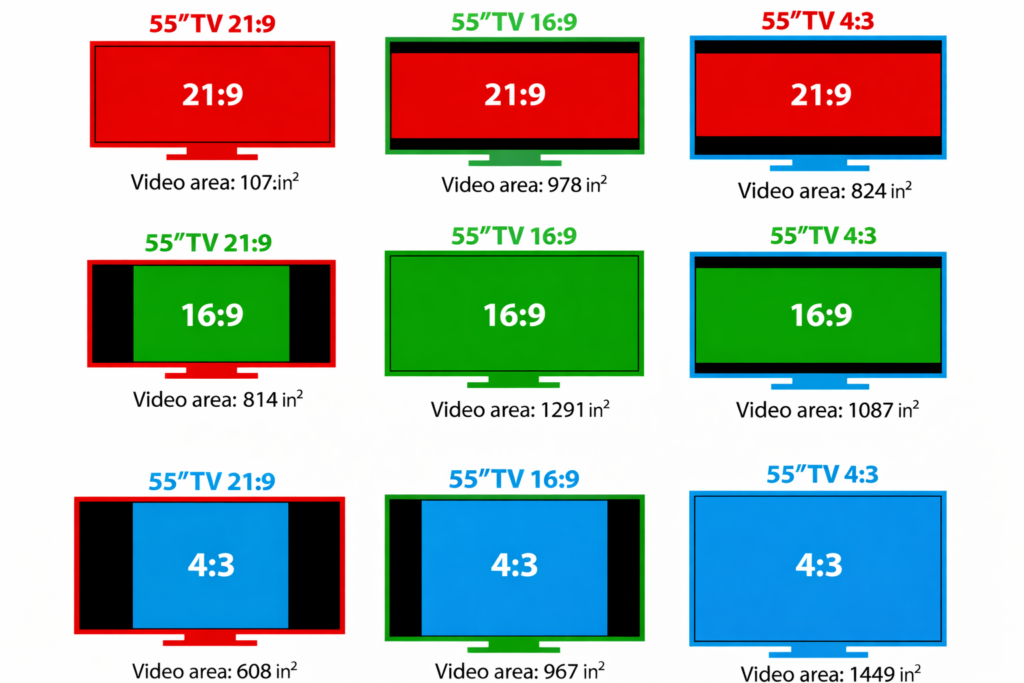
Ce changement reflète la façon dont le contenu est créé et consommé aujourd'hui.
Les médias modernes, en particulier la vidéo et les applications interactives, bénéficient des avantages suivants des zones de visualisation plus larges. Lorsque les formats d'écran large sont devenus la norme, la technologie d'affichage a suivi pour répondre aux attentes en matière de contenu et au comportement des utilisateurs.
Oui, mais moins souvent, Les écrans 4:3 restent d'actualité dans des cas d'utilisation spécifiques.
Ils continuent d'être utilisés dans :
Leur efficacité verticale et leur compatibilité les rendent utiles lorsque la modernisation n'est pas l'objectif principal.
Au fur et à mesure que la technologie d'affichage évolue, formats ultra-larges tels que 21:9 gagnent en popularité, offrant une immersion et une productivité accrues. Les écrans incurvés et panoramiques élargissent les possibilités, en particulier pour le travail multitâche et la visualisation.
Toujours, 4:3 et 16:9 restent des normes fondamentales, Ils continueront à coexister en fonction des besoins des applications.
Choisir entre un Moniteur 4:3 et 16:9 n'est pas seulement une décision technique - il s'agit de la façon dont vous interagissez avec le contenu numérique.
Le bon rapport hauteur/largeur améliore la productivité, le confort et la facilité d'utilisation en général.
Cela dépend de la tâche à accomplir. Un écran 4:3 est souvent mieux adapté aux travaux nécessitant beaucoup de texte ou orientés verticalement, tandis qu'un écran 16:9 convient mieux au multitâche, aux logiciels modernes et aux contenus multimédias.
Les moniteurs 16:9 sont conformes aux normes vidéo modernes et aux formats de contenu grand écran, ce qui les rend idéaux pour la lecture vidéo, les jeux et les applications contemporaines.
Oui. Les moniteurs 4:3 sont encore utilisés dans les environnements professionnels et industriels, en particulier lorsque des logiciels anciens, des boîtiers fixes ou un espace d'écran vertical sont importants.
Oui, le rapport hauteur/largeur influence la manière dont les informations sont affichées à l'écran. Le choix du bon rapport peut améliorer l'efficacité du flux de travail, la lisibilité et le confort général de l'utilisateur.
Pour les projets à long terme ou anciens, le format 4:3 peut offrir une meilleure compatibilité. Pour les nouveaux systèmes et l'évolutivité future, le 16:9 est généralement le meilleur choix.
Introduction Les interfaces homme-machine (IHM) sont désormais des composants standard des équipements industriels modernes. Les écrans permettent aux opérateurs de ...

Introduction Les écrans industriels sont souvent déployés dans des environnements où les conditions d'éclairage sont difficiles à contrôler. L'équipement ...

Introduction Les écrans sont des composants d'interface essentiels dans de nombreux types d'équipements industriels. Ils fournissent au système ...

Introduction La visibilité de l'affichage est un paramètre essentiel de la conception des équipements industriels. Les opérateurs s'appuient sur des interfaces graphiques ...
Envoyez les détails de votre demande. Nous vous répondrons en vous indiquant la configuration à suivre et les prochaines étapes.