دليل مشتري موردي شاشات العرض الصناعية لمعدات تصنيع المعدات الأصلية

مقدمة أصبحت الواجهات بين الإنسان والآلة (HMIs) الآن مكونات قياسية في المعدات الصناعية الحديثة. تتيح شاشات العرض للمشغلين ...
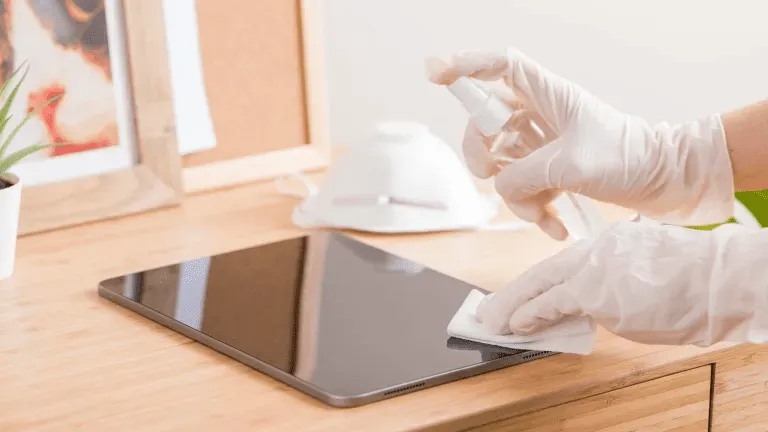
أصبحت الشاشات التي تعمل باللمس ضرورية الآن في البيئات الصناعية والتجارية والعامة.
سواء استُخدمت في واجهات تشغيل المصانع HMI، أو الأكشاك الخارجية، أو محطات البيع بالتجزئة، أو الأنظمة الطبية, ، فإن التنظيف المنتظم أمر بالغ الأهمية ل سهولة القراءة والنظافة وطول العمر والدقة.
يشرح هذا الدليل كيفية تنظيف الشاشة التي تعمل باللمس بشكل صحيح, والأدوات والمستلزمات التي يجب استخدامها، وعدد مرات التنظيف بناءً على سيناريو استخدامك.
الشاشات الصناعية والتجارية التي تعمل باللمس تخضع لـ
يمكن أن يتسبب التنظيف غير السليم في:
لهذا السبب عملية تنظيف مصممة خصيصاً لشاشات العرض الصناعية ضروري - سواء بالنسبة للمشغلين أو فرق الصيانة.
قبل أن تبدأ، اجمع
✔ قطعة قماش من الألياف الدقيقة (خالية من الوبر)
✔ محلول تنظيف آمن للشاشة (خالية من الكحول وخالية من الأمونيا)
✔ ماء مقطر (اختياري)
✔ زجاجة رذاذ - لا ترش أبداً على الشاشة مباشرة
𦨊 هل لا استخدام المناشف الورقية أو الأقمشة الكاشطة أو منظفات النوافذ أو المطهرات المنزلية التي تحتوي على مبيض أو كحول قوي.
يمكن أن يؤدي ذلك إلى تلف طلاء الشاشة.
قم دائمًا بإيقاف تشغيل الشاشة التي تعمل باللمس أو افصل الطاقة قبل التنظيف.
هذا يتجنب التداخل الساكن ويضمن لك رؤية جميع العلامات بوضوح.
استخدمي قطعة قماش جافة من الألياف الدقيقة لإزالة الغبار والجسيمات السائبة برفق.
إزالة الغبار أولاً يمنع حدوث خدوش عند وضع السوائل.
لا ترش المنظف مباشرة على الشاشة.
بدلاً من ذلك:
وهذا يحافظ على سلامة مستشعرات اللمس والطلاء الزجاجي.
بعد التنظيف:
بالنسبة للأنظمة عالية اللمس مثل الأكشاك العامة ومحطات الخدمة الذاتية، كرر التنظيف يومياً أو عدة مرات في كل نوبة عمل.
❌ المنظفات التي تحتوي على الأمونيا
❌ منظفات الزجاج التي تحتوي على نسبة عالية من الكحول
❌ عوامل التنظيف الكاشطة
❌ مناشف ورقية أو مناديل ورقية
يضمن استخدام كيمياء التنظيف الصحيحة أداءً طويل الأمد ويحافظ على الطلاءات الواقية للأسطح مثل معالجات زجاج AG و AF و AR.
| البيئة | تواتر التنظيف الموصى به |
|---|---|
| شاشات العرض العامة عالية اللمس (الأكشاك، ونقاط البيع) | يومياً |
| لوحات اللمس الطبية أو المختبرية | بعد كل استخدام/مناوبة |
| واجهات تشغيل المصنع أو الورشة | أسبوعياً |
| شاشات عرض خارجية متينة في الهواء الطلق | كل أسبوعين أو حسب الحاجة |
| أطراف طرفية داخلية منخفضة اللمس | شهرياً |
يؤدي تحسين جداول التنظيف إلى تحسين وقت التشغيل، والنظافة، ورضا المشغلين.
❌ رش السائل مباشرة على الشاشة
➡ استخدمي قطعة قماش مبللة بدلاً من ذلك.
❌ استخدام قطعة قماش خشنة أو منشفة ورقية
➡ التبديل إلى الألياف الدقيقة.
❌ استخدام المطهرات القوية دون تمييز
➡ استخدم المحاليل المعتمدة فقط.
❌ تجاهل الحواف ومناطق الختم
➡ تجنب زحف السوائل إلى اللحامات.
تتضمن العديد من الشاشات الصناعية معالجات سطحية مثل:
للحفاظ على هذه الطلاءات:
✔ الاستخدام منظفات خالية من الكحول
✔ تجنب المواد الكاشطة
✔ التنظيف بلطف وانتظام
✔ اتبع إرشادات الشركة المصنعة
تعمل الصيانة المناسبة على إطالة عمر المعالجات الزجاجية الواقية وتحافظ على مظهر الشاشات جديدًا.
لا يقتصر التنظيف السليم للشاشة التي تعمل باللمس على المظهر فقط - بل إنه يحسّن من مظهرها:
باستخدام محاليل تنظيف آمنة و اتباع عملية تنظيف متسقة, تبقى شاشات العرض الصناعية تعمل لفترة أطول وتتطلب صيانة أقل.
مقدمة أصبحت الواجهات بين الإنسان والآلة (HMIs) الآن مكونات قياسية في المعدات الصناعية الحديثة. تتيح شاشات العرض للمشغلين ...

مقدمة كثيرًا ما يتم نشر شاشات العرض الصناعية في البيئات التي يصعب فيها التحكم في ظروف الإضاءة. المعدات ...

مقدمة تُعد شاشات العرض مكونًا هامًا للواجهة في العديد من أنواع المعدات الصناعية. فهي توفر النظام ...

مقدمة تعتبر رؤية الشاشة معلمة تصميم بالغة الأهمية في المعدات الصناعية. يعتمد المشغلون على الواجهات الرسومية ...
أرسل تفاصيل طلبك. نرد عليك بتوجيهات التكوين والخطوات التالية.