Guida all'acquisto dei fornitori di display industriali per le apparecchiature OEM

Introduzione Le interfacce uomo-macchina (HMI) sono ormai componenti standard delle moderne apparecchiature industriali. I display consentono agli operatori di ...
L'efficienza energetica è diventata un parametro di progettazione sempre più importante nelle apparecchiature industriali. Molti sistemi funzionano ininterrottamente per lunghi periodi con accesso limitato alla manutenzione, rendendo il consumo di energia, la stabilità termica e la durata dei componenti considerazioni importanti durante la progettazione del sistema.
I display industriali possono rappresentare una porzione misurabile del consumo energetico totale del sistema. I pannelli LCD ad alta luminosità utilizzati nelle apparecchiature per esterni, negli HMI industriali e nei terminali per infrastrutture si basano su sistemi di retroilluminazione a LED che possono consumare una quota significativa di energia del display.
Nelle custodie sigillate o senza ventola, la maggior parte dell'energia elettrica consumata dalla retroilluminazione del display viene convertita direttamente in calore. Di conseguenza, la luminosità del display influisce non solo sul consumo energetico, ma anche sulla temperatura dell'involucro e sull'affidabilità a lungo termine.
Per affrontare queste sfide, molti display industriali incorporano modalità di oscuramento automatico e di risparmio energetico. Queste caratteristiche riducono il consumo medio di energia del display, mantenendo la leggibilità in diverse condizioni di illuminazione ambientale.
Tuttavia, il comportamento della luminosità nei sistemi industriali dovrebbe essere valutato a livello di livello di architettura del sistema. Il controllo automatico della luminosità può influenzare la visibilità dell'operatore, il tempo di risposta del sistema e le ipotesi di convalida della HMI.
La comprensione del funzionamento di questi meccanismi aiuta i progettisti OEM a integrare in modo più affidabile i display industriali nelle loro apparecchiature.
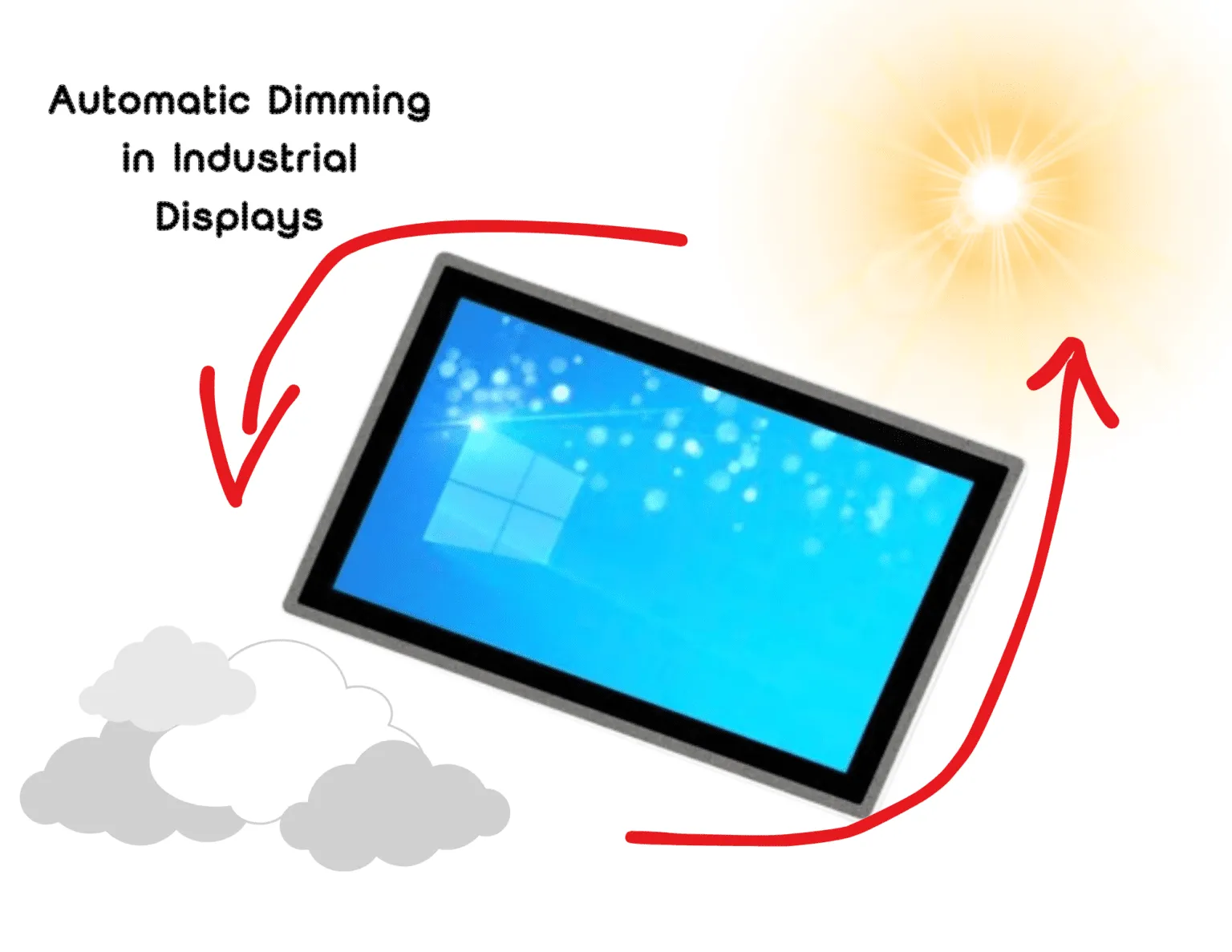
Dimmerazione automatica in display industriali è un meccanismo di controllo della luminosità che regola l'intensità della retroilluminazione a LED in base alle condizioni di illuminazione ambientale o allo stato di funzionamento del sistema.
Riducendo la luminosità negli ambienti più bui o durante i periodi di inattività, il dimming automatico può ridurre la luminosità:
Questo comportamento adattivo della luminosità è particolarmente utile nei sistemi industriali esposti a condizioni di illuminazione mutevoli, come le installazioni all'aperto o le apparecchiature delle infrastrutture pubbliche.
La regolazione automatica della luminosità si adatta dinamicamente alle condizioni di illuminazione dell'ambiente.
La maggior parte delle implementazioni si basa su un sensore di luce ambientale che misura l'illuminazione circostante. Il controller del display regola quindi l'intensità della retroilluminazione LED per mantenere un contrasto sufficiente senza applicare una luminosità non necessaria.
Ad esempio:
Questo comportamento di luminosità adattiva riduce sia consumo energetico e carico termico.
Le modalità di risparmio energetico estendono il controllo della luminosità introducendo ulteriori funzioni di gestione dell'energia.
I meccanismi tipici includono:
Nei sistemi che utilizzano computer embedded o PC a pannello, la gestione dell'alimentazione del display è spesso coordinata dal sistema di gestione dell'alimentazione. sistema operativo host piuttosto che il solo hardware del display.
I display LCD industriali si basano su gruppi di retroilluminazione a LED pilotati da driver a corrente costante. La regolazione della luminosità viene solitamente implementata utilizzando due tecniche principali.
Modulazione di larghezza di impulso (PWM)
Il PWM controlla la luminosità accendendo e spegnendo i LED ad alta frequenza, mantenendo costante la corrente durante il ciclo attivo. Ciò consente di ottenere un'ampia gamma di luminosità mantenendo stabili le caratteristiche cromatiche dei LED.
Controllo analogico della corrente
La dimmerazione analogica regola la corrente fornita alla retroilluminazione a LED. Ciò consente di ottenere transizioni di luminosità uniformi, ma può ridurre l'efficienza a livelli di luminosità molto bassi.
Molti display industriali combinano entrambi gli approcci in un architettura di dimmerazione ibrida per garantire un controllo stabile della luminosità in un ampio intervallo di funzionamento.
La selezione della frequenza PWM è importante. Se la frequenza è troppo bassa, possono verificarsi sfarfallii visibili o interferenze elettromagnetiche.
Il controllo automatico della luminosità dipende dalla misurazione accurata delle condizioni di illuminazione ambientale.
I sensori di luce ambientale misurano l'illuminazione circostante in lux e forniscono input al controller del display o al software del sistema.
La posizione del sensore influisce in modo significativo sulle prestazioni. Se il sensore rileva la luce riflessa dalla superficie del display o da fonti di illuminazione localizzate, la regolazione della luminosità potrebbe non corrispondere alle condizioni di visione dell'operatore.
Nei sistemi che utilizzano display touch screen industriali, I sensori sono tipicamente posizionati vicino alla lunetta anteriore o al vetro di copertura per approssimare l'ambiente di visione dell'operatore.
Le misure grezze del sensore devono essere elaborate attraverso algoritmi di controllo della luminosità prima di effettuare le regolazioni.
Le implementazioni tipiche includono:
Senza questi meccanismi, piccole variazioni della luce ambientale potrebbero causare rapide fluttuazioni della luminosità.
Una corretta messa a punto dell'algoritmo assicura che le variazioni di luminosità rimangano graduali e prevedibili.
In molti progetti OEM, il comportamento della luminosità è coordinato dal sistema host piuttosto che dal solo firmware del display.
Ad esempio, un controllore di macchina può mantenere la massima luminosità durante il funzionamento attivo e ridurla quando il sistema entra in uno stato di inattività.
Questo approccio è comune quando monitor LCD industriali sono collegati a computer embedded o a controllori di macchine.
Il controllo a livello di host consente di allineare il comportamento della luminosità del display allo stato della macchina, ai modelli di interazione dell'utente e alle politiche di gestione dell'energia.
Il dimming automatico introduce la dipendenza dagli ingressi dei sensori. I progetti industriali prevedono pertanto meccanismi di ripiego definiti.
I sensori di luce ambientale possono essere influenzati da:
Le tipiche strategie di ripiego includono:
Queste salvaguardie aiutano a mantenere un comportamento prevedibile del display anche quando gli input dei sensori diventano inaffidabili.
Le interfacce HMI industriali devono rimanere leggibili in tutte le condizioni operative.
Variazioni improvvise di luminosità possono interferire con il riconoscimento dell'operatore o ridurre la visibilità del contrasto.
Nelle interfacce di sicurezza, i livelli di luminosità sono spesso convalidati durante i test del sistema. Le regolazioni automatiche della luminosità possono entrare in conflitto con le condizioni convalidate.
Per questo motivo, le interfacce HMI critiche per la sicurezza utilizzano spesso livelli di luminosità fissi.
Le condizioni di illuminazione negli impianti industriali possono cambiare rapidamente.
Gli esempi includono:
Se gli algoritmi di luminosità rispondono in modo troppo aggressivo, il display può cambiare ripetutamente luminosità. Per stabilizzare il comportamento della luminosità sono necessari un'isteresi adeguata e una logica di ritardo.
Il consumo di energia della retroilluminazione contribuisce direttamente alla generazione di calore all'interno delle custodie sigillate.
La riduzione della luminosità riduce la corrente dei LED e può ridurre la temperatura interna e lo stress termico sui componenti del display.
Tuttavia, in molti sistemi industriali, i processori o l'elettronica di potenza generano più calore del display stesso.
Si raccomanda pertanto di effettuare un'analisi termica a livello di sistema prima di affidarsi alla riduzione della luminosità come strategia primaria di mitigazione termica.
Nei display industriali ad alta luminosità, la retroilluminazione a LED può rappresentare la parte più consistente del consumo energetico totale del display.
Ad esempio, un Display LCD industriale da 1000-1500 nit può richiedere una potenza di retroilluminazione diverse volte superiore a quella di un display che funziona a livelli di luminosità moderati.
Per questo motivo, le strategie di controllo della luminosità sono spesso prese in considerazione quando si progetta un'azienda. sistemi HMI industriali ad alta efficienza energetica e display per esterni attrezzature.
La riduzione della luminosità durante il funzionamento notturno o nei periodi di inattività può ridurre significativamente il consumo medio di energia del sistema.
I produttori di apparecchiature OEM spesso richiedono un controllo della luminosità configurabile quando specificano i moduli di visualizzazione industriali.
Il controllo della luminosità potrebbe dover essere integrato attraverso interfacce di sistema quali:
La flessibilità delle opzioni di controllo della luminosità consente al sottosistema di visualizzazione di allinearsi al funzionamento della macchina, ai modelli di interazione dell'utente e alle strategie di gestione energetica.
Le modalità di dimmerazione automatica e di risparmio energetico sono più utili nei sistemi in cui le condizioni di illuminazione variano o l'interazione dell'operatore è intermittente.
Le applicazioni tipiche includono:
Questi sistemi beneficiano di un comportamento adattivo della luminosità e di un consumo energetico medio ridotto.
La dimmerazione automatica funziona bene quando:
Applicazioni come chioschi, stazioni di ricarica per veicoli elettrici e terminali per infrastrutture soddisfano comunemente queste condizioni.
Alcuni sistemi industriali richiedono un comportamento prevedibile della luminosità.
Gli esempi includono:
In questi ambienti, le impostazioni di luminosità fisse possono garantire un funzionamento più affidabile.
La dimmerazione automatica e le modalità di risparmio energetico possono migliorare l'efficienza energetica dei sistemi di visualizzazione industriali, in particolare in ambienti con condizioni di illuminazione variabili o con funzionamento continuo.
Tuttavia, il comportamento della luminosità deve essere valutato nel contesto dell'architettura completa del sistema. La luminosità del display influisce sull'usabilità dell'operatore, sulle condizioni termiche dell'involucro e sulla prevedibilità del sistema.
Per molti produttori OEM e integratori di sistemi, l'approccio più affidabile è quello di integrazione controllata del sistema. Il supporto hardware per la regolazione della luminosità è incluso, mentre il comportamento della luminosità è gestito dalla logica di controllo a livello di sistema.
Considerare la gestione dell'alimentazione del display fin dalle prime fasi del processo di progettazione consente agli ingegneri di bilanciare l'efficienza energetica, l'affidabilità e la prevedibilità del comportamento del sistema.
Sì. Il consumo medio di energia può diminuire quando i livelli di luminosità vengono ridotti frequentemente. L'entità della riduzione dipende dalla gamma di luminosità del display e dalle modalità di utilizzo.
Il funzionamento dei LED a livelli di corrente inferiori riduce lo stress termico e può prolungare la durata di vita, a seconda della frequenza con cui si utilizzano livelli di luminosità inferiori.
Le interfacce di sicurezza richiedono spesso una luminosità costante per garantire che gli allarmi e gli indicatori rimangano chiaramente visibili in tutte le condizioni operative.
La maggior parte dei display industriali definisce livelli di luminosità di riserva e consente la regolazione manuale, in modo che il display rimanga utilizzabile anche se il sensore diventa inaffidabile.
La retroilluminazione a LED è in genere il maggior consumatore di energia in un display LCD industriale. Nei display per esterni ad alta luminosità, la retroilluminazione può rappresentare la maggior parte del consumo energetico del display.
La riduzione della luminosità durante il funzionamento notturno o nei periodi di inattività può quindi ridurre significativamente il consumo medio di energia.
Introduzione Le interfacce uomo-macchina (HMI) sono ormai componenti standard delle moderne apparecchiature industriali. I display consentono agli operatori di ...

Introduzione I display industriali sono spesso utilizzati in ambienti in cui le condizioni di illuminazione sono difficili da controllare. Apparecchiature ...

Introduzione I display sono un componente di interfaccia fondamentale in molti tipi di apparecchiature industriali. Forniscono al sistema ...

Introduzione La visibilità del display è un parametro critico nella progettazione delle apparecchiature industriali. Gli operatori si affidano alle interfacce grafiche ...
Inviate i dettagli della vostra applicazione. Risponderemo con la direzione della configurazione e le fasi successive.