Guida all'acquisto dei fornitori di display industriali per le apparecchiature OEM

Introduzione Le interfacce uomo-macchina (HMI) sono ormai componenti standard delle moderne apparecchiature industriali. I display consentono agli operatori di ...
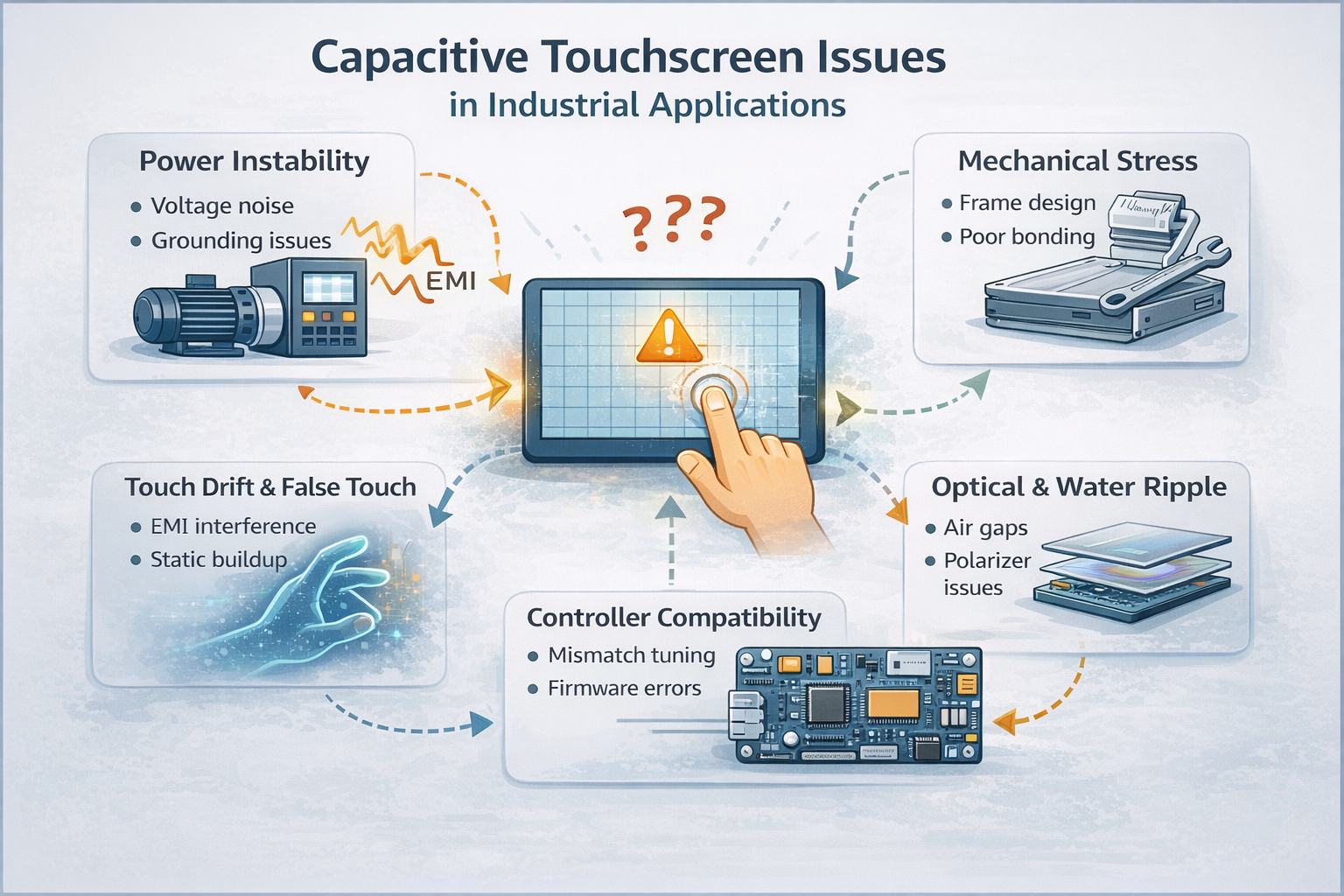
Gli schermi tattili capacitivi sono ampiamente utilizzati nei sistemi industriali e commerciali grazie alla loro elevata sensibilità e alla capacità multi-touch.
Tuttavia, nelle implementazioni reali, i problemi legati al tocco sono spesso il risultato di interazioni a livello di sistema, piuttosto che di difetti isolati dei componenti.
Negli ambienti industriali, il comportamento del touch capacitivo è influenzato da progettazione elettrica, integrazione meccanica, messa a punto del firmware e condizioni di applicazione.
La comprensione di questi fattori è essenziale per una corretta selezione, integrazione e affidabilità a lungo termine.
Da un punto di vista ingegneristico, la maggior parte dei problemi dei touchscreen capacitivi rientra nelle seguenti categorie.
Manifestazioni tipiche
Fattori comuni che contribuiscono
In molti casi, il sensore tattile stesso rimane funzionante, mentre le condizioni del sistema impediscono un rilevamento stabile del segnale.
Manifestazioni tipiche
Cause ingegneristiche
Questi comportamenti sono comunemente osservati durante le fasi di integrazione e di pilotaggio e devono essere valutati in condizioni operative reali.
Manifestazioni tipiche
Cause ingegneristiche
Le questioni di sensibilità sono in genere affrontate attraverso progettazione di stack-up e ottimizzazione del firmware, piuttosto che la sostituzione dell'hardware.
Il ghost touch si riferisce alla registrazione di eventi tattili senza contatto fisico.
Contribuenti comuni
I problemi legati al Ghost Touch dipendono fortemente dall'ambiente e possono essere mitigati al meglio attraverso miglioramenti della progettazione elettrica e meccanica a livello di sistema.
Alcuni artefatti visivi, come l'increspatura dell'acqua o gli effetti tipo anello di Newton, possono comparire quando esistono spazi vuoti tra l'LCM e il pannello tattile capacitivo.
Fattori che contribuiscono
A seconda dell'applicazione, le soluzioni possono includere la laminazione completa, la selezione di polarizzatori alternativi o l'ottimizzazione della spaziatura meccanica.
Un errore comune nell'affrontare i problemi del touch capacitivo è quello di ritenere che i problemi osservati indichino sensori o controller touch difettosi.
Nei sistemi industriali, molti problemi sono legati al tatto:
La valutazione precoce a livello di sistema riduce in modo significativo i guasti ripetuti e i cicli di riprogettazione.
Per ridurre al minimo i problemi legati al contatto, i progetti industriali valutano tipicamente:
Queste considerazioni sono meglio affrontate prima della produzione di massa, durante le fasi di prototipazione e validazione.
Se la domanda prevede:
si raccomanda una revisione ingegneristica per valutare l'idoneità e il rischio prima dell'implementazione.
Questo articolo è un riferimento tecnico per comprendere il comportamento e le modalità di guasto dei touchscreen capacitivi nelle applicazioni industriali.
Si concentra sulla valutazione ingegneristica piuttosto che sulle procedure di riparazione passo dopo passo.
Introduzione Le interfacce uomo-macchina (HMI) sono ormai componenti standard delle moderne apparecchiature industriali. I display consentono agli operatori di ...

Introduzione I display industriali sono spesso utilizzati in ambienti in cui le condizioni di illuminazione sono difficili da controllare. Apparecchiature ...

Introduzione I display sono un componente di interfaccia fondamentale in molti tipi di apparecchiature industriali. Forniscono al sistema ...

Introduzione La visibilità del display è un parametro critico nella progettazione delle apparecchiature industriali. Gli operatori si affidano alle interfacce grafiche ...
Inviate i dettagli della vostra applicazione. Risponderemo con la direzione della configurazione e le fasi successive.