Kopersgids voor industriële beeldschermleveranciers voor OEM-apparatuur

Inleiding Mens-machine-interfaces (MMI's) zijn tegenwoordig standaardcomponenten in moderne industriële apparatuur. Met displays kunnen operators ...
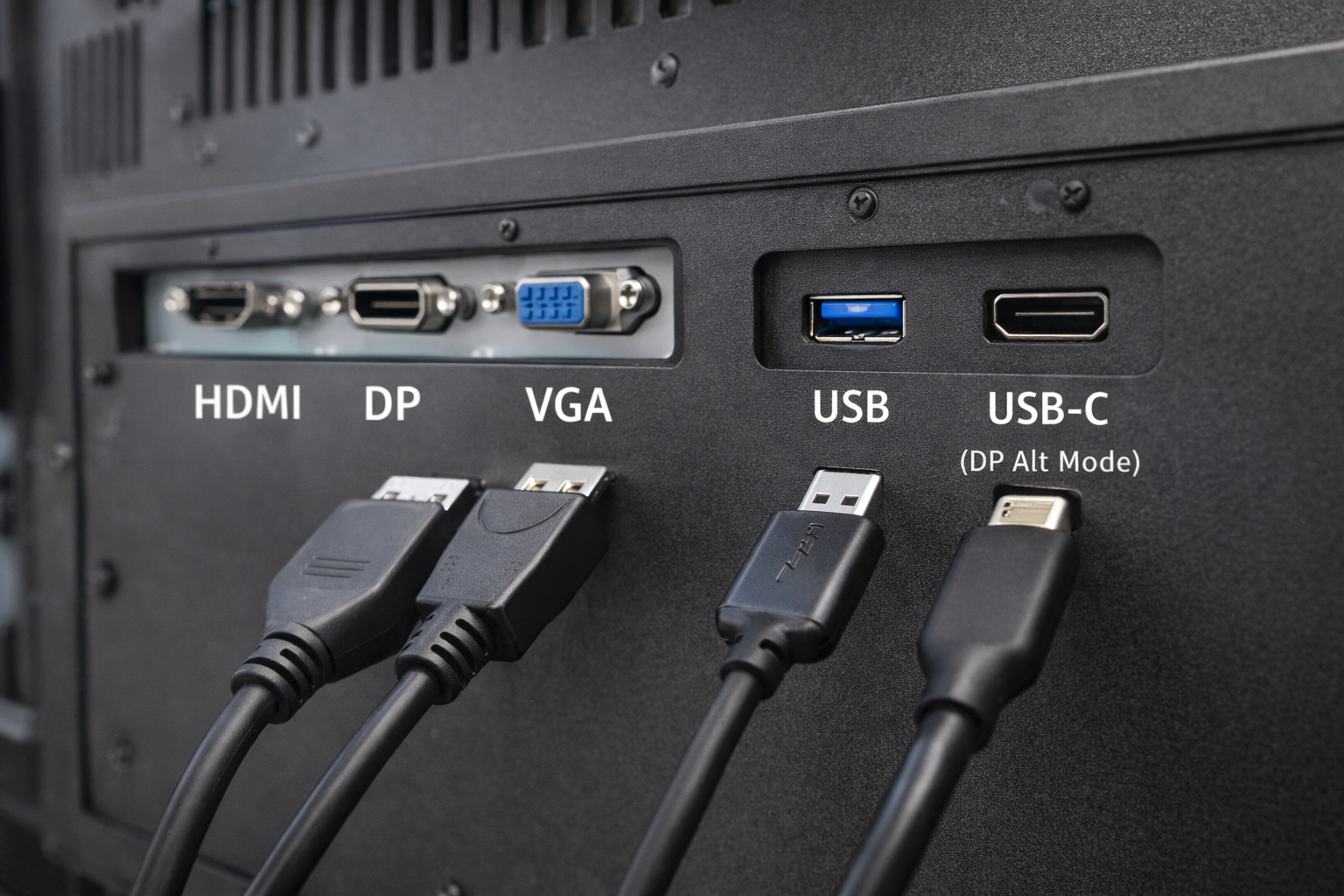
In industriële en ingebedde systemen is interfaceselectie een kritieke ontwerpbeslissing.
Veel ingenieurs en systeemintegrators stellen een veelgestelde vraag:
Kan een USB-poort fungeren als video-ingang voor een industriële monitor?
Het korte antwoord is: soms, maar niet op de manier die de meeste mensen verwachten.
Dit artikel legt uit wanneer USB kan worden gebruikt voor video, wanneer niet en welke alternatieven geschikter zijn voor industriële monitors.
Een USB-poort (Universal Serial Bus) is primair ontworpen voor:
Veel voorkomende USB-gebruiksgevallen zijn toetsenborden, muizen, opslagapparaten en sensoren.
USB was oorspronkelijk niet ontworpen als een native interface voor videotransmissie zoals HDMI of DisplayPort.
Dit onderscheid begrijpen is essentieel bij het ontwerpen van industriële displaysystemen.
Een standaard USB-poort kan niet van nature videosignalen verzenden op dezelfde manier als HDMI, VGA of DisplayPort.
Video via USB is echter mogelijk alleen via specifieke technologieën en voorwaarden, die vaak verkeerd begrepen worden.
DisplayLink is een op compressie gebaseerde oplossing die video-uitvoer via USB mogelijk maakt.
Hoe het werkt:
Beperkingen voor industrieel gebruik:
USB-C wordt vaak verward met standaard USB.
Wanneer USB-C ondersteuning biedt voor DisplayPort Alt-modus, Het kan native videosignalen uitzenden.
Belangrijke verduidelijkingen:
Voor industriële monitoren moet USB-C video-ondersteuning expliciet gespecificeerd en gevalideerd.
| Interface | Eigen video | Bestuurder vereist | Industriële betrouwbaarheid |
|---|---|---|---|
| USB (standaard) | Nee | Ja | Laag |
| USB + DisplayLink | ⚠️ Op software gebaseerd | Ja | Beperkt |
| USB-C (DP Alt-modus) | Ja | Geen | Matig |
| HDMI / DP / VGA | Ja | Geen | Hoog |
Voor de meeste industriële toepassingen, speciale video-interfaces blijven de voorkeur genieten.
Industriële monitors stellen prioriteiten:
USB-gebaseerde video-oplossingen introduceren vaak:
Met als resultaat, HDMI, DisplayPort en VGA zijn nog steeds de standaard interfaces in industriële displaysystemen.
USB-gebaseerde video wordt soms geëvalueerd voor:
Zelfs in deze gevallen, technische validatie is essentieel om betrouwbaarheidsproblemen te voorkomen.
Vraag voordat je USB als video-interface kiest:
Voor de meeste industriële projecten is het antwoord native video-interfaces.
Standaard USB-poorten kunnen native video-interfaces niet rechtstreeks vervangen.
Nee. Alleen USB-C poorten die DisplayPort Alt Mode ondersteunen kunnen video uitvoeren.
Ze kunnen in beperkte gevallen werken, maar ze worden over het algemeen niet aanbevolen voor langdurig industrieel gebruik.
De USB-technologie is geëvolueerd, het is geen universele vervanging voor traditionele video-interfaces in industriële monitoren.
USB-gebaseerde video-oplossingen zijn afhankelijk van software, stuurprogramma's of specifieke poortconfiguraties, wat complexiteit en risico's met zich meebrengt.
Voor stabiele industriële toepassingen op lange termijn, speciale video-ingangen zoals HDMI en DisplayPort blijven de meest betrouwbare keuze.
Inleiding Mens-machine-interfaces (MMI's) zijn tegenwoordig standaardcomponenten in moderne industriële apparatuur. Met displays kunnen operators ...

Inleiding Industriële beeldschermen worden vaak gebruikt in omgevingen waar de lichtomstandigheden moeilijk te regelen zijn. Apparatuur ...

Inleiding Displays zijn een cruciale interfacecomponent in veel soorten industriële apparatuur. Ze bieden systeem ...

Inleiding De zichtbaarheid van schermen is een kritieke ontwerpparameter in industriële apparatuur. Operators vertrouwen op grafische interfaces ...
Stuur je aanvraaggegevens. We geven je een reactie met de richting van de configuratie en de volgende stappen.