دليل مشتري موردي شاشات العرض الصناعية لمعدات تصنيع المعدات الأصلية

مقدمة أصبحت الواجهات بين الإنسان والآلة (HMIs) الآن مكونات قياسية في المعدات الصناعية الحديثة. تتيح شاشات العرض للمشغلين ...
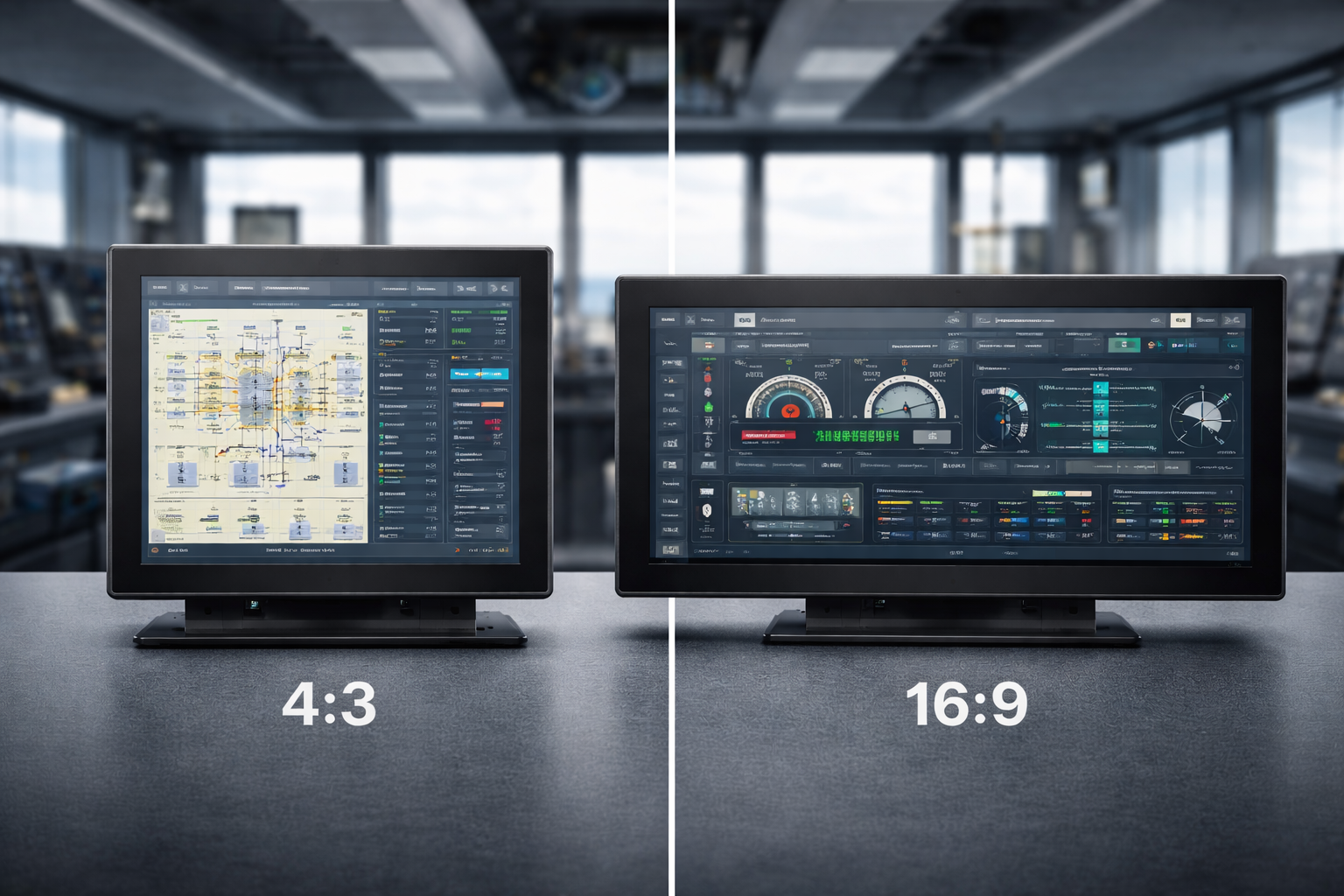
عند اختيار الشاشة، فإن نسبة العرض إلى الارتفاع عامل محوري يحدد كيفية عرضك للمحتوى الرقمي والعمل والتفاعل معه. سواء كنت تختار شاشة من أجل المهام المهنية، أو الألعاب، أو استهلاك الوسائط المتعددة, فإن الفرق بين 4:3 ونسبة العرض إلى الارتفاع 16:9 يمكن أن تشكل تجربتك بشكل كبير.
يقارن هذا الدليل بين نسبتي العرض إلى الارتفاع المستخدمتين على نطاق واسع ويساعدك على تحديد أيهما أفضل ما يناسب احتياجاتك الخاصة.
في جوهرها، تشير نسبة العرض إلى الارتفاع للشاشة إلى العلاقة التناسبية بين عرضها وارتفاعها. في حين أن هذا قد يبدو وكأنه مواصفات بسيطة، إلا أنه يؤثر بشكل مباشر:
تؤثر نسبة العرض إلى الارتفاع على كل شيء بدءاً من تخطيط الواجهة إلى كيفية تحرك عينيك بشكل طبيعي عبر الشاشة.
الانتقال من 4:3 إلى 16:9 يعكس تطورًا أوسع في الوسائط الرقمية.
إن نسبة العرض إلى الارتفاع 4:3 كان هو المعيار الذي كان متوافقًا بشكل وثيق مع تنسيقات التلفزيون المبكرة وأنظمة الكمبيوتر القديمة. مع توسع محتوى الوسائط المتعددة وتحول تنسيقات الفيديو نحو العرض على الشاشة العريضة, برز معيار 16:9 باعتباره المعيار السائد, خاصة مع ظهور التلفزيون عالي الدقة وأجهزة الكمبيوتر الحديثة.
كان الدافع وراء هذا التحول هو المحتوى، وليس الأجهزة وحدها.
إن نسبة العرض إلى الارتفاع 4:3 يوفر عرضًا أكثر شبهاً بالمربع، والذي يظل ذا قيمة في سياقات معينة.
تشمل المزايا الرئيسية ما يلي:
في البيئات الاحترافية، غالبًا ما تكون الشاشات 4:3 مفضلة في البيئات الاحترافية من أجل الترميز، وتحرير النصوص، والقراءة، وواجهات التحكم, حيث الوضوح الرأسي أكثر أهمية من التوسع الأفقي.
كما أنها تحظى بشعبية كبيرة في الألعاب القديمة والتطبيقات المصممة في الأصل حول هذا التنسيق.
إن نسبة العرض إلى الارتفاع 16:9 أصبح معيارًا للمحتوى الرقمي الحديث.
يُستخدم على نطاق واسع في جميع أنحاء العالم:
يتوافق هذا التنسيق بشكل مثالي مع معايير الفيديو HD و Full HD و 4K عالية الوضوح و 4K, مما يجعلها مثالية لـ
بفضل مجالها الأفقي الأوسع، تتفوق خاصية 16:9 في عرض لوحات المعلومات والجداول الزمنية والمحتوى جنبًا إلى جنب.
عند المقارنة بين نسبتي العرض إلى الارتفاع، يعتمد الاختيار على كيف سيتم استخدام الشاشة.
ليس أي منهما أفضل على الإطلاق - فالخيار الصحيح يعتمد على أولوياتك.
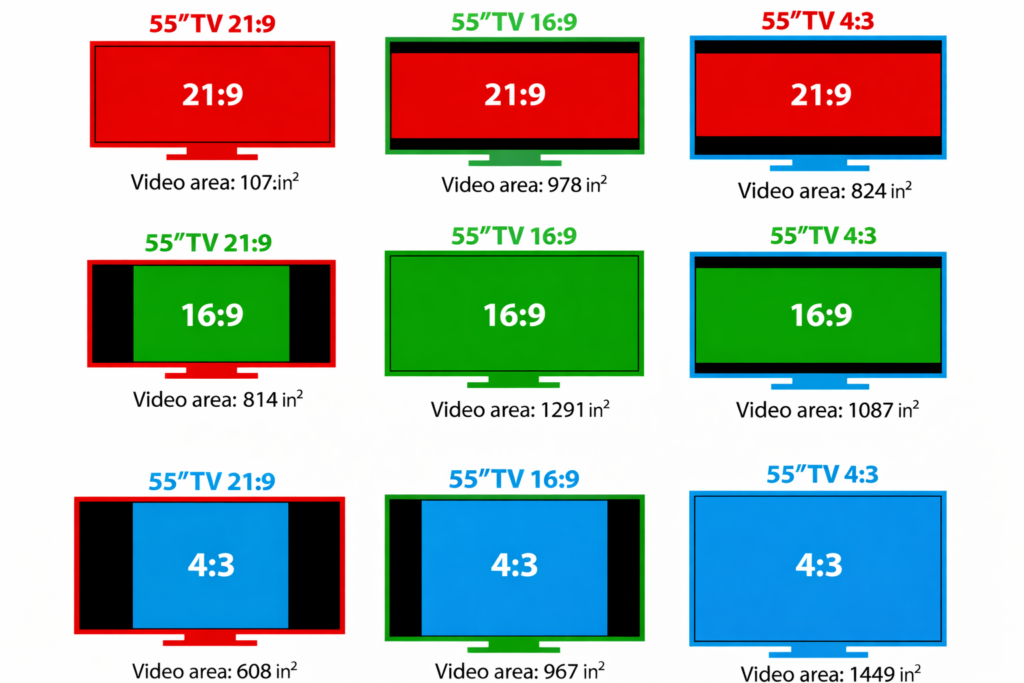
يعكس هذا التحول كيفية إنشاء المحتوى واستهلاكه اليوم.
تستفيد الوسائط الحديثة - خاصة الفيديو والتطبيقات التفاعلية - من مناطق مشاهدة أوسع. عندما أصبحت تنسيقات الشاشة العريضة هي القاعدة، تبعتها تقنية العرض لتتناسب مع توقعات المحتوى وسلوك المستخدم.
نعم، وإن كان أقل شيوعاً, تظل الشاشات 4:3 ملائمة في حالات استخدام محددة.
يستمر استخدامها في:
كما أن كفاءتها الرأسية وتوافقها يجعلها ذات قيمة عندما لا يكون التحديث هو الهدف الأساسي.
مع تطور تكنولوجيا العرض, تنسيقات فائقة الاتساع مثل 21:9 تكتسب زخمًا متزايدًا، مما يوفر مزيدًا من الانغماس والإنتاجية. تعمل شاشات العرض المنحنية والبانورامية على توسيع نطاق ما هو ممكن، خاصةً بالنسبة للعمل متعدد المهام والأعمال التي تتطلب تصوراً مكثفاً.
لا يزال, 4:3 و16:9 يظلان معيارين أساسيين, ، وسيستمرون في التعايش بناءً على احتياجات التطبيق.
الاختيار بين شاشة 4:3 و16:9 ليس مجرد قرار تقني، بل يتعلق بكيفية تفاعلك مع المحتوى الرقمي.
تعمل نسبة العرض إلى الارتفاع المناسبة على تحسين الإنتاجية والراحة وسهولة الاستخدام بشكل عام.
يعتمد ذلك على المهمة. فغالبًا ما تكون الشاشة 4:3 أفضل للعمل الذي يحتوي على نصوص ثقيلة أو العمل الموجه عموديًا، بينما تكون الشاشة 16:9 أكثر ملاءمة للمهام المتعددة والبرامج الحديثة ومحتوى الوسائط المتعددة.
تتماشى الشاشات 16:9 مع معايير الفيديو الحديثة وتنسيقات المحتوى العريض، مما يجعلها مثالية لتشغيل الفيديو والألعاب والتطبيقات المعاصرة.
نعم، لا تزال الشاشات 4:3 تُستخدم في الإعدادات الاحترافية والصناعية، خاصةً عندما تكون البرامج القديمة أو العبوات الثابتة أو مساحة الشاشة العمودية مهمة.
نعم، تؤثر نسبة العرض إلى الارتفاع على كيفية عرض المعلومات على الشاشة. يمكن أن يؤدي اختيار النسبة الصحيحة إلى تحسين كفاءة سير العمل وسهولة القراءة وراحة المستخدم بشكل عام.
بالنسبة للمشاريع طويلة الأجل أو المشاريع القديمة، قد توفر 4:3 توافقاً أفضل. بالنسبة للأنظمة الجديدة وقابلية التوسع في المستقبل، عادةً ما يكون 16:9 هو الخيار الأفضل.
مقدمة أصبحت الواجهات بين الإنسان والآلة (HMIs) الآن مكونات قياسية في المعدات الصناعية الحديثة. تتيح شاشات العرض للمشغلين ...

مقدمة كثيرًا ما يتم نشر شاشات العرض الصناعية في البيئات التي يصعب فيها التحكم في ظروف الإضاءة. المعدات ...

مقدمة تُعد شاشات العرض مكونًا هامًا للواجهة في العديد من أنواع المعدات الصناعية. فهي توفر النظام ...

مقدمة تعتبر رؤية الشاشة معلمة تصميم بالغة الأهمية في المعدات الصناعية. يعتمد المشغلون على الواجهات الرسومية ...
أرسل تفاصيل طلبك. نرد عليك بتوجيهات التكوين والخطوات التالية.