دليل مشتري موردي شاشات العرض الصناعية لمعدات تصنيع المعدات الأصلية

مقدمة أصبحت الواجهات بين الإنسان والآلة (HMIs) الآن مكونات قياسية في المعدات الصناعية الحديثة. تتيح شاشات العرض للمشغلين ...
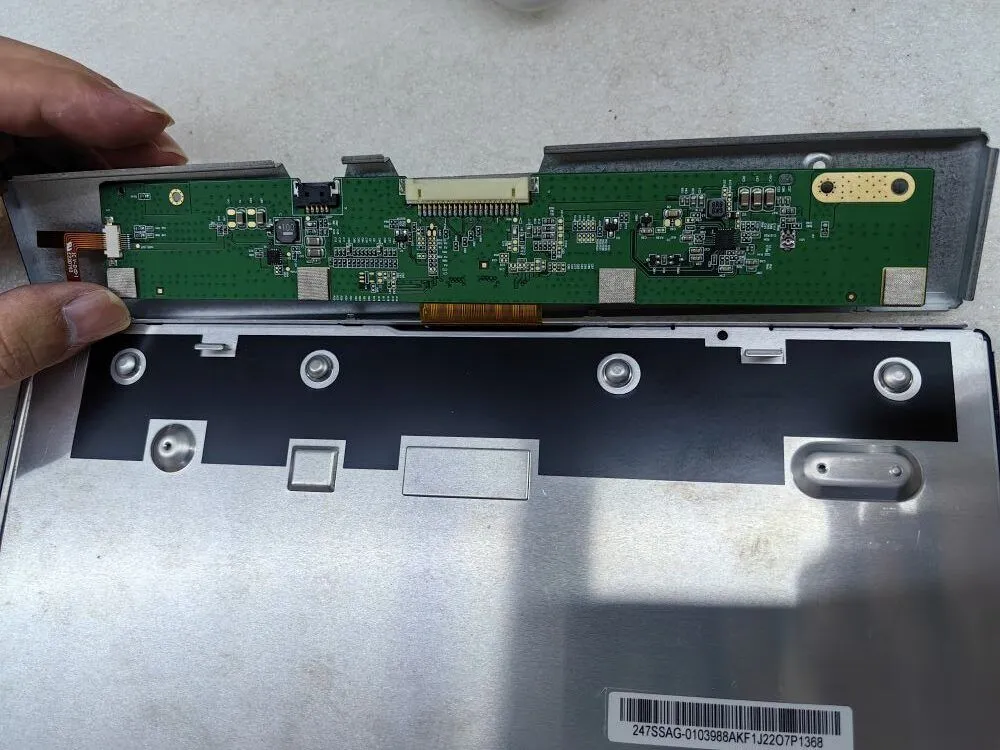
يمكن أن تكون مواجهة شاشة سوداء أو عدم وجود صورة على شاشتك تجربة محبطة، خاصة عندما تكون العمليات السلسة ضرورية.
سواء كنت متخصصاً في تكنولوجيا المعلومات من ذوي الخبرة التقنية أو مسؤول مشتريات مسؤولاً عن توفير حلول عرض موثوقة، فإن معرفة كيفية استكشاف هذه المشكلات وإصلاحها بفعالية أمر ضروري.
في دليل استكشاف الأعطال وإصلاحها هذا، سنقدم لك مجموعة من النصائح والاستراتيجيات التي لا تقدر بثمن لتشخيص الأسباب الكامنة وراء مشاكل الشاشة السوداء وعدم وجود صورة بشكل منهجي. من خلال اتباع هذه الإرشادات، يمكنك تحديد المشكلات ومعالجتها بسرعة، مما يضمن لك إنتاجية متواصلة وأداءً مثاليًا دون انقطاع.
هل الإضاءة الخلفية مضاءة؟ إذا كانت الإجابة بنعم، فمن المرجح أن لوحة التيار المستمر تعمل بشكل صحيح.
عند استكشاف أخطاء الشاشة السوداء أو عدم وجود صورة على شاشتك وإصلاحها، فإن الخطوة الأولى هي فحص إضاءة الإضاءة الخلفية. إذا كانت الإضاءة الخلفية ساطعة وتعمل كما هو متوقع، فهذا يشير إلى أن لوحة التيار المستمر، المسؤولة عن تنظيم الإضاءة الخلفية، من المحتمل أن تكون في حالة عمل جيدة. ومع ذلك، إذا كانت الإضاءة الخلفية غير مضاءة، فانتقل إلى الخطوات التالية لتحديد المشكلة وحلها.
هل توجد أي علامات على وجود مكونات LCD محترقة أو تالفة؟
في إطار السعي لحل مشكلة الشاشة السوداء أو عدم وجود صورة على شاشتك، تتضمن الخطوة الثانية الحاسمة فحصاً شاملاً لمكونات شاشة LCD. ابحث عن كثب عن أي مؤشرات مرئية لعناصر محترقة أو تالفة. قد يتضمن ذلك مناطق متفحمة أو مكونات متغيرة اللون أو علامات مرئية لارتفاع درجة الحرارة.
يمكن أن يوفر تحديد هذا التلف رؤى رئيسية حول السبب الجذري للمشكلة. إذا لاحظت أي مكونات LCD تالفة، فمن المستحسن استبدالها على الفور. ومع ذلك، إذا ظهرت مكونات شاشة LCD سليمة، فانتقل إلى الخطوات التالية لمزيد من استكشاف الأخطاء وإصلاحها.
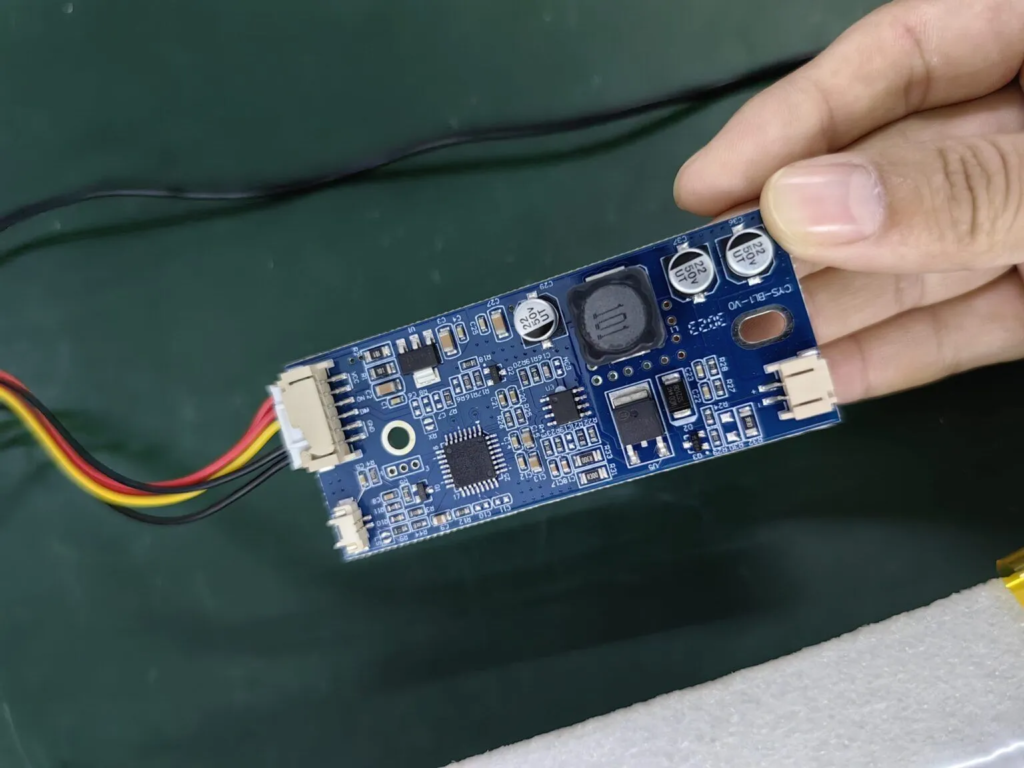
هل توجد أي علامات على وجود مكونات LCD محترقة أو تالفة؟
في إطار السعي لحل مشكلة الشاشة السوداء أو عدم وجود صورة على شاشتك، تتضمن الخطوة الثانية الحاسمة فحصاً شاملاً لمكونات شاشة LCD. ابحث عن كثب عن أي مؤشرات مرئية لعناصر محترقة أو تالفة. قد يتضمن ذلك مناطق متفحمة أو مكونات متغيرة اللون أو علامات مرئية لارتفاع درجة الحرارة.
يمكن أن يوفر تحديد هذا التلف رؤى رئيسية حول السبب الجذري للمشكلة. إذا لاحظت أي مكونات LCD تالفة، فمن المستحسن استبدالها على الفور. ومع ذلك، إذا ظهرت مكونات شاشة LCD سليمة، فانتقل إلى الخطوات التالية لمزيد من استكشاف الأخطاء وإصلاحها.
توضح الصورة أدناه مظهر المكونات المحترقة بسبب انخفاض جهد الإمداد
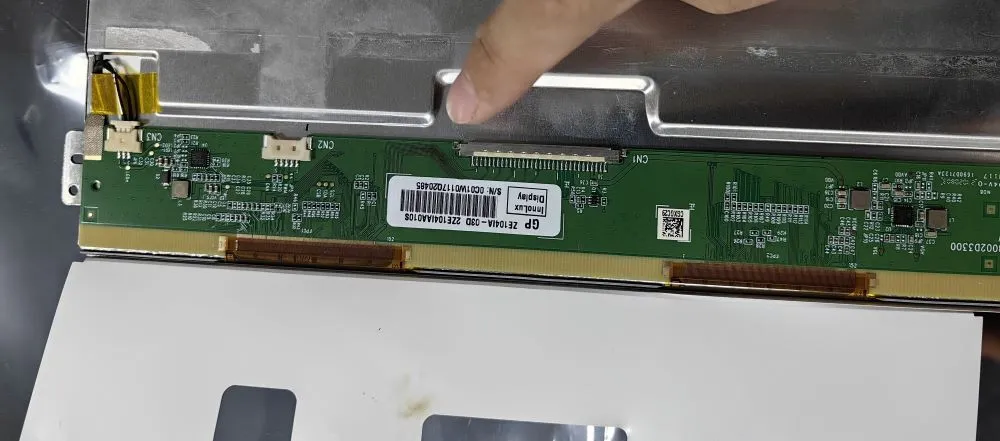
توقف للحظة لفحص دبابيس الموصل بحثاً عن أي علامات اختلال في المحاذاة. من المحتمل أن تؤدي الدبابيس غير المحاذاة إلى مشاكل مثل الشاشة البيضاء أو الشاشة المشوهة.
أثناء معالجة استكشاف أخطاء الشاشة السوداء أو عدم وجود صورة على شاشتك وإصلاحها، من الضروري النظر في حالة دبابيس الموصل. افحصها بعناية للتأكد من أنها محاذاة بشكل صحيح. يمكن أن تؤدي الدبابيس غير المحاذية إلى سوء التوصيلات، مما يؤدي إلى مشاكل مثل الشاشة البيضاء أو تشويه الشاشة.
إذا اكتشفت أي دبابيس غير محاذية، أعد محاذاة الدبابيس برفق لاستعادة الاتصال الآمن والدقيق. يمكن لهذا الاهتمام بالتفاصيل أن يحل مشاكل العرض بفعالية في كثير من الأحيان. ومع ذلك، إذا بدت المسامير محاذاة بشكل صحيح، فانتقل إلى الخطوات التالية لمزيد من التشخيص والحل.
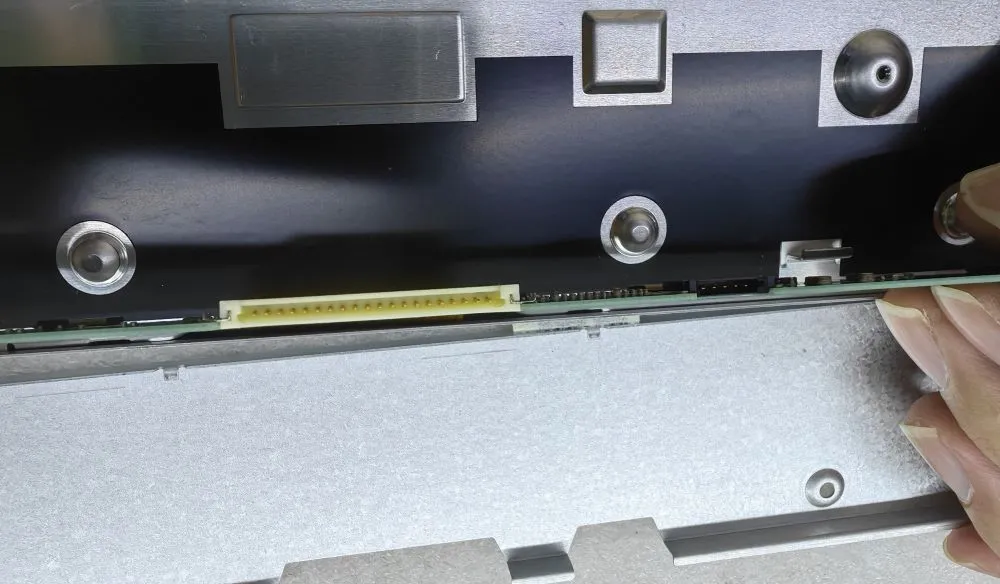
أعلاه هي الخطوات الثلاث الرئيسية للتحقق من الشاشة السوداء أو عدم وجود مشاكل في العرض.
مقدمة أصبحت الواجهات بين الإنسان والآلة (HMIs) الآن مكونات قياسية في المعدات الصناعية الحديثة. تتيح شاشات العرض للمشغلين ...

مقدمة كثيرًا ما يتم نشر شاشات العرض الصناعية في البيئات التي يصعب فيها التحكم في ظروف الإضاءة. المعدات ...

مقدمة تُعد شاشات العرض مكونًا هامًا للواجهة في العديد من أنواع المعدات الصناعية. فهي توفر النظام ...

مقدمة تعتبر رؤية الشاشة معلمة تصميم بالغة الأهمية في المعدات الصناعية. يعتمد المشغلون على الواجهات الرسومية ...
أرسل تفاصيل طلبك. نرد عليك بتوجيهات التكوين والخطوات التالية.