Guida all'acquisto dei fornitori di display industriali per le apparecchiature OEM

Introduzione Le interfacce uomo-macchina (HMI) sono ormai componenti standard delle moderne apparecchiature industriali. I display consentono agli operatori di ...
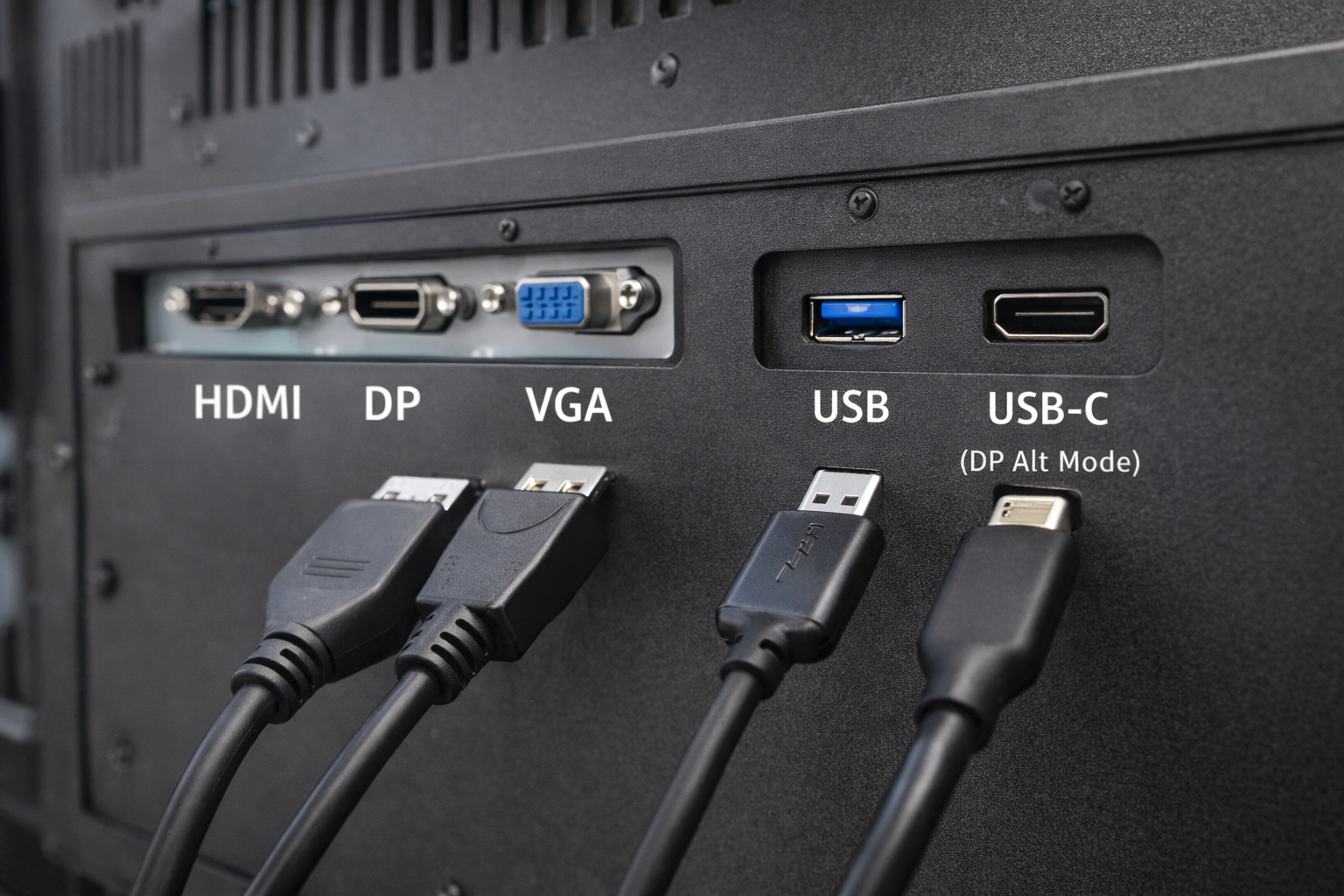
Nei sistemi industriali ed embedded, la scelta dell'interfaccia è una decisione critica per la progettazione.
Molti ingegneri e integratori di sistemi si pongono una domanda comune:
Una porta USB può fungere da ingresso video per una monitor industriale?
La risposta breve è: a volte, ma non nel modo in cui la maggior parte delle persone si aspettano.
Questo articolo spiega quando l'USB può essere utilizzato per il video, quando non può esserlo e quali alternative sono più adatte per i monitor industriali.
Una porta USB (Universal Serial Bus) è progettata principalmente per:
I casi d'uso più comuni dell'USB includono tastiere, mouse, dispositivi di archiviazione e sensori.
L'USB non è stato originariamente progettato come interfaccia nativa per la trasmissione video. come HDMI o DisplayPort.
La comprensione di questa distinzione è essenziale nella progettazione di sistemi di visualizzazione industriali.
Una porta USB standard non può trasmettere nativamente segnali video allo stesso modo di HDMI, VGA o DisplayPort.
Tuttavia, è possibile realizzare video tramite USB solo attraverso tecnologie e condizioni specifiche, che spesso vengono fraintese.
DisplayLink è una soluzione basata sulla compressione che consente l'uscita video tramite USB.
Come funziona:
Limitazioni per l'uso industriale:
L'USB-C viene spesso confuso con l'USB standard.
Quando l'USB-C supporta Modalità Alt di DisplayPort, è in grado di trasmettere segnali video nativi.
Chiarimenti importanti:
Per i monitor industriali, il supporto video USB-C deve essere specificati e convalidati esplicitamente.
| Interfaccia | Video nativo | Autista richiesto | Affidabilità industriale |
|---|---|---|---|
| USB (standard) | ❌ No | Sì | Basso |
| USB + DisplayLink | ⚠️ Basato su software | Sì | Limitato |
| USB-C (modalità DP Alt) | ✅ Sì | No | Moderato |
| HDMI / DP / VGA | ✅ Sì | No | Alto |
Per la maggior parte delle applicazioni industriali, Le interfacce video dedicate rimangono la scelta preferita.
I monitor industriali stabiliscono le priorità:
Le soluzioni video basate su USB spesso introducono:
Come risultato, HDMI, DisplayPort e VGA sono ancora le interfacce standard. nei sistemi di visualizzazione industriali.
Il video basato su USB viene talvolta valutato per:
Anche in questi casi, La convalida ingegneristica è fondamentale per evitare problemi di affidabilità.
Prima di scegliere l'USB come interfaccia video, chiedetevi:
Per la maggior parte dei progetti industriali, la risposta si riconduce a interfacce video native.
No. Le porte USB standard non possono sostituire direttamente le interfacce video native.
No. Solo le porte USB-C che supportano la modalità Alt di DisplayPort possono emettere video.
Possono funzionare in casi limitati, ma non sono generalmente raccomandati per un impiego industriale a lungo termine.
La tecnologia USB si è evoluta, non è un sostituto universale delle interfacce video tradizionali nei monitor industriali.
Le soluzioni video basate su USB si basano su software, driver o configurazioni specifiche delle porte, che introducono complessità e rischi.
Per applicazioni industriali stabili e di lunga durata, Gli ingressi video dedicati, come HDMI e DisplayPort, restano la scelta più affidabile..
Introduzione Le interfacce uomo-macchina (HMI) sono ormai componenti standard delle moderne apparecchiature industriali. I display consentono agli operatori di ...

Introduzione I display industriali sono spesso utilizzati in ambienti in cui le condizioni di illuminazione sono difficili da controllare. Apparecchiature ...

Introduzione I display sono un componente di interfaccia fondamentale in molti tipi di apparecchiature industriali. Forniscono al sistema ...

Introduzione La visibilità del display è un parametro critico nella progettazione delle apparecchiature industriali. Gli operatori si affidano alle interfacce grafiche ...
Inviate i dettagli della vostra applicazione. Risponderemo con la direzione della configurazione e le fasi successive.