패널 PC와 산업용 컴퓨터: 아키텍처 및 통합의 차이점
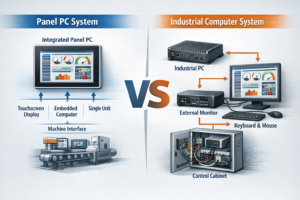
소개 산업용 시스템 설계에서 적절한 컴퓨팅 아키텍처를 선택하는 것은 시스템 안정성, 통합 복잡성에 직접적인 영향을 미칩니다, ...
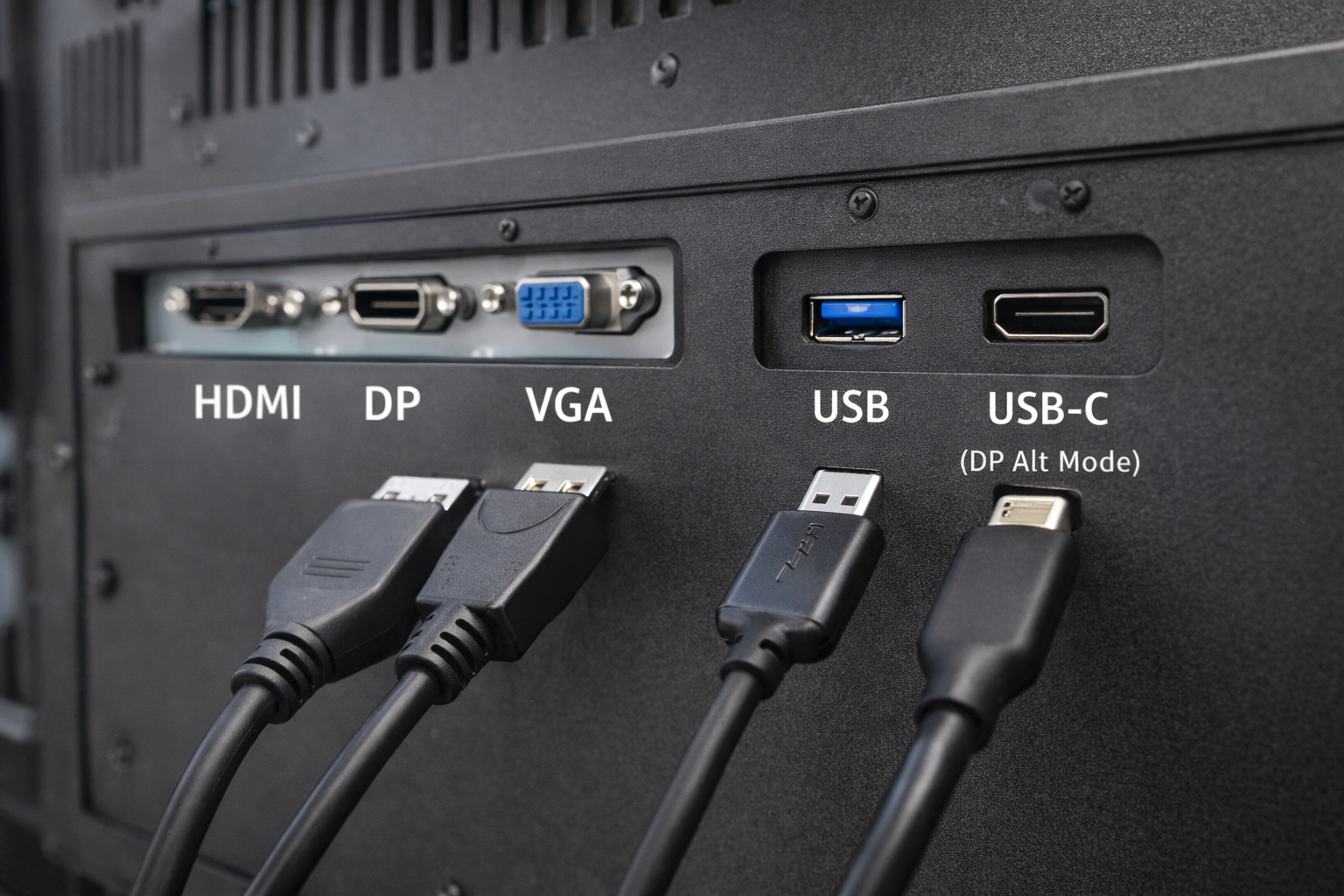
산업용 및 임베디드 시스템에서 인터페이스 선택은 중요한 설계 결정입니다.
많은 엔지니어와 시스템 통합자가 공통적으로 묻는 질문이 있습니다:
USB 포트가 비디오 입력으로 작동할 수 있습니까? 산업용 모니터?
짧은 대답은 다음과 같습니다: 때때로-하지만 대부분의 사람들이 기대하는 방식은 아닙니다..
이 문서에서는 다음과 같이 설명합니다. USB를 비디오에 사용할 수 있는 경우와 그렇지 않은 경우, 산업용 모니터에 더 적합한 대안은 무엇입니까?.
USB(범용 직렬 버스) 포트는 주로 다음과 같은 용도로 설계되었습니다:
일반적인 USB 사용 사례로는 키보드, 마우스, 저장 장치, 센서 등이 있습니다.
USB는 원래 기본 비디오 전송 인터페이스로 설계되지 않았습니다. HDMI 또는 디스플레이 포트와 같은.
산업용 디스플레이 시스템을 설계할 때는 이러한 차이점을 이해하는 것이 필수적입니다.
표준 USB 포트 기본적으로 비디오 신호를 전송할 수 없습니다. HDMI, VGA 또는 디스플레이포트와 같은 방식으로 연결할 수 있습니다.
그러나 USB를 통한 비디오는 가능합니다. 특정 기술 및 조건을 통해서만, 에 대한 오해가 많습니다.
DisplayLink는 USB를 통해 비디오를 출력할 수 있는 압축 기반 솔루션입니다.
작동 방식:
산업용으로 제한됩니다:
USB-C는 표준 USB와 혼동되는 경우가 많습니다.
USB-C가 지원하는 경우 디스플레이포트 대체 모드, 를 사용하여 네이티브 비디오 신호를 전송할 수 있습니다.
중요한 설명:
산업용 모니터의 경우 USB-C 비디오 지원은 다음과 같아야 합니다. 명시적으로 지정되고 검증된.
| 인터페이스 | 네이티브 비디오 | 드라이버 필요 | 산업 신뢰성 |
|---|---|---|---|
| USB(표준) | ❌ 아니요 | 예 | 낮음 |
| USB + 디스플레이링크 | ⚠️ 소프트웨어 기반 | 예 | 제한적 |
| USB-C(DP 대체 모드) | ✅ 예 | 아니요 | 보통 |
| HDMI / DP / VGA | ✅ 예 | 아니요 | 높음 |
대부분의 산업용 애플리케이션에 적합합니다, 전용 비디오 인터페이스는 여전히 선호되는 선택입니다..
산업용 모니터는 우선순위를 정합니다:
USB 기반 비디오 솔루션이 자주 도입됩니다:
결과적으로, HDMI, DisplayPort 및 VGA는 여전히 표준 인터페이스입니다. 산업용 디스플레이 시스템에서.
USB 기반 동영상은 때때로 평가 대상이 됩니다:
이런 경우에도 마찬가지입니다, 엔지니어링 검증의 중요성 를 사용하여 안정성 문제를 방지합니다.
비디오 인터페이스로 USB를 선택하기 전에 물어보세요:
대부분의 산업 프로젝트에서 답은 다음과 같이 이어집니다. 기본 비디오 인터페이스.
아니요. 표준 USB 포트는 기본 비디오 인터페이스를 직접 대체할 수 없습니다.
아니요. DisplayPort Alt 모드를 지원하는 USB-C 포트만 비디오를 출력할 수 있습니다.
제한된 경우에만 작동할 수 있지만 일반적으로 장기적인 산업 배포에는 권장되지 않습니다..
USB 기술이 발전하는 동안, 기존 비디오 인터페이스를 보편적으로 대체할 수 있는 것은 아닙니다. 산업용 모니터에 사용됩니다.
USB 기반 비디오 솔루션은 소프트웨어, 드라이버 또는 특정 포트 구성에 의존하기 때문에 복잡성과 위험이 따릅니다.
안정적이고 장기적인 산업용 애플리케이션에 적합합니다, HDMI 및 디스플레이 포트와 같은 전용 비디오 입력은 여전히 가장 안정적인 선택입니다..
소개 산업용 시스템 설계에서 적절한 컴퓨팅 아키텍처를 선택하는 것은 시스템 안정성, 통합 복잡성에 직접적인 영향을 미칩니다, ...
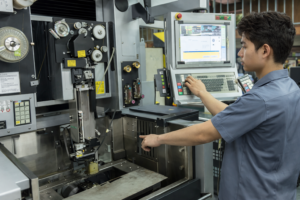
소개 산업용 장비에서 디스플레이 서브시스템은 광범위한 인간-기계 인터페이스(HMI)의 일부로, 다음과 같이 구성됩니다. ...

소개 산업용 장비 설계에서 인간-기계 인터페이스(HMI)는 시스템 사용성, 안정성 및 유지보수에 직접적인 영향을 미칩니다. ...

소개 인간-기계 인터페이스(HMI)는 이제 최신 산업 장비의 표준 구성 요소입니다. 디스플레이를 통해 작업자는 다음을 수행할 수 있습니다. ...
신청 세부 정보를 보내주세요. 구성 방향과 다음 단계로 답변해 드립니다.