Guide d'achat des fournisseurs d'écrans industriels pour les équipements OEM

Introduction Les interfaces homme-machine (IHM) sont désormais des composants standard des équipements industriels modernes. Les écrans permettent aux opérateurs de ...
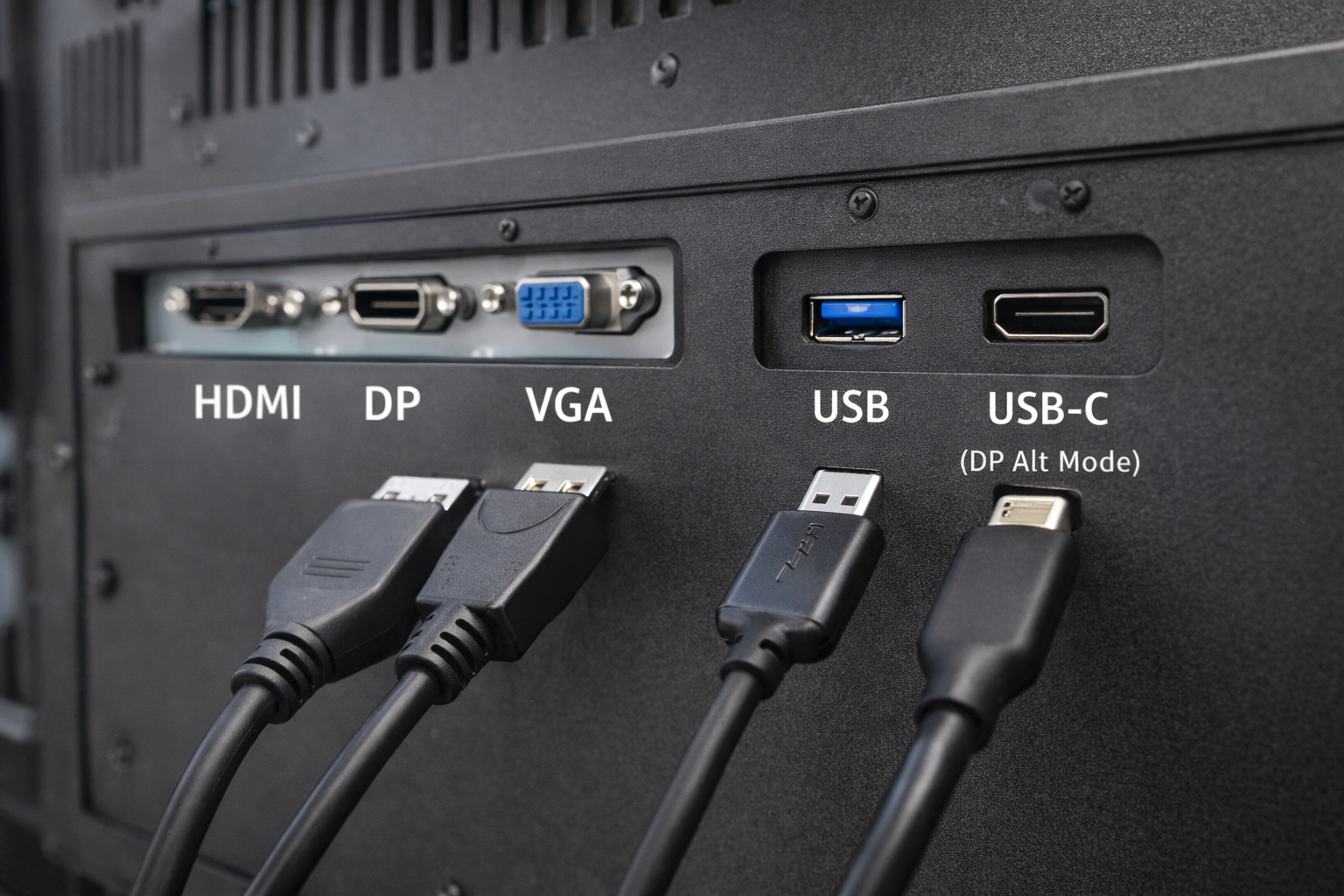
Dans les systèmes industriels et embarqués, le choix de l'interface est une décision de conception cruciale.
De nombreux ingénieurs et intégrateurs de systèmes posent une question commune :
Un port USB peut-il servir d'entrée vidéo pour un ordinateur ? moniteur industriel ?
En bref, la réponse est la suivante : parfois, mais pas de la manière dont la plupart des gens s'y attendent.
Cet article explique quand l'USB peut être utilisé pour la vidéo, quand il ne peut pas l'être, et quelles sont les alternatives les plus appropriées pour les moniteurs industriels.
Un port USB (Universal Serial Bus) est principalement conçu pour :
Les claviers, les souris, les dispositifs de stockage et les capteurs font partie des cas d'utilisation courants de l'USB.
L'USB n'a pas été conçu à l'origine comme une interface de transmission vidéo native comme HDMI ou DisplayPort.
Il est essentiel de comprendre cette distinction lors de la conception de systèmes d'affichage industriels.
Un port USB standard ne peut pas transmettre de signaux vidéo en mode natif de la même manière que HDMI, VGA ou DisplayPort.
Cependant, la vidéo sur USB est possible uniquement par le biais de technologies et de conditions spécifiques, qui sont souvent mal comprises.
DisplayLink est une solution basée sur la compression qui permet la sortie vidéo via USB.
Comment cela fonctionne-t-il ?
Limitations pour l'utilisation industrielle :
L'USB-C est souvent confondu avec l'USB standard.
Lorsque l'USB-C prend en charge Mode Alt DisplayPort, Il peut transmettre des signaux vidéo natifs.
Précisions importantes :
Pour les moniteurs industriels, la prise en charge vidéo USB-C doit être explicitement spécifiée et validée.
| Interface | Native Video | Conducteur requis | Fiabilité industrielle |
|---|---|---|---|
| USB (standard) | ❌ Non | Oui | Faible |
| USB + DisplayLink | ⚠️ Basé sur des logiciels | Oui | Limitée |
| USB-C (mode DP Alt) | ✅ Oui | Non | Modéré |
| HDMI / DP / VGA | ✅ Oui | Non | Haut |
Pour la plupart des applications industrielles, les interfaces vidéo dédiées restent le choix privilégié.
Les moniteurs industriels établissent des priorités :
Les solutions vidéo basées sur la technologie USB introduisent souvent :
En conséquence, HDMI, DisplayPort et VGA sont toujours les interfaces standard. dans les systèmes d'affichage industriels.
La vidéo sur support USB est parfois évaluée pour :
Même dans ces cas, la validation technique est essentielle pour éviter les problèmes de fiabilité.
Avant de choisir l'USB comme interface vidéo, posez-vous les questions suivantes :
Pour la plupart des projets industriels, la réponse est la suivante interfaces vidéo natives.
Les ports USB standard ne peuvent pas remplacer directement les interfaces vidéo natives.
Non. Seuls les ports USB-C qui prennent en charge le mode DisplayPort Alt peuvent émettre de la vidéo.
Elles peuvent fonctionner dans des cas limités, mais ils ne sont généralement pas recommandés pour un déploiement industriel à long terme.
La technologie USB a évolué, il ne s'agit pas d'un remplacement universel des interfaces vidéo traditionnelles dans les moniteurs industriels.
Les solutions vidéo basées sur l'USB reposent sur des logiciels, des pilotes ou des configurations de ports spécifiques, ce qui introduit de la complexité et des risques.
Pour des applications industrielles stables et à long terme, les entrées vidéo dédiées telles que HDMI et DisplayPort restent le choix le plus fiable.
Introduction Les interfaces homme-machine (IHM) sont désormais des composants standard des équipements industriels modernes. Les écrans permettent aux opérateurs de ...

Introduction Les écrans industriels sont souvent déployés dans des environnements où les conditions d'éclairage sont difficiles à contrôler. L'équipement ...

Introduction Les écrans sont des composants d'interface essentiels dans de nombreux types d'équipements industriels. Ils fournissent au système ...

Introduction La visibilité de l'affichage est un paramètre essentiel de la conception des équipements industriels. Les opérateurs s'appuient sur des interfaces graphiques ...
Envoyez les détails de votre demande. Nous vous répondrons en vous indiquant la configuration à suivre et les prochaines étapes.