الكمبيوتر الشخصي اللوحي مقابل الكمبيوتر الصناعي: الاختلافات في البنية والتكامل
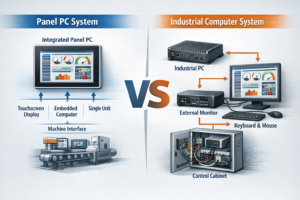
مقدمة في تصميم النظام الصناعي، يؤثر اختيار بنية الحوسبة المناسبة تأثيراً مباشراً على موثوقية النظام وتعقيد التكامل, ...
أصبحت كفاءة الطاقة معلمة تصميم متزايدة الأهمية في المعدات الصناعية. تعمل العديد من الأنظمة بشكل مستمر لفترات طويلة مع إمكانية محدودة للصيانة، مما يجعل استهلاك الطاقة والاستقرار الحراري وعمر المكونات اعتبارات مهمة أثناء تصميم النظام.
يمكن أن تمثل شاشات العرض الصناعية جزءًا ملموسًا من إجمالي استهلاك طاقة النظام. تعتمد لوحات شاشات LCD عالية السطوع المستخدمة في المعدات الخارجية وواجهات العرض HMI الصناعية ومحطات البنية التحتية على أنظمة الإضاءة الخلفية LED التي قد تستهلك حصة كبيرة من طاقة العرض.
في العبوات المغلقة أو غير المزودة بمروحة، يتم تحويل معظم الطاقة الكهربائية التي تستهلكها الإضاءة الخلفية للشاشة مباشرةً إلى حرارة. ونتيجة لذلك، فإن سطوع الشاشة لا يؤثر على استهلاك الطاقة فحسب، بل يؤثر أيضًا على درجة حرارة الغلاف والموثوقية على المدى الطويل.
ولمواجهة هذه التحديات، تدمج العديد من شاشات العرض الصناعية أوضاع التعتيم التلقائي وتوفير الطاقة. تعمل هذه الميزات على تقليل متوسط استهلاك طاقة الشاشة مع الحفاظ على سهولة القراءة في ظروف الإضاءة البيئية المختلفة.
ومع ذلك، يجب تقييم سلوك السطوع في الأنظمة الصناعية على مستوى مستوى بنية النظام. قد يؤثر التحكم التلقائي في السطوع على رؤية المشغل ووقت استجابة النظام وافتراضات التحقق من صحة واجهة المستخدم HMI.
إن فهم كيفية عمل هذه الآليات يساعد مصممي مصنعي المعدات الأصلية على دمج شاشات العرض الصناعية بشكل أكثر موثوقية في معداتهم.
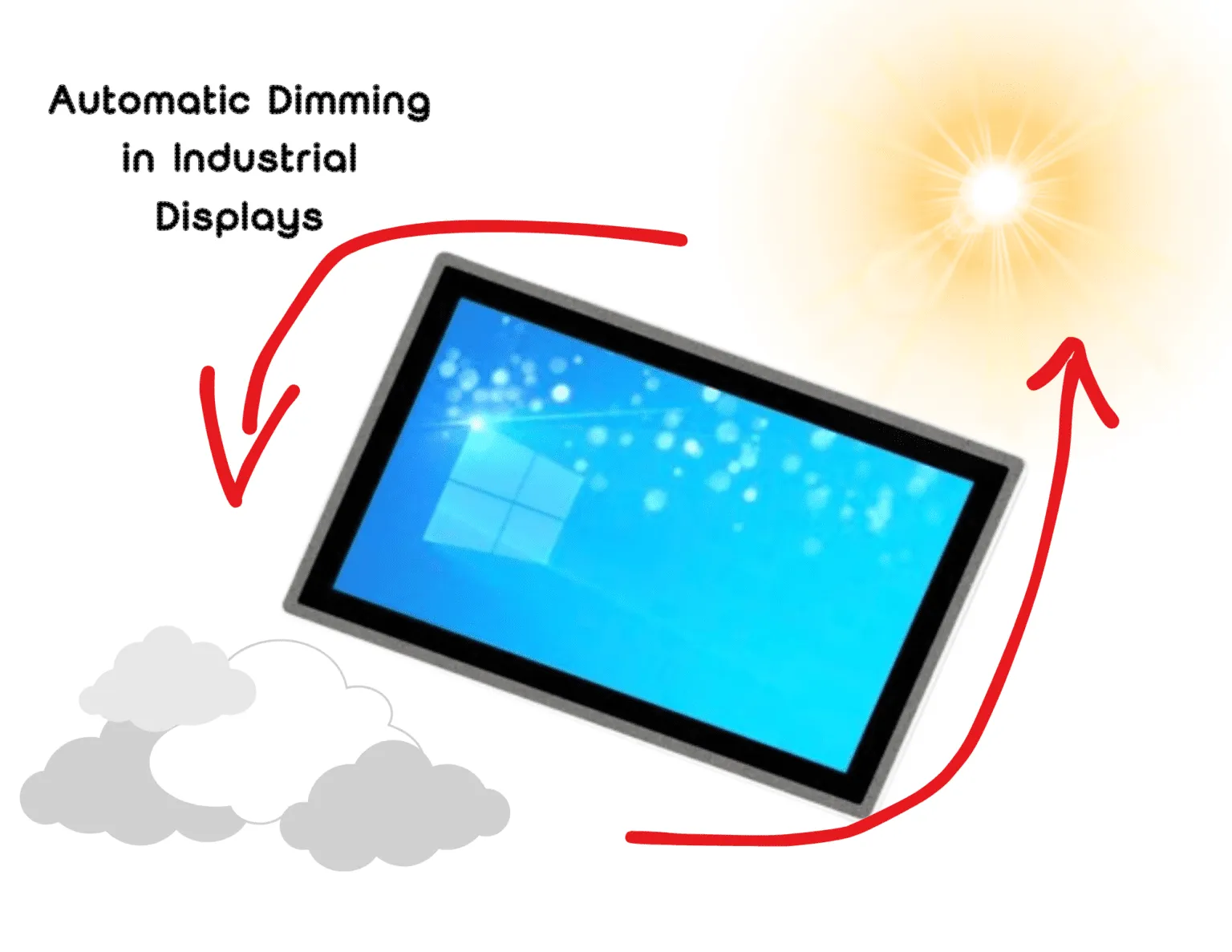
تعتيم تلقائي في شاشات العرض الصناعية هي آلية للتحكم في السطوع تقوم بضبط شدة الإضاءة الخلفية لمصابيح LED بناءً على ظروف الإضاءة المحيطة أو حالة تشغيل النظام.
من خلال تقليل السطوع في البيئات المظلمة أو أثناء فترات عدم النشاط، يمكن للتعتيم التلقائي:
يعد سلوك السطوع التكيفي هذا مفيدًا بشكل خاص في الأنظمة الصناعية المعرضة لظروف الإضاءة المتغيرة، مثل التركيبات الخارجية أو معدات البنية التحتية العامة.
يعمل التعتيم التلقائي على ضبط السطوع تلقائيًا بشكل ديناميكي استجابةً لظروف الإضاءة البيئية.
تعتمد معظم التطبيقات على مستشعر الإضاءة المحيطة التي تقيس الإضاءة المحيطة. تقوم وحدة التحكم في الشاشة بعد ذلك بضبط شدة الإضاءة الخلفية لمصابيح LED للحفاظ على تباين كافٍ دون تطبيق سطوع غير ضروري.
على سبيل المثال:
يقلل سلوك السطوع التكيفي هذا من كل من استهلاك الطاقة والحمل الحراري.
تعمل أوضاع توفير الطاقة على توسيع نطاق التحكم في السطوع من خلال تقديم وظائف إضافية لإدارة الطاقة.
تشمل الآليات النموذجية ما يلي:
في الأنظمة التي تستخدم أجهزة كمبيوتر مدمجة أو أجهزة كمبيوتر لوحية مدمجة، غالبًا ما يتم تنسيق إدارة طاقة الشاشة بواسطة نظام التشغيل المضيف بدلاً من أجهزة العرض وحدها.
تعتمد شاشات LCD الصناعية على تجميعات الإضاءة الخلفية LED التي يتم تشغيلها بواسطة محركات تيار مستمر. وعادة ما يتم تنفيذ ضبط السطوع باستخدام تقنيتين أساسيتين.
تعديل العرض النبضي (PWM)
يتحكم PWM في السطوع عن طريق تشغيل وإيقاف تشغيل مصابيح LED بتردد عالٍ مع الحفاظ على تيار ثابت أثناء الدورة النشطة. يتيح ذلك نطاق سطوع واسع مع الحفاظ على خصائص ألوان LED ثابتة.
التحكم بالتيار التناظري
يعمل التعتيم التناظري على ضبط التيار المزود بإضاءة LED الخلفية. يتيح ذلك انتقالاً سلساً للسطوع ولكنه قد يقلل من الكفاءة عند مستويات السطوع المنخفضة جداً.
تجمع العديد من شاشات العرض الصناعية بين كلا النهجين في بنية التعتيم الهجين لتوفير تحكم مستقر في السطوع عبر نطاق تشغيل واسع.
اختيار تردد PWM مهم. إذا كان التردد منخفضًا جدًا، فقد يحدث وميض مرئي أو تداخل كهرومغناطيسي.
يعتمد التحكم التلقائي في السطوع على القياس الدقيق لظروف الإضاءة البيئية.
تقيس مستشعرات الإضاءة المحيطة الإضاءة المحيطة بوحدة لوكس وتوفر مدخلات لوحدة التحكم في الشاشة أو برنامج النظام.
يؤثر وضع المستشعر بشكل كبير على الأداء. إذا اكتشف المستشعر الضوء المنعكس من سطح الشاشة أو مصادر الإضاءة المحلية، فقد لا تتطابق تعديلات السطوع مع ظروف عرض المشغل.
في الأنظمة التي تستخدم شاشات العرض الصناعية التي تعمل باللمس, ، عادةً ما يتم وضع المستشعرات بالقرب من الإطار الأمامي أو زجاج الغطاء لتقريب بيئة المشغل من بيئة المشغل.
يجب معالجة قياسات المستشعر الخام من خلال خوارزميات التحكم في السطوع قبل إجراء التعديلات.
تشمل التطبيقات النموذجية ما يلي:
وبدون هذه الآليات، يمكن أن تتسبب الاختلافات الصغيرة في الضوء المحيط في تقلبات سريعة في السطوع.
يضمن الضبط المناسب للخوارزمية أن تظل تغييرات السطوع تدريجية ويمكن التنبؤ بها.
في العديد من تصميمات مصنعي المعدات الأصلية، يتم تنسيق سلوك السطوع بواسطة النظام المضيف بدلاً من البرنامج الثابت للشاشة وحده.
على سبيل المثال، قد تحافظ وحدة التحكم في الماكينة على السطوع الكامل أثناء التشغيل النشط وتقلل السطوع عندما يدخل النظام في حالة الخمول.
هذا النهج شائع عند شاشات LCD الصناعية متصلة بأجهزة الكمبيوتر المدمجة أو وحدات التحكم الآلي.
يسمح التحكم على مستوى المضيف بمواءمة سلوك سطوع الشاشة مع حالة الجهاز وأنماط تفاعل المستخدم وسياسات إدارة الطاقة.
يقدم التعتيم التلقائي الاعتماد على مدخلات المستشعر. ولذلك تتضمن التصاميم الصناعية آليات احتياطية محددة.
قد تتأثر مستشعرات الإضاءة المحيطة بما يلي:
تتضمن الاستراتيجيات الاحتياطية النموذجية ما يلي:
تساعد هذه الضمانات في الحفاظ على سلوك عرض يمكن التنبؤ به حتى عندما تصبح مدخلات المستشعر غير موثوقة.
يجب أن تظل واجهات الواجهة HMI الصناعية قابلة للقراءة في جميع ظروف التشغيل.
قد تتداخل التغييرات المفاجئة في السطوع المفاجئة مع قدرة المشغل على التعرف على المشغل أو تقلل من رؤية التباين.
في الواجهات المتعلقة بالسلامة، غالبًا ما يتم التحقق من صحة مستويات السطوع أثناء اختبار النظام. قد تتعارض تعديلات السطوع التلقائية مع تلك الشروط التي تم التحقق من صحتها.
لهذا السبب، غالبًا ما تستخدم واجهات المستخدم الآمنة الحرجة مستويات سطوع ثابتة.
قد تتغير ظروف الإضاءة في المنشآت الصناعية بسرعة.
وتشمل الأمثلة على ذلك:
إذا استجابت خوارزميات السطوع بقوة شديدة، فقد تغير الشاشة السطوع بشكل متكرر. يلزم وجود منطق تباطؤ وتأخير مناسب لتثبيت سلوك السطوع.
يساهم استهلاك طاقة الإضاءة الخلفية بشكل مباشر في توليد الحرارة داخل العبوات المغلقة بإحكام.
يقلل تقليل السطوع من تيار LED وقد يقلل من درجة الحرارة الداخلية والضغط الحراري على مكونات الشاشة.
ومع ذلك، في العديد من الأنظمة الصناعية، تولد المعالجات أو إلكترونيات الطاقة في العديد من الأنظمة الصناعية حرارة أكثر من الشاشة نفسها.
لذلك يوصى بإجراء تحليل حراري على مستوى النظام قبل الاعتماد على تقليل السطوع كاستراتيجية أساسية لتخفيف الحرارة.
في شاشات العرض الصناعية عالية السطوع، يمكن أن تمثل الإضاءة الخلفية LED الجزء الأكبر من إجمالي استهلاك طاقة الشاشة.
على سبيل المثال شاشة عرض LCD صناعية من 1000-1500 نت قد تتطلب طاقة إضاءة خلفية أكبر بعدة مرات من شاشة تعمل بمستويات سطوع معتدلة.
ولهذا السبب، غالبًا ما يتم النظر في استراتيجيات التحكم في السطوع عند تصميم أنظمة HMI الصناعية الموفرة للطاقة و عرض خارجي المعدات.
يمكن أن يؤدي تقليل السطوع أثناء التشغيل الليلي أو فترات الخمول إلى خفض متوسط استهلاك طاقة النظام بشكل كبير.
غالبًا ما تتطلب الشركات المصنعة للمعدات المصنعة للمعدات الأصلية التحكم في السطوع القابل للتكوين عند تحديد وحدات العرض الصناعية.
قد يلزم دمج التحكم في السطوع من خلال واجهات النظام مثل:
يتيح توفير خيارات مرنة للتحكم في السطوع للنظام الفرعي للشاشة التوافق مع تشغيل الماكينة وأنماط تفاعل المستخدم واستراتيجيات إدارة الطاقة.
تُعد أوضاع التعتيم التلقائي وتوفير الطاقة مفيدة للغاية في الأنظمة التي تختلف فيها ظروف الإضاءة أو يكون تفاعل المشغل متقطعًا.
تشمل التطبيقات النموذجية ما يلي:
تستفيد هذه الأنظمة من سلوك السطوع التكيّفي وانخفاض متوسط استهلاك الطاقة.
يعمل التعتيم التلقائي بشكل جيد عندما:
عادةً ما تستوفي تطبيقات مثل الأكشاك ومحطات شحن السيارات الكهربائية ومحطات البنية التحتية هذه الشروط.
تتطلب بعض الأنظمة الصناعية سلوك سطوع يمكن التنبؤ به.
وتشمل الأمثلة على ذلك:
في هذه البيئات، قد توفر إعدادات السطوع الثابتة تشغيلًا أكثر موثوقية.
يمكن أن تعمل أوضاع التعتيم التلقائي وتوفير الطاقة على تحسين كفاءة الطاقة في أنظمة العرض الصناعية، خاصةً في البيئات ذات ظروف الإضاءة المتغيرة أو التشغيل المستمر.
ومع ذلك، يجب تقييم سلوك السطوع في سياق بنية النظام الكاملة. يؤثر سطوع الشاشة على سهولة استخدام المشغل والظروف الحرارية للحاوية وإمكانية التنبؤ بالنظام.
بالنسبة للعديد من مصنعي المعدات الأصلية وشركات تكامل الأنظمة، فإن النهج الأكثر موثوقية هو تكامل النظام المتحكم فيه. يتم تضمين دعم الأجهزة لضبط السطوع، بينما تتم إدارة سلوك السطوع من خلال منطق التحكم على مستوى النظام.
يتيح النظر في إدارة طاقة الشاشة في مرحلة مبكرة من عملية التصميم للمهندسين تحقيق التوازن بين كفاءة الطاقة والموثوقية وسلوك النظام الذي يمكن التنبؤ به.
نعم. يمكن أن ينخفض متوسط استهلاك الطاقة عند خفض مستويات السطوع بشكل متكرر. يعتمد مقدار الانخفاض على نطاق سطوع الشاشة وأنماط الاستخدام.
يقلل تشغيل مصابيح LED عند مستويات تيار منخفضة من الإجهاد الحراري وقد يطيل عمر الخدمة، اعتمادًا على عدد مرات استخدام مستويات السطوع المنخفضة.
غالبًا ما تتطلب الواجهات المتعلقة بالسلامة سطوعًا ثابتًا لضمان بقاء الإنذارات والمؤشرات مرئية بوضوح في جميع ظروف التشغيل.
تحدد معظم شاشات العرض الصناعية مستويات سطوع احتياطية وتسمح بالتعديل اليدوي بحيث تظل الشاشة قابلة للاستخدام حتى لو أصبح المستشعر غير موثوق به.
عادةً ما تكون الإضاءة الخلفية LED أكبر مستهلك للطاقة في شاشات LCD الصناعية. في شاشات العرض الخارجية عالية السطوع، يمكن أن تمثل الإضاءة الخلفية معظم استهلاك الشاشة للطاقة.
وبالتالي، فإن تقليل السطوع أثناء التشغيل الليلي أو فترات الخمول يمكن أن يقلل بشكل كبير من متوسط استهلاك الطاقة.
مقدمة في تصميم النظام الصناعي، يؤثر اختيار بنية الحوسبة المناسبة تأثيراً مباشراً على موثوقية النظام وتعقيد التكامل, ...
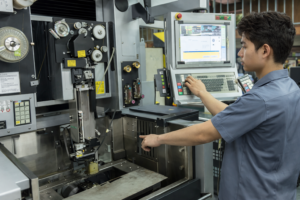
مقدمة في المعدات الصناعية، يعد النظام الفرعي للعرض جزءًا من واجهة التفاعل بين الإنسان والآلة (HMI) الأوسع نطاقًا و ...
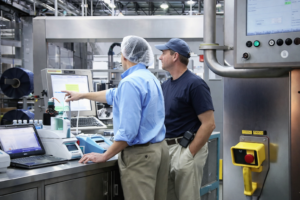
مقدمة في تصميم المعدات الصناعية، تؤثر الواجهة البينية بين الإنسان والآلة (HMI) بشكل مباشر على قابلية استخدام النظام وموثوقيته وصيانته ...

مقدمة أصبحت الواجهات بين الإنسان والآلة (HMIs) الآن مكونات قياسية في المعدات الصناعية الحديثة. تتيح شاشات العرض للمشغلين ...
أرسل تفاصيل طلبك. نرد عليك بتوجيهات التكوين والخطوات التالية.