Industrial Displays for Railway & Transportation Equipment
Railway and transportation equipment needs more than a standard screen. Eagle Touch supplies custom transportation touch displays, industrial monitors, and panel PCs for railway control systems, ticketing machines, fare gates, and passenger information terminals. As an OEM display manufacturer, we match the product to the cabinet, host system, operating conditions, and future replacement needs.
Displays for Railway and Transportation Equipment
Driver consoles, ticketing machines, passenger terminals, and fare gates are installed and used differently. The display must match the operator, enclosure, lighting, mounting, and maintenance conditions.
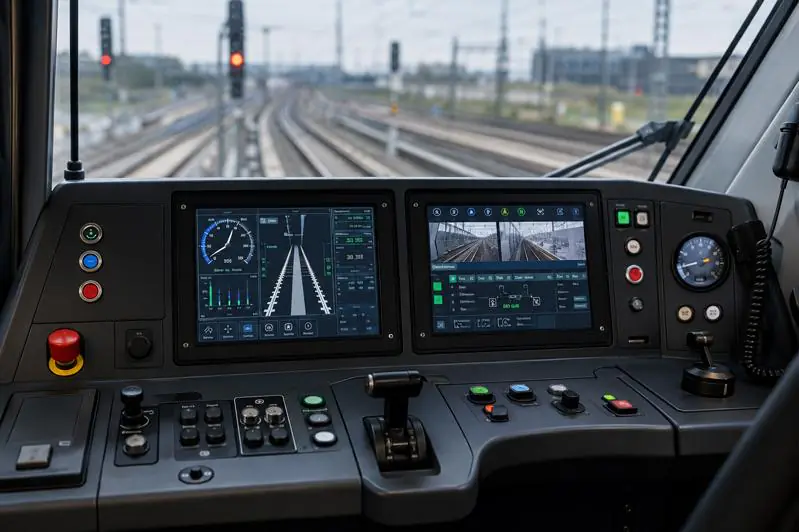
Railway & Onboard Control
Displays and panel PCs for driver consoles, vehicle status, camera feeds, diagnostics, and equipment control. Changing light, vibration, glove operation, DC power, and limited mounting space are common project concerns.
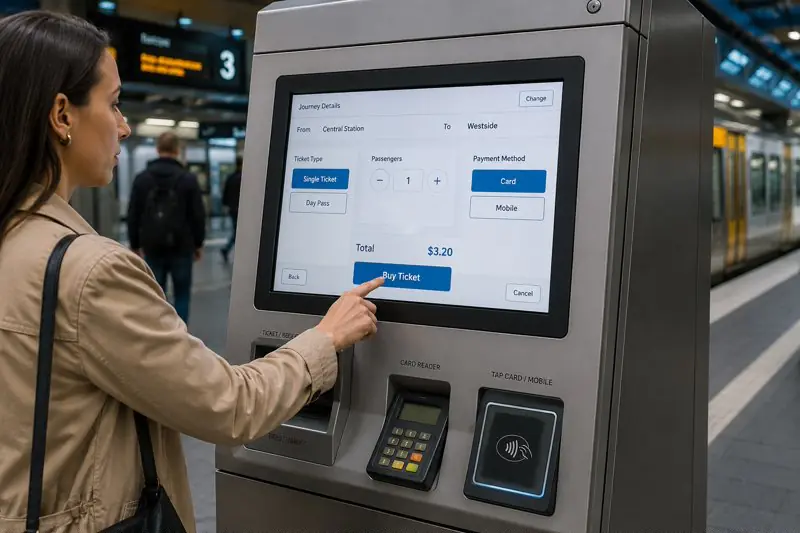
Ticketing & Payment Terminals
Touch displays for ticket selection, payment, card top-up, and transaction guidance. Public touch reliability, durable front glass, cabinet fit, cable access, and easy replacement are the main concerns.
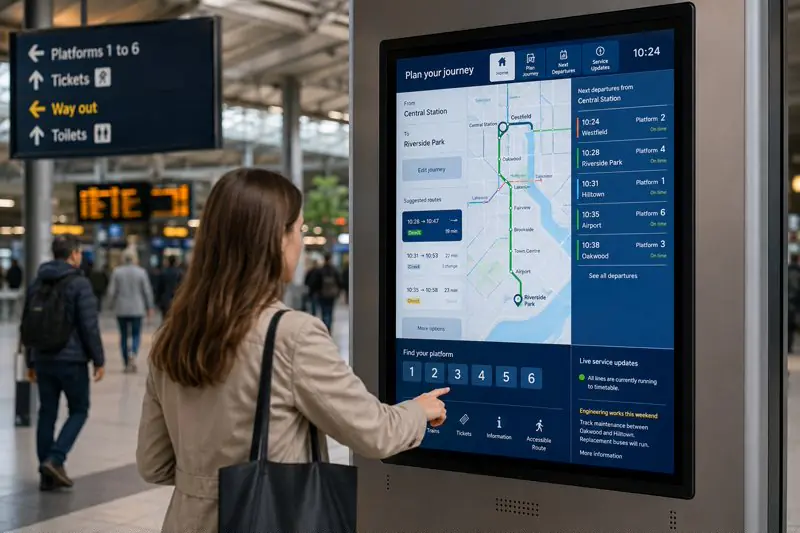
Passenger Information & Wayfinding
Touch and non-touch displays for timetables, route enquiry, wayfinding, service notices, and passenger assistance. Readability, viewing angle, operating hours, and enclosure integration directly affect usability.
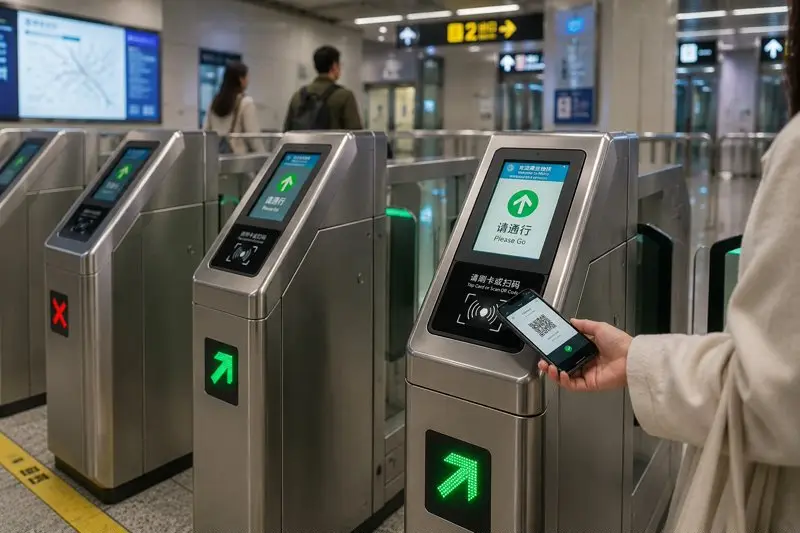
Fare Gates & Access Control
Compact displays for ticket validation results, QR or card status, entry direction, and passenger guidance. Clear feedback, cabinet fit, continuous operation, and repeat supply matter most.
What the Display Must Handle in Real Use
The display must remain readable, touch-stable, securely installed, and practical to service after it becomes part of the final equipment.
A small display problem can put the complete terminal or control system out of service.
Readability in Changing Light
A screen near a vehicle window or inside a bright station must stay clear without becoming uncomfortable at night. Brightness, reflection, viewing angle, surface treatment, and dimming should match the installation.
Vibration and Secure Mounting
Onboard movement can loosen brackets, connectors, and cables. Fixing points, cable retention, mounting depth, and rear clearance should match the final enclosure.
Touch for Gloves and Public Use
Driver gloves, frequent public use, cleaning, and thick cover glass require different touch settings. Poor matching can cause missed touches, false touches, or slow response.
Stable Power and Signal
DC power noise, grounding, cable routing, and metal cabinets can affect the image and PCAP touch. Stability must be checked after connection to the final system.
Front Protection and Service Access
Public equipment may need strengthened glass and front sealing. Connector position, cable direction, bracket access, and removal space must still allow practical replacement.
Transportation Touch Display and Monitor Options
The right product depends on the equipment structure: a compact display for limited space, a complete monitor for an existing host system, or a larger display for passenger information.
Compact displays, complete industrial monitors, and larger industrial displays cover the main integration directions.
Compact Touch Displays
For fare gates, onboard panels, and compact validation equipment with a fixed opening and limited installation depth.
- Common sizes: 4.3", 7", 10.1", 10.4", and 12.1"
- Touch LCD module or compact industrial monitor
- PCAP or resistive touch
- LVDS or eDP display interface
- USB or I²C touch interface
- Custom cover glass, outline, mounting points, and cable direction
- Optional AG glass, optical bonding, glove touch, and brightness control
Industrial Touch Monitors
For ticketing machines, driver consoles, and passenger enquiry terminals that already provide a standard video output.
- Common sizes: 7", 10.1", 10.4", 12.1", 15", 15.6", and 21.5"
- Open frame, panel mount, VESA, or custom structure
- HDMI, DP, DVI, or VGA video input
- USB touch or non-touch configuration
- PCAP or resistive touch
- Optional strengthened glass, AG treatment, and front sealing
- Custom DC input, brackets, cable exit, and service access
Industrial Display Monitors
For timetable, route, wayfinding, and station information where clear viewing from different positions matters more than touch operation.
Need display, touch, and local computing in one unit? Industrial panel PCs are available for terminals that require Windows or Android, Ethernet, USB, serial ports, and other I/O.
Custom Support for Transportation Display Projects
The viewing position, cabinet space, power system, mounting structure, and service access usually decide the final configuration.
What We Match to the Final Equipment
Readability and Dimming
Brightness, viewing angle, AG treatment, optical bonding, and manual or automatic dimming can be selected for window glare, bright stations, and day-and-night operation.
Touch and Front Protection
PCAP or resistive touch, glove operation, tuning for frequent public use, strengthened cover glass, AF treatment, and front sealing can be matched to the equipment.
Mounting and Service Access
Opening size, installation depth, front-panel fit, mounting holes, brackets, rear clearance, and removal space are reviewed before the sample is built.
Signal, Power, and Cable Layout
Display and touch interfaces, DC input, grounding, connector position, cable length, exit direction, and cable retention are matched to the host system.
Repeat Production and Replacement
Approved dimensions, connector positions, touch settings, drawings, and configuration records are kept for later orders.
What to Share Before Quotation
A cabinet drawing, current display specification, opening size, or clear equipment photo is usually enough for the first review.
- Equipment type and installation position
- Onboard, station, platform, or public-terminal use
- Screen size, resolution, and orientation
- Current display model or host output
- Daylight, glare, and dimming conditions
- Touch, glove, or non-touch operation
- Cabinet opening, depth, and mounting method
- Rear service space and cable direction
- Power input and grounding condition
- Operating temperature, vibration, and shock
- Front sealing, impact, and cleaning needs
- Required tests, quantity, and project stage
A display can match the signal and still fail the installation. Opening, depth, power, and cable direction should be checked before the sample is built.
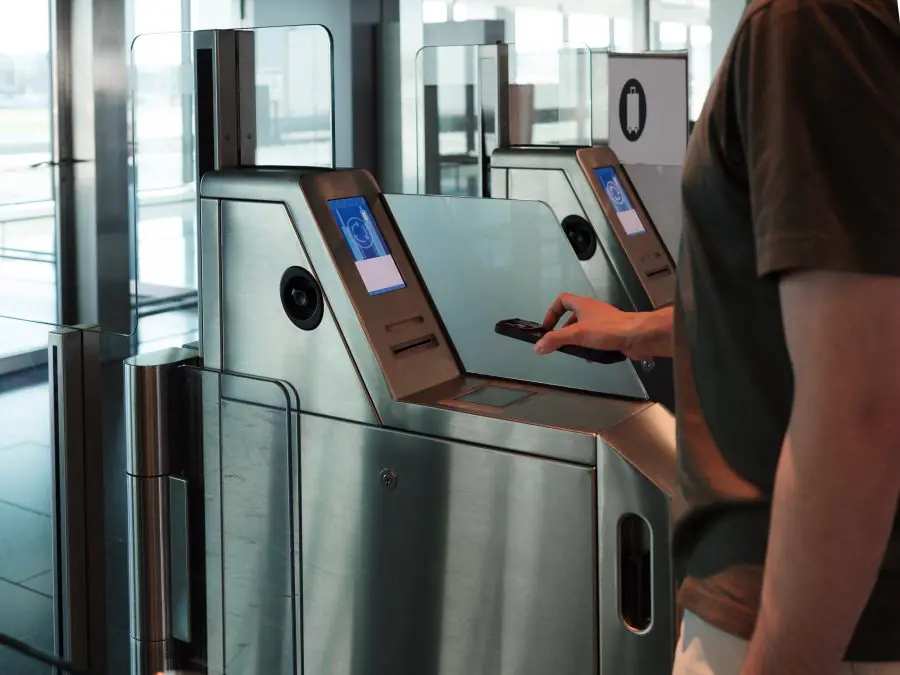
Long-Term Support for Transportation Display Projects
Transportation projects rarely end with one sample or one order. Once approved, the same display may be needed for new equipment, maintenance, or replacement years later.
Eagle Touch has supported custom displays for transportation and public-access equipment. One of our 7-inch fare gate display projects has remained in stable supply since 2019, giving us real experience with repeat orders and long-running project support.
That experience shapes how we handle new projects: confirm the approved version, record what must not change, and review later replacements before they reach production. Customer and end-user information remains confidential.
Transportation Display Project FAQs
What customers usually need to confirm before sample approval and repeat production.
Let’s Discuss Your Requirements
Share your application, requirements, or current challenge. Our team will review the details and recommend a practical way forward.