Custom Industrial Display Design for OEM Systems
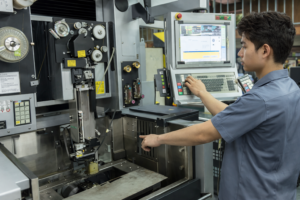
Introduction In industrial equipment, the display subsystem is part of a broader human-machine interface (HMI) and …

In industrial equipment design, the human-machine interface (HMI) directly affects system usability, reliability, and maintenance efficiency. As systems become more compact and distributed, integrating computing and display into a single unit is often necessary to reduce wiring complexity and improve robustness.
An industrial panel PC integrates processing, display, touch input, and industrial I/O into a single enclosure. This architecture reduces system complexity while improving resistance to vibration, dust, and constrained installation environments.
An industrial panel PC is a type of embedded industrial computer with an integrated display and touch interface, designed for direct deployment in industrial environments.
However, selecting an industrial panel PC is not only a hardware decision. It impacts system architecture, thermal management, power design, and lifecycle planning. These factors must be evaluated together during system design.
This article serves as a pillar reference for industrial panel PC design and selection.
The following topics are core decision areas and can be explored in dedicated technical articles:
These topics form a structured topic cluster, supporting deeper evaluation of industrial panel PC systems.
Industrial panel PCs are one of several architectures used to implement HMI and edge computing.
Common comparisons include:
In system design, the key decision is whether to integrate or separate computing and display functions.
| Architecture Type | Panel PC (Integrated) | Modular System (Display + PC) |
|---|---|---|
| System Complexity | Lower | Higher |
| Installation | Simplified | More wiring required |
| Maintenance | Whole unit replacement | Component-level replacement |
| Upgrade Flexibility | Limited | High |
| Thermal Design | Constrained | More flexible |
In a typical deployment, an HMI panel PC acts as both the interface layer and edge computing node, reducing reliance on centralized industrial computers.
An industrial panel PC is a fully integrated embedded system that includes:
It performs two roles:
Compared to an industrial monitor, a panel PC with integrated computing eliminates the need for external processing hardware.
Industrial panel PCs typically use TFT-LCD displays with LED backlighting.
Key parameters:
Touch technologies:
Selection depends on environmental conditions and interaction requirements.
Processor architecture determines performance and thermal behavior.
Selection should consider software requirements, lifecycle support, and thermal constraints.
Common operating systems:
Key factors:
Thermal management is a primary constraint in fanless industrial panel PC design.
Typical solutions:
Key inputs:
Thermal design directly affects reliability and component lifespan.
Industrial panel PCs support wide DC input ranges.
Considerations:
Additional protection is often required in unstable industrial power environments.
Common interfaces:
Design should align with system communication and expansion needs.
Typical mounting options:
Constraints include:
Protection requirements include:
Front panels are typically rated IP65 or higher.
Outdoor deployments require additional environmental considerations.
Industrial panel PCs are typically deployed for long operational lifecycles.
Key factors:
Backlight degradation is a common lifecycle limitation.
A system-level evaluation can be simplified using the following framework:
This framework supports early-stage system architecture decisions.
Industrial panel PCs are widely used in:
These applications prioritize integration, reliability, and ease of deployment.
Use an industrial panel PC when:
Industrial panel PCs provide an integrated solution for combining HMI and computing within industrial systems. They reduce system complexity and improve robustness in constrained environments.
However, their integrated nature introduces limitations in flexibility and thermal scalability. Selection should be based on system-level requirements and lifecycle considerations.
1. What is an industrial panel PC?
An integrated industrial computer with display and touch interface.
2. Panel PC vs industrial monitor?
A panel PC includes computing; a monitor does not.
3. Are panel PCs fanless?
Many are, but require careful thermal design.
4. Typical lifespan?
5–10 years depending on environment.
5. Can they be customized?
Yes, especially for OEM system integration.
For deeper system design evaluation, refer to:
Introduction In industrial equipment, the display subsystem is part of a broader human-machine interface (HMI) and …

Introduction In industrial equipment design, the human-machine interface (HMI) directly affects system usability, reliability, and maintenance …

Introduction Human-machine interfaces (HMIs) are now standard components in modern industrial equipment. Displays allow operators to …

Introduction Industrial displays are frequently deployed in environments where lighting conditions are difficult to control. Equipment …
Send your application details. We respond with configuration direction and next steps.