What Is an Industrial Panel PC? Components, Types and Applications

An industrial panel PC is a computer with a built-in display, usually a touchscreen, designed for …
Eagle Touch Engineering Team
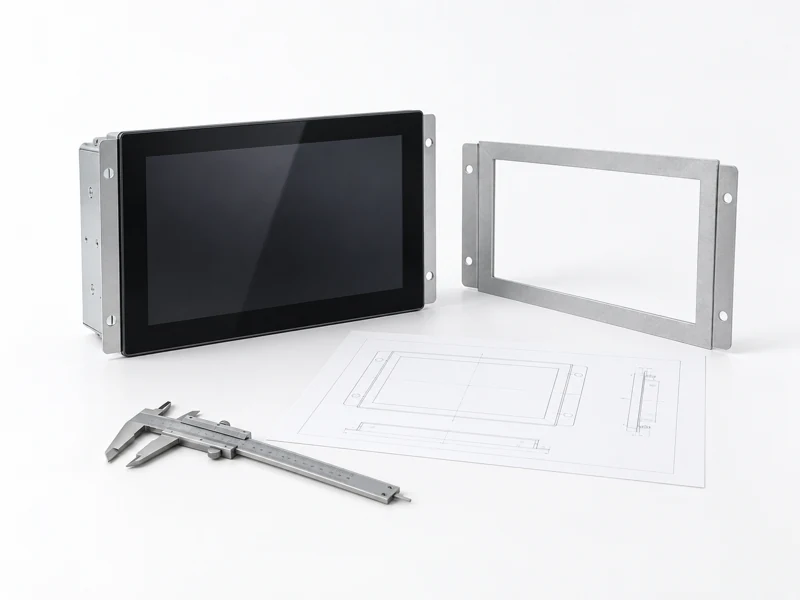
Custom industrial display design makes sense when a standard industrial monitor cannot meet the equipment’s installation, operating or service requirements. The work may involve a different cover glass, revised mounting brackets or a complete display assembly built around the host system.
Start by identifying what the standard product cannot do. That defines the scope of development, the tests needed and whether customization is worth the cost. A monitor that already meets the requirements may only need installation testing, not redesign.
Screen size is rarely the only constraint. A display can have the right diagonal and resolution yet still be unsuitable for the finished machine.
Common reasons to customize include:
Describe the problem before specifying the solution. “The HDMI cable interferes with the cabinet door” gives the supplier a useful design constraint. “We need a fully custom monitor” does not establish what must change.
Compare the available industrial display monitors against these constraints before committing to development.
A custom monitor does not necessarily require a newly developed LCD panel. Many projects use an existing industrial LCD and controller, with changes to the touch assembly, mechanics or connections.
| Approach | When it fits | What to confirm |
|---|---|---|
| Standard industrial monitor | An existing model meets the critical requirements. | Installation, host compatibility and operation in the equipment. |
| Modified standard monitor | Changes are limited to items such as glass, brackets, cables or configuration. | Which existing specifications remain valid and what needs retesting. |
| Custom display assembly | Several mechanical, optical or electrical requirements must be resolved together. | Development scope, responsibilities, engineering charges and acceptance criteria. |
For example, a monitor that fits an existing cabinet but has inaccessible connectors may only need a revised connection arrangement. Changing the LCD, touch sensor and enclosure at the same time would add work without necessarily improving the result.
Also agree on the delivered product: an LCD and touch module, a complete monitor with video and power inputs, or a panel PC with computing included. These involve different integration responsibilities.
A useful requirement describes the conditions the display must work under and how success will be checked. Separate fixed constraints from preferences so the supplier knows where alternatives are possible.
| Requirement | Information to provide |
|---|---|
| Installation | Cabinet opening, available depth, mounting points, connector clearance and removal direction. |
| Viewing and operation | Displayed content, viewing distance, orientation, gloves and expected water contact. |
| Host connection | Host model, video output, touch interface, input voltage and cable arrangement. |
| Environment | Lighting, temperature inside the equipment, dust, moisture, vibration and nearby electrical loads. |
| Production | Prototype quantity, expected annual demand, approval schedule and intended service life. |
An enclosure drawing and a description of the unresolved problem are often enough for an initial discussion. Missing requirements should become agreed review items before drawings and components are approved.
For replacement projects, include the existing model and its documentation. Matching the screen diagonal does not establish mechanical or electrical compatibility.
Cover glass affects appearance, impact behavior and touch response. Review its thickness, printed border, support and sealing together with the sensor and controller.
If gloves or wet operation are required, define the actual conditions. Test representative gloves and water exposure with the intended glass and grounding arrangement. A successful bare-finger test on a loose sample is insufficient.
Where an IP or impact rating is specified, agree on the tested assembly and mounting conditions. Component specifications alone do not establish protection at the display-to-cabinet joint.
Set the viewing requirement before selecting a brightness value. Installation angle, reflected light, cover glass and displayed content affect readability.
Increasing backlight output can add thermal load. Check whether the proposed display can maintain the required performance inside the enclosure at the intended operating temperature. The sunlight-readable monitor selection guide explains the optical considerations in more detail.
The design review should identify who supplies the cabinet thermal conditions and who verifies the installed result. An ambient-temperature specification for the display does not describe every temperature inside a working machine.
Confirm video, touch and power separately. For a typical touch monitor, the video cable carries the image while a separate connection returns touch data to the host.
An interface name is only part of the specification. Check supported video timing, connectors, cable length, power requirements and startup behavior. For direct LCD connections, confirm the exact panel pinout and electrical requirements.
Allow space for connectors, cable bends and service tools. Review grounding and cable routing with the equipment layout; otherwise a mechanically correct sample may still suffer intermittent operation after installation.
Optical bonding can reduce internal reflections, but it also changes assembly and repair options. Decide whether field service will replace individual parts or the complete bonded assembly.
Mounting must support the display without applying uneven pressure to the LCD. Confirm frame tolerances, fastening and gasket compression with the final structure.
Include removal in the design review. A unit that fits through the opening during assembly may be difficult to replace once the surrounding equipment is installed.
Costs depend on what changes and how those changes are verified. New tooling, custom glass, circuit development and firmware work can carry separate non-recurring engineering charges. Minimum order quantities may also come from dedicated components.
Ask quotations to distinguish:
An existing design modification and a new assembly should not be compared on unit price alone. Check component availability and validation work as well. Early agreement on the enclosure, interfaces and operating conditions helps avoid repeated sample revisions.
Install the prototype in representative equipment. Agree on acceptance criteria before testing so both teams know what constitutes approval.
Verify mechanical fit, readability, touch operation, continuous running, power interruption and restart. Test with relevant electrical loads operating, and complete the environmental or protection tests required by the project. Confirm that the display can be removed through the planned service access.
After approval, record the drawing revision, specification, bill of materials, firmware and inspection requirements. Define how proposed component substitutions will be reviewed and which changes require another equipment test.
Long-term supply also needs a plan. Discuss discontinuation notices, replacement-component evaluation and spare units rather than assuming an unchanged model will remain available indefinitely.
Send the equipment application, the limitation of the current display, and any available drawings or photographs. Include the host interface, operating conditions, sample requirement and expected production quantity.
Eagle Touch can review these details through its custom touch solutions service and recommend whether a standard monitor, a modified model or a custom assembly is appropriate. If the specification is incomplete, start with the cabinet drawing and the problem you need to solve.
An industrial panel PC is a computer with a built-in display, usually a touchscreen, designed for …

An embedded PC is a computer configured to work as part of a machine or larger …

Start with the software the panel PC must run and the conditions it must fit. Then …

Choosing an industrial panel PC IP rating starts with two questions: what dust and water exposure …
Share your application, requirements, or current challenge. Our team will review the details and recommend a practical way forward.