Industrial Touch Screen: Engineering Guide for OEM Equipment
Introduction Industrial equipment interfaces have evolved as control systems have become increasingly software-driven. Traditional operator panels …
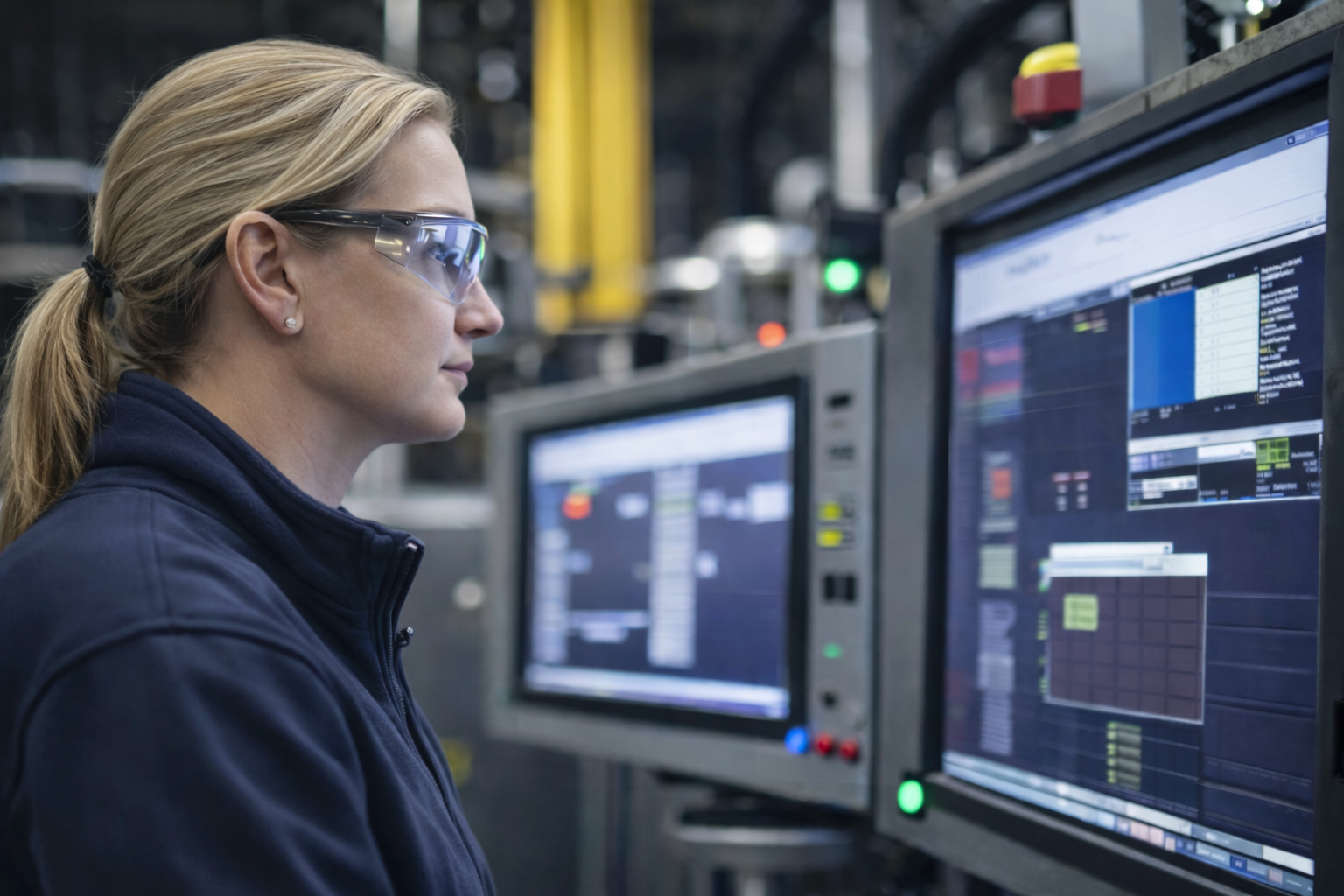
Industrial equipment interfaces have evolved as control systems have become increasingly software-driven. Traditional operator panels consisting of mechanical switches, indicator lamps, and membrane keypads are gradually being replaced by graphical interfaces displayed on integrated screens.
An industrial touch screen combines visual display and user input into a single interface surface. Operators interact with machines through configurable software interfaces rather than fixed hardware controls.
For equipment manufacturers, touch-based interfaces provide several practical advantages:
However, the engineering requirements for industrial displays differ significantly from those of consumer electronics. Equipment may operate in environments with vibration, electrical noise, temperature variation, dust, moisture, or continuous 24/7 operation.
Selecting an industrial touch screen therefore involves more than choosing display size or touch technology. Engineers must also consider:
This guide explains how industrial touch display systems are structured and how engineers evaluate them during equipment development.
An industrial touch screen is a display module designed for industrial or infrastructure equipment that integrates visual output and touch input in a single assembly.
The system consists of two functional layers:
Industrial touch displays are commonly integrated into systems such as:
Unlike consumer devices, industrial display modules are typically designed for longer lifecycle availability and more robust mechanical construction. Equipment interfaces may remain in service for many years, so display compatibility with system architecture must be maintained throughout the product lifecycle.
From a system perspective, the display module is only one part of the operator interface architecture.
A typical industrial interface system contains three layers.
The industrial touch screen provides the visual interface used by the operator to interact with the equipment.
The graphical interface may include:
The display subsystem contains the hardware responsible for image generation and touch sensing.
Typical components include:
The host system may be an industrial computer, embedded processor, or PLC-based controller.
Touch input coordinates are transmitted from the touch controller to the host system. The host software interprets this input and updates the graphical interface displayed on the screen.
This layered architecture allows equipment manufacturers to separate interface hardware from control logic, improving flexibility during system development.
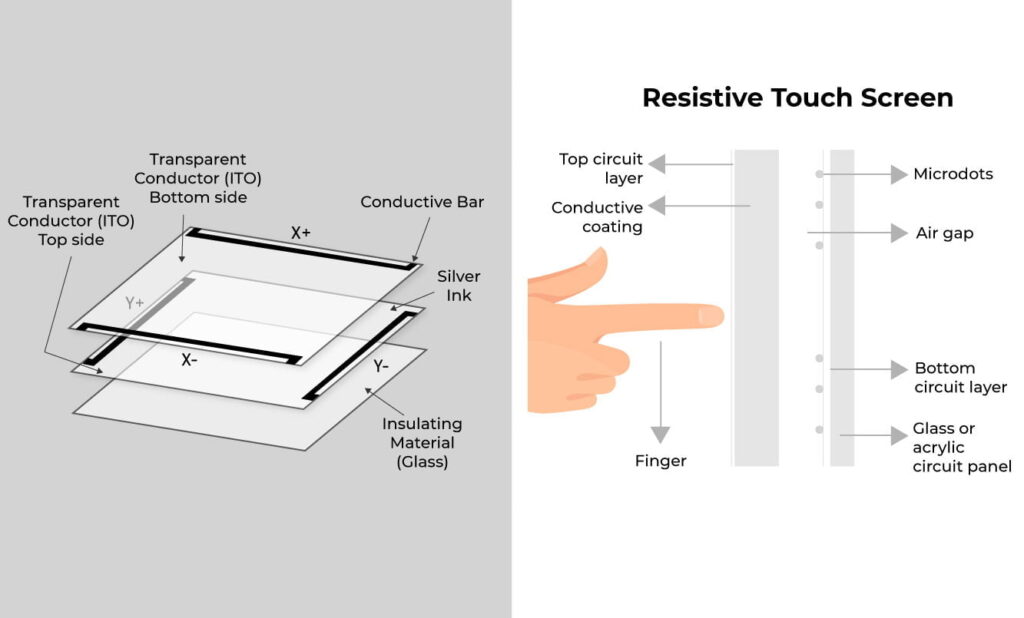
Several sensing technologies are used in industrial touch displays. The choice depends on environmental conditions and interaction requirements.
Resistive touch systems detect input through pressure applied to conductive layers.
Typical advantages include:
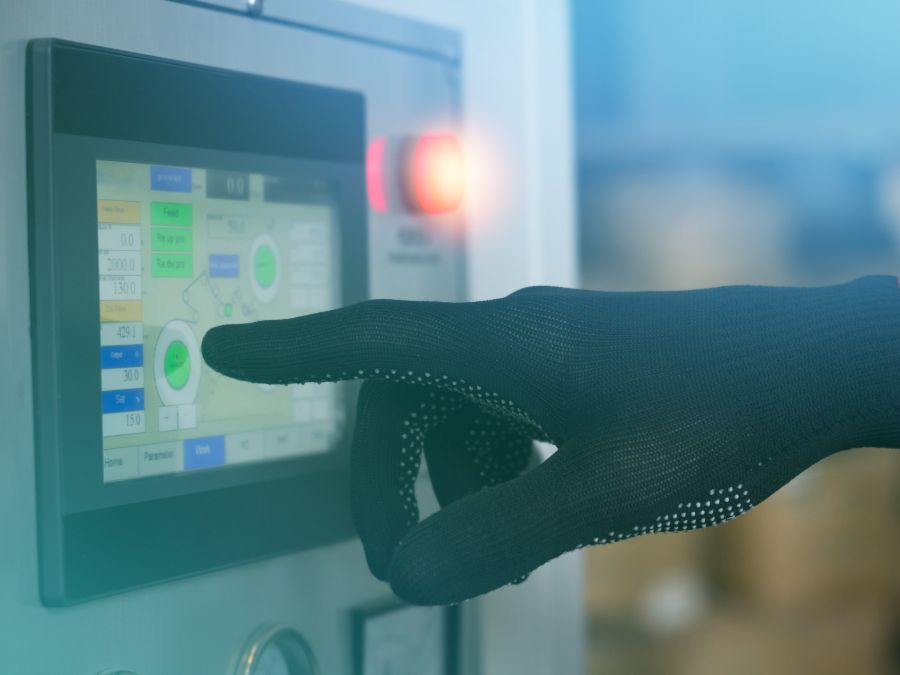
These characteristics make resistive systems suitable for environments where operators wear heavy gloves or where simple input methods are sufficient.
The flexible top layer may wear over time in high-usage environments.
Projected capacitive technology uses a conductive grid embedded behind a glass surface.
Typical advantages include:
PCAP displays are widely used in modern industrial interfaces because they support durable glass surfaces and gesture-based interaction.
However, capacitive systems require careful grounding and electrical design to maintain stable operation in electrically noisy environments.
Surface acoustic wave displays detect touch through ultrasonic waves traveling across the screen surface.
They offer high optical clarity but are more sensitive to surface contamination such as dust or water droplets.
Infrared touch systems detect interaction when objects interrupt infrared beams across the display surface.
They are commonly used for large-format displays in kiosks or public terminals.
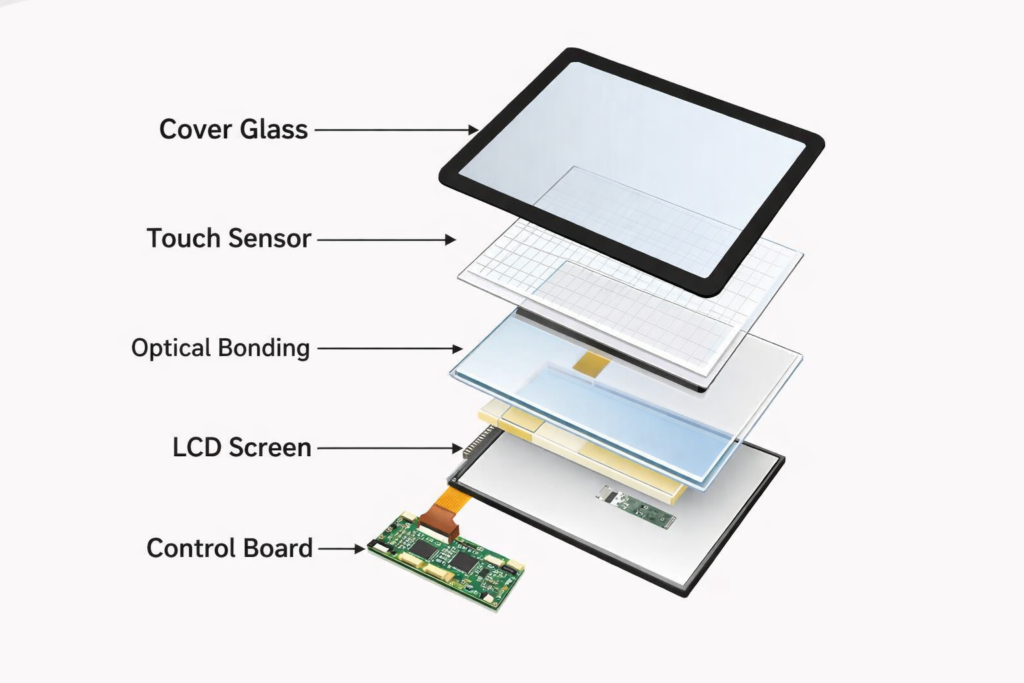
Several hardware components determine the optical performance and durability of an industrial touch display.
Most industrial displays use TFT LCD panels.
Important performance parameters include:
Outdoor equipment typically requires higher brightness levels to maintain readability in direct sunlight.
The cover glass protects the touch layer and display panel from mechanical damage.
Industrial displays often use chemically strengthened glass between 2 mm and 5 mm thick, depending on impact resistance requirements.
Optical bonding eliminates the air gap between display layers by filling it with transparent adhesive.
Engineering benefits include:
The touch controller processes signals from the sensor grid and converts them into coordinate data transmitted to the host system.
Modern controllers often include noise filtering algorithms to prevent false touch detection in electrically noisy environments.
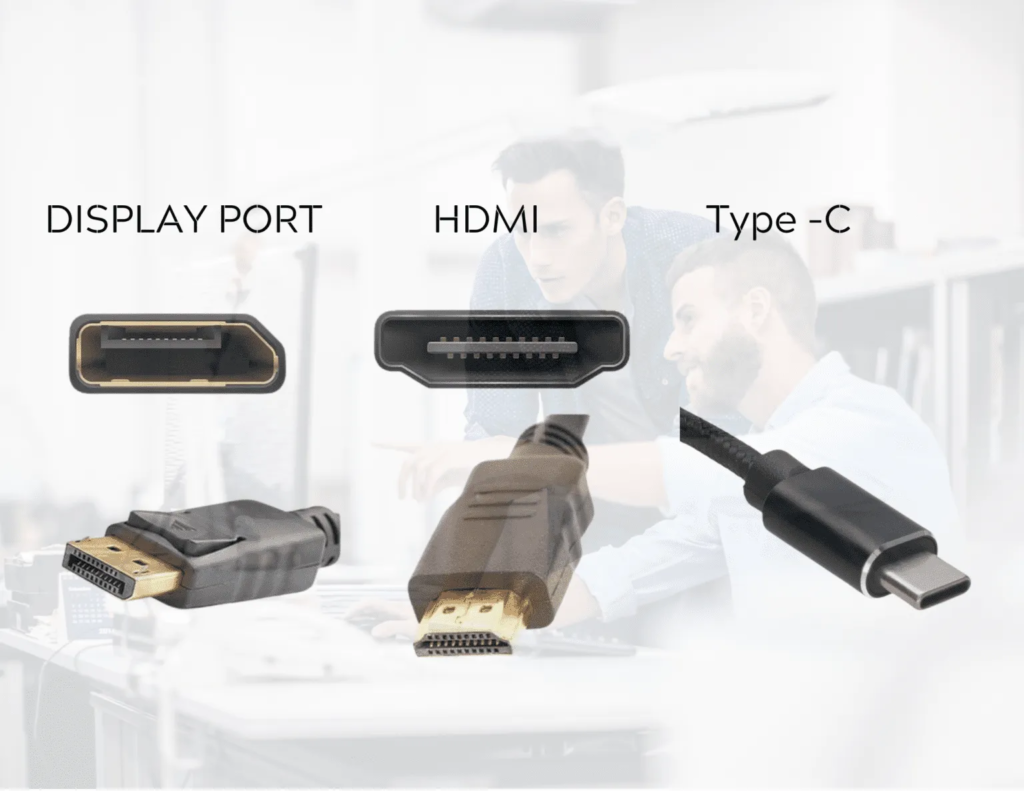
Industrial touch displays typically use separate communication channels for:
Typical display interfaces include:
Touch input data is usually transmitted through:
The appropriate interface depends largely on the architecture of the host system.
Embedded processor systems commonly use LVDS or eDP with I²C, while industrial computers often use HDMI or DisplayPort combined with USB touch input.
USB touch interfaces are often easier to test independently during system diagnostics.
Mechanical integration is a critical aspect of display system design.
Several mounting approaches are commonly used.
Open frame displays are designed to be integrated into custom equipment enclosures.
This approach gives OEM manufacturers maximum flexibility when designing front panels and sealing structures.
However, it requires additional mechanical design effort.
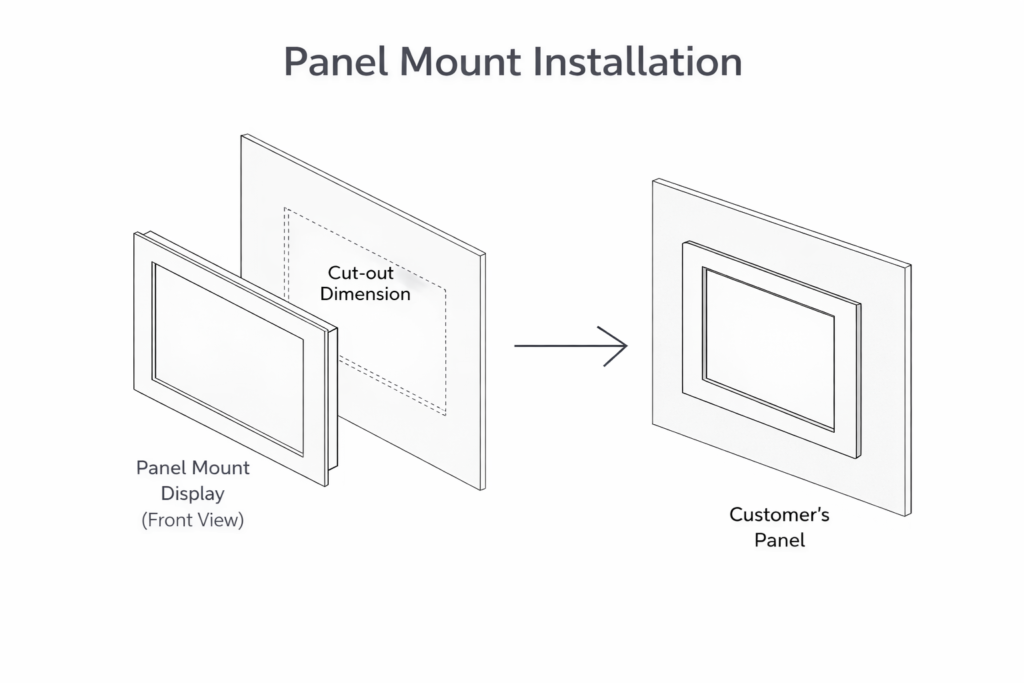
Panel mount displays are installed through a cutout in the equipment enclosure.
Sealing gaskets maintain environmental protection between the display frame and the enclosure surface.
This configuration is common in machine operator panels.
Displays with VESA mounting patterns can be attached to adjustable arms or brackets.
This configuration is often used in:
Flush mounting integrates the display surface directly into the equipment panel.
The resulting flat surface simplifies cleaning but requires tighter installation tolerances.
Industrial displays must operate reliably in demanding environments.
Typical environmental challenges include:
Environmental protection ratings such as IP65 are commonly used to prevent dust and water ingress.
Other reliability considerations include:
Outdoor installations must also address:
Understanding the deployment environment is essential when selecting a display solution.
Industrial touch displays are available in a wide range of sizes.
Typical size categories include:
5–10 inches
Common in compact equipment interfaces.
10–15 inches
Frequently used in machine operator terminals.
15 inches and above
Used in kiosks, infrastructure systems, and large control panels.
Display size selection depends on:
An industrial monitor is a display device without integrated computing hardware.
It receives video signals from an external computer.
Touch-enabled industrial monitors provide touch functionality while still relying on a separate control system.
This architecture is common when computing hardware is installed elsewhere in the equipment.
A panel PC integrates:
into a single unit.
Panel PCs simplify installation but reduce flexibility when upgrading computing hardware independently of the display.
Standalone industrial touch displays provide more flexibility in system architecture.
OEM equipment manufacturers often require display solutions tailored to specific mechanical or electrical requirements.
Customization may involve:
Many OEM solutions are derived from existing display platforms to reduce integration complexity and development time.
Different deployment environments introduce different engineering priorities.
Automation equipment
Requires compatibility with industrial control systems and stable operation in electrically noisy environments.
EV charging stations
Must maintain visibility in outdoor lighting conditions and operate across wide temperature ranges.
Public kiosks
Require durable surfaces capable of handling high usage and potential impact.
Transportation infrastructure
Often requires extended temperature tolerance and long-term reliability.
| Technology | Durability | Optical Clarity | Glove Support | Multi-Touch |
|---|---|---|---|---|
| Resistive | Medium | Medium | Yes | No |
| PCAP | High | High | Limited | Yes |
| SAW | Medium | High | No | Limited |
| Infrared | High | High | Yes | Yes |
Technology selection should be based on environmental conditions and operator interaction requirements.
Selecting an industrial touch display typically follows a structured engineering evaluation.
Step 1 — Define the deployment environment
Identify temperature range, vibration exposure, and ingress protection requirements.
Step 2 — Determine display size and interface layout
Step 3 — Select the appropriate touch technology
Step 4 — Determine mounting architecture
Step 5 — Confirm compatibility with host system interfaces
Step 6 — Evaluate lifecycle availability and service considerations
Following this process helps ensure the display integrates effectively with the overall equipment design.
Industrial touch screens have become a central interface component in modern equipment design.
By combining display and input functionality, they enable flexible software-based interfaces for machine control and monitoring.
Selecting an appropriate display requires careful evaluation of:
Understanding these factors helps equipment designers and system integrators ensure that the chosen interface solution supports both operational requirements and long-term lifecycle expectations.
What is the difference between industrial and consumer touch screens?
Industrial displays are designed for longer lifecycle availability, wider temperature ranges, and greater mechanical durability.
Are capacitive touch screens suitable for industrial environments?
Yes, when properly designed with appropriate grounding, shielding, and controller filtering.
What brightness level is required for outdoor displays?
Outdoor equipment typically requires 800–1500 nits depending on sunlight exposure.
Can industrial touch screens be used with gloves?
Resistive screens support gloves by default. PCAP systems can support gloves when tuned for higher sensitivity.
If you are designing equipment interfaces and need a customized industrial touch display solution, our engineering team can help evaluate integration requirements.
Introduction Industrial equipment interfaces have evolved as control systems have become increasingly software-driven. Traditional operator panels …
Engineering Considerations Beyond Basic Signal Compatibility In industrial Panel PC and monitor projects, LCD interface selection …

Why Higher Ingress Protection Does Not Always Mean Higher Reliability In industrial Panel PC projects, IP …
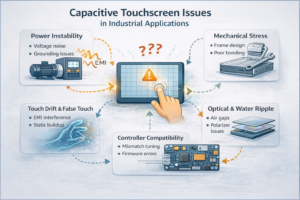
1. Understanding Capacitive Touchscreen Issues Capacitive touchscreens are widely used in industrial and commercial systems due …
Send your application details. We respond with configuration direction and next steps.