Industrial Display Supplier Buyer Guide for OEM Equipment

Introduction Human-machine interfaces (HMIs) are now standard components in modern industrial equipment. Displays allow operators to …
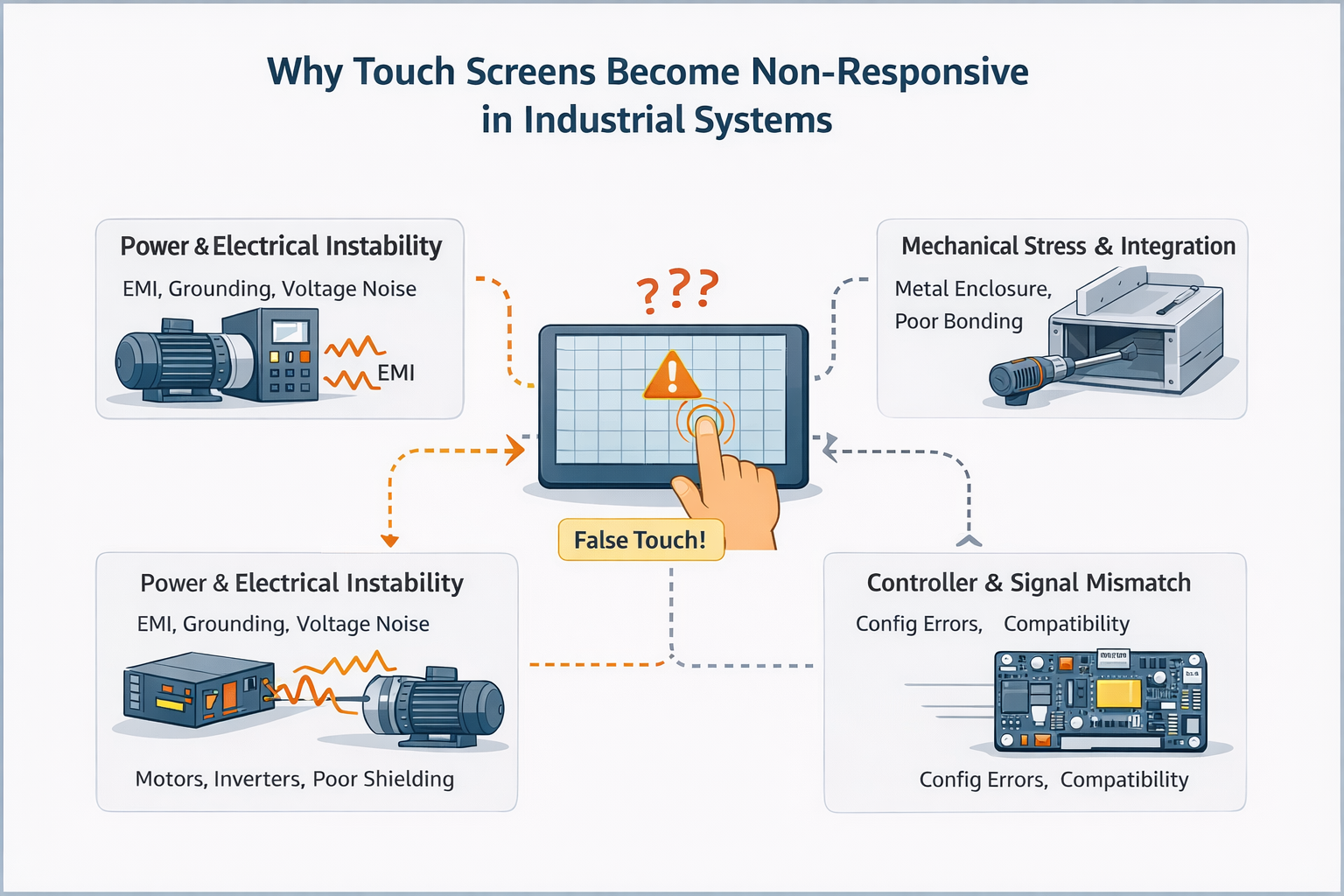
A non-responsive touch screen refers to a condition where touch input is not detected correctly, inconsistently, or not at all.
In industrial applications, this behavior is rarely caused by a single failed component.
Unlike consumer devices, industrial touch screens operate as part of a larger electrical and mechanical system, where power quality, grounding, controller configuration, and environmental noise all play critical roles.
As a result, what appears to be a “dead” or “failed” touch screen is often a system-level issue rather than a defective panel.
Non-responsive behavior can present in several forms:
These symptoms frequently indicate integration or environmental factors, not immediate hardware failure.
From an engineering perspective, non-functioning touch screens typically fall into one or more of the following categories.
Power-related issues often manifest as intermittent or inconsistent touch behavior, rather than complete failure.
In these cases, replacing the touch panel alone rarely resolves the issue.
Electromagnetic interference is one of the most commonly underestimated causes of non-responsive or unstable touch behavior in industrial systems.
Mechanical issues often produce localized non-response rather than total failure.
A frequent mistake during troubleshooting is assuming:
“If the touch screen doesn’t respond, the panel must be defective.”
This assumption often leads to:
In many cases, basic hardware inspection alone cannot reveal power integrity, EMI coupling, or controller-level issues.
Before concluding that a touch screen has failed, an engineering-level evaluation typically considers:
The objective is not to “find a broken part,” but to determine whether the touch system is suitable for the application environment.
Basic visual inspection and connector reseating can help identify obvious physical damage.
However, if a touch screen:
then the issue is unlikely to be resolved through hardware replacement alone.
At this stage, continued trial-and-error troubleshooting often delays resolution rather than accelerating it.
In industrial deployments, non-responsive touch issues are most commonly linked to system integration decisions, not isolated component defects.
Projects that achieve stable long-term operation typically evaluate touch performance together with:
This system-level approach significantly reduces field issues and repeated troubleshooting cycles.
An engineering review is recommended when your application involves:
Early evaluation helps distinguish application risk from component failure, saving both time and cost.
Experiencing non-responsive or unstable touch behavior in your system?
Share your application environment, power architecture, and integration conditions with our engineering team for a feasibility and risk assessment.
This article is intended as a technical reference for understanding non-responsive touch behavior in industrial systems.
It focuses on engineering evaluation rather than step-by-step repair procedures.
Introduction Human-machine interfaces (HMIs) are now standard components in modern industrial equipment. Displays allow operators to …

Introduction Industrial displays are frequently deployed in environments where lighting conditions are difficult to control. Equipment …

Introduction Displays are a critical interface component in many types of industrial equipment. They provide system …

Introduction Display visibility is a critical design parameter in industrial equipment. Operators rely on graphical interfaces …
Send your application details. We respond with configuration direction and next steps.