What Is an Industrial Panel PC? Components, Types and Applications

An industrial panel PC is a computer with a built-in display, usually a touchscreen, designed for …
Eagle Touch Engineering Team
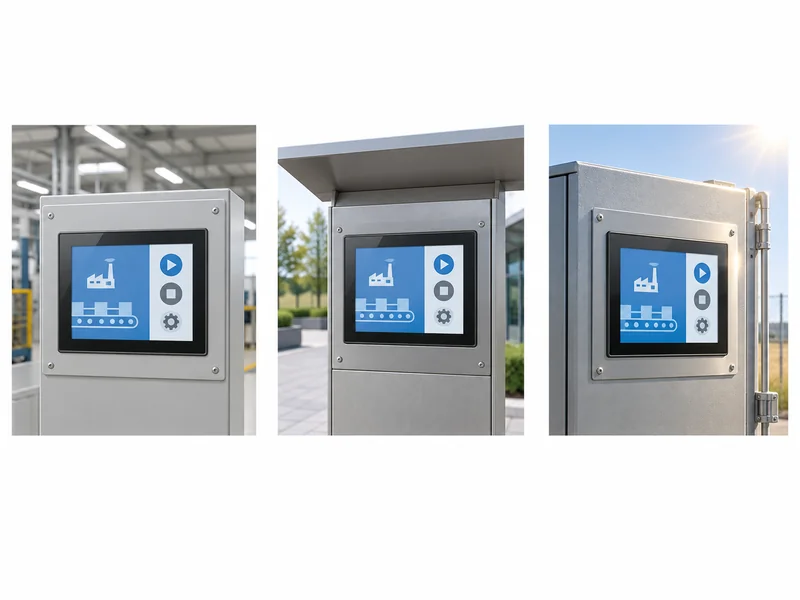
For an industrial display, choose brightness around the light reaching the installed screen. A control panel inside a factory may work well at standard brightness; the same panel beside an open loading door may need a different backlight and front-glass configuration.
Start with an installation-based brightness range, check whether reflections change that choice, then confirm the brightness of the finished monitor. Specifying the highest available nit value can add power consumption and heat without solving the actual visibility problem.
Display luminance is measured in nits: 1 nit equals 1 cd/m². The following ranges are practical starting points for conventional backlit industrial LCDs.
| Installation | Starting range for evaluation | Conditions to confirm |
|---|---|---|
| Normal indoor control room | 250–350 nits | Controlled lighting, no direct sunlight on the screen |
| Bright indoor equipment or factory terminal | 350–500 nits | Reflections from overhead lights, windows and nearby surfaces |
| Shaded or sheltered semi-outdoor equipment | 500–800 nits | Screen remains shaded during operating hours; reflected daylight is manageable |
| Outdoor daylight | 800–1500 nits | Front-glass reflection, viewing direction and changing exposure |
| Direct sunlight | 1000–2000+ nits | Complete optical configuration and performance inside the operating enclosure |
These ranges are for initial evaluation, not guaranteed requirements or acceptance limits. They apply to conventional backlit LCDs; the finished optical configuration and installation determine suitability.
Use these ranges to shortlist configurations. For finished touch monitors, request luminance through the assembled touch panel and cover glass. A bare LCD rating is not an equivalent finished-monitor specification.
The overlap between ranges is intentional. A shaded outdoor terminal can face less demanding light than an indoor screen beside a sunlit window. There is no single brightness number that makes every display sunlight-readable.
Describe the installation more precisely than “indoor” or “outdoor.” Check whether sunlight reaches the screen directly, at what time, and for how long. A canopy that blocks midday sun may leave the display exposed in the morning or late afternoon.
An ambient-light reading is useful only when it represents the screen’s exposure. Take readings at the intended screen position and orientation, including the brightest expected operating conditions. Lux describes incident light; nits describe display luminance. They cannot be converted directly into one another to calculate a required backlight setting.
The operator’s normal standing or seated position is the relevant viewing point. A screen tilted toward the sky can reflect a bright area even when the cabinet itself is shaded.
Include any protective window fitted by the equipment manufacturer. Additional glass, tint or an air gap can change transmission and reflection after the monitor leaves the supplier. The sample configuration should include these parts.
Large status indicators are easier to distinguish than small grey text or thin trend lines. Review actual alarm messages, instructions and numerical fields at their intended size and viewing distance.
Improving text contrast and size may help, but the display must still show all required information under the expected lighting conditions.
Keep standard brightness when the interface is already clear in the worst expected indoor lighting. Industrial use alone is not a reason to specify a 1000-nit panel. For a sheltered machine terminal, extra backlight output may offer little practical benefit.
Consider higher brightness when the image becomes washed out across the required viewing area in strong ambient light. This is especially relevant where the installation cannot be shaded or repositioned. Compare samples with the same interface and equivalent front-glass configurations before choosing the upgrade.
Address reflection when a visible image of a window, lamp or sky obscures the interface. Increasing backlight output may help, but does not remove the reflection. Review screen angle, shading and the optical configuration. Our AG, AF and AR glass guide explains the differences between surface treatments.
The upgrade also needs to fit the machine’s power and cooling budget. Ask for input power at the proposed operating brightness and whether thermal protection reduces output as temperature rises. A higher-brightness design does not automatically have a shorter life; backlight design, drive conditions and temperature all matter.
For complete outdoor equipment selection, including bonding and enclosure considerations, see the sunlight readable monitor guide.
Two quotations marked “1000 nits” may describe different measurements. Agree on the following before comparing price or approving a model.
| Specification | What to confirm |
|---|---|
| Measurement surface | Bare LCD, assembled touch monitor, or display behind the equipment’s additional window |
| Typical and minimum luminance | Whether the value is typical output or an agreed minimum acceptance value |
| Measurement conditions | Test pattern, warm-up, temperature, viewing direction and backlight setting |
| Measurement points | Centre luminance or an average across defined points; how uniformity is calculated |
| Output during operation | Whether the required brightness is maintained at the intended temperature and duty cycle |
| Dimming | Available control method, usable minimum output and behaviour after restart |
A typical luminance value is not a guaranteed minimum for every unit. If the project needs a minimum finished-screen brightness, put that requirement and its measurement conditions in the agreed specification.
Likewise, “100% brightness” is a control setting, not a nit measurement. Software adjustment may require support from the monitor board and host interface; it should not be assumed from an HDMI or USB connection alone.
A display selected for daytime visibility may be uncomfortable after dark. Specify the usable dimming range as well as the maximum output.
For automatic adjustment, confirm the light sensor’s position and check that brightness changes smoothly when someone stands in front of it. The lowest setting must remain readable without visible flicker or abrupt changes. Also check the startup setting so the screen does not return to full brightness every time the equipment restarts.
Sample approval needs both a measured brightness result and a readable working interface. A white test screen can establish luminance, but it cannot show whether an operator can read a small alarm message in sunlight.
Measure the finished display under agreed conditions. A suitable luminance meter, white test pattern, warm-up period and fixed measurement geometry make the result repeatable. Record the configuration, temperature and backlight setting. Include the agreed screen points so a bright centre does not hide dim edges.
Then use the display as the operator will. Install it at the intended angle with its final front glass and actual interface. The useful questions are practical: can the operator read an alarm, distinguish a status colour and follow instructions from the normal operating distance?
Review the screen in representative daytime and nighttime conditions. For equipment that runs continuously, repeat the check after the enclosure reaches a stable operating temperature. Record any brightness reduction and whether the remaining output still meets the requirement.
Photographs help document the setup, but automatic camera exposure can hide differences between displays. They should not be used as proof of a nit value.
Before approval, retain the sample configuration, agreed brightness limits, dimming settings and test conditions. These give purchasing and production a clear reference for subsequent deliveries.
You do not need to arrive with a fixed nit value. Send the display size, equipment application, installation photos or drawings, sunlight exposure, operating hours and details of any additional front glass. Include an interface screenshot if small text or detailed graphics are important.
Eagle Touch can review these conditions alongside the touch and mounting requirements to recommend a suitable configuration. Explore our industrial display monitor range and send your project details through the enquiry form to discuss the brightness requirement before sampling.
An industrial panel PC is a computer with a built-in display, usually a touchscreen, designed for …

An embedded PC is a computer configured to work as part of a machine or larger …

Start with the software the panel PC must run and the conditions it must fit. Then …

Choosing an industrial panel PC IP rating starts with two questions: what dust and water exposure …
Share your application, requirements, or current challenge. Our team will review the details and recommend a practical way forward.