Industrial Display Supplier Buyer Guide for OEM Equipment

Introduction Human-machine interfaces (HMIs) are now standard components in modern industrial equipment. Displays allow operators to …
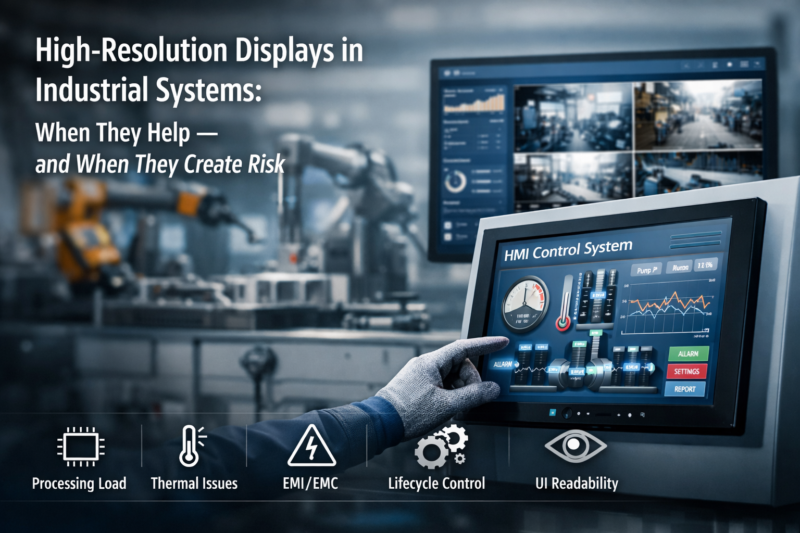
High-resolution industrial displays are increasingly specified in modern industrial equipment. As human–machine interface (HMI) software evolves toward richer graphical interfaces, multi-window dashboards, and data visualization tools, engineering teams often request displays with higher pixel density.
At first glance, increasing display resolution appears to be a straightforward improvement. A higher pixel count allows more graphical information to be displayed simultaneously, potentially improving operator awareness and monitoring capability.
In industrial systems, however, display resolution is not only a visual specification. It affects several aspects of system architecture, including:
Industrial equipment frequently operates continuously for many years, often in environments involving vibration, temperature variation, and electromagnetic interference.
For OEM manufacturers and system integrators, display resolution should therefore be evaluated as part of the overall system architecture, rather than treated as an isolated display parameter.
A high-resolution industrial display refers to an HMI screen or industrial monitor with a pixel density significantly higher than traditional industrial display standards.
Historically, many industrial HMIs used moderate resolutions such as:
These resolutions were sufficient for machine interfaces displaying alarms, machine states, and simple control elements.
Modern industrial systems increasingly adopt higher resolutions, including:
These displays are typically integrated into:
In many projects, the resolution requirement originates from HMI software originally developed for desktop environments. Such software frameworks assume larger graphical workspaces and higher pixel density than legacy industrial displays.
However, embedded computing platforms used in industrial equipment—often ARM processors or low-power x86 systems—do not always scale efficiently with increased display resolution.
Several hardware subsystems determine whether a system can effectively support higher display resolution.
Modern industrial displays commonly use high-speed interfaces such as:
Higher resolution increases required pixel throughput.
| Resolution | Pixels per Frame | Relative Pixel Load |
|---|---|---|
| 1024×768 | ~0.79 MP | Baseline |
| 1280×800 | ~1.02 MP | ~1.3× |
| 1920×1080 | ~2.07 MP | ~2.6× |
A Full HD display therefore requires more than twice the pixel processing of a traditional XGA display.
At 60 Hz refresh rate, a 1920×1080 interface typically requires a pixel clock around 148.5 MHz. Depending on color depth and encoding, the effective data rate may reach several gigabits per second.
As bandwidth increases, the display interface becomes more sensitive to:
These factors are particularly important in industrial equipment containing motors, drives, or long internal cable paths.
Higher display resolution significantly increases graphics workload.
The graphics pipeline must handle:
For example, a 1920 × 1080 display using a 32-bit frame buffer requires approximately:
1920 × 1080 × 4 bytes ≈ 8 MB per frame
With double buffering and additional graphics layers, memory consumption may reach 16–32 MB of active frame buffer space.
In many embedded systems, display performance is limited not by the panel itself but by GPU capability and memory bandwidth.
If the graphics pipeline approaches its limits, operators may observe:
Maintaining sufficient processing margin is therefore important for systems operating continuously.
Higher-resolution displays are often associated with:
These factors increase total power consumption.
In fanless or sealed industrial equipment, additional power dissipation contributes directly to internal heat generation. Even small increases in heat output can influence internal enclosure temperatures.
Thermal design margins should therefore be verified when upgrading display resolution.
Display resolution should always be evaluated together with screen size and viewing distance.
A higher pixel count on a small screen increases pixel density, but this does not always improve usability for operators standing several feet away from the equipment.
In many industrial environments, usability is influenced more strongly by:
rather than pixel density alone.
For factory HMIs viewed from distances of around one meter or more, larger UI elements and clear graphical hierarchy often improve usability more than increased pixel density.
Higher resolution increases both GPU workload and memory traffic.
Low-power embedded processors may struggle when driving high-resolution displays while simultaneously running control software responsible for:
In practice, display performance issues in industrial HMIs are often caused by memory bandwidth limitations rather than CPU speed.
Maintaining sufficient graphics processing margin helps ensure stable interface responsiveness under peak workloads.
Many industrial platforms rely on passive cooling strategies, including:
These designs provide limited thermal headroom.
Higher resolution indirectly increases heat generation through:
Over long operating periods, elevated internal temperature accelerates component aging. Conservative thermal design margins therefore improve long-term reliability.
High-resolution display interfaces operate at data rates in the multi-gigabit range.
Industrial environments may introduce additional challenges such as:
Higher bandwidth reduces tolerance for signal degradation.
During EMC testing, high-speed display interfaces can occasionally become sources of radiated emissions or signal instability, requiring careful cable routing and shielding.
Industrial OEM equipment typically requires component availability for many years.
Display panels developed for consumer electronics markets may have shorter product lifecycles.
Potential risks include:
When selecting a display resolution, OEMs should also evaluate panel lifecycle stability and supplier roadmap.
Machine vision systems often display:
Higher resolution preserves image detail and improves the visibility of inspection features.
Control rooms and monitoring stations often display multiple information sources simultaneously, including:
High-resolution industrial monitors allow operators to observe multiple data windows without frequent interface switching.
Certain complex industrial machines require detailed graphical interfaces, including:
These applications benefit from increased screen workspace for diagrams, configuration tools, and visualization panels.
Public infrastructure systems sometimes include service or diagnostic displays, such as:
In these environments, higher resolution can improve information density and display clarity.
Higher resolution is generally appropriate when:
Under these conditions, higher resolution can improve visualization and support more complex user interfaces.
Higher resolution may introduce unnecessary system complexity when:
In many industrial systems, moderate resolution combined with well-designed HMI layouts provides more stable long-term performance.
In industrial equipment design, display resolution should be treated as a system-level engineering parameter, not simply a visual upgrade.
Increasing pixel density affects:
For many industrial platforms, moderate resolution combined with well-designed HMI layouts provides a stable and maintainable solution.
Higher resolution becomes beneficial when it directly supports operational requirements—such as machine vision visualization or multi-window monitoring—and when system architecture provides sufficient processing and thermal margin.
Evaluating display resolution early in system design helps avoid integration challenges and supports long-term equipment reliability.
Not necessarily. Many machine interfaces display relatively simple information where resolutions such as 1024×768 or 1280×800 provide sufficient usability.
Many industrial HMIs commonly use 1024×768 (XGA) or 1280×800 (WXGA) because these resolutions balance readability, processing requirements, and panel availability.
Higher resolution increases the number of pixels processed each frame, which increases GPU workload, frame buffer size, and memory bandwidth requirements.
Yes. Higher resolution often increases GPU activity, memory bandwidth usage, and display backlight power, which can influence thermal performance in fanless industrial systems.
Potentially. High-speed display interfaces operating at higher data rates may increase sensitivity to signal integrity issues and electromagnetic emissions.
Introduction Human-machine interfaces (HMIs) are now standard components in modern industrial equipment. Displays allow operators to …

Introduction Industrial displays are frequently deployed in environments where lighting conditions are difficult to control. Equipment …

Introduction Displays are a critical interface component in many types of industrial equipment. They provide system …

Introduction Display visibility is a critical design parameter in industrial equipment. Operators rely on graphical interfaces …
Send your application details. We respond with configuration direction and next steps.