Industrial Display Supplier Buyer Guide for OEM Equipment

Introduction Human-machine interfaces (HMIs) are now standard components in modern industrial equipment. Displays allow operators to …
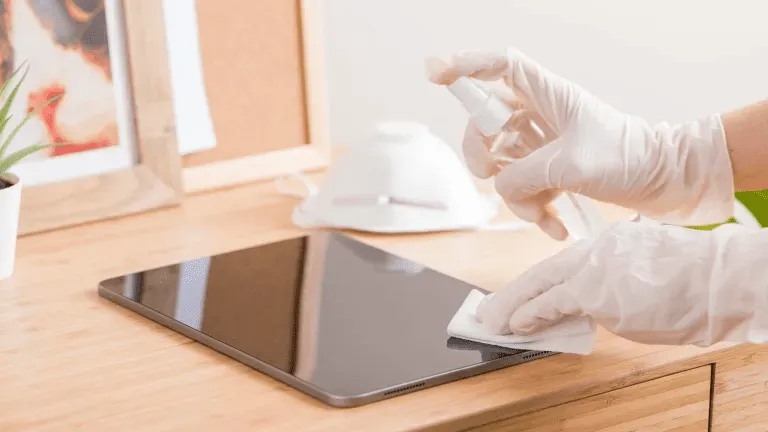
Touch screens are now essential in industrial, commercial, and public environments.
Whether used in factory HMIs, outdoor kiosks, retail terminals, or medical systems, regular cleaning is critical for readability, hygiene, longevity, and accuracy.
This guide explains how to clean a touch screen properly, what tools and supplies to use, and how often to clean based on your usage scenario.
Industrial and commercial touch screens are subject to:
Improper cleaning can cause:
That’s why a cleaning process tailored to industrial displays is essential — both for operators and maintenance teams.
Before you begin, gather:
✔ Microfiber cloth (lint-free)
✔ Screen-safe cleaning solution (alcohol-free and ammonia-free)
✔ Distilled water (optional)
✔ Spray bottle — never spray directly on the screen
⚠ Do NOT use paper towels, abrasive cloths, window cleaners, or household disinfectants that contain bleach or strong alcohol.
These can damage screen coatings.
Always turn off the touch screen or disconnect power before cleaning.
This avoids static interference and ensures you can see all marks clearly.
Use a dry microfiber cloth to gently remove loose dust and particles.
Removing dust first prevents scratches when liquids are applied.
Do not spray cleaner directly on the screen.
Instead:
This preserves the integrity of touch sensors and glass coatings.
After cleaning:
For high-touch systems like public kiosks and self-service terminals, repeat cleaning daily or multiple times per shift.
❌ Ammonia-based cleaners
❌ Glass cleaners with high alcohol content
❌ Abrasive scrubbing agents
❌ Paper towels or tissues
Using the right cleaning chemistry ensures long-term performance and maintains protective surface coatings like AG, AF, and AR glass treatments.
| Environment | Recommended Cleaning Frequency |
|---|---|
| High-touch public displays (kiosks, POS) | Daily |
| Medical or laboratory touch panels | After each use / shift |
| Factory or workshop HMIs | Weekly |
| Outdoor rugged displays | Bi-weekly or as needed |
| Low-touch internal terminals | Monthly |
Optimizing cleaning schedules improves uptime, hygiene, and operator satisfaction.
❌ Spraying liquid directly on the screen
➡ Use misted cloth instead.
❌ Using rough cloth or paper towel
➡ Switch to microfiber.
❌ Using strong disinfectants indiscriminately
➡ Use approved solutions only.
❌ Ignoring the edges and seal areas
➡ Avoid liquid creeping into seams.
Many industrial screens include surface treatments like:
To preserve these coatings:
✔ Use alcohol-free cleaners
✔ Avoid abrasives
✔ Clean gently and regularly
✔ Follow manufacturer guidelines
Proper maintenance extends the life of protective glass treatments and keeps displays looking new.
Proper touch screen cleaning is not just about appearance — it improves:
By using safe cleaning solutions and following a consistent cleaning process, industrial displays stay functional longer and require less maintenance.
Introduction Human-machine interfaces (HMIs) are now standard components in modern industrial equipment. Displays allow operators to …

Introduction Industrial displays are frequently deployed in environments where lighting conditions are difficult to control. Equipment …

Introduction Displays are a critical interface component in many types of industrial equipment. They provide system …

Introduction Display visibility is a critical design parameter in industrial equipment. Operators rely on graphical interfaces …
Send your application details. We respond with configuration direction and next steps.