Industrial Display Brightness (Nits) Guide for HMIs and Outdoor Equipment

Introduction Display visibility is a critical design parameter in industrial equipment. Operators rely on graphical interfaces …
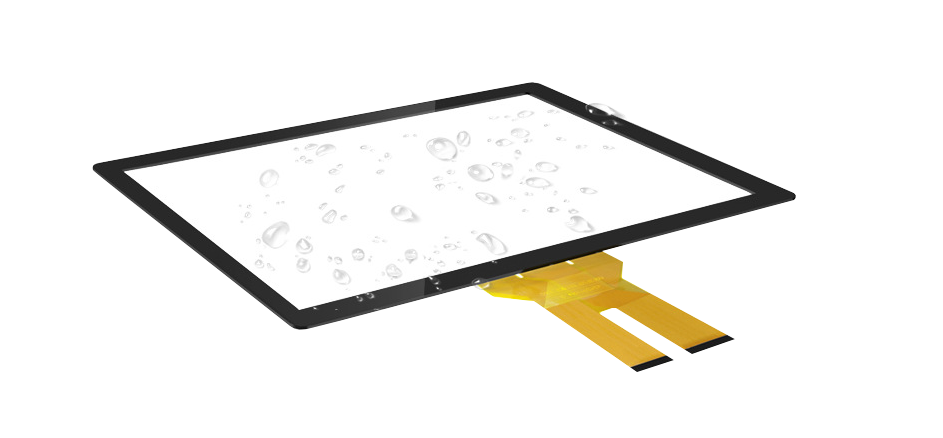
Industrial equipment increasingly relies on graphical interfaces for machine control, diagnostics, and configuration. As human–machine interface (HMI) design has evolved, touch-based interaction has gradually replaced traditional push buttons, membrane keypads, and rotary selectors.
Many industrial environments expose equipment to moisture, washdown cleaning processes, condensation, or outdoor weather. These conditions create reliability challenges for standard display hardware. Water ingress can lead to electrical failures, corrosion, optical degradation, or unstable touch behavior.
A waterproof touch screen is designed to operate reliably in environments where liquid exposure is expected. Typical applications include outdoor infrastructure systems, food processing equipment, industrial automation machinery, and public service terminals.
From an engineering perspective, waterproof performance is not determined by a single component. It results from the combined design of the cover glass, touch sensor, bonding layers, sealing system, and enclosure integration.
For engineers developing equipment using industrial touch screens, industrial monitors, or integrated panel PCs, understanding waterproof display architecture is an important part of system design.
A waterproof touch screen is a touch-enabled display assembly designed to prevent water from entering the display module or internal electronics.
In industrial equipment, environmental sealing is commonly defined using Ingress Protection (IP) ratings, which indicate resistance to dust and liquid exposure.
Typical protection levels for industrial display interfaces include:
These ratings usually apply to the assembled equipment, not just the display module itself.
Most waterproof industrial displays use front-panel sealing architecture. In this design, the display module is mounted behind the equipment enclosure panel using a compression gasket. The cover glass becomes part of the enclosure barrier that prevents liquid ingress.
For this reason, waterproof touch displays are commonly integrated into:
In many industrial systems, standard touch displays are designed primarily for indoor environments. These displays typically provide basic protection against dust and limited moisture exposure.
A waterproof touch screen includes additional design features that allow the interface to operate reliably in wet environments.
Key differences include:
| Feature | Standard Industrial Touch Screen | Waterproof Touch Screen |
|---|---|---|
| Environmental sealing | Limited | Designed for liquid exposure |
| Typical IP rating | Often IP54 or lower | IP65 – IP69K |
| Front panel structure | Basic mounting | Sealed front-panel design |
| Moisture protection | Minimal | Compression gasket sealing |
| Outdoor use | Limited | Suitable for outdoor installations |
For equipment operating outdoors or in washdown environments, waterproof display construction is generally required for long-term reliability.
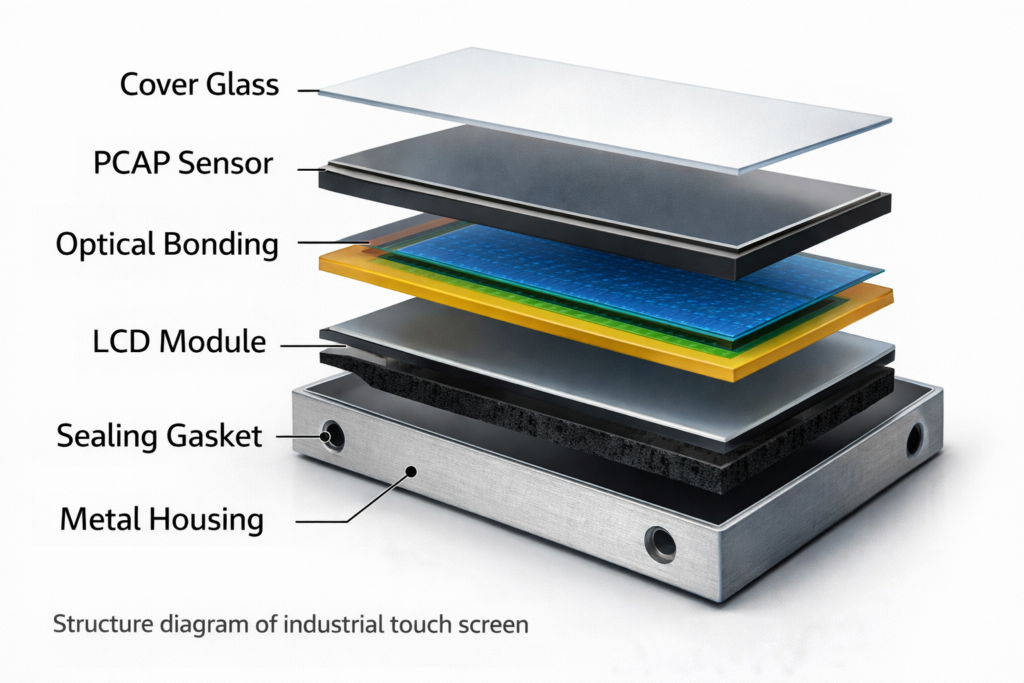
A typical industrial waterproof touch screen consists of several structural layers that work together to provide sealing, mechanical strength, and reliable touch performance.
A simplified stack structure includes:
This layered structure allows the display to maintain optical clarity while preventing water from entering the electronic components.
Most modern waterproof touch displays use projected capacitive (PCAP) sensing technology.
A PCAP sensor contains transparent conductive electrodes arranged in a grid pattern. The touch controller measures changes in capacitance when a finger approaches the glass surface.
Advantages for waterproof systems include:
Water droplets may influence capacitive measurements. Industrial PCAP controllers therefore include filtering algorithms that distinguish between intentional touch input and electrical noise caused by water films.
Optical bonding is widely used in industrial waterproof display assemblies.
In this process, the cover glass is bonded directly to the LCD module using optically clear adhesive. Removing the air gap between layers provides several benefits:
For outdoor installations, optical bonding also improves resistance to vibration and mechanical shock.
The outer surface of a waterproof touch screen typically uses chemically strengthened cover glass.
This layer protects the display against:
Glass thickness is selected based on display size and the expected mechanical stress on the interface.
In public infrastructure equipment, thicker glass may also improve resistance to accidental impact or vandalism.
Mechanical sealing is a critical element of waterproof display design.
Common sealing solutions include:
When the display is installed into the enclosure panel, the gasket compresses between the display frame and the panel surface. Correct compression prevents water from passing through the interface.
Engineers must consider surface flatness, compression tolerance, and long-term material aging when designing the sealing structure.
Even with external sealing, internal electronics may experience humidity during manufacturing, servicing, or temperature changes.
To reduce corrosion risk, industrial display assemblies often apply conformal coating to circuit boards. This protective layer improves resistance to moisture and protects sensitive components.
The operating environment determines the required protection level.
Examples include:
Each environment may require different IP ratings and sealing strategies.
Industrial displays often operate across wide temperature ranges.
Typical specifications include:
Thermal expansion of glass, adhesives, and enclosure materials must be considered to maintain sealing integrity during temperature cycles.
Even sealed enclosures can experience internal condensation due to temperature fluctuations.
Design approaches to reduce condensation include:
These measures help maintain display reliability in humid environments.
Sealing materials may degrade over time due to environmental exposure.
Factors affecting gasket durability include:
Selecting appropriate gasket materials and designing adequate compression margins improves long-term sealing reliability.
Industrial equipment often operates for long periods, and display interfaces may eventually require replacement.
Design considerations include:
For long lifecycle equipment, manufacturers sometimes use custom OEM display solutions to maintain compatibility across product generations.
Water droplets on the surface may influence capacitive touch performance.
Design strategies may include:
Some industrial controllers also include water rejection algorithms that distinguish between droplets and intentional touch input.
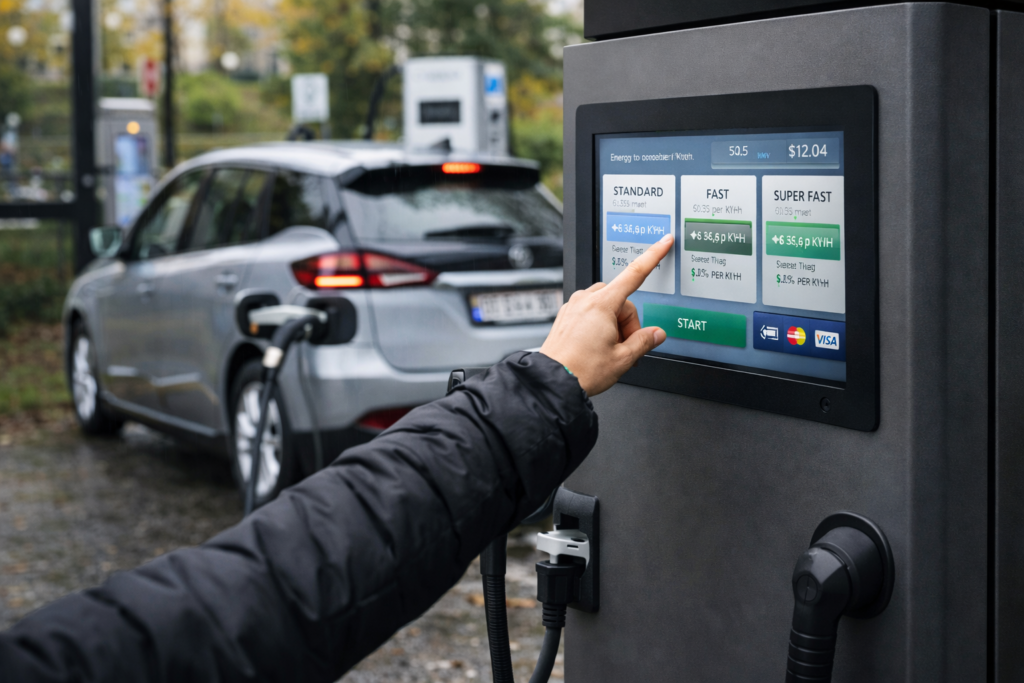
Public charging stations operate outdoors and must tolerate rain, humidity, and temperature variation.
Touch displays provide interfaces for:
Sealed displays help maintain stable operation in unattended installations.
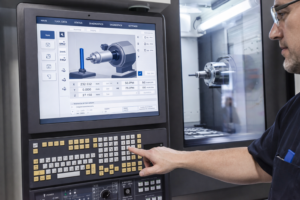
Industrial machines frequently use sealed operator interfaces to protect electronics from fluids, oil mist, and dust.
Typical examples include:
These systems often use panel-mounted industrial touch screens or integrated panel PCs.
Public kiosks and ticketing systems often operate in semi-outdoor environments.
Waterproof displays help maintain reliable interaction while protecting internal electronics.
Transportation infrastructure, parking terminals, and public information systems frequently use touch interfaces.
Because maintenance access may be limited, display hardware must support long operational lifecycles.
Waterproof touch displays are suitable when equipment operates in environments with regular liquid exposure.
Typical conditions include:
Waterproof touch screens enable reliable human–machine interaction in industrial equipment exposed to moisture, washdown processes, or outdoor weather.
Reliable performance depends on the combined design of the touch sensor, cover glass, sealing system, and enclosure integration. Engineers must evaluate environmental exposure, temperature range, seal durability, and maintenance requirements when selecting a display interface.
For many industrial applications, sealed industrial touch screens, integrated panel PCs, or custom OEM display solutions provide practical approaches for implementing graphical interfaces in demanding environments.
Many industrial control panels use IP65 front-panel protection. Outdoor equipment or washdown environments may require IP66, IP67, or IP69K depending on exposure conditions.
Yes. Industrial PCAP controllers include filtering algorithms that distinguish between intentional touch input and electrical noise caused by water droplets.
Optical bonding does not directly create sealing. However, it removes internal air gaps where moisture may accumulate and improves structural durability.
Many industrial capacitive touch systems support glove operation when touch sensitivity is properly configured.
IP65 touch screens are protected against water jets from any direction and are commonly used in industrial control panels.
IP67 touch screens provide additional protection against temporary immersion and are typically used in outdoor installations.
Introduction Display visibility is a critical design parameter in industrial equipment. Operators rely on graphical interfaces …

Introduction Industrial equipment increasingly relies on graphical interfaces for monitoring, diagnostics, and machine control. Modern automation …
Introduction Modern CNC equipment relies on digital human–machine interfaces (HMI) to support machine operation, diagnostics, and …
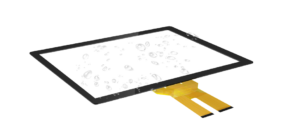
Introduction Industrial equipment increasingly relies on graphical interfaces for machine control, diagnostics, and configuration. As human–machine …
Send your application details. We respond with configuration direction and next steps.