What Is an Industrial Panel PC? Components, Types and Applications

An industrial panel PC is a computer with a built-in display, usually a touchscreen, designed for …
Eagle Touch Engineering Team
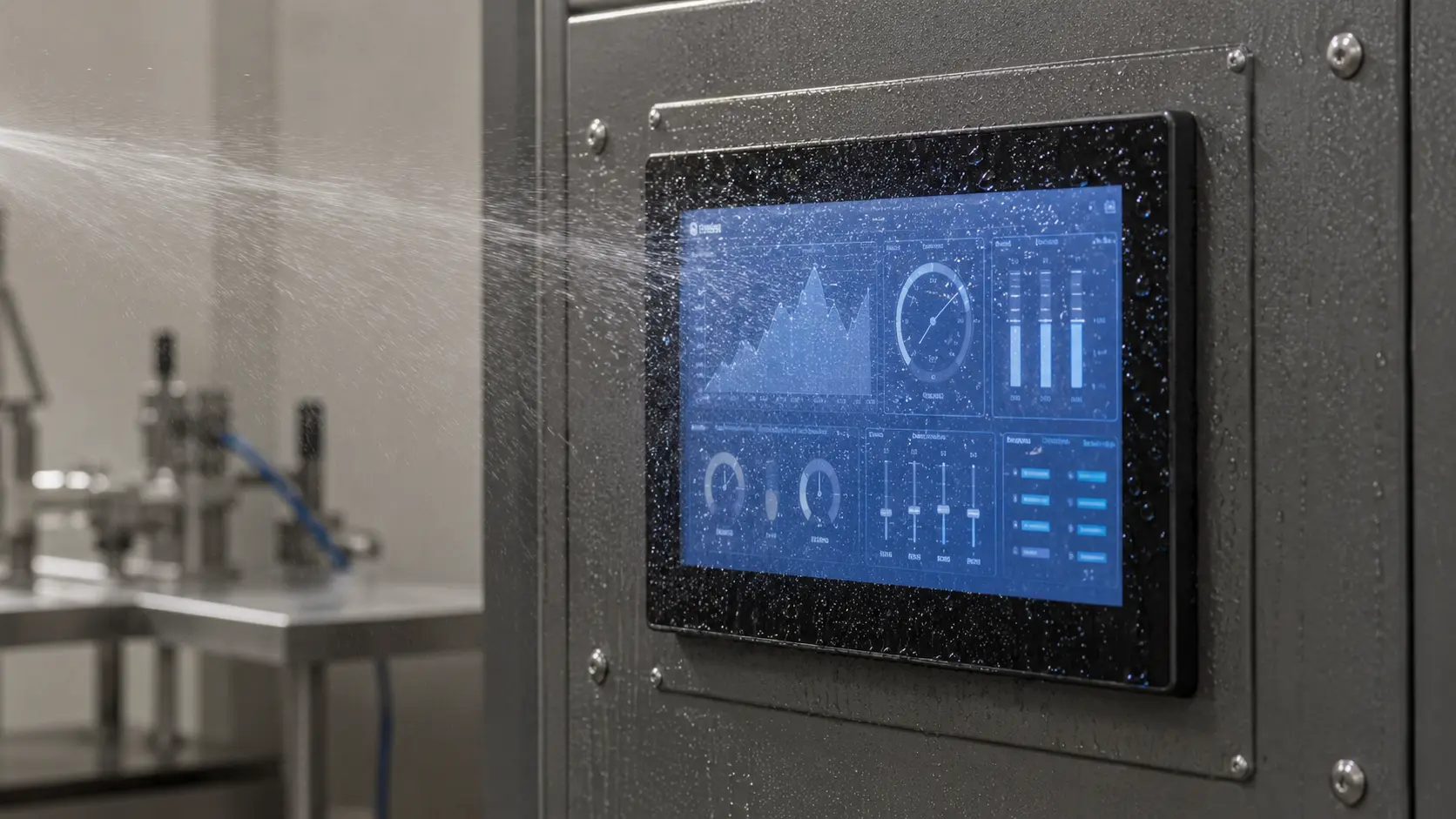
Waterproof performance does not come from a touch sensor alone. It depends on how the cover glass, touch panel, gasket, display frame, equipment enclosure and cable entries work together. A PCAP panel may tolerate droplets on its surface while the finished equipment still leaks around the edge. A front IP65 monitor is also different from a fully sealed unit.
For an OEM project, the useful question is not simply, “Is this touch screen waterproof?” It is:
Which part of the final assembly is protected, from what kind of water exposure, and under what installation conditions?
In industrial equipment, the IP rating normally applies to a tested enclosure or assembled interface—not to a loose LCD or touch sensor.
The product form determines what can reasonably be specified:
| Product form | What the protection normally means |
|---|---|
| PCAP or resistive touch panel only | The sensor may be laminated and edge-sealed, but it does not normally carry a standalone equipment IP rating. |
| Touch panel bonded to an LCD | The bonded module removes the air gap between the touch panel and LCD, but it does not create an external waterproof seal. |
| Front-sealed panel-mount monitor | The exposed front can meet the specified IP protection after correct installation. The rear and connectors are not necessarily covered by the same rating. |
| Fully sealed touch monitor | The front, rear enclosure, connectors and cable entries are designed and tested as one protected unit. |
If a specification only says “IP65 touch screen,” ask whether the rating applies to the front surface or the complete monitor, and whether it is valid only after panel installation.
IP ratings describe different test conditions. They should not be treated as a simple ladder where the highest number is always the best choice.
| Rating | Liquid protection in practical terms | Common industrial use |
|---|---|---|
| IP65 | Water jets | Installed machine panels, sheltered outdoor equipment and areas with routine splash exposure |
| IP66 | Powerful water jets | Exposed outdoor equipment or heavier hose-down conditions |
| IP67 | Temporary immersion under specified test conditions | Fully sealed equipment that may be temporarily submerged |
| IP69 / IP69K | High-pressure, high-temperature water jets under the applicable standard | Food processing and other intensive washdown environments |
A machine cleaned with a damp cloth does not need the same structure as a food-processing terminal cleaned with hot, high-pressure water. Outdoor rain also does not automatically require immersion protection. Define the exposure before selecting the IP code:
The required rating should then be confirmed against the relevant test standard and the final installation method.
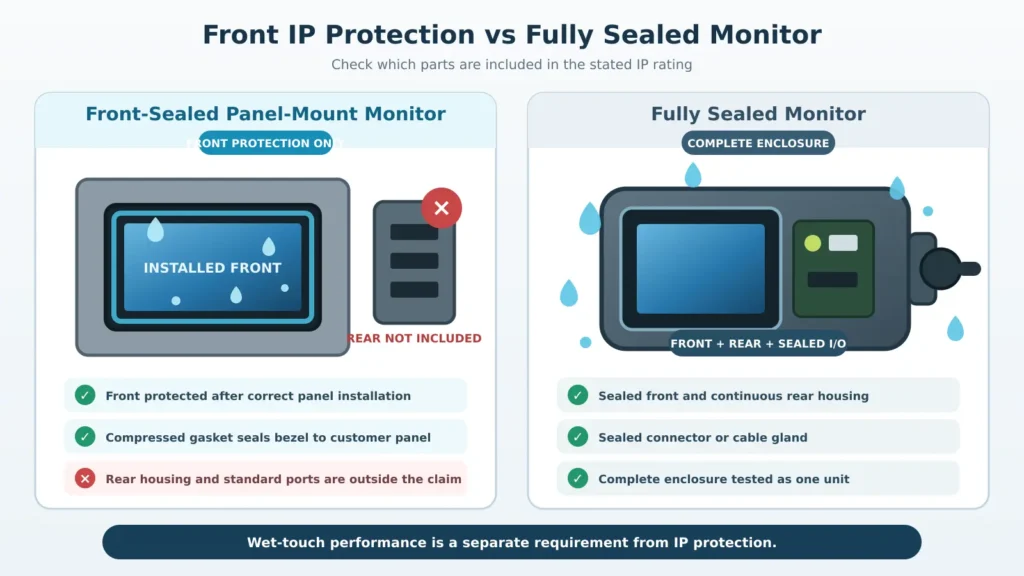
Many industrial displays use a front-sealed panel-mount structure. The monitor is inserted into a prepared opening, and the front bezel or cover glass overlaps the equipment panel. A perimeter gasket is compressed between the display and the enclosure to block the water path.
The seal can still fail when the materials are correct. Common causes include:
This is why a front IP rating should be tied to the mounting drawing and installation instructions. Changing the cutout, gasket or fixing pressure can change the result. For custom equipment, review the enclosure drawing before sampling. See our panel-mount touch monitor guide for the mechanical information normally required.
Waterproofing prevents water from reaching the electronics. Wet-touch performance describes how the touch system behaves while water is present on the glass. One does not guarantee the other.
A front panel can meet its ingress-protection requirement and still show false touches, jumping points or no response. Water affects the capacitive field, especially when it forms a continuous film or collects around the bezel.
For PCAP projects, “supports wet touch” is not a complete specification. The actual conditions should be tested separately:
Some controllers continue working with a wet finger. Others reject droplets but suspend touch until the surface is clear. Either response may be acceptable if it is agreed before production and validated with the final glass, firmware, enclosure and grounding.
For more detail on false inputs and wet-touch diagnosis, see common capacitive touchscreen issues.
Optical bonding fills the air gap between the touch panel and LCD. It reduces reflections, improves structural stability and lowers the risk of condensation between those two layers.
It does not seal the display to the enclosure. External protection still depends on the glass overlap, perimeter gasket, panel flatness, mounting pressure and cable entries. A sealed enclosure can also develop condensation when humid air is trapped inside during temperature changes.
Optical bonding is therefore a useful display treatment, not a substitute for mechanical sealing.
An outdoor touch display needs more than an IP rating. Its design may also need:
A waterproof but low-brightness display may be unreadable outdoors, while a high-brightness display may overheat inside a sealed cabinet. Review these requirements together.
For exposed outdoor installations, refer to our outdoor touch monitor solutions.
A bench test of a loose touch panel is not enough. Water testing should use a production-intent sample with the final:
Check the sample before and after water exposure. Testing may include inspection for ingress, touch tracking, edge response, insulation checks and temperature cycling. If the equipment will be serviced, repeat the check after disassembly and reassembly.
Clear project information prevents an ambiguous “waterproof” specification. Before quotation or sampling, provide:
Eagle Touch supplies custom industrial touch screens, LCD touch modules and industrial touch monitors for OEM equipment. We review the touch panel, LCD, cover glass, controller, sealing interface and mounting structure as one assembly—especially when the display must fit an existing enclosure and remain consistent in repeat production.
Normally, the IP rating applies to the tested enclosure or final assembly. A touch panel can use laminated glass, edge sealing and waterproof adhesive, but its performance still depends on how it is installed into the equipment.
It can be designed for droplet rejection or wet-finger operation, but the result depends on the controller, firmware, cover glass, grounding, bezel design and type of water exposure. It must be tested on the final assembly.
There is no single rating for every outdoor application. Choose according to rain direction, water pressure, duration, installation, exposed connectors and whether immersion is possible. Also review sunlight readability, UV resistance, temperature and thermal management.
The right waterproof touch screen is not simply the one with the highest IP number. Its protection level, sealing structure and wet-touch behavior must match the real equipment and be verified in the final mounting condition. Send us the enclosure drawing, exposure conditions and touch requirements to review the appropriate starting point.
An industrial panel PC is a computer with a built-in display, usually a touchscreen, designed for …

An embedded PC is a computer configured to work as part of a machine or larger …

Start with the software the panel PC must run and the conditions it must fit. Then …

Choosing an industrial panel PC IP rating starts with two questions: what dust and water exposure …
Share your application, requirements, or current challenge. Our team will review the details and recommend a practical way forward.