What Is an Industrial Panel PC? Components, Types and Applications

An industrial panel PC is a computer with a built-in display, usually a touchscreen, designed for …
Eagle Touch Engineering Team
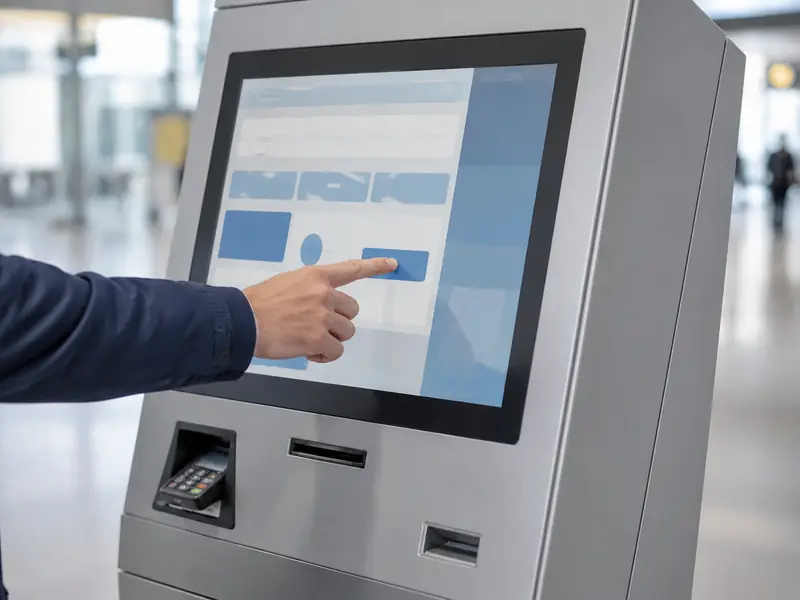
A touch monitor is the main user interface in an interactive self-service kiosk. It presents each step, receives the user’s choices and reports what the kiosk is doing. If the screen is unreadable or the touch response is unreliable, the user may be unable to complete the service.
For that reason, a kiosk display cannot be selected by screen size and resolution alone. Its brightness, touch behavior, front glass, mounting structure, interfaces and operating conditions must match the kiosk in which it will work.
Self-service kiosks perform different tasks, but they share one basic requirement: a user must complete a process without continuous help from an operator.
| Kiosk application | Role of the touch monitor |
|---|---|
| Self-ordering kiosk | Presents menus, records selections and confirms the order |
| Payment kiosk | Shows the amount, guides payment and reports transaction status |
| Check-in kiosk | Collects user details and confirms registration or access |
| Information kiosk | Lets users search, navigate and select information |
| Smart locker | Accepts access details and shows locker or collection status |
| Parking payment terminal | Handles vehicle details, fees and payment steps |
| Ticketing kiosk | Supports route or ticket selection, payment and issue confirmation |
Despite their different functions, the touch monitor always sits between the user and the kiosk control system. For available product formats, see our self-service kiosk display solutions.
An interactive kiosk has to explain a service and collect a response through one surface. The monitor displays instructions, available options, entered information, prices, system status and error messages. The touchscreen sends the user’s selections back to the kiosk computer.
The computer communicates with the payment terminal, scanner, printer, camera, locker controller or other peripherals. Their response returns through the software and appears on the display. In a ticketing kiosk, for example, the screen guides route selection and payment, then confirms that the ticket is being issued.
The touch monitor is therefore the point at which the user, software and machine functions meet. A clear image with failed touch input is unusable; accurate touch on an unreadable screen has the same result.
Many kiosks operate without staff nearby. After a power interruption, host restart or temporary loss of video signal, the display should return to its intended operating state without manual adjustment.
The screen may be touched by hundreds of users and cleaned repeatedly. Touch accuracy, edge response and front-glass durability directly affect daily usability.
Retail, transport, parking and public-service terminals often run for extended hours; some projects require 24/7 operation. The selected LCD, backlight, controller board and thermal arrangement must be suitable for the actual duty cycle.
A kiosk monitor is normally built into a custom enclosure rather than used as a desktop product. The opening, visible area, mounting points, depth, connector position and cable direction all affect whether it can be installed and serviced.
An indoor ordering kiosk, a terminal beside a glass entrance and an outdoor parking machine do not need the same display configuration. Ambient light, internal cabinet temperature, water exposure, dust and impact risk must be defined from the installation site.
Kiosks are often deployed across many locations. A small fault can require a site visit, so replacement access, stable dimensions and component availability matter as much as purchase price.
The operating conditions above should lead directly to the monitor specification.
Brightness should be chosen for the light reaching the screen, not from an indoor/outdoor label alone. A kiosk near a window or outdoors may require a high-brightness LCD, lower-reflection front surface and optical bonding.
Higher brightness also produces more heat. The display therefore needs to be evaluated together with the sealed or ventilated kiosk cabinet. For exposed installations, our sunlight-readable monitor guide explains how brightness, reflection and thermal design work together.
PCAP is widely used in public kiosks because it provides a flat glass surface, responsive input and multi-touch support. However, performance depends on the complete stack: touch sensor, controller, cover-glass thickness, bonding, grounding and firmware settings.
Gloves, wet fingers or water droplets must be specified before the touch firmware is finalized. A bare touch panel tested on a desk may behave differently behind thick glass in a grounded metal cabinet.
The cover glass must tolerate repeated contact and the intended cleaning method. Public equipment may also need strengthened glass and structural support. Glass thickness alone does not establish an IK rating: the glass, bonding, frame and cabinet support all affect the completed assembly. Projects requiring formal impact resistance should evaluate the full front structure; see our IK10 touch screen guide.
Front sealing follows the same rule. A monitor described as front IP65 does not automatically make the complete kiosk IP65. The gasket, front opening, fasteners, doors and external connectors remain part of the finished enclosure design.
For kiosks with a separate computer, an open-frame touch monitor is often the practical starting point. It combines the LCD, touchscreen, display controller and mounting frame while accepting standard video and touch connections.
Before releasing the enclosure, confirm the opening, LCD active area, printed glass border, monitor dimensions, mounting holes and rear depth. Allow space for connector height, cable bending and strain relief.
The host side must be checked at the same time: video interface and resolution, USB or serial touch connection, operating-system support, DC input, grounding and cable length. Power-on behavior, video wake-up and touch reconnection after a host restart should be treated as kiosk functions, not assumed from a component datasheet.
A sample should be tested in the final kiosk, or in a representative enclosure with the same glass, grounding, cables and host computer. The review should cover:
It is easier to correct a bracket, glass border, connector position or touch setting during prototype validation than after deployment.
Start with the service the kiosk performs and the steps the user must complete. Then define the installation environment, operating hours, screen size, orientation, host interfaces and cabinet space. Brightness, touch behavior, front glass and protection can then be selected against those conditions rather than added as isolated options.
The final choice is not the monitor with the longest specification sheet. It is the one that remains readable, responds correctly, fits the enclosure, communicates reliably with the host and can be serviced throughout the kiosk’s deployment.
Eagle Touch supplies and customizes industrial touch monitors for self-ordering, payment, check-in, ticketing, smart-locker and other self-service equipment. Send us your cabinet drawing, host interface, installation environment and expected quantity, and we can review the display configuration before sample production.
An industrial panel PC is a computer with a built-in display, usually a touchscreen, designed for …

An embedded PC is a computer configured to work as part of a machine or larger …

Start with the software the panel PC must run and the conditions it must fit. Then …

Choosing an industrial panel PC IP rating starts with two questions: what dust and water exposure …
Share your application, requirements, or current challenge. Our team will review the details and recommend a practical way forward.