Industrial Touch Screen Sensitivity Adjustment: Root Causes and Engineering Solutions
Introduction In industrial environments, touch interfaces must operate reliably under conditions such as glove use, moisture …
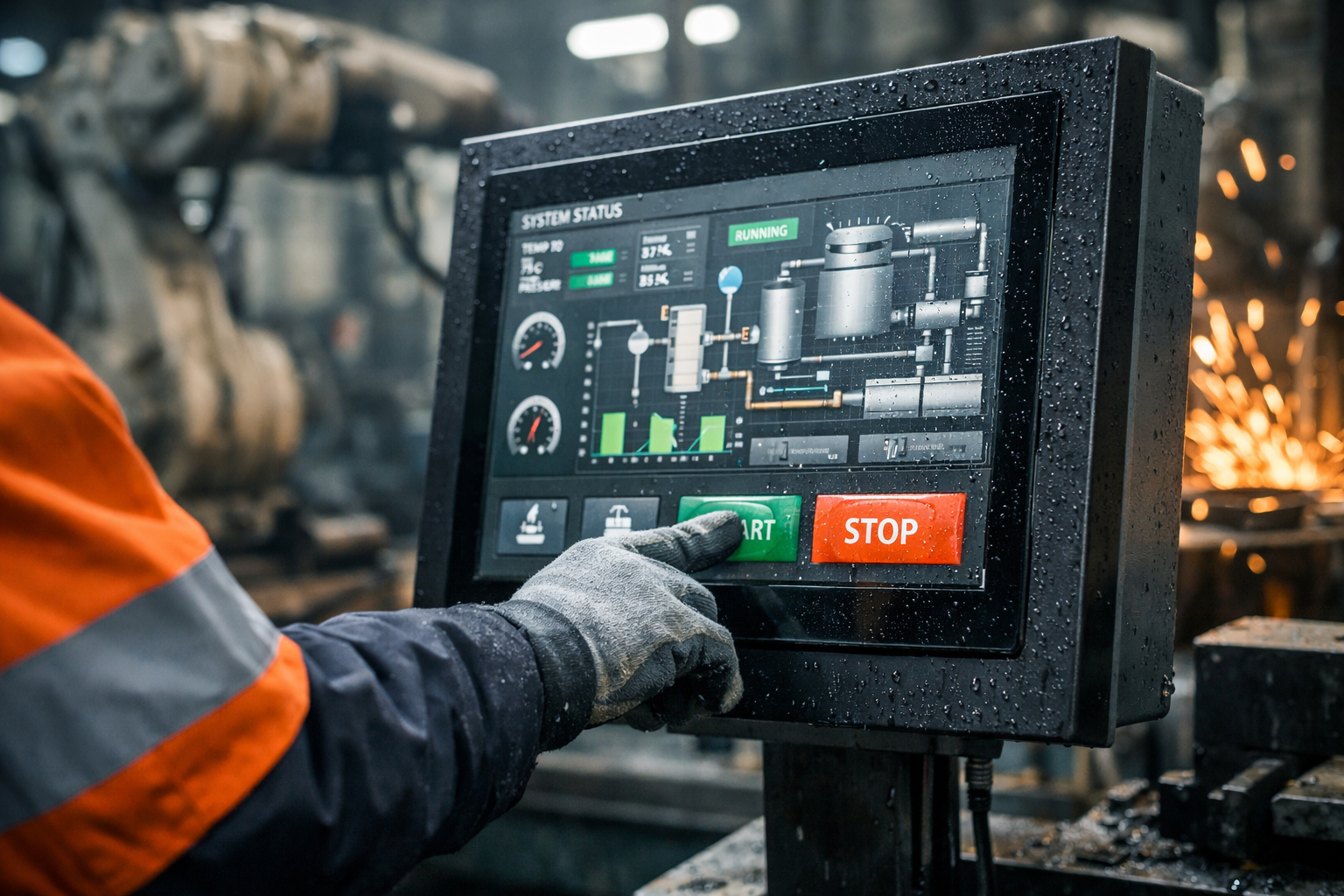
The multi-touch industrial screen is often assumed to improve usability in industrial HMI systems. In practice, this assumption does not always hold.
Industrial interfaces operate under constraints such as glove usage, moisture, electromagnetic interference (EMI), and predefined workflows.For a broader overview of industrial touch technologies and selection criteria, refer to our industrial touch screen guide. Under these conditions, additional input capability can increase system complexity without improving task efficiency.
The choice between single-touch and multi-touch should be based on actual operator interaction models, environmental conditions, and system requirements—not feature expectations.
This guide outlines when multi-touch provides functional value, and when it introduces unnecessary cost, integration effort, and operational risk.
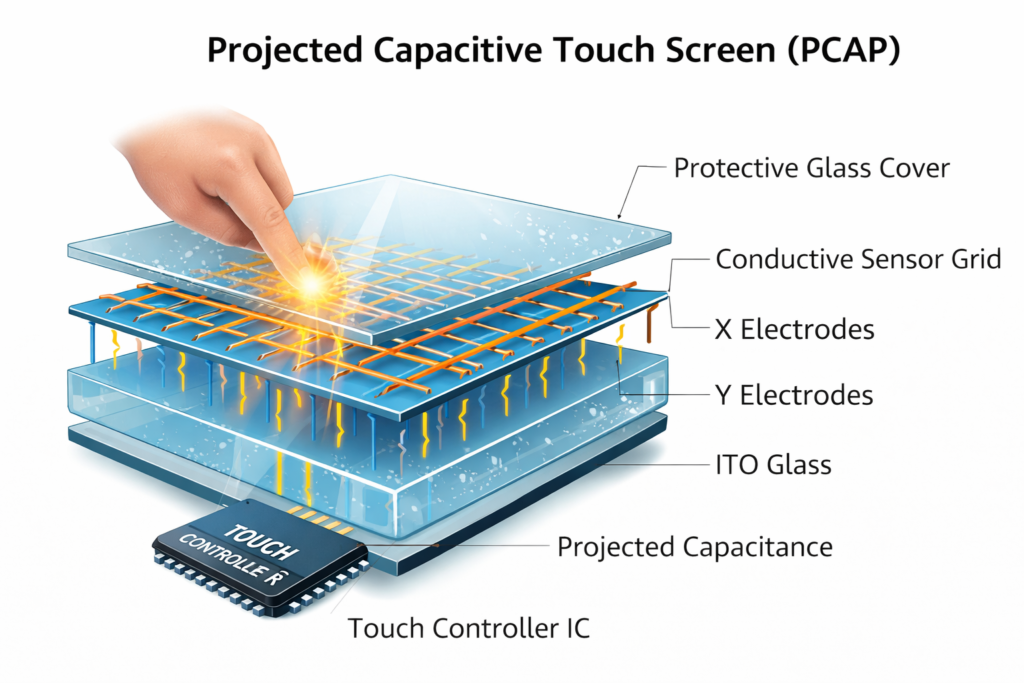
A multi-touch industrial screen detects two or more simultaneous touch inputs.
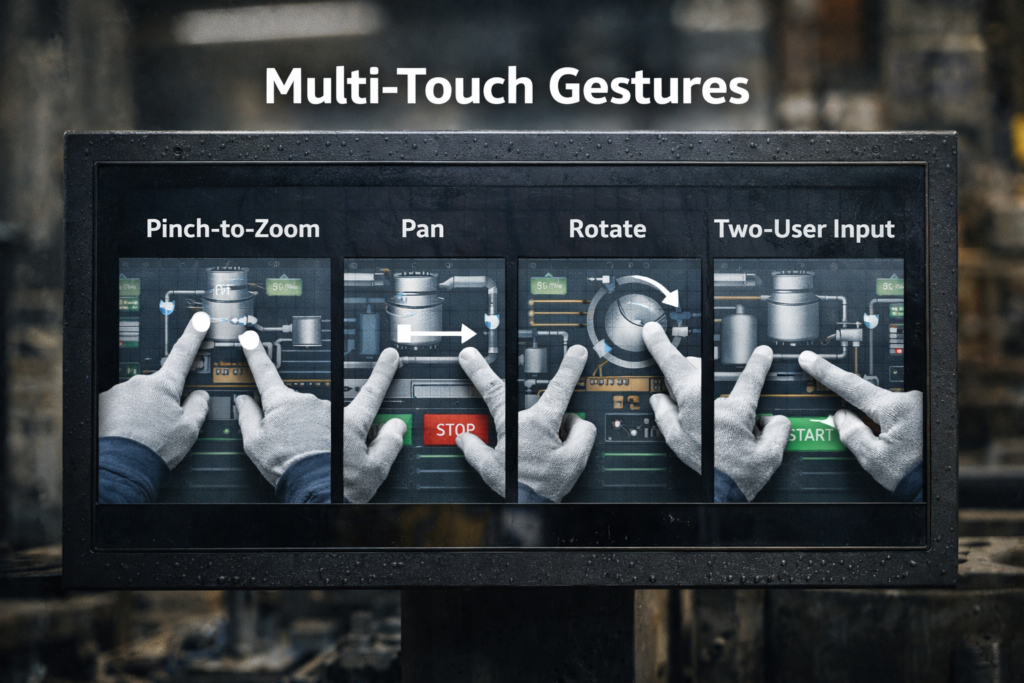
Compared to single-touch systems, it enables gesture-based interaction such as:
Most industrial implementations use projected capacitive (PCAP) technology, which tracks multiple touch points through a conductive sensor grid.
Typical integration includes:
However, multi-touch capability only adds value if the HMI is specifically designed to use gesture-based interaction.
Use multi-touch when the interface requires:
These scenarios benefit from non-linear interaction and reduced UI depth.
Single-touch is typically the better choice when:
In these cases, multi-touch does not improve usability and may increase input ambiguity.In most industrial applications, unless gesture interaction is a core requirement, multi-touch does not provide enough value to justify the additional cost and integration complexity.
PCAP is the primary technology enabling multi-touch functionality.
Advantages:
Limitations:
The controller is responsible for signal processing and input interpretation.
Key parameters include:
Controller quality directly impacts system stability in industrial environments.
Optical bonding improves display performance by:
Multi-touch systems rely on firmware to:
Improper tuning can lead to false triggering or missed input events.
Most industrial HMIs are designed around:
If gestures are not required, multi-touch capability is rarely utilized.
Multi-touch performance can degrade under:
Mitigation requires additional tuning, shielding, and hardware adjustments.
Compared to single-touch systems, multi-touch introduces higher sensitivity to:
In control systems, unintended input can directly affect machine behavior and safety.
Multi-touch systems introduce additional integration requirements:
They may also require changes in HMI software architecture, particularly in input handling and UI frameworks.
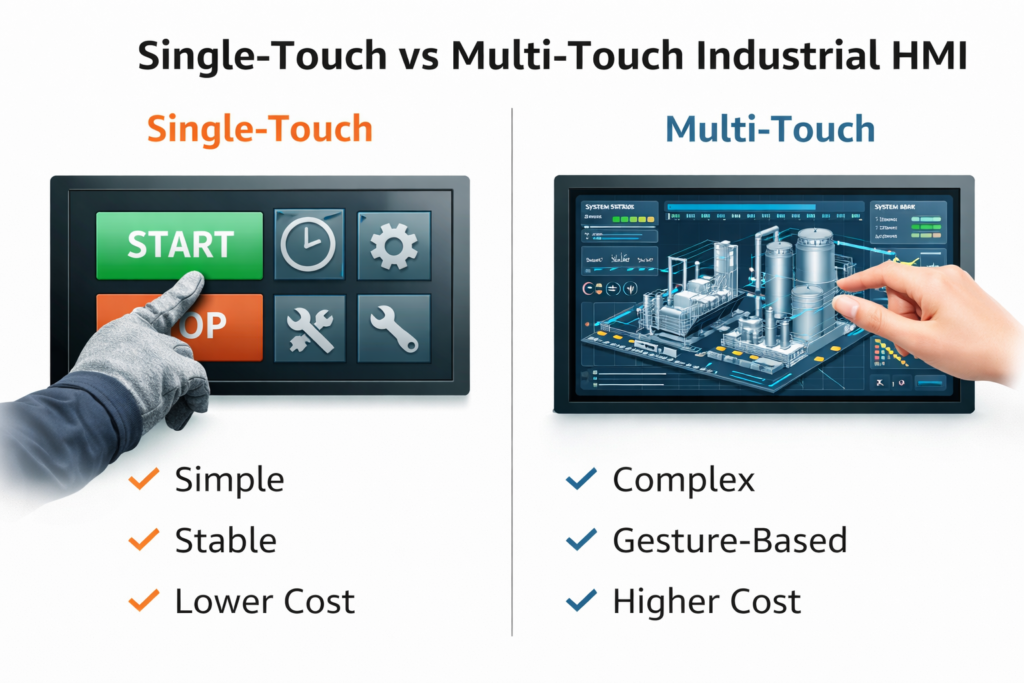
| Factor | Single-Touch | Multi-Touch |
|---|---|---|
| Cost | Lower | Higher (typically +10–30%) |
| Reliability | High, predictable | More sensitive to environment |
| Usability | Structured workflows | Dynamic interaction |
| Glove Compatibility | Strong | Depends on tuning |
| Integration Complexity | Low | Higher |
In these systems, predictable input behavior is more important than gesture capability.
Multi-touch may not be suitable when:
Under these conditions, increased sensitivity can lead to higher failure rates and maintenance costs.
A multi-touch industrial screen should not be treated as a default requirement.
It is appropriate when:
For many industrial applications, single-touch remains the more practical choice due to its reliability, simplicity, and lower total system cost.
Does multi-touch improve usability in industrial HMIs?
Only when the interface is designed for gesture interaction. For structured workflows, the benefit is limited.
Can multi-touch be used with gloves?
Yes, but performance depends on controller tuning and glove material.
Is multi-touch less reliable than single-touch?
It can be more sensitive to environmental factors such as moisture and EMI.
Does multi-touch increase system cost?
Yes. Both hardware and integration costs are typically higher.
Is multi-touch required for panel PCs?
No. Most panel PC systems operate effectively with single-touch unless gesture interaction is required.
Not sure whether a multi-touch industrial screen fits your application?
Share your operating environment, glove conditions, and interface requirements — our engineering team will recommend the most reliable and cost-effective solution based on real industrial use cases.
We focus on selecting the right technology, not the most expensive one.
Introduction In industrial environments, touch interfaces must operate reliably under conditions such as glove use, moisture …
Introduction In industrial environments, a touch screen not responding is not only a usability issue—it can …
Introduction The multi-touch industrial screen is often assumed to improve usability in industrial HMI systems. In …
Introduction Industrial panel PC touch screen failure is a common reliability issue in applications such as …
Send your application details. We respond with configuration direction and next steps.