What Is an Industrial Panel PC? Components, Types and Applications

An industrial panel PC is a computer with a built-in display, usually a touchscreen, designed for …
Eagle Touch Engineering Team
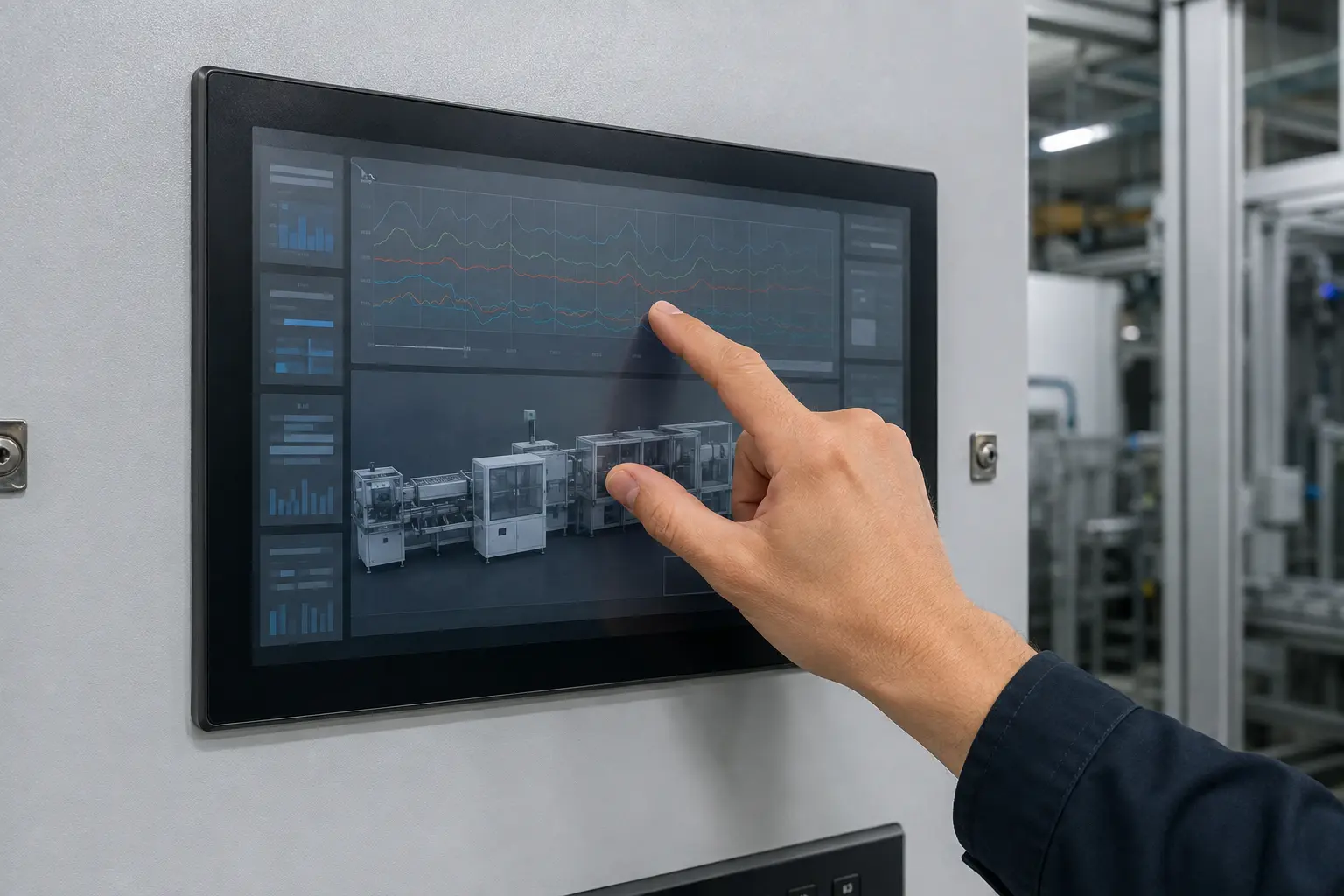
Multi-touch is now a standard option on many projected capacitive touch screens. That does not mean every industrial HMI needs it.
If an operator only selects menu items, enters values and confirms commands, one touch point is enough. Multi-touch becomes useful only when the software must recognize two or more contacts at the same time—for example, pinch-to-zoom, two-finger rotation or a deliberate two-hand action.
The decision should therefore begin with the HMI workflow, not with the maximum number of touch points listed on a controller datasheet.
For most machine controls, production terminals, EV chargers and data-entry panels, single-point operation is sufficient. The equipment may still use a multi-touch-capable PCAP screen, but the application does not have to use every available contact.
Choose multi-touch when simultaneous input makes a real task easier to perform, such as:
If the interface is built around buttons, lists and step-by-step instructions, adding more touch points usually does not improve the operator experience.
Projected capacitive, resistive and infrared describe how a screen detects contact. Single-touch and multi-touch describe how many contacts the system can report at the same time.
Most modern multi-touch industrial screens use PCAP because its electrode matrix can resolve several contacts accurately. However, a PCAP screen can also be used as a simple single-pointer interface. Conversely, some large infrared systems support multiple contacts without using PCAP.
This distinction matters because water behavior, glove performance and electromagnetic immunity are mainly determined by the sensing technology, controller tuning, grounding and final assembly—not simply by whether the host accepts one or ten contacts. For a detailed explanation of the sensing system, see our industrial PCAP touch screen guide.
Not every gesture needs more than one contact. A tap, single-finger swipe and single-finger drag can all be implemented with one touch point. A user may experience these as modern touchscreen gestures, but they are not simultaneous multi-touch operations.
True multi-touch is required for actions such as:
The application must be designed for these actions. Installing a 10-point controller does not automatically add zoom or rotation to HMI software that only responds to mouse clicks.
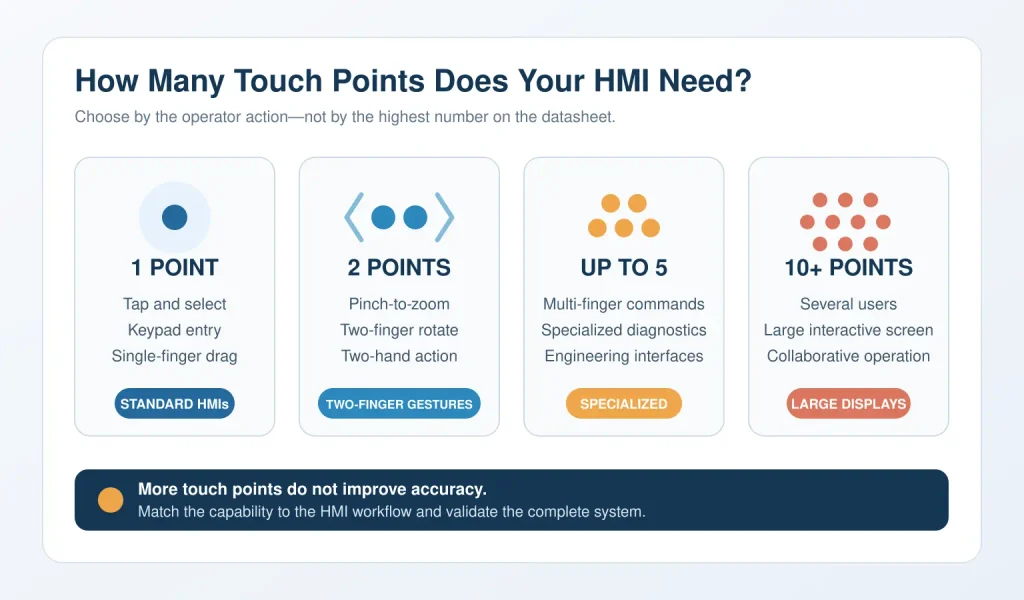
| Required contacts | Suitable interaction | Typical use |
|---|---|---|
| 1 point | Tap, keypad entry, menu selection, single-finger drag | Machine control, MES entry, process monitoring, standard kiosks and EV chargers |
| 2 points | Pinch-to-zoom, two-finger rotation, two-hand action | Maps, trend analysis, image review and technical drawings |
| Up to 5 points | Specialized multi-finger commands or two-hand interfaces with additional contacts | Advanced diagnostic and engineering applications |
| 10 points or more | Several users or many simultaneous contacts | Large collaborative and interactive displays |
For many industrial applications, two contacts provide all the multi-touch capability the software can use. A 10-point PCAP screen may still be selected because it is a standard, readily available solution, but ten-point support should not be treated as evidence of better accuracy, faster response or greater durability.
A multi-touch function has to work through the entire input chain:
Touch sensor → controller → USB or I²C interface → operating system → HMI runtime → application
The controller must report separate contacts, and the operating system must recognize the device as a touch digitizer rather than reduce it to a single mouse pointer. The HMI runtime or application must then interpret those contacts as the intended gesture.
Before approving the hardware, confirm:
A screen can pass a basic desktop touch test and still fail the actual application because the software stack only processes single-pointer input.
Multi-touch does not remove the normal engineering requirements of an industrial PCAP system. In fact, gestures can reveal marginal performance that is not obvious during a simple tap test.
Two-finger gestures require both contacts to remain stable while they move. A screen that detects one gloved tap may still lose one contact during a pinch gesture.
Test the final product with the gloves operators will actually wear. Our glove-compatible touch screen guide explains the factors that affect PCAP glove performance.
The project must define what should happen when the surface is wet. Depending on the application, the correct response may be to continue tracking one finger, reject additional contacts or temporarily block input.
Trying to preserve every gesture in heavy rain is not always the safest design choice.
Poor grounding, an unsuitable power supply, long cables or nearby switching equipment can cause missed contacts and false touches. This is a PCAP signal-integrity problem, not a consequence of multi-touch alone.
Validation must be completed with the final enclosure, cables, display electronics and power supply. See our guide to checking touchscreen interference for a practical test process.
Thicker glass weakens the signal reaching the sensor and may require a matched controller and firmware.
Screen size also affects usability: a two-finger gesture that feels natural on a 21.5-inch diagnostic display may be awkward on a compact 7-inch machine panel.
Multi-touch software must distinguish an intentional second contact from a palm, knuckle, sleeve or hand resting on the screen. The correct policy may be palm rejection, ignoring additional contacts or cancelling the current command.
Two-hand touch can help prevent an accidental single tap, but it is not automatically a safety-rated control. Emergency stops, guards and safety-related machine functions must use the appropriate certified safety architecture rather than depend only on a touchscreen gesture.
Cleaning also needs consideration. If wiping the screen could activate controls, provide a cleaning lock, service mode or hardware method to disable touch input temporarily.
Before design approval, test the required gestures on the complete assembly—not only on an open touch panel at a desk.
Do not specify a multi-touch industrial screen simply because ten-point touch is available. Start with one question: does the HMI require two or more simultaneous contacts to complete a real operator task?
If the answer is no, single-point operation remains simple and effective. If the answer is yes, define the gesture, number of contacts, software support and operating conditions before selecting the hardware.
Eagle Touch supplies custom industrial touch screens, touch monitors and panel PCs with application-specific PCAP tuning. Share your screen size, operating system, required gestures, cover glass, glove and environmental requirements, and our team will help evaluate the complete touch solution before production.
An industrial panel PC is a computer with a built-in display, usually a touchscreen, designed for …

An embedded PC is a computer configured to work as part of a machine or larger …

Start with the software the panel PC must run and the conditions it must fit. Then …

Choosing an industrial panel PC IP rating starts with two questions: what dust and water exposure …
Share your application, requirements, or current challenge. Our team will review the details and recommend a practical way forward.