What Is an Industrial Panel PC? Components, Types and Applications

An industrial panel PC is a computer with a built-in display, usually a touchscreen, designed for …
Eagle Touch Engineering Team
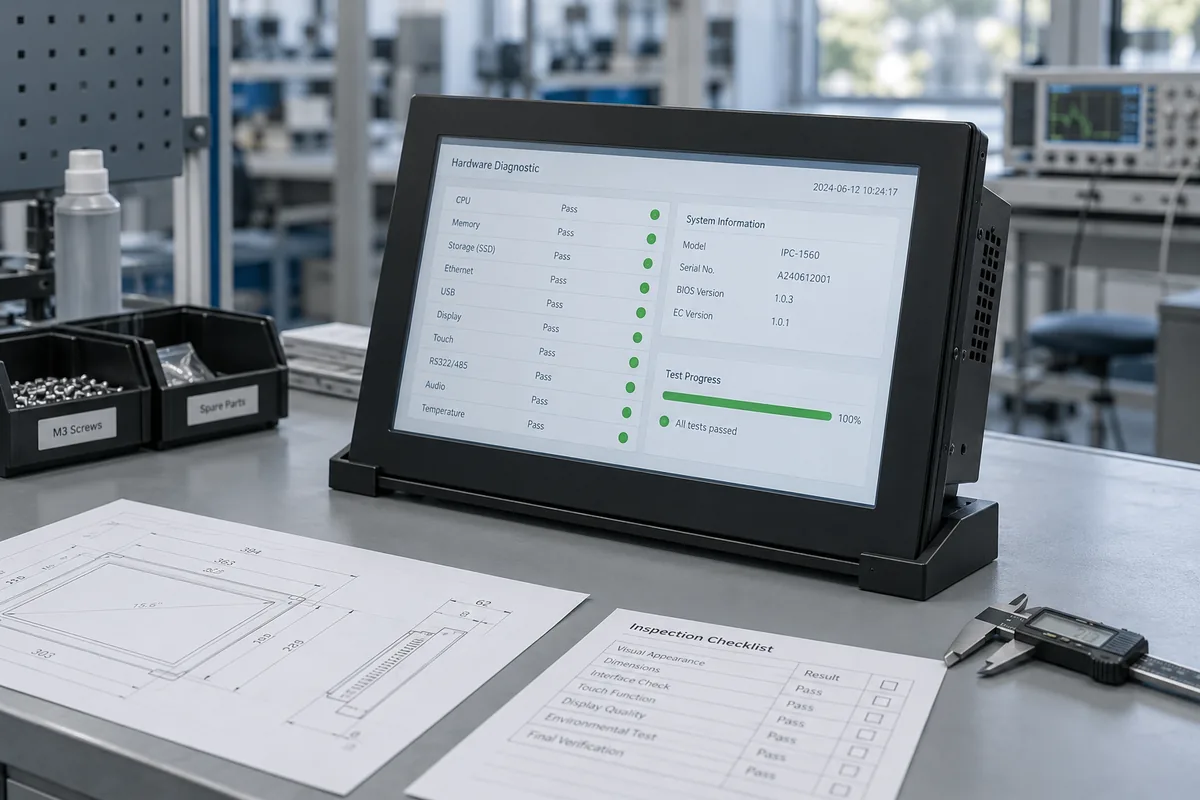
Choose an industrial panel PC supplier that can document the proposed configuration, support testing in your equipment, and explain how repeat orders and service replacements will be handled. Review these arrangements alongside the quotation and sample results before approving production.
A sample may run your application perfectly. The harder question is whether the next order will arrive with the agreed hardware, software and settings—and who will help if it does not. For OEM buyers comparing suppliers, the checks below turn those questions into a practical purchasing discussion.
Start with a short project brief: the application, installation drawing, required software and peripherals, sample quantity, expected batch size and target date. If the hardware requirements are still open, use our industrial panel PC selection guide to prepare them.
A standard model may meet most requirements but need a different connector position or enclosure depth. Have the supplier identify those changes, their effect on the schedule and any requirements it cannot yet confirm.
A supplier accepting one sample may require a larger repeat order, especially where dedicated components are involved. Establish whether its pilot quantities and repeat-order MOQ fit your purchasing plan.
Then establish who handles board-level questions, mechanical changes, software preparation and fault analysis. Some suppliers perform these tasks internally; others coordinate with partners. What matters is whether someone takes responsibility and can obtain the technical answers your project needs.
Use the proposed model and configuration as the basis for verification. The following documents help show what the supplier can deliver. Redacted record examples are sufficient where customer information is confidential.
| Area | Evidence to request | What to check |
|---|---|---|
| Mechanical integration | Revision-controlled drawing and cutout dimensions | Mounting depth, tolerances and connector clearance |
| Power and I/O | Input specification, pin assignments and port configuration | Agreement with your supply, wiring and peripheral requirements |
| Environmental performance | Relevant test reports or a project validation plan | Tested configuration, installation, load, conditions and acceptance criteria |
| Software delivery | Supported OS details, driver list and recovery documentation | What is supplied and who supports it |
| Production quality | Functional test checklist and a sample traceability record | How a shipped serial number connects to its build and test history |
“Burn-in tested” is useful only with a description of the workload, conditions, duration and failure criteria. Also distinguish routine checks on production units from tests used to validate the design.
Where a protection rating is required, confirm the assembly and installation covered by the evidence. Do not assume a front-panel rating covers the rear enclosure or connectors. Record any differences between the tested product and your proposed version, and agree whether additional verification is needed.
A description such as “Core i5, 8 GB, 128 GB” leaves important choices unspecified. The approved unit needs a configuration identifier that can be referenced on orders and traced through production.
Agree which items need identification or controlled substitution. These may include the CPU model, motherboard revision, storage specification, display, touch controller and I/O configuration. An agreed configuration schedule can be sufficient; access to the supplier’s complete internal BOM is not always necessary.
For software, record the delivered OS version and edition, relevant BIOS or firmware version, drivers and agreed startup settings. Clarify whether the supplier provides a base system only or also prepares a customer-approved image. Application installation and licensing responsibilities should be explicit.
For example, a later batch could retain the same CPU and memory capacity but use a different network controller. The supplier should assess whether that change affects your drivers or approved image before shipment.
Request a written process for notifying, reviewing and approving changes. Define which substitutions require approval and who tests software updates before deployment. Components and software can change; the effect on your equipment needs to be assessed. For OS-specific questions, see our industrial panel PC operating system guide.
Confirm whether the sample represents the intended production build. If it uses a temporary board, different touch controller or unfinished enclosure, list the differences and decide what must be tested again.
Agree the acceptance checks before testing. Depending on the application, include:
Ask the supplier to help resolve failed checks and document the response. A useful engineering reply identifies the suspected cause, proposed correction and verification needed. “It works here” leaves the integration issue unresolved.
Identify the approved sample and retain its configuration, drawing revisions, software state and acceptance criteria. A pilot batch can then help assess repeatability and incoming inspection before a larger rollout.
One supplier includes a licensed OS, power adapter and mounting kit. Another quotes the computer alone. Put those differences on the comparison sheet before negotiating the unit price.
Check the exact CPU, memory, storage, display, touch and I/O specifications. Then compare:
Confirm what starts the lead time: payment, drawing approval, sample approval or material availability. Distinguish production time from transit time, and ask whether repeat orders have a different schedule. Keep unresolved requirements beside the price; they may change both cost and delivery.
Ask what long-term supply means for the selected configuration. Discuss the planned purchasing period, known component constraints and the notice available if a key part is discontinued. A general promise of “long lifecycle” does not establish a supply commitment.
Agree how a proposed replacement will be assessed. Matching screen size and mounting dimensions is only part of the job: the replacement may also need image, driver, peripheral and application-license checks. Identify who performs those checks and who approves the result.
For field support, confirm the warranty scope, return authorization process, freight responsibility and expected response and repair times. Ask whether spare parts or replacement units can be supplied while a fault is investigated, and on what terms.
For installed units, establish who retains the matching recovery image, instructions and version history. Define how your team backs up application settings and license information. A technician replacing a failed unit should have an agreed route to the correct files and support contact.
Close the remaining technical questions and confirm four items in writing: the approved configuration, sample acceptance, complete delivery scope, and change and service responsibilities. If a critical requirement remains unresolved, agree the next verification step before releasing production.
Comparing suppliers for an OEM project? Send Eagle Touch your required configuration, installation drawing, software and peripheral list, and expected order quantities. Start with our standard industrial panel PC models and tell us which requirements need further review.
An industrial panel PC is a computer with a built-in display, usually a touchscreen, designed for …

An embedded PC is a computer configured to work as part of a machine or larger …

Start with the software the panel PC must run and the conditions it must fit. Then …

Choosing an industrial panel PC IP rating starts with two questions: what dust and water exposure …
Share your application, requirements, or current challenge. Our team will review the details and recommend a practical way forward.