What Is an Industrial Panel PC? Components, Types and Applications

An industrial panel PC is a computer with a built-in display, usually a touchscreen, designed for …
Eagle Touch Engineering Team
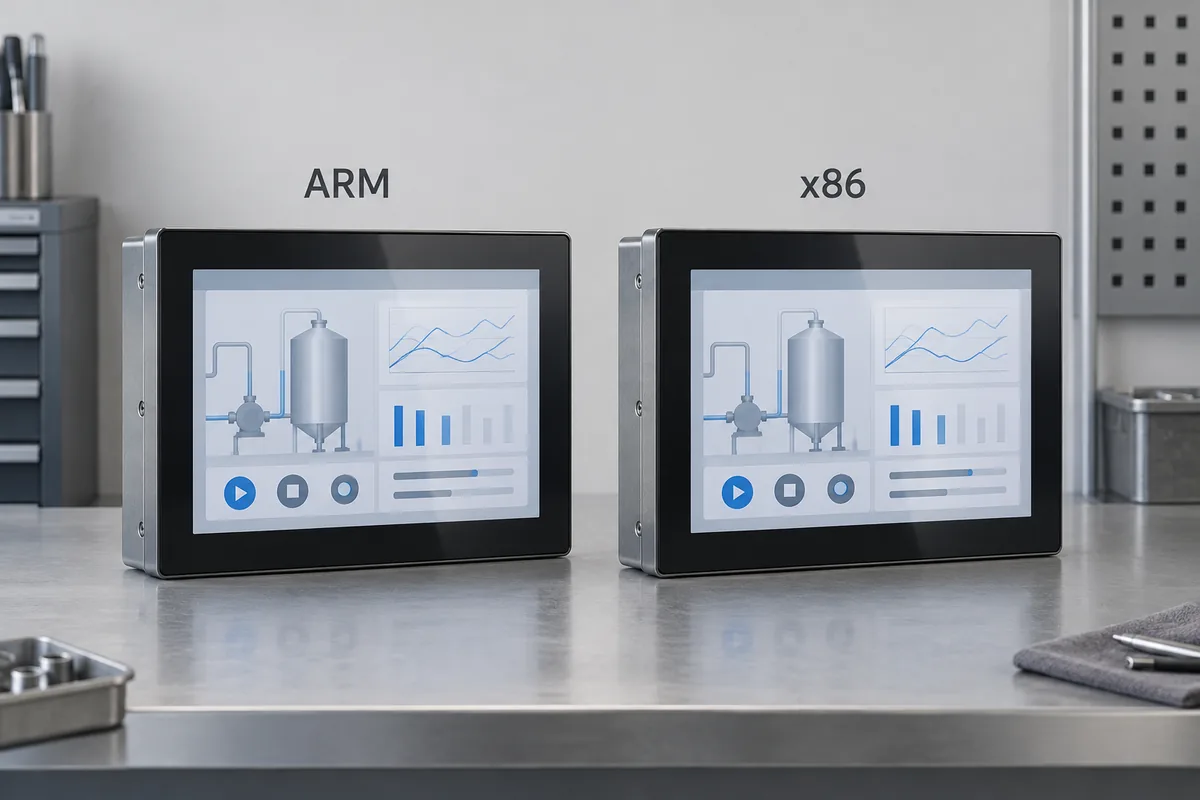
An ARM and an x86 panel PC can look identical and run similar operator screens. The differences become more important when you install the application, connect the peripherals and plan the next production batch.
Start with the software. If your application and device drivers are supported only on x86, an x86 panel PC is usually the practical choice. For an Android terminal or a purpose-built Linux interface, ARM may be a good fit when the board, software and peripherals are supported together. If both platforms qualify, compare actual workload performance, whole-unit power consumption and integration cost.
Neither architecture alone guarantees lower cost, fanless operation or better reliability.
ARM and x86 are processor instruction-set architectures. They affect which native software a processor can execute, but they do not specify the performance, cooling method or expansion options of a complete panel PC.
| Decision point | ARM panel PC | x86 panel PC | What to request |
|---|---|---|---|
| Software fit | Needs a compatible application build and dependencies | Often suits existing x86 Windows software | Supported architectures for the application and each SDK |
| Operating system | Android and embedded Linux are common | Windows and Linux are common | Exact supported OS image and board revision |
| Workload | Performance varies by SoC and software support | Performance varies by processor tier and power settings | A demonstration of your application on the proposed unit |
| Power and cooling | Low-power embedded options are available | Low-power and higher-performance options are available | Whole-unit measurements under comparable conditions |
| Expansion | Interfaces and replaceable parts depend on the board | Interfaces and replaceable parts depend on the board | Board specifications and confirmed peripheral support |
| Project cost | Adaptation work can offset hardware savings | Preserving existing software can reduce migration work | Hardware price plus software adaptation and validation costs |
Use this comparison to shortlist configurations, not to approve an order. Two products using the same architecture can differ substantially.
Ask the software supplier which processor architecture, operating system and hardware configuration it supports. An installer that works on the current machine may depend on a native library, licensing service or device SDK that is unavailable on another architecture.
For custom software, access to the source code helps, but it does not make migration automatic. Third-party libraries, graphics acceleration and hardware-specific functions can still require changes.
For example, an HMI application may run on Linux while its camera SDK is available only for x86. Linux support alone does not make an ARM panel PC suitable. That camera dependency needs to be resolved before comparing hardware prices.
Windows on Arm also needs careful qualification. Microsoft supports x86 and x64 application emulation on supported Windows 11 Arm devices, but this does not extend to kernel drivers, which need Arm64 builds. It also does not mean that an arbitrary ARM industrial board can run Windows. See Microsoft’s explanation of application emulation on Arm.
For the separate question of which OS fits the project, use the industrial panel PC operating system guide.
A USB socket confirms a physical connection, not support for every USB device. Check the exact printer, scanner, camera, card reader and communication adapter models used by the equipment.
The useful question is: Does the supplier support this peripheral, with this driver or SDK, on the proposed architecture and OS?
If changing architecture requires a replacement SDK or application changes, include engineering time and repeat testing in the comparison. A lower hardware quotation can be outweighed by the cost of adapting a working system.
A simple operator screen and a terminal running local image processing place different demands on the hardware. Even a browser interface can become demanding when it renders complex graphics, updates many live values or handles video.
Run the intended application at the required display resolution with the actual peripherals connected. Check screen changes, touch response, data logging and communication while normal background tasks are active. Leave enough capacity for expected software growth.
Processor frequency and core count alone are not a reliable cross-architecture comparison. GPU, memory bandwidth, storage and software optimization also affect the result.
Keep the measurement boundary consistent. Processor TDP, board power and complete panel PC input power are different figures.
For example, Intel lists a 12 W TDP for the N97 processor. That is not a 12 W specification for a panel PC containing the processor, display, backlight, storage and other electronics.
Compare candidate units at the same screen brightness, workload and peripheral load. Record idle, normal operating and demanding operating conditions. On a bright display, the backlight can materially affect the total power budget.
Both ARM and x86 products can use fanless designs. Neither label establishes whether the unit will remain within temperature limits inside your enclosure.
Ask for the operating conditions behind the supplier’s temperature rating. A test on an open bench does not establish performance in a sealed cabinet. Verify sustained operation in the intended mounting arrangement, allowing for enclosure temperature and any solar exposure. Check for throttling as well as shutdowns.
Choose interfaces from the equipment’s actual requirements: Ethernet ports, serial interfaces, USB devices, CAN or GPIO where needed. Confirm the required drivers and electrical features, including isolation when the application calls for it.
Then check what can be changed later. RAM and storage may be soldered or replaceable on either platform. An x86 panel PC does not necessarily have a socketed processor; an ARM board is not necessarily a fixed, non-expandable design.
For repeat orders, ask which board revision and components will be supplied, how changes are communicated and what happens if the board is discontinued. A replacement board may require mechanical, electrical and software revalidation even when its processor uses the same architecture.
| Project | Practical starting point | What could change the decision? |
|---|---|---|
| Replace hardware running an established Windows HMI | Evaluate a supported x86 configuration first | A fully supported ARM solution with a justified migration benefit |
| Build a terminal around an Android application | Evaluate an ARM board with the required Android image and peripheral support | Unsupported app dependencies, services or peripheral SDKs |
| Build a Linux browser interface or custom HMI | Shortlist both architectures where the software stack supports them | Measured response, graphics support, power budget and integration cost |
The application name is not enough to decide. A kiosk with a browser and a barcode scanner has different integration requirements from one with cameras, payment devices and local analytics.
Base approval on the tested configuration, including the board revision, memory, storage, software image and connected peripherals. Record any agreed substitutions so later production batches can be assessed against the same requirements.
If both platforms meet the requirements, compare the hardware price, software adaptation effort and validation cost before making the final choice. There is little value in saving on a processor platform if it delays the equipment launch.
For an industrial panel PC configuration review, send Eagle Touch your application and OS details, peripheral model list, display requirements, installation conditions, expected quantity and supply period. These give the team a practical basis for selecting hardware to evaluate.
An industrial panel PC is a computer with a built-in display, usually a touchscreen, designed for …

An embedded PC is a computer configured to work as part of a machine or larger …

Start with the software the panel PC must run and the conditions it must fit. Then …

Choosing an industrial panel PC IP rating starts with two questions: what dust and water exposure …
Share your application, requirements, or current challenge. Our team will review the details and recommend a practical way forward.