What Is an Industrial Panel PC? Components, Types and Applications

An industrial panel PC is a computer with a built-in display, usually a touchscreen, designed for …
Eagle Touch Engineering Team
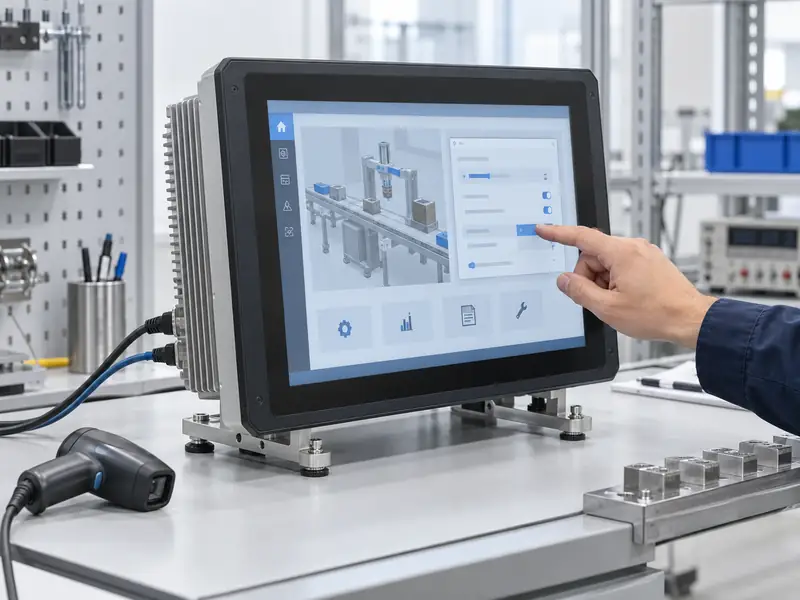
Choose an industrial panel PC operating system around the software the machine needs to run. Start with Windows when an existing application requires it, Linux when your application and development team support that environment, or Android when you have an Android application and a suitable supported hardware platform.
Then check the exact OS version, drivers and maintenance arrangements. A quotation that says “Windows/Linux/Android supported” is a starting point—not confirmation that your application and every connected device will work.
First establish what runs on the panel PC itself. It may host a complete HMI application, display a browser interface served by a controller, or connect to a remote desktop. Those roles have different requirements.
For existing software, ask its supplier for the supported operating systems, versions, processor architectures and runtime dependencies. Include licensing dongles and third-party drivers. A working installation on an office computer does not establish compatibility with a different industrial platform.
For a browser terminal, check the browser version, offline behavior and access to local devices. A dashboard that displays correctly may still fail to print a label or communicate with a reader.
For custom software, involve the developer before requesting hardware prices. Moving an application between operating systems can cost more than the initial hardware saving.
If you are still defining the complete unit, use our industrial panel PC selection guide alongside these software checks.
Use this comparison to narrow the options. Reliability and startup speed depend on the configured hardware, drivers and application; the OS name alone does not establish either.
| Decision point | Windows | Linux | Android |
|---|---|---|---|
| Application fit | Software requiring a supported Windows environment | Linux-compatible applications or a maintained custom software stack | Android apps or a validated browser interface |
| Hardware check | Exact edition, CPU support and vendor drivers | Distribution, kernel and board support | Board-specific image, Android version and required APIs |
| Main integration question | Are the application and peripherals supported on this version? | Who maintains the image and any custom drivers? | Does the app need services or device access absent from the supplied image? |
| Cost to include | OS/application licensing and deployment support | Engineering, testing and ongoing maintenance | App integration, device management and image maintenance |
Windows is a sensible starting point when the required HMI package, service utility or peripheral software specifies Windows. Keeping a supported software environment can avoid unnecessary porting and simplify handover to the maintenance team.
Specify the edition as well as the version. Windows Pro, IoT Enterprise and IoT Enterprise LTSC should not be treated as interchangeable purchasing descriptions. Ask which edition the application supplier supports and which the hardware supplier can license and deliver.
For a dedicated machine with a stable function, review LTSC where appropriate. Microsoft provides a ten-year lifecycle for Windows IoT Enterprise LTSC releases, while the general availability channel follows a different servicing model. The support clock follows the release, not the date you buy the panel PC. Check the Microsoft release and lifecycle information for the proposed version.
Do not assume an older application will work simply because the replacement computer also runs Windows. Verify installers, drivers and licensing on the sample.
Linux is worth considering when the application already supports it or your team develops and maintains the software. It allows control over the installed components, startup behavior and system image, which can suit dedicated equipment.
Be specific about what “Linux support” means. A tested Ubuntu image on one motherboard is different from a custom image for an ARM board. Ask for the distribution, kernel version and support status of the actual interfaces you need.
Ubuntu and Debian are distributions. The Yocto Project provides tools for building a custom Linux-based system; it is not a ready-to-install distribution equivalent to Ubuntu. That route needs an identified team or supplier responsible for builds and maintenance.
Linux is not automatically the lowest-cost choice. Include driver work, application integration, security maintenance and recovery documentation. It becomes a practical option when those responsibilities are covered, rather than left for the buyer to discover after delivery.
Android can fit equipment built around an existing Android app, including dedicated touch terminals and self-service interfaces. Start by checking the APK against the proposed board and system image.
Confirm the Android version, native library architecture, screen layout and required services. Google Mobile Services is separate from AOSP, so an industrial Android device should not be assumed to include Google Play or Google-dependent APIs.
Check how the app starts after power returns, how users are restricted to the intended interface, and how remote updates are delivered. These are configuration and management requirements that need demonstration.
Industrial communication is also implementation-specific. Android is not ruled out simply because the project needs serial communication, but access may depend on the board vendor’s SDK, permissions and application integration. Review those requirements when evaluating an Android panel PC.
Before ordering, send the supplier an actual peripheral list with model numbers. “USB printer” or “serial reader” may be too broad to establish compatibility.
Request confirmation of:
Also separate physical interfaces from software capability. An RS-485 connector alone does not confirm that the required protocol is implemented. The application, communication software and driver must support the intended exchange.
If the panel PC will perform time-critical control rather than visualization, have the control engineer validate that architecture separately. A general OS comparison cannot establish deterministic control performance.
Ask three questions before approving the configuration.
How long is this exact configuration supported? Record the OS support deadline and the board supplier’s commitments. Distribution support does not automatically cover vendor-specific drivers or a custom image. For Ubuntu projects, check the release and package coverage against Canonical’s lifecycle information.
Who supplies and tests updates? Assign responsibility for the OS, drivers and application. Agree how updates are tested before deployment and how later production batches are checked against the approved version.
How will a technician restore a failed unit? Request the recovery image, instructions and any application-license recovery steps. Decide where settings and operating data are backed up. Test restoration on a spare unit before relying on the procedure in the field.
Use the intended hardware revision, OS image, application and peripherals together. Reaching the desktop is not an acceptance test.
| Test | What to verify |
|---|---|
| Application workflow | Installation, licensing and normal operator tasks |
| Touch and display | Mapping, rotation, scaling and required input behavior |
| Connected equipment | Actual printing, scanning and communication transactions |
| Startup | Intended behavior after normal shutdown and power restoration |
| Network recovery | Reconnection and application behavior after interruption |
| Image restoration | Recovery works and required settings can be restored |
Define acceptance criteria around the machine’s operating requirements, then record the approved hardware and software versions.
For an industrial panel PC configuration review, send Eagle Touch your application requirements, preferred OS version, peripheral list, deployment needs, expected quantity and supply period. These details help establish which configuration should proceed to sample testing.
An industrial panel PC is a computer with a built-in display, usually a touchscreen, designed for …

An embedded PC is a computer configured to work as part of a machine or larger …

Start with the software the panel PC must run and the conditions it must fit. Then …

Choosing an industrial panel PC IP rating starts with two questions: what dust and water exposure …
Share your application, requirements, or current challenge. Our team will review the details and recommend a practical way forward.