What Is an Industrial Panel PC? Components, Types and Applications

An industrial panel PC is a computer with a built-in display, usually a touchscreen, designed for …
Eagle Touch Engineering Team
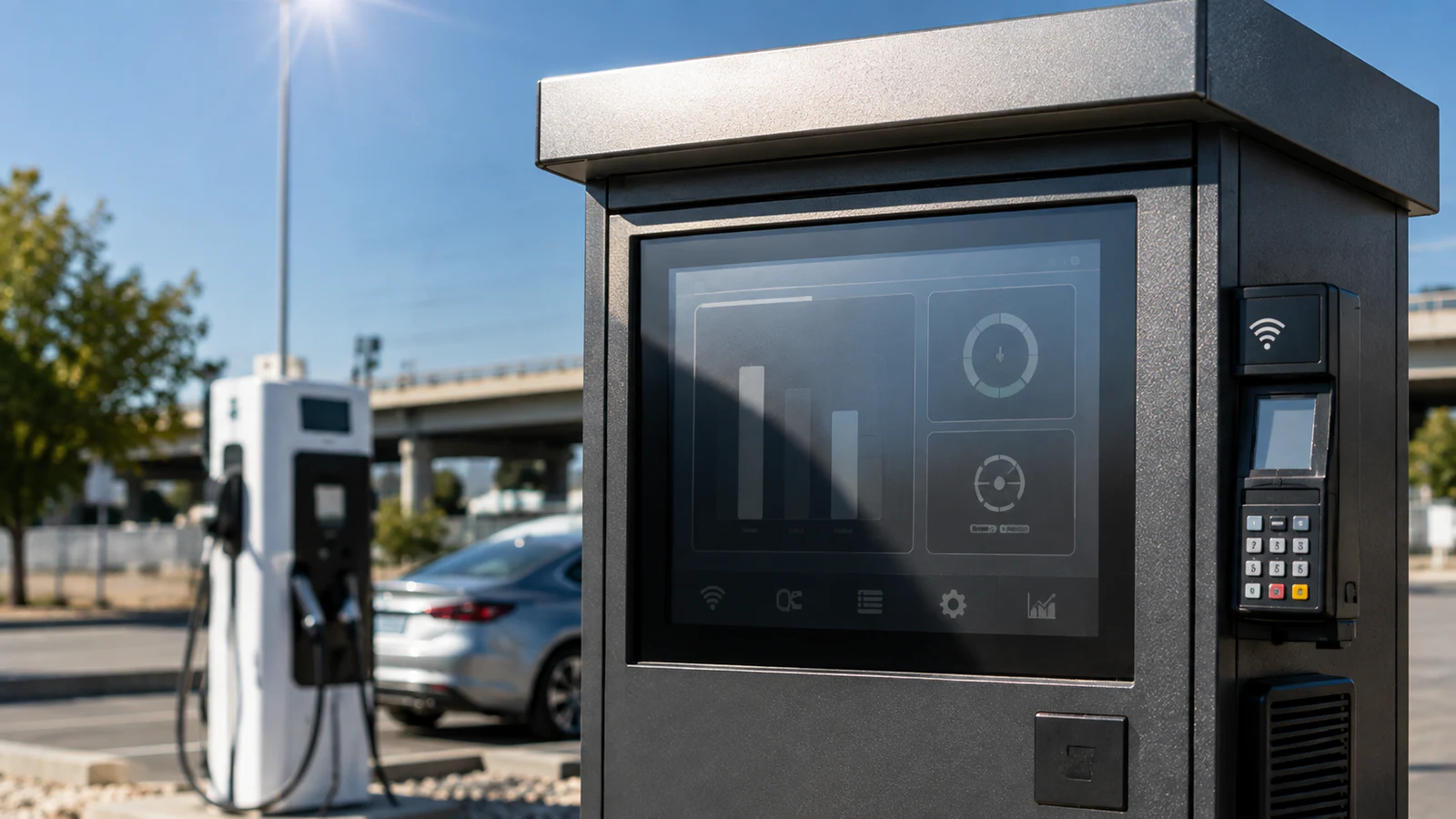
An outdoor industrial display built with an LCD rated up to 70°C can still overheat on a 40°C day if solar load and enclosure heat push the LCD surface or internal components beyond their limits. That is not a contradiction. The ambient temperature in the product specification is only one part of the thermal picture.
In direct sunlight, the front glass and LCD can become much hotter than the surrounding air. Behind the screen, a high-brightness backlight, controller, power supply and embedded computer may be adding heat inside an enclosure designed to keep out dust and water. If that heat has no effective path to the outside, the display may blacken, dim, restart or age prematurely.
The practical lesson is simple: outdoor industrial display reliability cannot be judged by brightness, IP rating or LCD operating temperature alone. The complete installed system must be evaluated.
Outdoor industrial display overheating is normally caused by a combination of:
The correct solution may involve better heat conduction, controlled airflow, a heat exchanger, backlight power management or active cooling. There is no reliable rule such as “1,500 nits always requires a fan.” Display size, total power, enclosure construction and solar exposure matter just as much as brightness.
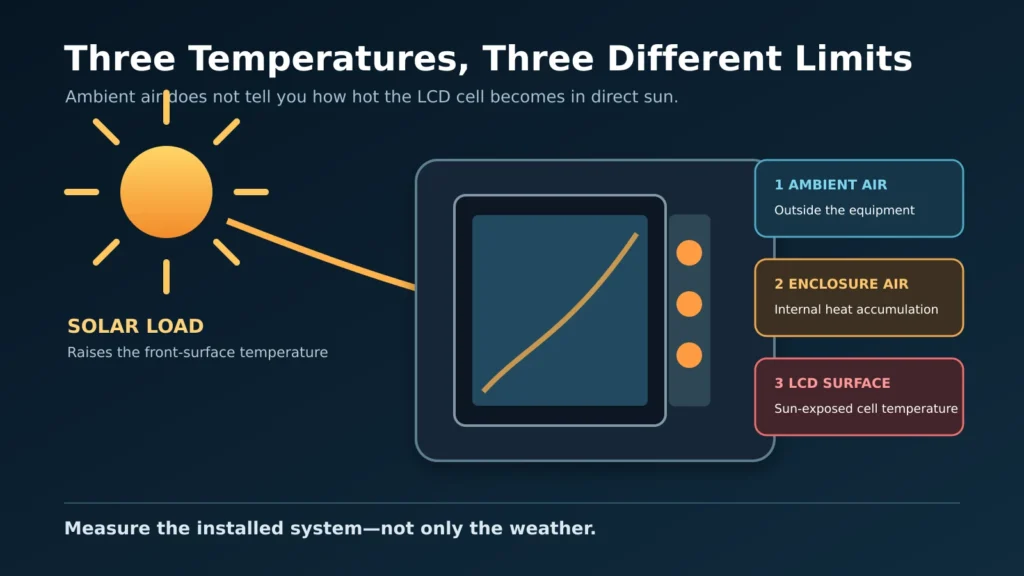
Engineers need to separate three different temperatures:
These temperatures are rarely equal outdoors. A dark enclosure absorbs solar energy. The cover glass and polarizer absorb part of the radiation falling on the screen. At the same time, heat from the backlight and electronics raises the temperature behind the LCD.
This is why checking the weather forecast or the LCD datasheet is not enough. A “-20°C to +70°C” LCD rating does not mean that the complete monitor can be placed in 70°C ambient air, operated at maximum brightness in direct sun and still remain within every component limit.
For a broader discussion of visibility, brightness and reflection, see our sunlight-readable display selection guide.
Not every black screen is a thermal failure. The condition must be recorded while it is happening.
| What you observe | More likely cause | First check |
|---|---|---|
| A dark or black patch appears where sunlight strikes the LCD and clears after cooling | LCD cell temperature has exceeded its usable limit | Measure the front surface temperature and compare shaded and sun-exposed operation |
| The full display switches off or restarts after warming up | Power supply, controller or computer protection; voltage drop may also be involved | Record input voltage and temperatures before restarting |
| Brightness falls during the hottest part of the day | Temperature-based backlight derating or an unstable backlight supply | Check the dimming and temperature-control logic |
| Image remains normal but touch becomes unreliable | Touch controller temperature, grounding, water, condensation or mechanical stress | Test image and touch functions separately |
| Brightness gradually declines over months or years | LED backlight aging accelerated by high temperature | Compare present luminance and backlight current with the approved sample |
| The screen is black at any temperature but the OSD or touch still works | Signal, controller, backlight or host problem—not necessarily overheating | Follow the industrial display black-screen checklist |
If a sun-exposed area becomes temporarily black, the liquid-crystal layer may have passed its usable temperature range and lost its normal optical state. The image can recover after cooling if no permanent damage has occurred. Repeated or prolonged overheating, however, can accelerate degradation of the polarizer, optical adhesives, LED backlight and electronic components.
Peak solar irradiance is often estimated at roughly 1,000 W/m² for design calculations. A 15.6-inch 16:9 active display area is about 0.067 m², so approximately 67 W of solar energy may be incident on that area when the sun is close to perpendicular.
That does not mean the display absorbs all 67 W as heat. Some energy is reflected, some passes through, and the result changes with the sun angle, glass construction, coatings, enclosure color and airflow. The calculation is useful for one reason: it shows why a climate-chamber test without simulated sunlight may miss the dominant field condition.
A sunlight-readable LCD needs more backlight output than a standard indoor display. Higher luminance generally requires more electrical power, and part of that power becomes heat. The relevant value is the backlight power and efficiency—not the nit figure by itself.
An industrial monitor contains a signal controller and backlight driver. A panel PC adds a processor, memory, storage and power-conversion circuits. The customer’s cabinet may also contain a payment terminal, charger controller, modem or other heat-producing equipment.
The display cannot be evaluated in isolation when these devices share the same enclosure.
Sealing improves resistance to water and dust, but it removes easy airflow paths. Heat then has to move through the internal structure and enclosure walls before it can reach the outside air. Gaps, plastic brackets, small contact areas and poorly placed thermal pads can interrupt this path and create local hotspots.
It is tempting to specify passive cooling below one brightness level and active cooling above it. That shortcut is unreliable.
A compact 1,500-nit monitor with an efficient backlight, metal chassis and good external airflow may have a lower thermal load than a large 1,000-nit display installed with a computer and power supply in a sealed black cabinet. The correct decision depends on:
This is also why a higher-brightness LCD is not automatically the better outdoor choice. Good reflection control can achieve usable contrast with less backlight power. Eagle Touch combines high-brightness panels with options such as optical bonding and surface treatments according to the application; see our outdoor touch monitor solutions.
This distinction prevents many specification mistakes.
Front IP65 means the installed front face is designed to resist dust and water exposure at the panel interface. It does not state that the rear housing, connectors or the customer’s complete cabinet are sealed to the same level.
A fully sealed IP65 or IP66 enclosure presents a different thermal problem. Air can still circulate inside it, but the heated internal air is not exchanged freely with ambient air. The enclosure therefore needs a deliberate heat-transfer path, internal-to-external heat exchange or another suitable cooling method.
An IP rating describes ingress protection. It does not certify thermal performance.
| Method | Where it can work | Important limitation |
| Chassis conduction and natural convection | Smaller, lower-power systems in moderate conditions or shade | Capacity falls as ambient temperature rises; local contact design is critical |
| Internal circulation fan | Reducing hotspots across the LCD and electronics inside a sealed enclosure | Redistributes heat but does not, by itself, remove it from the enclosure |
| Filtered intake and exhaust airflow | Environments where controlled outside air may enter the cabinet | Filters require maintenance; moisture, salt and dust must be considered |
| Sealed air-to-air heat exchanger | Systems that must isolate internal and external air | Cannot cool the enclosure below ambient temperature and needs sufficient temperature difference |
| Compressor-based cooling | Large, high-power sealed equipment in severe hot climates | Adds cost, volume, power consumption, vibration and maintenance |
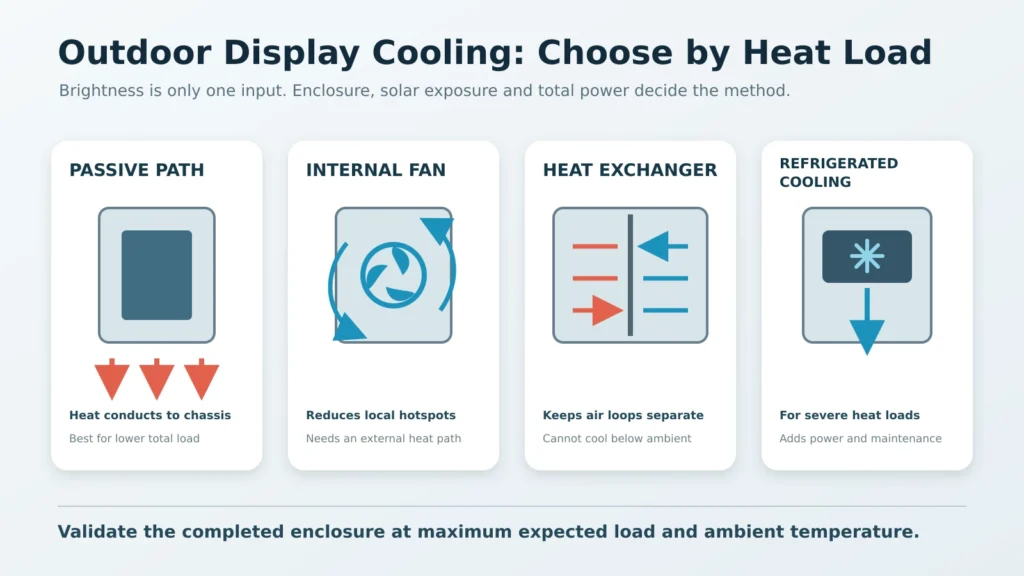
Fans should not be added without defining the airflow path. A fan that recirculates air around an obstruction or leaves the LCD front surface stagnant may reduce one component temperature while another hotspot remains.
Optical bonding fills the air gap between the touch sensor or cover glass and the TFT LCD with a transparent adhesive. Its main outdoor benefit is optical: fewer internal reflections and better contrast under strong ambient light.
Removing the air gap can also change how heat spreads through the front assembly, but optical bonding is not a replacement for enclosure-level thermal management. It cannot compensate for an undersized heat path, trapped heat from a panel PC or inadequate cabinet cooling.
Use optical bonding to improve readability and front-assembly stability. Use thermal engineering to control temperature.
An ambient-light sensor adjusts brightness according to surrounding light. In bright sun it may command maximum backlight output—the condition that produces the most internal heat.
Temperature-based protection uses a separate temperature input or control rule. It can increase fan speed, reduce backlight power, trigger an alarm or shut down selected components before their safe limits are exceeded.
For a demanding outdoor project, the control strategy should define:
An open-bench sample running for ten minutes does not validate an outdoor installation.
A useful thermal test should reproduce the actual system as closely as practical:
The objective is not simply to “pass 70°C.” It is to confirm that every critical component remains within its own limit under the combined heat load.
For an initial outdoor-display assessment, provide:
These details are more useful than asking only for a “1,500-nit IP65 display.” They allow the display and enclosure to be evaluated as one working system.
Yes. Solar heating and internal power dissipation can raise the LCD surface and enclosure temperatures well above ambient.
No. Cooling depends on size, total power, ambient temperature, solar exposure and enclosure design. Brightness alone is not a sufficient selection rule.
It can reduce local hotspots and improve heat transfer to the enclosure walls. It cannot remove the total heat unless the enclosure has an effective path for transferring that heat to the outside.
No. Its primary purpose is to reduce reflection and improve outdoor readability. It may affect heat distribution in the front assembly, but it does not replace system cooling.
The sun-exposed area may be exceeding the LCD cell’s usable temperature even though the surrounding air is cooler. If the image returns after cooling, record the surface temperature and review the solar and thermal design before continued use.
Outdoor industrial display overheating is rarely solved by one specification or one component. A wide-temperature LCD, high-brightness backlight, optical bonding and an IP-rated front are valuable only when they are integrated into a system that can release the heat it receives and generates.
The most important purchasing question is therefore not, “What is the maximum operating temperature of this display?” It is:
What temperatures will the LCD, controller and power supply actually reach in our completed equipment under direct sun and maximum load?
If you are developing an EV charger, outdoor kiosk or industrial terminal, send Eagle Touch your application details and enclosure drawing. We can review the display size, brightness, touch structure, temperature range and mechanical integration requirements before sampling.
An industrial panel PC is a computer with a built-in display, usually a touchscreen, designed for …

An embedded PC is a computer configured to work as part of a machine or larger …

Start with the software the panel PC must run and the conditions it must fit. Then …

Choosing an industrial panel PC IP rating starts with two questions: what dust and water exposure …
Share your application, requirements, or current challenge. Our team will review the details and recommend a practical way forward.