Industrial Display Supplier Buyer Guide for OEM Equipment

Introduction Human-machine interfaces (HMIs) are now standard components in modern industrial equipment. Displays allow operators to …
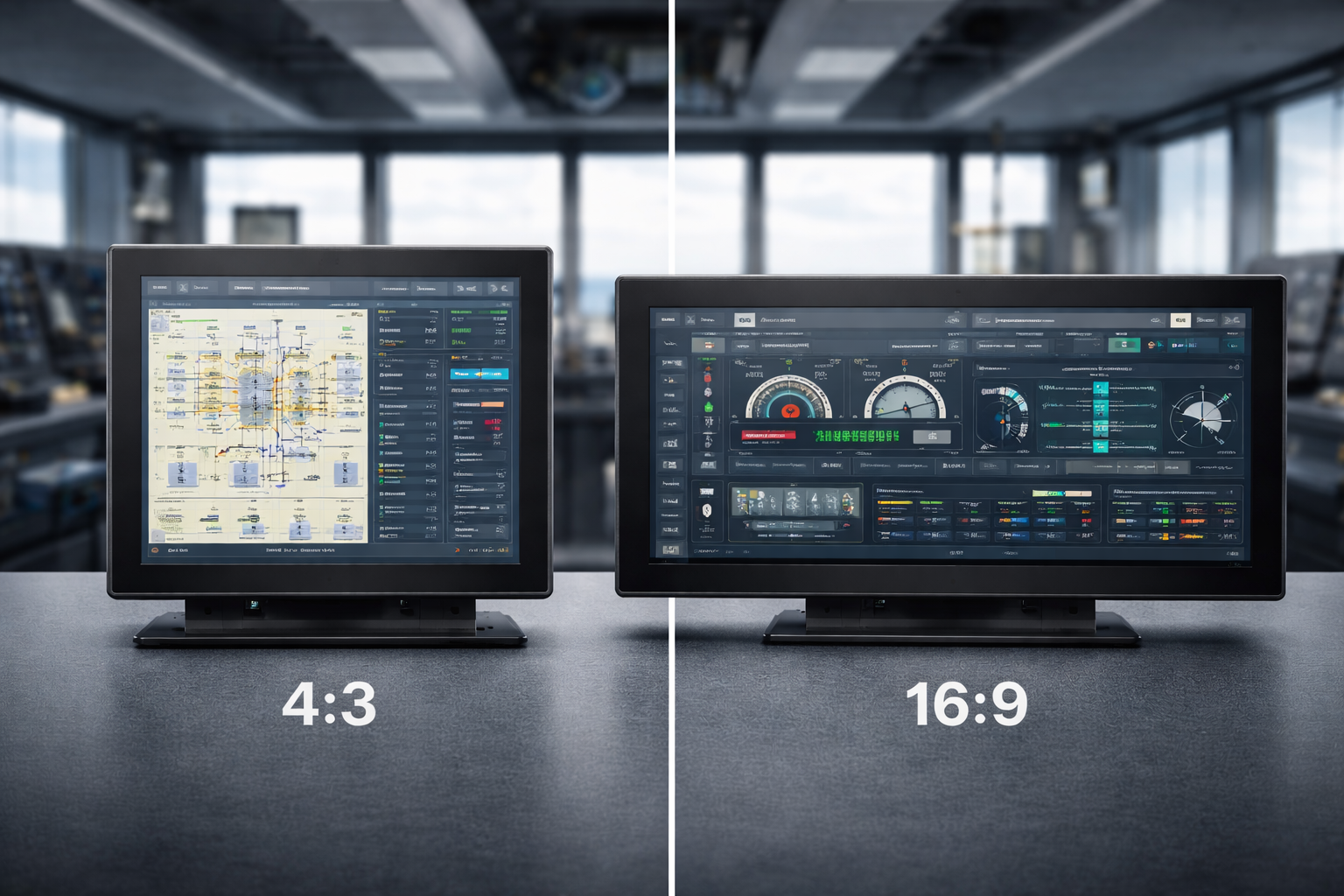
When selecting a monitor, the aspect ratio is a pivotal factor that defines how you view, work, and interact with digital content. Whether you’re choosing a monitor for professional tasks, gaming, or multimedia consumption, the difference between 4:3 and 16:9 aspect ratios can significantly shape your experience.
This guide compares these two widely used aspect ratios and helps you decide which one best fits your specific needs.
At its core, a monitor’s aspect ratio refers to the proportional relationship between its width and height. While this may seem like a simple specification, it directly influences:
Aspect ratio affects everything from interface layout to how naturally your eyes move across the screen.
The transition from 4:3 to 16:9 reflects a broader evolution in digital media.
The 4:3 aspect ratio was once the standard, closely aligned with early television formats and legacy computer systems. As multimedia content expanded and video formats shifted toward widescreen presentation, 16:9 emerged as the dominant standard, especially with the rise of HDTV and modern computing devices.
This shift was driven by content—not hardware alone.
The 4:3 aspect ratio provides a more square-like display, which remains valuable in certain contexts.
Key benefits include:
In professional environments, 4:3 monitors are often preferred for coding, text editing, reading, and control interfaces, where vertical clarity matters more than horizontal expansion.
They are also popular in retro gaming and applications originally designed around this format.
The 16:9 aspect ratio has become the standard for modern digital content.
It is widely used across:
This format aligns perfectly with HD, Full HD, and 4K video standards, making it ideal for:
With its wider horizontal field, 16:9 excels at displaying dashboards, timelines, and side-by-side content.
When comparing these two aspect ratios, the choice depends on how the monitor will be used.
Neither is universally better—the right option depends on your priorities.
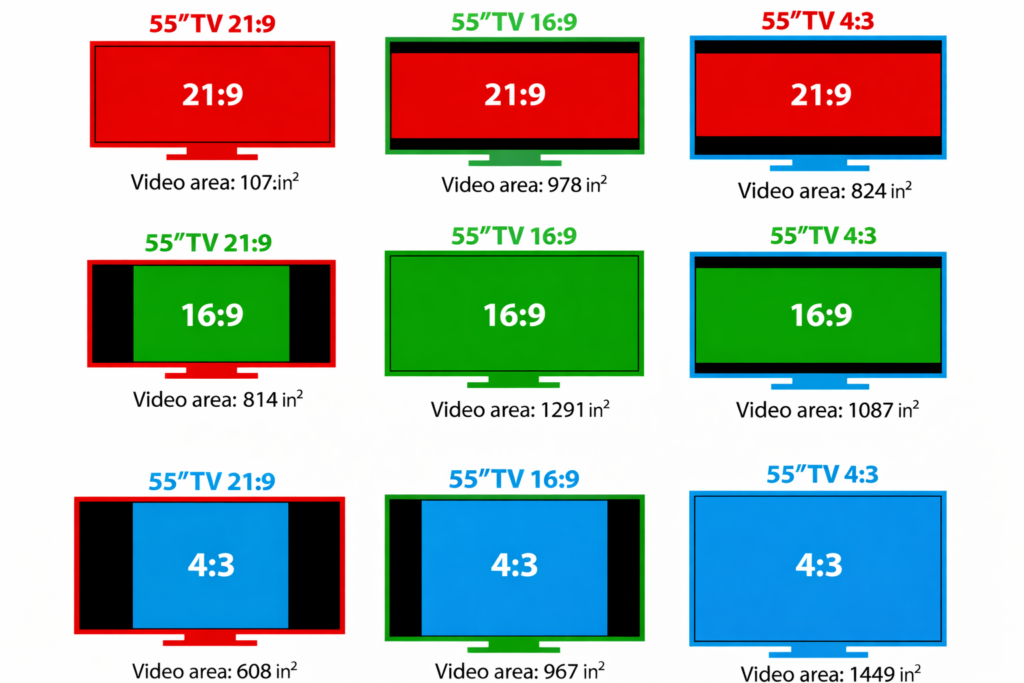
The shift reflects how content is created and consumed today.
Modern media—especially video and interactive applications—benefits from wider viewing areas. As widescreen formats became the norm, display technology followed suit to match content expectations and user behavior.
Yes—although less common, 4:3 monitors remain relevant in specific use cases.
They continue to be used in:
Their vertical efficiency and compatibility make them valuable where modernization is not the primary goal.
As display technology evolves, ultrawide formats like 21:9 are gaining traction, offering increased immersion and productivity. Curved and panoramic displays are expanding what’s possible, especially for multitasking and visualization-heavy work.
Still, 4:3 and 16:9 remain foundational standards, and they will continue to coexist based on application needs.
Choosing between a 4:3 and 16:9 monitor isn’t just a technical decision—it’s about how you interact with digital content.
The right aspect ratio enhances productivity, comfort, and overall usability.
It depends on the task. A 4:3 monitor is often better for text-heavy or vertically oriented work, while a 16:9 monitor is more suitable for multitasking, modern software, and multimedia content.
16:9 monitors align with modern video standards and widescreen content formats, making them ideal for video playback, gaming, and contemporary applications.
Yes. 4:3 monitors are still used in professional and industrial settings, especially where legacy software, fixed enclosures, or vertical screen space is important.
Yes. The aspect ratio influences how information is displayed on screen. Choosing the right ratio can improve workflow efficiency, readability, and overall user comfort.
For long-term or legacy projects, 4:3 may offer better compatibility. For new systems and future scalability, 16:9 is usually the better choice.
Introduction Human-machine interfaces (HMIs) are now standard components in modern industrial equipment. Displays allow operators to …

Introduction Industrial displays are frequently deployed in environments where lighting conditions are difficult to control. Equipment …

Introduction Displays are a critical interface component in many types of industrial equipment. They provide system …

Introduction Display visibility is a critical design parameter in industrial equipment. Operators rely on graphical interfaces …
Send your application details. We respond with configuration direction and next steps.