Industrial Kiosk Display Design for Self-Service Systems

Introduction Self-service kiosks are widely deployed across transportation systems, EV charging infrastructure, retail automation, and public …

Self-service kiosks are widely deployed across transportation systems, EV charging infrastructure, retail automation, and public information terminals. These systems rely on a user interface that must remain readable, stable, and responsive over long operational periods.
The industrial kiosk display functions as the primary human–machine interface (HMI) within these terminals. It combines visual output and user interaction in a single subsystem. Because of this dual role, the display assembly directly influences usability, reliability, and maintenance requirements throughout the equipment lifecycle.
Unlike consumer tablets or office monitors, displays installed in kiosks must tolerate continuous operation, repeated touch interaction, and variable ambient lighting. Some installations may also experience temperature variation or partial outdoor exposure.
For engineers designing self-service equipment, kiosk display design involves evaluating multiple factors beyond screen size. Optical performance, mechanical integration, environmental durability, and lifecycle availability all influence long-term system viability.
An industrial kiosk display is an integrated touchscreen display system used in self-service machines such as EV charging stations, ticketing systems, retail terminals, and public information kiosks.
A typical kiosk display assembly includes multiple hardware layers integrated into a single module.
Common components include:
The display assembly is typically mounted behind the kiosk front panel, with the protective glass aligned with the user-facing opening.
Because users interact directly with the glass surface, the mechanical durability of the outer layer becomes a key design factor. At the same time, the display must maintain consistent readability under different lighting conditions.
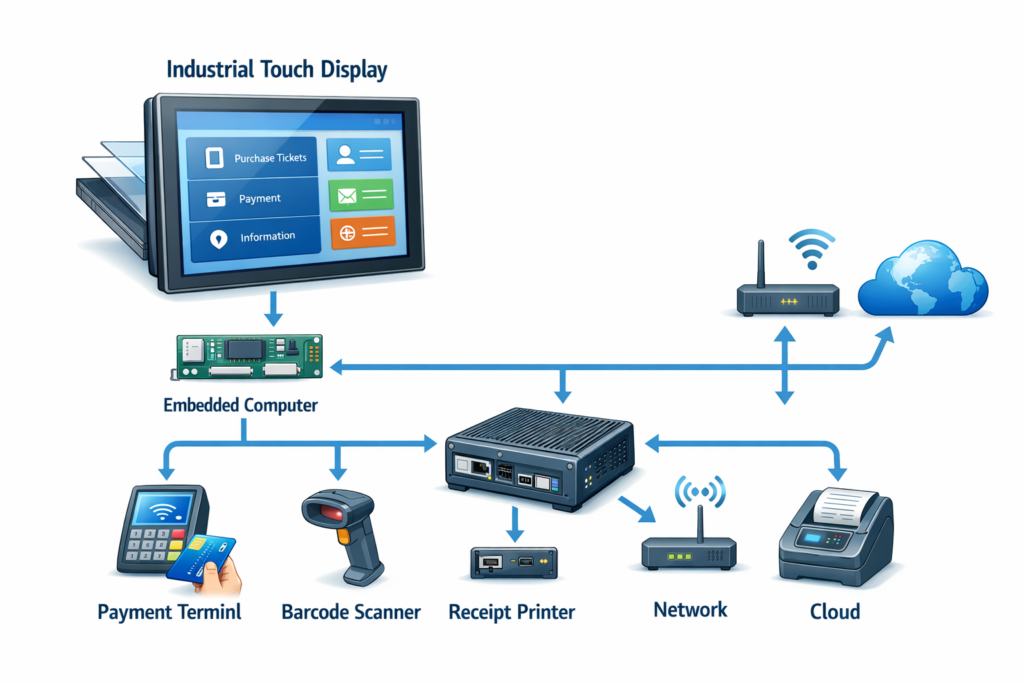
Many kiosk systems integrate display modules using industrial touch screens, industrial monitors, or embedded computing platforms such as panel PCs. In some cases, equipment manufacturers implement custom OEM display solutions to match enclosure geometry and environmental requirements.
Several technologies determine the performance and reliability of kiosk display systems.
Most kiosk displays use TFT LCD panels. Industrial-grade panels are typically selected for stable operation across wider environmental conditions and longer product availability.
Important LCD parameters include:
Brightness levels between 500 and 1500 nits are common depending on the installation environment.
Higher brightness is often required for kiosks installed in transportation hubs, near building entrances, or in partially outdoor environments.
Optical bonding is commonly used in kiosk display assemblies to improve optical clarity and mechanical stability.
The process fills the air gap between the LCD panel and protective glass using a transparent bonding material.
Engineering benefits include:
Optical bonding can significantly improve readability in installations exposed to high ambient light.
Most modern kiosks use projected capacitive (PCAP) touch sensors.
PCAP sensors contain a conductive grid embedded in a transparent layer. The controller detects small capacitance changes when a finger approaches the surface.
Advantages of PCAP technology include:
Touch controllers can also be configured to support glove operation or filter electrical noise from nearby electronic equipment.
The outermost layer of a kiosk display typically consists of tempered or chemically strengthened glass.
This layer serves several functions:
Glass thickness typically ranges from 2 mm to 6 mm, depending on mechanical durability requirements.
Optical coatings are frequently applied to improve readability in bright environments.
Engineers evaluating kiosk display modules often compare several baseline parameters.
| Parameter | Typical Range |
|---|---|
| Display technology | TFT LCD |
| Brightness | 500–1500 nits |
| Touch technology | Projected capacitive |
| Backlight lifetime | ~50,000 hours |
| Operating temperature | –20°C to +60°C |
| Protective glass thickness | 2–6 mm |
Actual specifications vary depending on the enclosure design and installation environment.
Integrating a kiosk display into a self-service system requires evaluation of several operational constraints.
Self-service kiosks are frequently installed in locations with strong ambient lighting, including:
Display readability depends on both brightness and surface optical properties. Optical bonding and anti-reflective coatings can significantly improve contrast in these environments.
Many kiosks operate continuously throughout the day.
Displays used in these systems must support extended operating periods without significant brightness degradation.
Industrial LED backlight systems commonly specify lifetimes of approximately 50,000 hours to half brightness.
Thermal management plays an important role in maintaining this lifespan.
LED backlights generate heat that must be dissipated through the kiosk enclosure.
Engineers typically evaluate:
Thermal simulation is often used during the design stage to ensure internal temperatures remain within component limits.
Kiosk displays are generally mounted behind the enclosure front panel.
Mechanical design considerations include:
Integrated modules such as industrial monitors can simplify mechanical integration.
Self-service kiosks are often deployed in large networks across multiple locations.
Maintenance efficiency becomes an important consideration. Engineers may evaluate:
Industrial display suppliers commonly provide extended lifecycle support to reduce redesign risk during long-term deployments.
Engineers selecting a kiosk display typically evaluate several technical factors early in the system design process.
These include:
Early evaluation of these parameters can simplify integration and reduce redesign risk during later development stages.
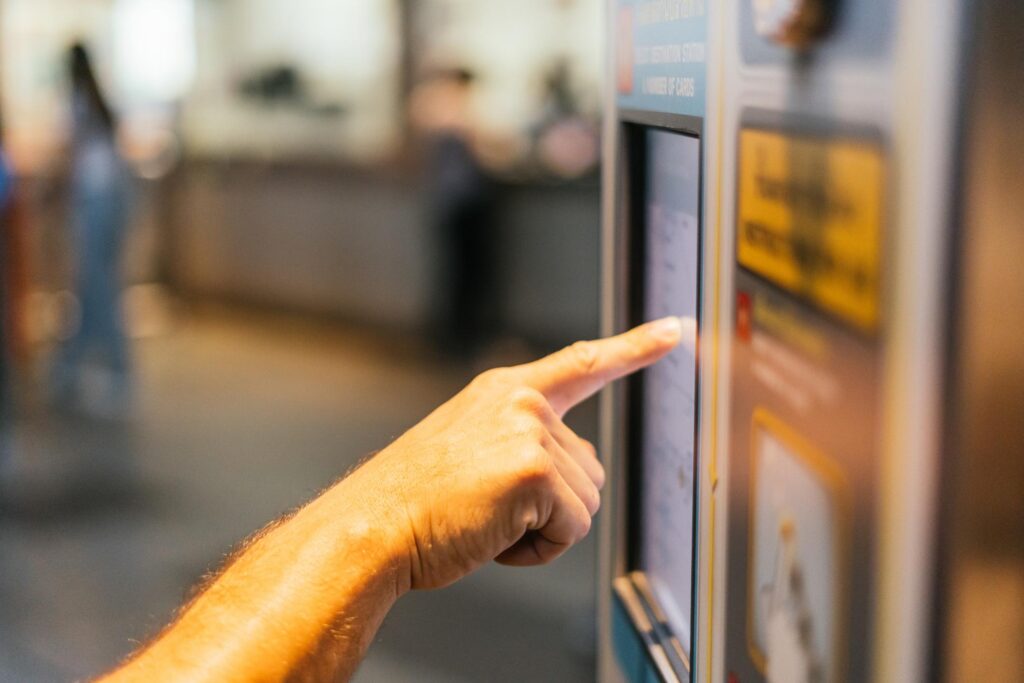
Industrial kiosk displays are used in a wide range of automated service systems.
EV charging stations often include touchscreen interfaces for payment processing and charging status information. Displays must support high brightness and wide temperature ranges.
Railway and metro ticket machines operate continuously and experience high interaction volumes. Display durability and lifecycle stability are key requirements.
Retail environments use kiosks for self-checkout and ordering systems. Displays must support fast touch response and repeated interaction cycles.
Municipal information kiosks, parking payment machines, and public service terminals combine industrial displays with embedded computing systems and durable enclosures.
A kiosk display architecture is appropriate when equipment requires:
Applications such as ticketing machines, EV chargers, and automated service terminals commonly use this design approach.
In large kiosk deployments, display reliability directly affects system availability.
For this reason, many system integrators prefer display modules designed specifically for industrial environments rather than adapting consumer displays.
Industrial display platforms typically provide:
These characteristics reduce maintenance complexity and help support long-term equipment deployment.
The display subsystem plays a central role in self-service kiosk design. Because it combines visual output and user interaction, its performance directly influences usability and long-term equipment reliability.
Engineers evaluating industrial kiosk display solutions should consider optical performance, environmental durability, mechanical integration, and lifecycle availability.
Industrial display technologies — including industrial touch screens, industrial monitors, panel PCs, and custom OEM display solutions — provide flexible options for integrating reliable display systems into kiosk equipment.
Selecting an appropriate display architecture early in development can simplify system integration and support long-term deployment.
Indoor kiosks commonly use displays between 400 and 700 nits, while semi-outdoor installations often require 1000 nits or higher.
Optical bonding reduces reflections between display layers and improves contrast in bright environments while increasing structural stability.
Most kiosk displays use projected capacitive (PCAP) touch technology because of its durability, optical clarity, and support for multi-touch interaction.
Industrial LED backlight systems often provide approximately 50,000 hours of operation before brightness decreases to half of its initial level.
Yes. Many kiosk systems integrate display modules with panel PCs or embedded controllers, simplifying system architecture.
For engineers developing self-service equipment, we provide industrial kiosk display modules and custom OEM display integration support for embedded systems and public-facing terminals.
Introduction Self-service kiosks are widely deployed across transportation systems, EV charging infrastructure, retail automation, and public …

Introduction Industrial Touch Screen are widely used in industrial control systems and embedded equipment. Operator panels, …
Introduction In EV charging equipment, the display system is more than a graphical interface. It is …
Introduction Industrial equipment interfaces have evolved as control systems have become increasingly software-driven. Traditional operator panels …
Send your application details. We respond with configuration direction and next steps.