Industrial Display Supplier Buyer Guide for OEM Equipment

Introduction Human-machine interfaces (HMIs) are now standard components in modern industrial equipment. Displays allow operators to …
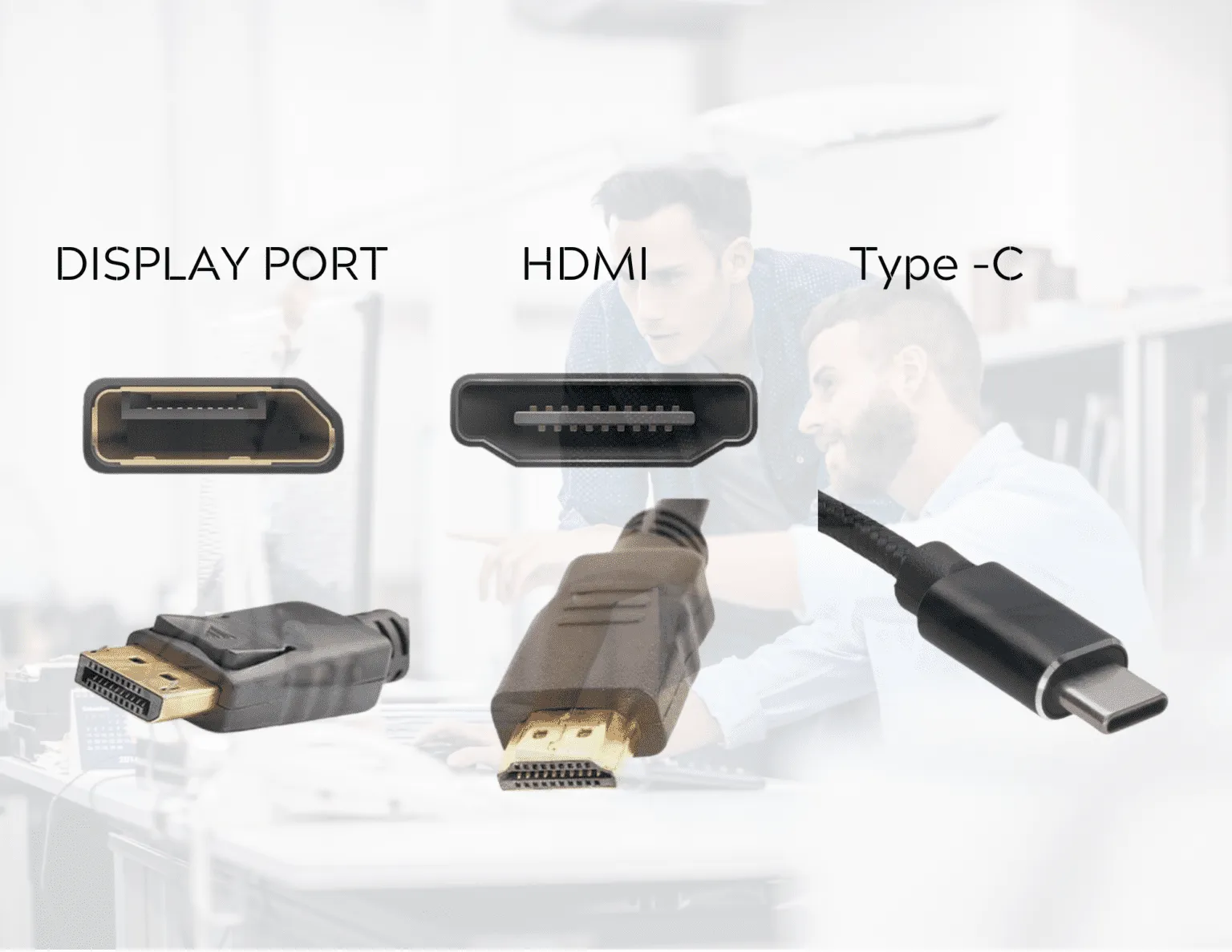
Display interfaces are a fundamental part of industrial display system design.
In many embedded systems, the display interface determines how the graphics controller communicates with the display panel and how reliably that connection performs over the lifetime of the equipment.
Historically, selecting a display interface was mainly a compatibility decision. The chosen interface simply needed to match the video output provided by the host controller or embedded computer.
Modern industrial equipment has changed this assumption.
Industrial displays are now integrated into systems such as:
These systems operate in environments very different from consumer electronics. Industrial display interfaces must function reliably under conditions that may include electrical noise, long product lifecycles, and production platforms that remain unchanged for many years.
As a result, choosing between HDMI, DisplayPort (DP), and USB-C requires more than comparing supported resolution or connector availability.
System designers must also consider:
Understanding how these interfaces behave in industrial environments helps engineers reduce integration risk and maintain system reliability throughout the product lifecycle.
The table below summarizes the main characteristics of these interfaces when used in industrial display systems.
| Interface | Typical Industrial Usage | Advantages | Engineering Considerations |
|---|---|---|---|
| HDMI | Industrial monitors, kiosks, embedded systems | Broad compatibility, widely available components | Usually no locking connector |
| DisplayPort | Control stations, multi-display workstations | High bandwidth and structured display transport | Shorter cable distance |
| USB-C (DP Alt Mode) | Panel PCs, compact embedded platforms | Single cable for video, USB, and power | Requires strict compatibility validation |
In many industrial systems, interface selection is influenced more by integration stability and lifecycle considerations than by raw bandwidth.
Although HDMI, DisplayPort, and USB-C all connect graphics sources to displays, they originate from different design goals and technical architectures.
HDMI (High-Definition Multimedia Interface) was originally developed for digital video and audio transmission in consumer electronics.
Over time, it has become widely supported across a broad ecosystem that includes:
Because of this extensive compatibility, HDMI is frequently used in industrial monitors and industrial touch screens where component availability and system interoperability are important.
Many industrial displays include HDMI as a standard interface because cables and adapters are easy to source.
DisplayPort was designed primarily for computer display systems and workstation environments.
Unlike HDMI, which evolved from consumer electronics, DisplayPort was built specifically for graphics processing systems. It offers high bandwidth and a packet-based data transport architecture.
In industrial environments, DisplayPort is often used in applications requiring:
DisplayPort is commonly found in industrial PCs and panel PC systems, especially when multiple displays are required.
USB-C differs from HDMI and DisplayPort because it is primarily a connector specification, not a display protocol.
Video transmission over USB-C is typically implemented using DisplayPort Alternate Mode (DP Alt Mode). This allows the USB-C connector to carry DisplayPort signals alongside USB data and power delivery.
In some systems, a single USB-C cable can provide:
While this architecture can simplify hardware design, it also introduces additional complexity in system integration and compatibility management.
Although these interfaces perform a similar function, their underlying technologies influence how they behave in industrial deployments.
HDMI uses Transition Minimized Differential Signaling (TMDS) to transmit digital video.
Over time, several HDMI versions have increased the available bandwidth and supported resolutions.
One of HDMI’s main advantages in industrial systems is ecosystem maturity. A wide range of components, cables, converters, and embedded controllers support HDMI output.
However, implementation differences between chipsets can occasionally affect:
In industrial equipment with long production lifecycles, these variations may require additional validation when hardware revisions occur.
DisplayPort uses packetized data transmission rather than a continuous video stream.
This architecture provides several advantages for graphics systems:
For industrial systems where display cables are permanently installed and system architecture remains fixed, DisplayPort often provides stable signal behavior.
Another practical advantage is the availability of locking connectors, which can improve mechanical reliability in equipment exposed to vibration.
USB-C introduces a flexible architecture where multiple signal types can be negotiated through the same physical connector.
These functions include:
The system must negotiate these capabilities when the connection is established.
From an engineering perspective, this means USB-C display behavior depends on several factors:
Two USB-C ports may appear identical externally while supporting different capabilities internally.
For industrial equipment with long lifecycles, this variability must be carefully managed.
Selecting a display interface for industrial systems requires evaluating several practical engineering factors beyond bandwidth specifications.
Industrial equipment often remains in production or service for many years.
During this time, hardware revisions, supplier changes, and component substitutions may occur. Interfaces with simpler and more predictable behavior can reduce integration risk across product revisions.
Typical characteristics include:
Industrial environments frequently include equipment such as:
These devices generate electromagnetic interference that can affect signal integrity.
Reliable display performance depends on factors including:
Although all three interfaces use differential signaling, USB-C systems may be more sensitive to cable specification compliance because multiple protocols share the same connection.
Cable routing inside industrial equipment is often constrained by enclosure space, hinge assemblies, or moving mechanical arms.
Typical passive cable ranges used in industrial systems are approximately:
| Interface | Typical Passive Cable Range |
|---|---|
| HDMI | 3–10 meters |
| DisplayPort | 2–5 meters |
| USB-C (DP Alt Mode) | 1–2 meters |
Longer distances typically require active cables or signal extension hardware.
Mechanical reliability is an important consideration in industrial environments where equipment may experience vibration, servicing, or cable movement.
Typical characteristics include:
Engineers sometimes add strain relief or cable clamps to improve connection stability.
In many industrial touch display systems, the display interface is only part of the overall connection architecture.
Touch controllers typically communicate through USB.
As a result, many industrial touch displays use two connections:
USB-C can potentially combine these functions into a single cable when properly implemented. However, this requires consistent host support and validated cable configurations.
Some custom OEM display solutions integrate internal USB hubs or embedded controllers to simplify system connections.
Different display interfaces tend to fit different categories of industrial equipment.
HDMI is commonly used in:
Its main advantages are compatibility and component availability.
DisplayPort is often selected for:
These installations benefit from DisplayPort’s bandwidth and structured display transport.
USB-C is increasingly used in:
The ability to combine power, data, and video signals can simplify system architecture when hardware compatibility is well controlled.
Before selecting a display interface, engineers should evaluate the following factors:
Considering these factors early in system design can reduce integration effort and improve long-term reliability.
HDMI works well when
DisplayPort works well when
USB-C works well when
HDMI, DisplayPort, and USB-C all provide viable solutions for connecting industrial displays, but they reflect different design priorities.
HDMI offers broad compatibility and easy sourcing.
DisplayPort provides stable performance in fixed industrial installations.
USB-C enables compact multi-function connectivity but requires careful compatibility validation.
For OEM manufacturers and system designers, the most reliable interface choice is typically the one that introduces the least uncertainty within the system architecture.
Yes. HDMI is widely used in industrial systems because of its compatibility and ecosystem support.
DisplayPort often provides stable high-resolution output and supports multi-display configurations.
In some controlled systems it can. USB-C with DisplayPort Alternate Mode can combine video and USB communication.
Most do. Touch controllers typically communicate through USB.
Introduction Human-machine interfaces (HMIs) are now standard components in modern industrial equipment. Displays allow operators to …

Introduction Industrial displays are frequently deployed in environments where lighting conditions are difficult to control. Equipment …

Introduction Displays are a critical interface component in many types of industrial equipment. They provide system …

Introduction Display visibility is a critical design parameter in industrial equipment. Operators rely on graphical interfaces …
Send your application details. We respond with configuration direction and next steps.