What Is an Industrial Panel PC? Components, Types and Applications

An industrial panel PC is a computer with a built-in display, usually a touchscreen, designed for …
Eagle Touch Engineering Team
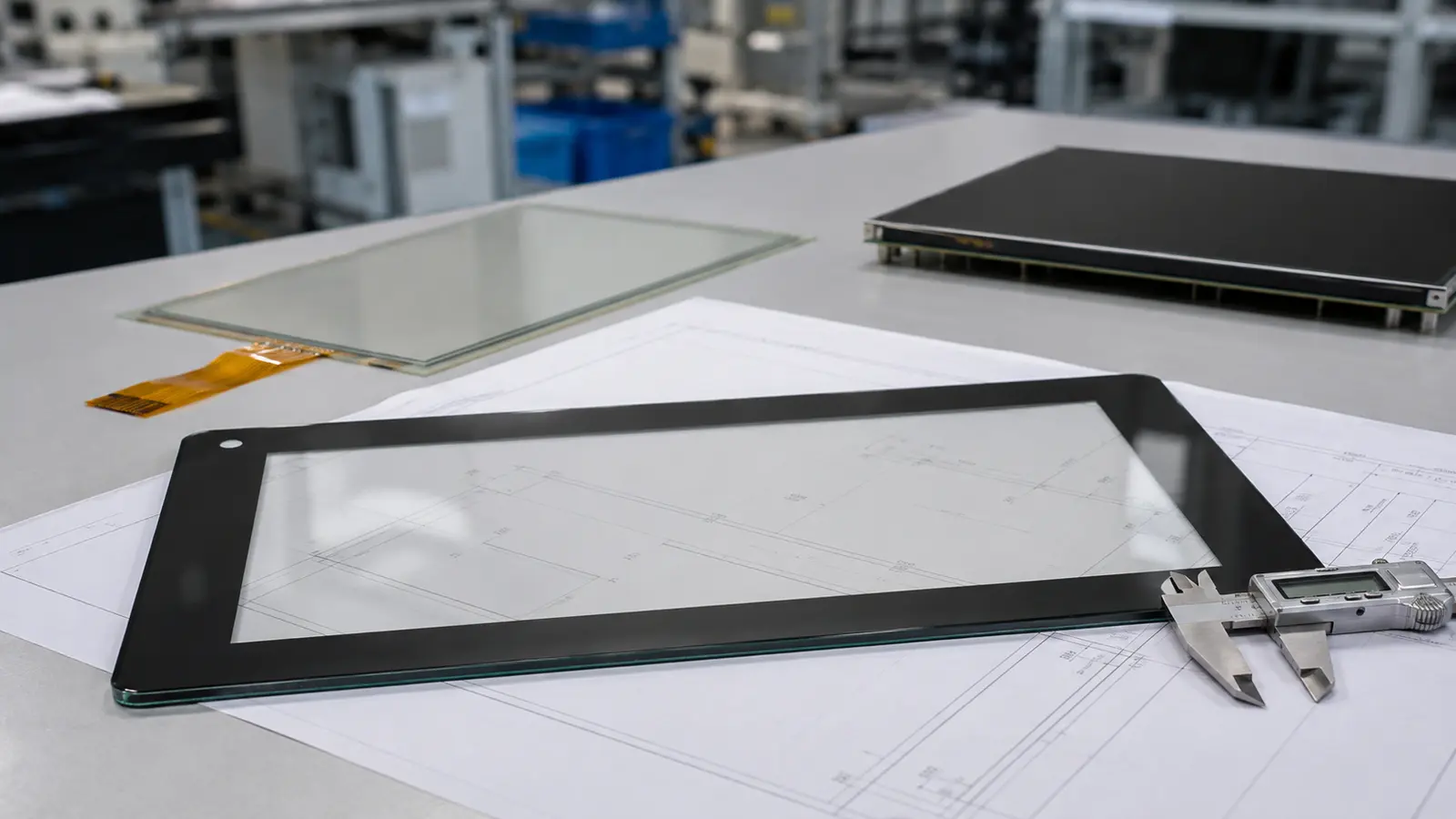
Industrial touch screen cover glass is more than a transparent protective sheet. It defines the front appearance of the product and protects the touch sensor underneath. Its material, thickness, shape, edge quality, printing and surface treatment must all be specified before production.
A good cover glass drawing should answer six questions clearly:
The following points should be agreed before the drawing is released for sampling.
The two common starting points for industrial touchscreen cover glass are soda-lime glass and aluminosilicate glass.
| Glass material | Practical use |
|---|---|
| Soda-lime glass | A widely available and economical choice for general industrial cover glass |
| Aluminosilicate glass | Often selected for thinner designs that require high strength and precise dimensions |
The material name alone does not guarantee performance. Final strength also depends on glass thickness, strengthening method, edge condition, openings and processing quality.
If a project requires a specific glass brand or material grade, state it on the drawing. Otherwise, define the required performance and let the supplier propose an available equivalent for approval.
Industrial cover glass is normally strengthened after cutting, drilling and edge finishing.
Thermal tempering is commonly used for relatively thick or large protective glass. It provides good resistance to bending, impact and thermal stress. When properly fully tempered glass breaks, it normally forms smaller fragments rather than large sharp pieces.
Its limitations include minimum practical thickness, possible optical waviness and tighter restrictions around holes and edge geometry. These limits vary by processor.
Chemical strengthening is commonly used for thinner cover glass requiring good flatness, dimensional accuracy and surface strength. It is suitable for many compact industrial HMIs and touch panels.
However, chemically strengthened glass does not automatically have the same breakage behaviour as thermally tempered safety glass. Material, surface compression, depth of layer and final part geometry all matter.
Neither process is universally better. For a detailed comparison, see thermally tempered vs chemically strengthened glass.
All machining should be completed before strengthening. Cutting or grinding afterward can damage the strengthened layer and reduce edge strength.
Cover glass thickness is a balance between protection, weight, cost and touch performance.
| Typical thickness | Common starting point |
|---|---|
| 1.1–1.8 mm | Thin indoor control interfaces and compact touch panels |
| 2–3 mm | General industrial HMIs, equipment controls and self-service terminals |
| 4–6 mm | Public equipment or projects requiring higher impact resistance |
These ranges are design references, not fixed rules.
Thicker glass is not automatically stronger in the final product. A thick sheet with chipped edges, sharp internal corners or poor support may fail earlier than a properly processed thinner sheet.
For PCAP touchscreens, increasing the cover glass thickness reduces the touch-signal margin. Thick glass can still work, but it must be confirmed with the selected touch sensor and controller. Glove and wet-touch requirements should be included during sample evaluation.
Six-millimetre strengthened glass is commonly used in IK10-target projects, but glass thickness alone does not create an IK rating. IK performance must be verified on the defined structure. See our IK10 touchscreen test guide for the distinction.
Industrial cover glass does not have to be a plain rectangle. It can be designed with:
Every feature affects processing cost, yield and strength.
Rounded outer corners are easier to handle and less likely to be damaged than sharp points. Internal corners in slots and cut-outs should also use a practical radius. A sharp internal corner concentrates stress and increases the risk of cracking.
The drawing must define:
Do not place a hole too close to an edge or another opening. The minimum safe distance depends on glass thickness, material, strengthening method and processor capability, so it should be reviewed before the design is released.
Avoid tighter tolerances than the product actually needs. Unnecessary precision increases processing difficulty and cost without improving function. Use critical tolerances only for features that must align with another component.
The edge is one of the most vulnerable parts of a glass component. Small chips or machining damage can become crack initiation points during assembly, transport or use.
Common edge options include:
The correct finish depends on whether the edge will be hidden, exposed or handled during assembly. Exposed edges usually require better visual finishing, while hidden edges still need to be smooth and free from unacceptable chips.
The drawing should identify the required edge treatment instead of using a general note such as “safe edge.” If appearance matters, define the visible surfaces and agree on an approved sample.
The black border, logo and functional icons are normally printed on the rear surface of the cover glass. Rear printing protects the ink from direct contact, cleaning and abrasion during normal use.
The artwork should define:
The black mask hides the edge of the touch sensor, adhesive and other structures behind the glass. It should be wide enough to allow normal assembly variation without exposing an uneven edge.
At the same time, the printed opening must not cover the required visible area. The opening dimensions should therefore be checked against the actual product drawing, not estimated from the nominal screen size.
“Black” is not a complete printing specification when colour consistency matters. Define an approved colour reference, such as Pantone, RAL or a physical sample. For other colours, specify both the target colour and the acceptable difference.
The ink also needs sufficient opacity to hide the parts behind it. Backlighting can reveal pinholes or uneven coverage that are not visible under normal room light, so illuminated inspection may be required.
For outdoor applications, specify ink that can withstand the expected UV exposure, temperature and humidity. Standard decorative ink may fade, discolour or lose adhesion over time. Outdoor suitability should be confirmed through material data or agreed testing, not assumed from appearance.
Avoid conductive or metallic ink near the touch area unless its effect on capacitive sensing has been reviewed.
Surface treatment should solve a defined problem. It should not be added simply because it appears on another product specification.
| Treatment | Main function | Main consideration |
|---|---|---|
| AG | Diffuses clear reflections and reduces mirror-like glare | Adds haze and may reduce perceived sharpness |
| AR | Reduces surface reflection while retaining clarity | Requires controlled coating quality, handling and cleaning |
| AF | Reduces fingerprints and improves cleanability | Does not provide impact resistance or make glass scratch-proof |
AG, AR and AF can sometimes be combined, but the final optical appearance and durability must be approved on a real sample. Outdoor use does not automatically require AG; the choice depends on the actual lighting, clarity requirement and cleaning conditions.
For a more detailed comparison, see AG vs AR vs AF glass for industrial touch displays.
The drawing must state which surface receives each treatment. This is especially important when the front and rear surfaces have different processes.
A production-ready drawing should include the following information:
| Drawing item | Required information |
|---|---|
| Glass material | Material type or approved equivalent |
| Strengthening | Thermal tempering or chemical strengthening |
| Thickness | Nominal thickness and tolerance |
| Overall size | Length, width and dimensional tolerance |
| Corners | Outer and internal radii |
| Openings | Holes, slots, cut-outs and their locations |
| Edge finish | Ground, polished, chamfered or other defined finish |
| Printing | Artwork, colour, opacity, side and tolerance |
| Surface treatment | AG, AR, AF and treated side |
| Appearance criteria | Allowable scratches, chips, pinholes and print defects |
| Environmental requirement | UV, temperature, humidity or chemical exposure where relevant |
Use one clear datum system for all critical dimensions. Supply vector artwork for logos and printed graphics whenever possible. If the drawing and artwork conflict, production should not begin until the difference is resolved.
The first sample should be checked as a glass component, not only photographed from the front.
Confirm:
Keep the approved drawing, artwork and physical golden sample together. These three references help prevent disputes about colour, edge appearance or acceptable cosmetic defects during repeat production.
Do not specify industrial touchscreen cover glass only as “3 mm tempered glass with black printing.” That leaves too many important details open to interpretation.
A usable specification must define the glass material, strengthening process, thickness, outline, corners, holes, edge finish, printing, surface treatment, tolerances and appearance criteria. The final thickness and any conductive printing should also be checked with the PCAP touch design before approval.
If you are developing a custom industrial touchscreen, Eagle Touch can review the cover glass drawing and match it with the required touch sensor. Learn more about our custom industrial touch screens.
Two to three millimetres is a common starting range for general industrial applications, but the correct thickness depends on size, required protection, strengthening, touch performance and cost.
Not in every case. Chemical strengthening is often suitable for thin, precise glass. Thermal tempering is commonly used for thicker or larger protective glass. The correct choice depends on the required part and breakage behaviour.
They should be completed before strengthening. Post-process drilling or grinding can damage the strengthened layer and may cause the glass to break.
No. AF improves fingerprint resistance and cleanability. It does not replace proper glass strengthening, surface-hardness or abrasion requirements.
An industrial panel PC is a computer with a built-in display, usually a touchscreen, designed for …

An embedded PC is a computer configured to work as part of a machine or larger …

Start with the software the panel PC must run and the conditions it must fit. Then …

Choosing an industrial panel PC IP rating starts with two questions: what dust and water exposure …
Share your application, requirements, or current challenge. Our team will review the details and recommend a practical way forward.