What Is an Industrial Panel PC? Components, Types and Applications
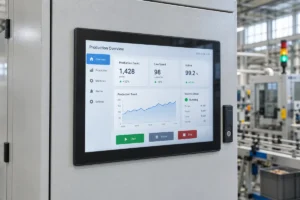
An industrial panel PC is a computer with a built-in display, usually a touchscreen, designed for …
Eagle Touch Engineering Team
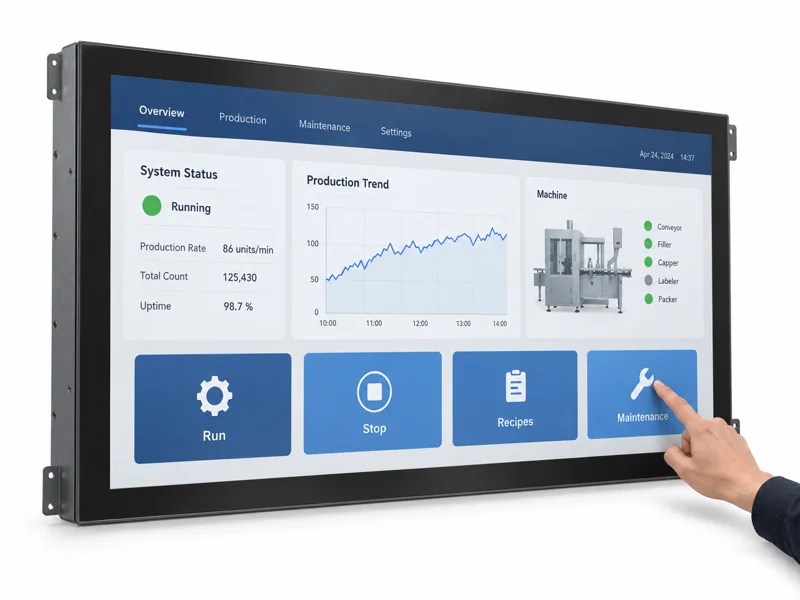
A 32-inch touch screen monitor makes sense when users need a large interactive area and the equipment has room to position it comfortably. Before choosing a model, check the actual software interface, the user’s operating position and the installation drawing. Those three checks establish whether 32 inches is useful—and which specifications matter.
Start with the tasks people must complete. A screen that looks impressive in a cabinet can still be awkward to reach or difficult to service.
Large touch displays are useful where several pieces of information need to remain visible while someone makes a selection or changes a setting.
| Application | What the touch monitor does | Why consider 32 inches? |
|---|---|---|
| Self-ordering kiosk | Shows items, options and the current order | Gives product images and selection controls room to sit together |
| Interactive directory | Displays maps and accepts destination searches | Provides space for a readable map alongside navigation controls |
| Operator workstation | Shows machine status, trends and adjustment screens | Can accommodate larger controls beside process information |
| Inspection station | Displays images and records an operator’s decision | Allows image review and accept/reject controls on one surface |
The interaction matters. A production dashboard viewed across a workshop may need a large display but no touch input. A locker terminal used only to enter a collection code may work comfortably with a smaller screen.
For a self-service project, map out the transaction before fixing the display size. Our self-service kiosk touch monitor guide explains how the interface supports the equipment’s workflow.
Review the busiest screen in the application: a full order, an alarm list or a detailed inspection image. Show it at the intended resolution and scaling, then check it from the user’s normal position.
A larger panel does not automatically show more information. With the same resolution and scaling, moving from 27 to 32 inches mainly makes existing content physically larger. Additional workspace depends on resolution and software layout.
For nominal 16:9 screens, the approximate visible dimensions are:
| Diagonal | Visible width | Visible height |
|---|---|---|
| 27 inches | 598 mm | 336 mm |
| 32 inches | 708 mm | 398 mm |
These are geometric estimates, not installation dimensions. Some products sold as 32-inch monitors use a 31.5-inch panel. Obtain the exact active area, glass outline, housing dimensions and mounting drawing for the selected model.
Check reach as carefully as readability. Users should be able to operate frequent controls without repeatedly stretching to the far corners. On a portrait kiosk, content can occupy the upper screen while the main interaction area stays lower. Test the layout with the intended users, including seated users where relevant.
If the larger panel forces an uncomfortable operating position or makes the cabinet unnecessarily wide, reconsider the size before changing the enclosure.
Full HD can be sufficient for ordering screens, large status indicators and straightforward machine controls. Consider 4K when users need to inspect fine image detail, read dense information or work with several detailed views.
| Requirement | What to evaluate |
|---|---|
| Large buttons, short instructions and product images | Start by testing Full HD with the actual interface |
| Fine drawings or inspection images | Compare native 4K using representative source material |
| Several information panels on one screen | Check whether higher resolution adds usable workspace after scaling |
| Existing software with fixed layouts | Verify text, dialogs and touch targets at the proposed resolution |
At 200% scaling, a 4K desktop can provide roughly the same logical workspace as Full HD at 100%, with finer rendering where the application supports it. Choosing 4K therefore does not necessarily mean fitting twice as many controls across the screen.
Confirm native LCD resolution, supported input timing and the host’s video output separately. A monitor accepting a higher-resolution signal does not necessarily contain a higher-resolution panel. Check the complete host, cable and monitor combination at the required refresh rate.
Finally, touch every frequently used control. Extra pixels will not correct an interface whose buttons are too small.
Choose the mounting arrangement before releasing the cabinet drawing.
An open-frame touch monitor suits equipment where the manufacturer provides the surrounding enclosure. Panel mounting uses a front mounting arrangement designed around the cabinet opening. VESA mounting can suit brackets, stands and operator arms. Confirm the selected model’s actual structure rather than relying on the category name.
For a 32-inch assembly, review:
The mounting structure should hold the monitor without twisting the frame or loading the LCD unevenly. Review support and sealing together, especially where a large front glass meets the cabinet. If the display is mounted in an opening cabinet door, include its weight in the door, hinge and support design. Check that opening the door does not pull on the cables or leave the display unsupported during maintenance.
Specify how the finished screen will be used. For PCAP touch, include the intended cover glass, gloves and any water exposure. Test the centre, edges and corners with the final controller settings, grounding and host connection. Bare-finger operation on a loose sample does not confirm performance inside the equipment.
Select brightness for the light reaching the installed screen. A shaded indoor kiosk and a terminal facing a bright entrance may need different configurations despite using the same panel size. Check the complete screen from normal operating positions; reflections can obscure one part of a large display while another remains readable. Use the industrial display brightness guide for the detailed selection criteria.
Confirm continuous-operation and temperature requirements for the specific monitor. Include its power consumption and required clearances in the cabinet thermal review. Where front IP protection is required, establish the mounting and sealing conditions: a front-rated monitor does not certify the complete enclosure.
Approve the sample with the actual application, host and representative mounting arrangement. Check readability, touch reach, edge response, restart behaviour and operation after the equipment reaches a stable temperature. Confirm that service staff can access and remove the unit.
Before placing a production order, agree on the drawing revision, display and touch configuration, interfaces, power input and any required test documentation. Ask for sample availability, minimum order quantity, production pricing, lead time and the process for component changes.
Browse Eagle Touch’s 32-inch industrial monitor and touch display models to identify a starting configuration. Send us your application, installation drawing if available, and expected quantity. An interface screenshot also helps us check whether 32 inches is the right fit. We can then review suitable models and any adjustments needed before sampling.
An industrial panel PC is a computer with a built-in display, usually a touchscreen, designed for …
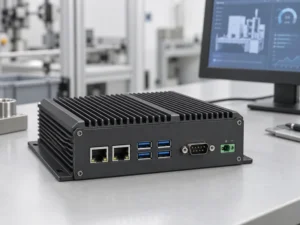
An embedded PC is a computer configured to work as part of a machine or larger …
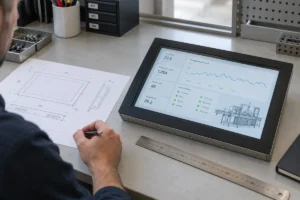
Start with the software the panel PC must run and the conditions it must fit. Then …
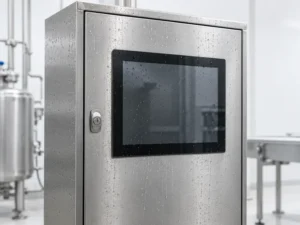
Choosing an industrial panel PC IP rating starts with two questions: what dust and water exposure …
Share your application, requirements, or current challenge. Our team will review the details and recommend a practical way forward.