What Is an Industrial Panel PC? Components, Types and Applications

An industrial panel PC is a computer with a built-in display, usually a touchscreen, designed for …
Eagle Touch Engineering Team
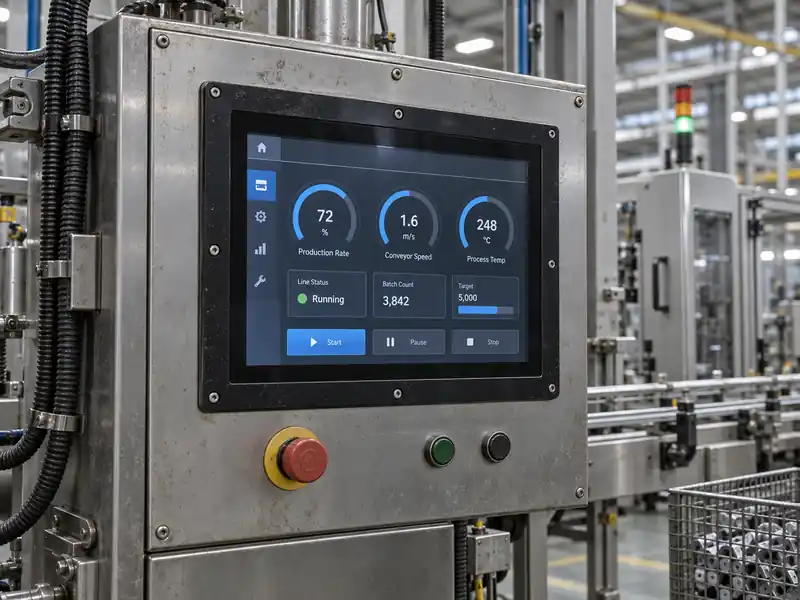
An industrial monitor is not rugged simply because it has a metal housing or a thick front glass. It is rugged when its display, touch panel, mechanical structure, electronics and connections are designed for the conditions in which the equipment will operate—and when the relevant performance has been verified.
Those conditions are different from one project to another. A monitor mounted in a CNC control cabinet may face vibration, coolant residue and electrical interference. An outdoor charger must also cope with rain, sunlight, temperature changes and public impact. A vehicle terminal adds repeated shock, cable movement and an unstable power supply.
The right question is therefore not, “Is this an industrial monitor rugged?” It is, “Is it rugged enough for this application?”
Protection should be specified from the real exposure, not copied from another project. The same monitor construction will not suit every installation.
| Application | Typical exposure | Possible result if overlooked |
|---|---|---|
| Factory HMI | Dust, oil, vibration and electrical noise | Intermittent video, inaccurate touch or early component failure |
| Outdoor kiosk or EV charger | Rain, sunlight, heat, cold, condensation and public use | Poor readability, water ingress, cracked glass or unstable touch |
| Vehicle terminal | Continuous vibration, shock and power fluctuation | Loose connectors, restarts or display interruption |
| Food-processing equipment | Washdown, humidity and cleaning chemicals | Seal degradation, corrosion or moisture ingress |
| Warehouse terminal | Dust, repeated operation and accidental impact | Worn touch surface, damaged front glass or unreliable input |
Before choosing ratings, define where the monitor will be installed, what can reach its front and rear surfaces, how it will be mounted, and whether it will operate continuously. This prevents both under-specification and paying for protection the equipment does not need.
Failures do not always begin with the LCD panel. Water can enter through an unevenly compressed gasket. Vibration can loosen a connector or stress an unsupported cable. An enclosure can twist the monitor frame and press on the LCD. Heat trapped inside a cabinet can raise the internal temperature well above ambient.
Touch performance can also change after integration. Cover glass, surface water, gloves, grounding and electromagnetic noise can all affect a projected-capacitive touchscreen. A unit that works on a desk may behave differently beside a variable-frequency drive or behind a large metal panel.
This is why ruggedness must cover the complete assembly rather than one visible feature.
Cover-glass material, thickness, strengthening, edge finish and support structure all affect impact performance. Thicker glass can improve resistance, but thickness alone does not establish an IK rating. Unsupported edges, unsuitable adhesive or enclosure stress can still cause breakage. Where vandalism is a realistic risk, the complete front assembly should be designed and tested for the required level. Our separate guide explains how IK ratings apply to industrial touchscreens.
An IP rating describes protection against solid particles and water under defined test conditions. Buyers should confirm whether the stated rating applies only to the front face or to the complete monitor.
A panel-mount monitor commonly achieves front IP protection only after correct installation. Gasket material, compression, panel flatness and cutout tolerance determine whether the seal works. Front IP65 does not mean exposed rear connectors can be left outdoors. Washdown or fully exposed equipment requires a review of the enclosure, connectors and cable entries as one system.
A metal chassis provides a stable structure, but metal construction alone does not prove resistance to vibration. Internal boards, the LCD, connectors, FPCs and cables all need suitable support.
Useful measures include locking connectors, cable clamps, screw retention, controlled mounting points and clearance around sensitive parts. The equipment must not distort the display chassis. Vibration validation should use the intended mounting orientation and representative cables; transport and operating vibration are different conditions.
The operating-temperature range of an LCD panel is only one part of a monitor specification. The touch controller, display-control board, backlight driver, power circuit, adhesive and bonding material must also remain suitable across the required range.
High temperature can reduce backlight life and accelerate ageing; low temperature can slow LCD response and change touch behaviour. Solar load and nearby electronics may make a sealed enclosure much hotter than ambient. Thermal design therefore needs to consider brightness, operating hours, ventilation and mounting direction together. For outdoor projects, see our guide to sunlight-readable industrial monitors.
Some apparent display failures are connection or power problems. Voltage drops, transients, poor grounding, long cables and electromagnetic interference can cause black screens, flicker, restarts or false touch input. Depending on the host and equipment, the solution may involve a suitable DC input range, shielded cables, protected power design, locking connectors or a different interface arrangement.
PCAP touch can be configured for thick cover glass, gloved operation or limited water tolerance, but these requirements affect sensitivity and tuning. They should be defined before production, not added after the monitor has been installed.
Testing should use the intended glass, controller, firmware, host, grounding and enclosure. “Works with gloves” is incomplete unless glove material and thickness are known. “Works in rain” must also distinguish wet-finger tracking, droplet rejection and prevention of false touches.
Specifications are useful only when their scope is understood.
| Supplier statement | What must be clarified |
|---|---|
| Front IP65 | Does it apply after panel installation, and what gasket and mounting conditions are required? |
| 6 mm tempered glass | Is this a material description, or has the complete front assembly passed an impact test? |
| IK10 | Which model and front construction were tested, and does the customized version use the same design? |
| −20°C to +70°C operation | Is this the LCD rating or the verified operating range of the complete monitor? |
| Vibration resistant | What frequency, acceleration, duration, axes and mounting method were used? |
| Optical bonding | Which layers are bonded, and has the process been validated for the intended temperature range? |
A rating should never be extended automatically from one component to the whole product. In the same way, a report for a similar model may be useful as a design reference, but it does not necessarily certify a new glass size, housing or mounting structure.
The most rugged monitor is not automatically the best. Each requirement can affect cost, thickness, thermal design, touch tuning and lead time. A protected indoor machine may need stable mounting and cable retention but no IK10 front. An unattended outdoor terminal may need high brightness, bonding, front sealing, impact protection and wet-touch tuning. Food-processing equipment may prioritize full sealing and chemical compatibility. Start with the failure to prevent, then specify the protection that addresses it. Our industrial monitor selection guide for OEM equipment covers the wider questions of mounting, interfaces, power and service access.
A useful supplier review connects each claim to both the product design and appropriate evidence.
| Claim | Supporting design | Useful evidence |
|---|---|---|
| Front water resistance | Cover glass, gasket, flat mounting surface and controlled compression | IP test for the stated installation condition |
| Impact resistance | Strengthened glass, correct edge support and adequate frame stiffness | Impact test for the relevant complete front assembly |
| Vibration resistance | Supported boards, fixed cables, locked screws and retained connectors | Test conditions and post-test functional inspection |
| Wide-temperature operation | Suitable LCD, touch components, electronics, adhesive and thermal path | Complete-unit operation checks at the required temperatures |
| Stable touch operation | Appropriate controller, firmware, grounding and glass stack | Testing with the actual host, enclosure, gloves and water conditions |
Before approving a sample, ask:
For projects requiring a formal validation plan, our industrial touch screen durability testing guide explains what to check before and after environmental and mechanical tests.
To recommend a practical rugged industrial monitor, a supplier needs more than a screen size. Provide:
These details show whether an existing industrial display monitor is suitable or the glass, mounting, touch tuning, interface or enclosure needs customization.
Ruggedness is not the length of a specification sheet. It is the ability of the complete monitor to continue displaying information and accepting input under the actual mechanical, environmental and electrical stresses of the equipment.
The right solution connects three things: a clearly defined risk, a design that addresses it and evidence appropriate to the project. That approach produces a more reliable system—and avoids paying for impressive ratings that do not protect the real point of failure.
If you are evaluating a rugged monitor for new equipment, send Eagle Touch your mounting drawing, operating environment, interface requirements and expected quantity. Our engineering team can review whether a standard configuration is suitable and identify what should be validated before production.
An industrial panel PC is a computer with a built-in display, usually a touchscreen, designed for …

An embedded PC is a computer configured to work as part of a machine or larger …

Start with the software the panel PC must run and the conditions it must fit. Then …

Choosing an industrial panel PC IP rating starts with two questions: what dust and water exposure …
Share your application, requirements, or current challenge. Our team will review the details and recommend a practical way forward.