What Is an Industrial Panel PC? Components, Types and Applications

An industrial panel PC is a computer with a built-in display, usually a touchscreen, designed for …
Eagle Touch Engineering Team
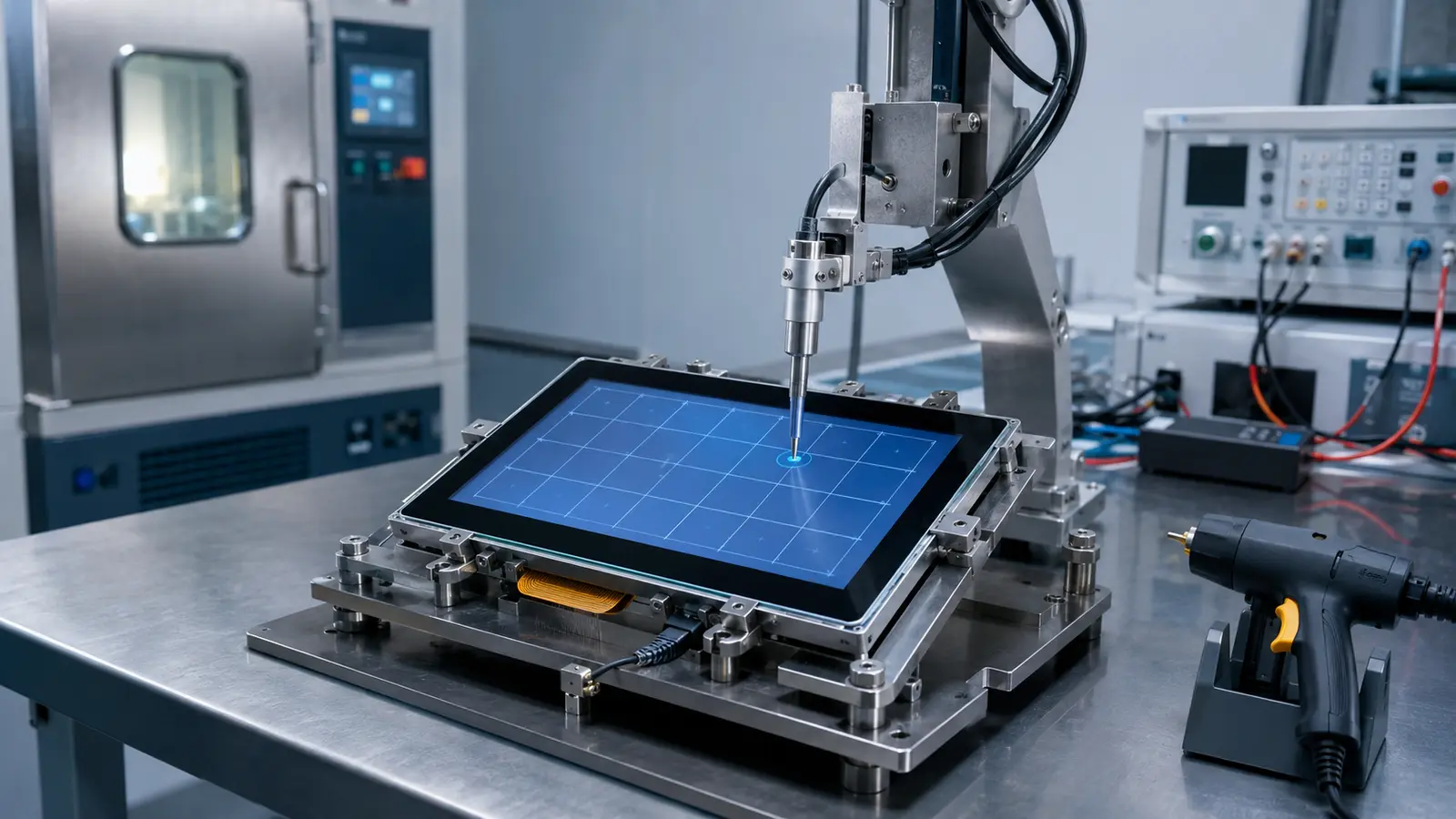
Industrial touch screen durability cannot be confirmed by one lifetime figure, an IK rating or an “industrial-grade” label. A reliable assessment must define the test specimen, reproduce the stresses the product will face and set measurable acceptance criteria. A panel that works on a laboratory bench can behave differently after bonding to an LCD, installation behind a metal bezel and connection to the production power supply. The complete design must therefore be evaluated as a system.
This guide focuses on durability verification. For technology selection, interfaces and integration, see our industrial touch screen guide.
Durability is the ability of the touch interface to remain functional and visually acceptable throughout its intended service conditions. It covers:
The correct test plan depends on the touch technology, construction, installation and environment.
The test report should identify the exact test specimen. Results from one product level cannot automatically be applied to another.
| Test specimen | What it includes | What the result can support |
|---|---|---|
| Touch sensor module | Sensor, FPC and controller solution | Basic sensing and component reliability |
| Touch panel assembly | Sensor, cover glass, adhesive and controller | Touch performance through the specified glass |
| Bonded display module | Touch panel bonded to the TFT LCD | Bonding integrity and touch/display interaction |
| Complete touch monitor | Display, electronics, cables, housing and mounting | Product-level environmental and electrical performance |
| Finished customer equipment | Monitor installed in its production enclosure | Actual system behaviour in the intended configuration |
This distinction matters for IK, IP and EMC claims. Testing loose cover glass does not prove that a monitor is IK-rated. A touch panel designed for sealing does not make the finished enclosure IP65, and a controller tested alone cannot prove system-level EMC stability.
A useful plan starts with the field environment, not a generic test list. Define:
Agree the pass criteria at the same time. “No visible damage” is insufficient if accurate touch, a clear image and continued sealing are also required. A test without defined conditions and acceptance criteria is an experiment, not durability evidence.
This matrix is a practical starting point. Test levels and durations must match the equipment and applicable standards.
| Field risk | Verification method | Conditions to define | What to check afterwards |
|---|---|---|---|
| Repeated operation | Technology-specific endurance test | Actuator, force, location, rate and cycles | Accuracy, dead areas, surface wear and calibration stability |
| Accidental impact | Specified impact or IK test | Test assembly, mounting, impact energy and locations | Glass, touch, LCD, frame and continued operation |
| Heat and cold | Operating and storage exposure | Temperature, dwell time, power state and cycles | Start-up, touch response, display and bonding |
| Humidity | Damp-heat exposure | Temperature, relative humidity and duration | Corrosion, bubbles, delamination and touch stability |
| Vibration and shock | Mounted assembly test | Axis, frequency, acceleration, pulse and duration | FPC, connectors, fasteners, bonding and intermittent faults |
| ESD and EMC | Powered immunity testing | Applicable standard, severity, cables and grounding | False touches, missed touches, reset, freeze or USB disconnect |
| Cleaning chemicals | Controlled surface exposure | Chemical, concentration, dwell, wiping method and cycles | Coating, printing, haze, colour and surface damage |
| Water and gloves | Functional use test | Actual glove, liquid quantity and required behaviour | Wet input, water rejection, false touch and response margin |
A cycle count is meaningful only when the actuator, force, contact area, location and pass criteria are stated. In a glass-front projected capacitive touch screen, sensing does not require two layers to make mechanical contact. Surface, bonding and electrical tests may therefore be more informative than a generic “millions of touches” claim. A resistive touchscreen has a flexible top layer that repeatedly deflects under pressure, making actuator force, stylus shape and touch location directly relevant. Do not compare PCAP and resistive lifetime figures without comparing their test methods.
IEC 62262 classifies enclosure protection against external mechanical impact. The result depends on the tested glass, edges, adhesive, gasket, frame and mounting. A report should state how the specimen was supported, where it was struck and what was checked afterwards. Unbroken glass can still leave a damaged LCD or unstable touch. Our IK10 touch screen guide explains why thickness alone cannot prove an IK rating; the cover glass guide covers material and edge design.
Separate storage exposure from powered operation: a module may survive cold storage but fail to start at the same temperature. Record temperature, humidity, dwell time, transition rate and cycle count. After exposure and recovery, check touch, image quality, bubbles, edge lifting, yellowing and delamination. IEC 62908-13-10 provides environmental durability methods for capacitive and resistive touch displays, but severity must still match the application.
Vibration failures often occur at FPC exits, connectors, screws and unsupported cables. Mount the specimen in a representative orientation and test the required axes. Then check for intermittent touch, loose connectors, shifted gaskets and bonding changes. Transport and operating vibration tests answer different questions and are not interchangeable.
ESD and other EMC tests should be kept separate. IEC 61000-4-2 addresses ESD immunity; radiated RF, conducted RF, electrical fast transients and surge use different methods. Test PCAP with the intended LCD, power supply, cable, grounding, metalwork and software. Record false touches, missed input, coordinate jumps, USB reconnection and resets—not only permanent damage. If instability appears, follow a structured touch screen interference check.
“Chemical resistant” is incomplete without the chemical and exposure method. Specify concentration, dwell time, temperature, wiping material and cycles. Inspect AG or AF surfaces, printing and bonded edges for haze, colour change, peeling or loss of clarity. Whenever possible, use the customer’s actual cleaner; passing with water or isopropyl alcohol does not prove resistance to every industrial chemical.
Record baseline performance and repeat the same checks afterwards:
Use the same firmware, orientation, operating system and test program before and after exposure.
Before accepting a durability claim, verify the following:
A report for a similar size can support engineering discussion, but it is not proof for a changed assembly.
Consider revalidation after changes to the glass, sensor, controller, firmware, LCD, bonding, FPC, cable, power supply, gasket, frame or grounding. The full programme may not need repeating; the changed risk should determine the necessary tests. This is essential when production substitutions alter mechanical support, touch signal margin or environmental resistance.
Before approving production, confirm that:
Durability is the result of correct materials, controller integration, mechanical support and verification. Eagle Touch develops custom industrial touch screens for OEM equipment and can review the glass, sensor, controller, bonding and test requirements before tooling is released.
No. IK addresses external mechanical impact for a defined enclosure or assembly. It does not prove temperature, chemical, EMC or touch performance.
Not necessarily. IP65 concerns enclosure ingress protection. Water rejection, wet-finger input and false-touch behaviour are separate requirements.
There is no useful universal number. Compare only figures supported by a defined method, specimen and acceptance criteria. PCAP and resistive touchscreens do not have the same wear mechanism.
An industrial panel PC is a computer with a built-in display, usually a touchscreen, designed for …

An embedded PC is a computer configured to work as part of a machine or larger …

Start with the software the panel PC must run and the conditions it must fit. Then …

Choosing an industrial panel PC IP rating starts with two questions: what dust and water exposure …
Share your application, requirements, or current challenge. Our team will review the details and recommend a practical way forward.